- NewspaperWP Rocket and Newspaper Theme: Optimization Guide
- TutorialsFrom WPBakery to tagDiv Composer
- TutorialsDefault Block Settings Guide
- TutorialsHow to use custom fonts
 oronmati
 That’s what I did- from 6 to 6.xx and Method C tells you to remove (delete) the theme and re-install it.. I lost my customs CSS that I entered at the theme panel..
 Emil G
 Hi,
@blockquote – You mean like this?- http://screencast.com/t/S5vMLXfIpzN
1-6 The theme has default css and the quotes are automatically set to uppercase, try this – http://screencast.com/t/t0qKZof0WoX
.td-post-content blockquote p {
text-align: left;
text-transform: none;
}
I’ve tried the settings on my side and they seem to work – http://screencast.com/t/nMwycroWq – http://screencast.com/t/GV23x2rzt
Thank you!
-
This reply was modified 11 years by Emil G.
Emil G Hi,
If you update from Newspaper 4 then note that Newspaper 6 is practically a new theme, the code structure was modified and the old custom modifications(or custom css) have to be rewritten.
If you refer to the latest update then yes, you have to save the custom code modifications (or backup the current theme) on you local hard disk, install the latest version and reapply the code modifications. The css added in Theme Panel -> Custom CSS is not affected because it’s saved in the database and you only update the theme files.
The best practice is to backup the side before updating (usually there’s a backup option in the cpanel/host administration area). If you use a cdn or a cache plugin clear the cache (purge cdn files).
Thank you!
Emil G Hi,
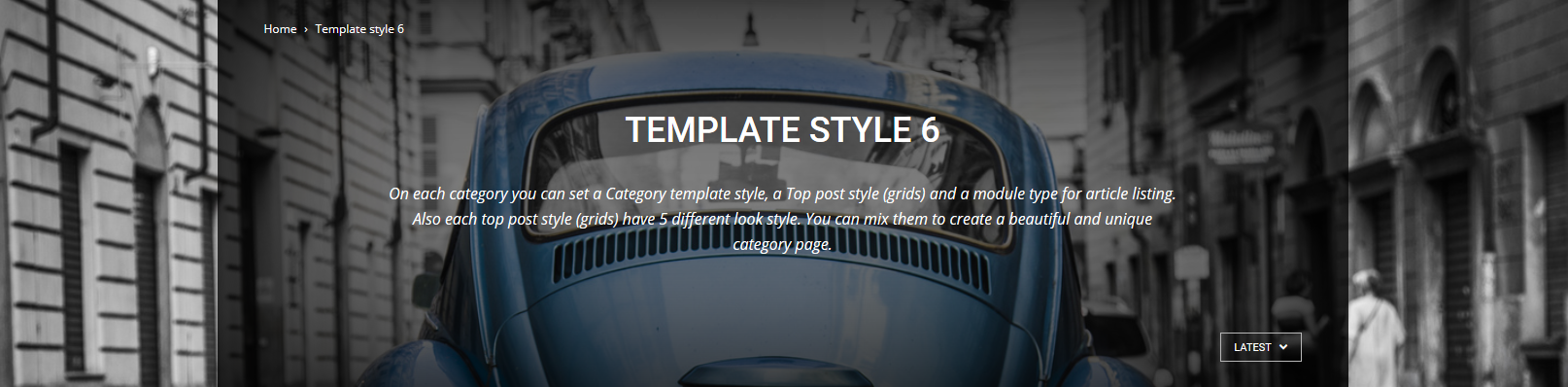
Add the following css to Theme Panel -> Custom CSS:
.td_category_template_6 .td-category-header {
background-color: rgba(0, 0, 0, 0.5);
}
.td-image-gradient-style8:after {
-webkit-box-shadow: inset 0 0 188px 0 rgba(0, 0, 0, 0.5);
-moz-box-shadow: inset 0 0 188px 0 rgba(0, 0, 0, 0.5);
box-shadow: inset 0 0 188px 0 rgba(0, 0, 0, 0.5);
}
Play with the 0.5 parameter, it’s the opacity, 0 is transparent and 1 is opaque.
Thank you!
-
This reply was modified 11 years by Emil G.
Emil G Hi,
1. Try to disable the theme default comments from Theme Panel -> Posts Settings – http://screencast.com/t/tstX6wfng4
2. Add the following css in Theme Panel -> Custom CSS:
.td_block_slide .td-post-views {
display: none;
}
Thank you!
-
This reply was modified 11 years by Emil G.
Emil G Hi,
1. Please provide a link to a post containing a smart list and one on which the justify parameter doesn’t apply. I’ll check them and i’ll get back with a solution.
2. For galleries try the following css: – http://screencast.com/t/chbE4mKG
.tiled-gallery .gallery-row {
margin: 0 auto;
}
Thank you!
 Lucian
 Hi,
Unfortunately the theme doesn’t have an option for that but I believe you can use custom css for that and try something like this: http://screencast.com/t/74BmaniRmxM but this still needs adjustments.
.td-container {

box-shadow: 10px 10px 5px #888888;

}
You can search the web for ways on how to add it via css or if you don’t have css knowledge you can hire a freelancer to do it for you as this needs custom work and we cannot provide any at the moment unfortunately.
Thanks
Emil G Hi,
1. I’ve checked your post and the featured image seems to be properly displayed – http://screencast.com/t/schr5mg5cQbg
A part from the image bottom section gets lost because the height is limited and the aspect ratio must be maintained.
Please provide more details about this, maybe i’m missing something.
2. Try the following css (add it in Theme Panel -> Custom CSS):
.home .td-crumb-container {
display: none;
}
Thank you!
-
This reply was modified 11 years by Emil G.
Lucian Hi,
It happens due to this css: http://screencast.com/t/YriEVUjA
I see you use Visual Composer plugin version 4.4.2 so please make sure that you remove it and install the latest version that came within theme’s files in the /plugins folder: http://screencast.com/t/fWFSbhCsyJ3V
Make sure that you use version 4.5.3 then test again.
Thanks
Emil G Hi,
Block 18 uses modules 10, mx2 and mx8. – http://screencast.com/t/S80wXB1Nztny
The section you want to modify is module mx8, you can find it here – http://screencast.com/t/lNVXlHXZ1BV6
You can see how the excerpt is added on the other modules – http://screencast.com/t/1gp9rBu4v
Custom css may be required to position the newly added excerpt.
Thank you!
-
This reply was modified 11 years by Emil G.
Lucian Hi,
You have to make sure first that the image are larger enough to fill the whole thumbs container so in your case the post featured images need to have at least 741px in width and 486px in height.
If you want to remove the zoom effect please try this custom css in
Theme Panel > Custom Css section:
.td-hover-1 .td-big-grid-post:hover .td-module-thumb .entry-thumb {

transform: none !important;

-webkit-transform: none !important;

-moz-transform: none !important;

}
Thanks
 fergusga
 I have the same issue:
Fatal error: Access to undeclared static property: td_global::$all_theme_panels_list in /home/…./…./wp-content/themes/Newspaper/includes/td_config.php on line 3092
I patched the files rather than a full upgrade. Will any content, layouts etc be lost if carrying out a full upgrade (I have no custom CSS)?
Thanks
 jk
jk hello Lucian, thank you for your help and quick response, all its fixed now, you can check that on http://www.electropiknik.cz if you like 🙂 it was caused by the order of css styles affecting composer etc.. however its all fine now. thanks again jan
 4lt3r
4lt3rHello,
can u help me please with this google fonts PageSpeed Insights issue?
https://www.dropbox.com/s/avvkrdvjkj3cl4u/Screen%20Shot%202015-07-29%20at%2011.34.10.png?dl=0
Latest ver of theme, Speedbooster v4.1, functions.php trick shows only style.css in registered styles, how to catch this google fonts styles id’s?
Url – applemix.ru
Thanks
oronmati I followed the instructions and updated the theme via Method C (WordPress zip upload) and lost my custom CSS that I entered at the Appearance tab. Sucks but I will rewrite it.
One question I have- it says in the Best Practices to reset the Cache.. How do I do that?
 Mark
Mark You will only lose customizations if you edited the files themselves. But your Custom CSS, Analytic code, category, post changes will all remain the same.
Just do a backup of the current folder to your desktop.
/public_html/YOURFOLDER/wp-content/themes/Newspaper
Then drop in the new 6.3.1 version. Tell it to overwrite all files.
I did this on my site without any issues.
But you should look at: https://forum.tagdiv.com/how-to-update-the-theme-2/
https://forum.tagdiv.com/install-via-ftp/
The video will give you an idea if you do it via FTP.
 felizubi
 Hi Lucian,
using DevTools I see that on Sources fonts.googleapis.com is still loaded on the page.
http://fonts.googleapis.com/css?family=Open+Sans%3A300italic%2C400italic%2C600italic%2C300%2C400%2C600&subset=latin%2Clatin-ext&ver=4.2.3
Should I need to delete code on includes/wp-booster/td_wp_booster_functions.php also?
Fz
 josito
Hi, I am trying to create a text block or raw html on VC with the background transparent like the categories style 6 template https://forum.tagdiv.com/wp-content/uploads/2015/05/2015-06-15_16-44-07.png but i am failing (my css skills are almost zero), I will pay 15$ by paypal if someone can create the page and export it.
Some css expert is able to do that?
Cheers!!
 Andrei L.
 Hi
Replace the above css with this one to affect the menu position: http://screencast.com/t/uloavPtOst
.menu-item-608{

margin-left: 120px!important;

}
You can modify the margin value as you like.
Thanks!
 Beldar
 Hello again, thanks for your reply, but I get no run…
I put the code in the custom CSS: https://dl.dropboxusercontent.com/u/21598606/Captura%20de%20pantalla%202015-07-28%2015.33.20.png
But I do not get results for questions 1 and 2: https://dl.dropboxusercontent.com/u/21598606/Captura%20de%20pantalla%202015-07-28%2015.33.30.png
I could more or less solve question 3.
Thanks
-
This reply was modified 11 years by
Beldar.
Andrei L. Hi
We added a list with plugins with which we tested the Speed Booster plugin, it automatically disables itself if a new plugin is installed. This measure was added to prevent plugin conflict/failure for the average user.
This plugin was intended for advanced user, it requires modifications on the code to add new resources (js and css) which are moved to the bottom of the page and conflicts may appear because some plugins may cause issues when you try to move their resources at the page bottom.
If you want to always keep the speed booster activated just delete from td-speed-booster.php the indicated lines of code: http://screencast.com/t/qnHDcRUCHXv
Thanks!
Andrei L. Hi
You can hide sidebar in every page from Visual Composer, but not post like this url for example: http://www.phonelane.com/phone-tips/lenovo-k3-note-dead-wont-start-showing-black-screen-and-unable-to-boot/
So if you want to hide the sidebar and footer from post you can use this css in theme panel > custom css:
@media (max-width: 767px){

.single-post .span4.td-post-sidebar{

display:none!important;

}

}

@media (max-width: 767px){

.single-post .td-footer-wrap{

display:none!important;

}

}
Thanks!
Lucian Hi,
Yes, the top menu bar isn’t deigned to work on mobiles devices and it’s hidden you can change that using custom css and set the top menu to display but please note that it may need additional customizations.
You can use this custom css: http://screencast.com/t/wVe7cHrc
@media (max-width: 767px) {

.td-header-top-menu-full {

    display: block;

}

}
Thanks
Emil G Hi,
1. I’ve checked the css on my side and it works fine – http://screencast.com/t/VVbjmbNSFVV
Try to add !important at the end and see if it works on your side:
.td-post-text-content p{
text-align: justify !important;
}
2. The smart lists have a fixed image width which is set from css, this css overrides the settings made in the backend. Use custom css to modify the default one – http://screencast.com/t/OAWoAyQMDqy2
.td_smart_list_3 .td-slide-smart-list-figure {
width: auto;
}
3. Do you refer to the smart lists navigation arrows? use custom css to change their color: – http://screencast.com/t/gFkzVrYg
.td-icon-right, .td-icon-left {
color: red;
}
If you refer to something else use the browser inspector to find the classes used on those items and create a similar css to change their color.
Thank you!
-
This reply was modified 11 years by Emil G.
Emil G Hi,
1. There are option for left and right quotes in the “Formats” section – http://screencast.com/t/toXQltPg
2. You have to modify the theme grid (inside style.css) or use custom css, unfortunately this is not an easy task because you have to adjust each element to match the newly set width – http://screencast.com/t/uO3KU68vJL14
Ex. – http://screencast.com/t/605CFywzP7
@media (min-width: 1200px){
.single .td-main-content-wrap .td-container, .td-boxed-layout #td-outer-wrap {
width: 1168px;
}
.single .td-main-content-wrap .td-container .td-pb-span8 {
width: 844px;
}
.single .td-main-content-wrap .td-container .td-pb-span4{
width: 372px;
}
}
I suggest that you look for a professional to help you with this task.
Thank you, Emil G.
-
This reply was modified 11 years by Emil G.