
 PMIComunicare
Greetings,
as per screenshot attached when I try to update my site via “td-composer” builder in console it prints me the errors you see.
Through the builder it is not possible for me to do anything as it is blocked.
In the home page of the site some sections have disappeared showing part of the “td-composer” shortcode. Here is an example:
“[vc_separator style =” dotted ”color =” # 0a0a0a ”tdc_css =” eyJhbGwiOnsicLS ”
I don’t know if the problem may be due to the latest theme update.
You can help me?
A thousand thanks.
 angelicantunes
 Since I deactivated all the plugins, I wondered if it could be fixed by CSS.
It was a client of mine that discovered hat my website generates those links / pages randomly:
https://bragatv.pt/page/533/
https://bragatv.pt/page/12/
https://bragatv.pt/page/56/
On the wordpress pages section, those pages don’t even exist, so I asked how can I remove it from my website.
 Bettina
 Hello!
I do not understand. How you can solve it with CSS code? Do you have a button or some links inside the content in your website?
Please provide some more information about those links? From where you see and access them?
Thank you!
angelicantunes Hi,
Already did, the isse still exists. Is there a css code that can make it vanish?
Bettina Hello!
I believe you can hide some elements from that gallery with some CSS: https://forum.tagdiv.com/create-custom-code-using-the-browsers-inspector/
You can not customize the tagdiv slide gallery like in that link.
Try to use the revolution slider: https://forum.tagdiv.com/import-revolution-sliders-on-demos-prebuilt-websites/ -> https://forum.tagdiv.com/how-to-install-revolution-slider-v5/ or the tagdiv gallery: https://forum.tagdiv.com/gallery-2/
You can modify it with custom code. To achieve what you need, it will require custom work which is not covered by the support team.
For customization and other services you can contact our custom work team here: https://tagdiv.com/premium-customization-services/
Thank you for understanding!
 theheritagelab
Hello,
I am using the TagDiv slide gallery on this page but the long “description text” is making it look a bit strange. Is there a way to not display the Description via css and only display the Caption?
Alternatively, I can imagine that this might not be possible, but is it possible to display the Caption / Description to the right or left of the image in the TagDiv slider like this one?
Secondly, I am using a different Lightbox – clicking on an image opens it. However, while closing the image, the TagDiv Lightbox remains open — which means a user has to close the image twice. Is there a way to disable the TagDiv slider Lightbox?
Bettina Hello!
A workaround there could be to set the row as stretch row and content and set a padding of 10% left and right in the CSS tab of the row, then the content will have automatically 80%.
Thank you!
 Calin
Calin Hi boka003,
First please try the css from this topic -> https://forum.tagdiv.com/topic/hover-effect-not-working/
If this is not working for you, then please provide a link top your website so I can adjust the code.
Thank you!
 spataro16
 I tried, but still not working. Nothing in there explains how to make an image scale with the div as a full image. I’ve tried with custom CSS but nothing seems to work.
 Anamaria
 Hello,
If you are using the Gutenberg editor, then there will be no sidebar in the editor, this will look like this -> https://i.imgur.com/F6PUBhU.png
If you are using some classic editor plugin, then the sidebar can be removed only from the files, for this, you need to go in -> wp-content/themes/Newspaper/editor-style.css and comment these lines of CSS -> https://i.imgur.com/DqjLdxU.png
Hope this will help you!
Thank you!
 pankajjangir
Hello,
You guys have already have a question about the same for Newsmag, but I am using Newspaper theme.
Can you guys please highlight which CSS code I have remove?
Regards
 boka003
 Can you please send me custom CSS 🙂
spataro16Hi all,
I am using flex-box-2 on my homepage currently. I am trying to edit in Composer to make the entire image fit the <div>, but can’t do it in composer.
When I try to edit the CSS, I seemingly cant figure it out either.
Long story short I am trying to make my whole image show inside flex-box-2, not just a portion of it.
I should be able to do this with “object-fit: contain”.
Pretty frustrated as it seems to not work for any flexboxes.
 museooggi
 Hi, thank you very much for your help,
I was able to import the entire section from the cloud as you suggested.
Comparing that with my version I figured out what happened.
I had accidentally deleted the row with raw css that was positioned just above the slider (and that is of course what makes the slider look like it should).
Problem solved! Five stars support!
-
This reply was modified 4 years by
museooggi.
Calin Hi boka003,
Unfortunately, the Newsmag the do not have an option for forcing full width.
The only way that it can be done it is with some custom css.
Thank you!
Bettina Hello!
Edit the homepage with the TagDiv Composer. Click on that text, and there you can see the option for the title. Make sure you choose Full size in the Media Library when you add the logo image, as this will load in normal size of the image.
Edit the page with TagDiv Composer. Click on the mobile viewport: https://www.screencast.com/t/XDQJedlggSB. There you can see your mobile version and edit or adjust the elements to look better. Hide the rest of the elements from the mobile viewport. This setting can be seen in the CSS tab of every element: [Display: HIDDEN]. If you hide it on the mobile viewport, then this element will be seen only on the desktop and tablet viewports.
Check in the TagDiv Composer to see which element is that one, or maybe it could be only a row with a background. You could try to delete it like this: select the row, press the button delete on your keyboard, then with your mouse select “YES”.
Also, you have another option too. Check this: https://www.screencast.com/t/pxuOzYIIpcG
Thank you!
 DamianSiecz
Hi,
I have a problem with CSS after i used css analyzer – https://zestawienie.pl/najlepsze-nozyce-do-zywoplotu/
Look at the top of the page, its broken 🙁
I have to use this because google page speed require that, someone know how to fix that?
 maxonline
 I tried, but it doesn’t work. The color is still shown on all links across the page (on menu, titles, everything has a link).
I tried flush cache and regenerate css, but nothing happens.
Anamaria Hello,
1. That demo has a extra class https://i.imgur.com/JZeNrlk.png to change the color you need to use a custom code css -> https://i.imgur.com/MWLp8LK.png
.td-history-pro .td-arrows .td-next-prev-wrap

{

background-color: red;

}
Set the code in Newspaper -> Theme panel -> Custom code -> Custom CSS.
2. The color for ToTop Button is the Accent color from Theme Panel -> Theme Color -> General Theme color => https://i.imgur.com/AEEkWBx.png
Thank you!
 erfahrungsguru
 Hey Bettina,
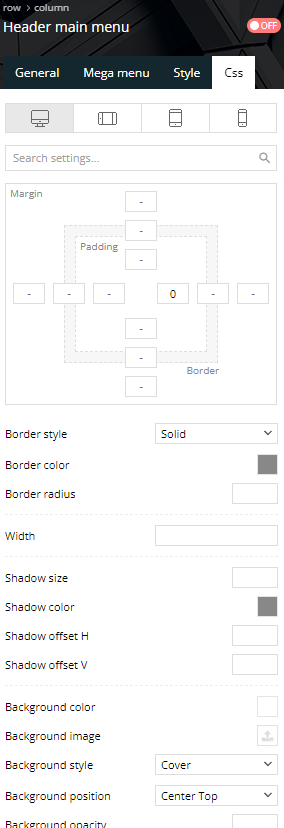
thanks for the infos. we use the animal theme, and didnt change anything. in the css settings, there is no information.
Bettina Hello!
If you use a cloud template, then edit this page with the TagDiv Composer and check the element’s settings in the CSS tab if they have any margin or padding, delete it and see the changes.
Thank you!
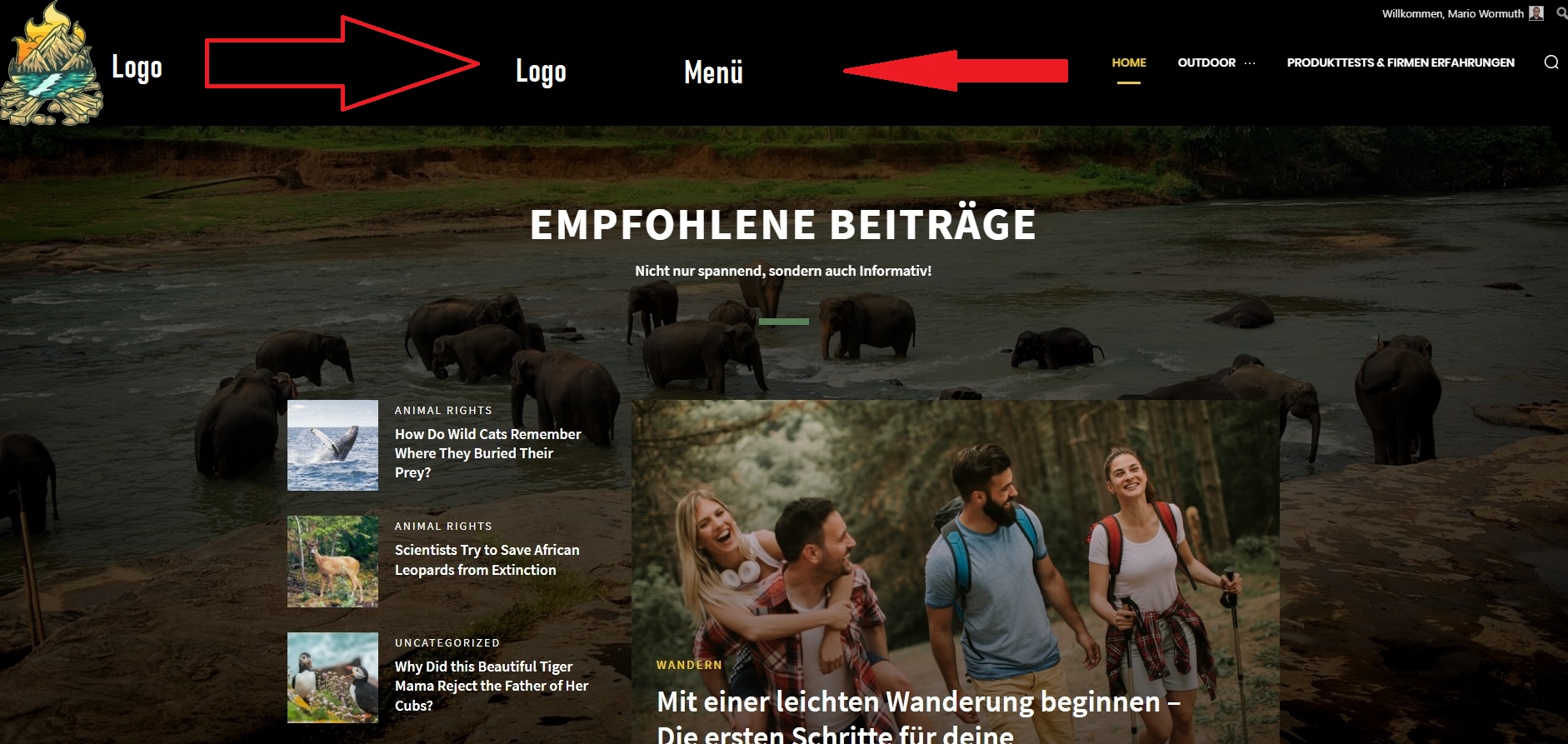
erfahrungsguruHey, how can i change the position of the header?
The logo is very left and the menu is very right.
I want to get both near the center. how can i change this – only with css or is there a better way?
Calin Hi,
I understand. For COV-19 Italy Report PRO, the above method is working -> https://i.imgur.com/clNe5xQ.png you need to be sure that you have set a background color and the boxed layout to be disabled -> https://i.imgur.com/jDBhghW.jpg then only the header and footer need to be adjusted, for that edit the homepage -> select the row and clear the Background gradient -> https://i.imgur.com/SQHu7oE.jpg after that you can do the same thing for header and footer zone, for this select an element from header and click on the Hader menu -> https://i.imgur.com/q555XxF.png then in css tab click on clear for the background color -> https://i.imgur.com/u7LWKEL.png the results should be like this -> https://i.imgur.com/nSXqG6F.jpg
I hope this will help you!
 dlrms
dlrms Using the “remove unused css” option – ensure you have a mobile template enabled so you don’t remove some necessary “unused” css. Why? – Enabling this with a global template appears to break frontend appearance for some blocks. Took a while to get this right, but works.
 citizenmilton
 Question on the “Import/Export theme settings”.
If I make changes to something obvious, like one of the standalone CSS files, I’m assuming stuff like that exports/imports very clean.
What about specific detail changes that you use the TagDiv composer to create? Say, edits to the page template, specific CSS overrides on narrow elements? Filtering ID numbers and exclusions on the iteration of given components? Does that stuff export/import as well?



