- NewsmagtagDiv Composer Tutorial
- NewsmagBlock settings tutorial
- NewsmagLogo & Favicon
- NewsmagFooter templates
- NewsmagUsing other ads
- NewsmagUsing Typekit fonts
 Calin
Calin Hi,
You can use this custom css
.home .sf-menu>li>a {

    padding: 0 14px;

    line-height: 48px;

    font-size: 14px;

    font-weight: 300;

}

.home .sf-menu>li>a {

    padding: 0 14px;

    line-height: 48px;

    font-size: 14px;

    font-weight: 700;

}
Just set the pixels and weight you need.
Hope this will help you.
 ySV
ySV thanks, i have another question:
On the “advance custom css” theme settings, there are 4 section :
PHONES -> 0 – 767px
IPAD PORTRAIT -> 768px – 1018px
IPAD LANDSCAPE -> 1019px – 1140px
DESKTOP -> 1141px +
What are the corresponding css codes to modify these sections?
Calin Hi,
I do not quite understand the problem, you want to change the font for all blockquote.
If you want to change the fonts for blockquote in theme file, there are a lot of file, depend on the demo you have install and so on, i think will be more easy to add a custom css in Newspaper>Theme panel>Custom code>Custom css\
https://www.screencast.com/t/Zkfh4trhDtA
.td-post-content blockquote p{

    font-size: 25px;

    line-height: 30px;

    font-weight: 400;

}
Hope this will help you.
Thanks.
 Catalin
 Hi rihtak,
If you want to change the background image, you should edit and change the URL from that code from here ->
.white-popup-block:before {

background-image: url(https://demo.tagdiv.com/newspaper/wp-content/uploads/2016/05/login-mod.jpg);

}
This code should have to be added in Theme panel -> Custom CSS Area.
Thanks.
Calin Hi,
Here is the custom css for homepage
.home .td-scroll-up{

  display:none;

}
If you want to hide form all devices place the css outside of @media (max-width: 767px){ } , if you want to be hide only for mobile set it inside the {}
Thank you.
Calin Hi,
Yes there is a problem with the module 4 on that demo.
For quick fix please add this custom css in Newspaper>Theme panel>Custom code>Custom css
@media (max-width: 767px){

.td-post-template-4 .td-post-header-holder {

    top: 30px;

    padding-top: 0;

}

}
If there are more problems please let us know.
Thank you.
Calin Hi,
This is possible only with custom css.
.td-main-sidebar, .td-ss-main-sidebar{

  background-color: lightgray;

}
Add this custom css in Newspaper>Theme panel>Custom code>Custom css
If is not working please provide a link were I can inspect your sidebars, in this way I will be able to provide a custom css to help you to achieve the background color for all sidebars.
Thank you.
 Frédéric Bénot
Hello,
I managed to edit the awful (really too big !) blockquotes on the public interface of my site using custom css,
–

–
But impossible to set the css by defaut in the editorial part (wordpress editor). It’s taking all the place.
How is it possible to have this presentation the same as the public custom css by default
–

–
Calin Hi,
IN order to achieve that please add the below custom code in Newspaper>Theme panel>Custom code>Custom css
@media (max-width: 767px){

.td-scroll-up {

display: block;

    width: 25px;

    height: 25px;

}

.td-scroll-up .td-icon-menu-up {

    font-size: 15px;

    width: 25px;

    top: 3px;

}

}
Thank you.
 Simion C.
 So maybe something like this – http://prntscr.com/lwd5lp
Code used here
.td-header-style-5 .td-header-menu-wrap-full {

background-image: linear-gradient(120deg, #0dcf1d, #1e73be);

}
If needed you can chnage the code, here is some more information
– https://css-tricks.com/snippets/css/css-linear-gradient/
– https://www.w3schools.com/css/css3_gradients.asp
– https://developer.mozilla.org/en-US/docs/Web/CSS/linear-gradient
ySVHello i need to display on mobile a scroll-up toggle i try to use this css code on mobile, but i want reduce the size from 40×40 to 25×25, how i make this?
.td-scroll-up {
display: block;
}
Catalin Hi,
1)What kind of filters do you want? Provide more details so I can understand your request.
2)You should use the code below and place it in Theme panel custom CSS area. For this, you should try using the Big Grid Slide element. -> https://demo.tagdiv.com/newspaper/big-grid-slide/ and then, apply that custom code.
.td-big-grid-slide .td-icon-left{

opacity: 1;

}

.td-big-grid-slide .td-icon-right{

opacity: 1;

}
The result is here -> https://www.screencast.com/t/uyOqekJZKb7
Thanks.
Calin Hi,
You can use default whats-app for sharing, but this will appear only on mobile version.
https://www.screencast.com/t/1Gb0Y51o
If you want to have it thisplay all the time add the below custom css in Newspaper>Theme panel>Custom code>Custom css
https://www.screencast.com/t/Ki0yEEeABE
.td-social-whatsapp, .td-social-line, .td-social-viber {

    display: inline-block;

}
Hope this will help you.
Thank you.
 Bogdan B.
 Hello,
The new update was mainly for the cloud library. You will have to update the cloud library plugin. Sorry but there is no update patch for this version as it was just a quick fix.
As for theme changes, they were made in
style.css
td-config.php
includes/wp_booster/td_module.php
includes/wp_booster/td-global.php
4 files in total.
Thank you!
Calin Hi,
Please read this aricoles:
How to Eliminate render-blocking JavaScript and CSS on WordPress
How to Fix Render-Blocking JavaScript and CSS in WordPress
Also if you want, you can use others plugins for booster.
Thank you for your understanding.
Catalin Hi,
1)You should provide your website URL so I can take a closer look at your AMP plugin. Please notice that the AMP version of the site does not have any such an option that allows you to have any control over the logo. Should works as expected by default. Provide some useful screenshots of the problem.
2,3)If you want to use a bit of CSS code to change the AMP style page, please edit here -> https://www.screencast.com/t/vIUHFAbD6uRH There’s no option for custom CSS code for AMP version, sorry! There’s no footer template for AMP version, sorry!
4)The menu is not showing in the AMP version, sorry! That’s the default behavior.
Thanks.
Simion C. Hi,
That would be possible with some CSS. Please provide a link to the website for a more accurate solution. Or mention the header style you are using so I can create it on my end, a link would be more helpful however.
Thanks
Catalin Hi,
Please notice that if you want to have a custom format for a specific content post is not required to use API. You should only create your own custom CSS code and apply it for your desired section. Use the Inspector browser to create your CSS code. Read here
-> https://forum.tagdiv.com/create-custom-code-using-the-browsers-inspector/
Thanks for your understanding!
Calin Hi,
Unforgivably this can be done only with costume css, please provide a link were I can inspect this problem, in this way I will be able to provide you the right answer.
Thank you for your understanding.
Simion C. Hi,
For the font properties of the breadcrumbs there are settings in the theme panel
– https://www.screencast.com/t/p37QpZUD
The color could only be changed with CSS – https://www.screencast.com/t/5wZl9mnqa
.td-crumb-container .entry-crumbs,

.td-crumb-container .entry-crumbs a {

color: green;

}
Only by using cloud templates for post pages, category pages etc can the color be changed
– https://www.screencast.com/t/yxgzrvh5YAr
Also there are multiple other settings for the breadcrumbs.
Thanks
Calin Hi,
Please try this custom css
.td-post-content .aligncenter{

padding: 50px;

background-color: lightgray;

}
https://www.screencast.com/t/6crk1ZyitEiK
Thank you.
 Aman Singh
 Thanks Simion,
The Advanced CSS option worked properly.
Simion C. Hi,
The sub-menus appear for me on mobile like this – https://www.screencast.com/t/vRwomOfG
While the customization made to the sub-menu (menu items in two columns) looks fine on desktop, on mobile it doesn’t look quite nice.
I suggest that you enter the code used for the customization in the Advanced CSS desktop section of the theme panel, so it does not affect mobiles and they display normally
– https://www.screencast.com/t/ISgBjLUXZ3B
Or create one design for desktop and a different one for mobile.
Thanks
 radon
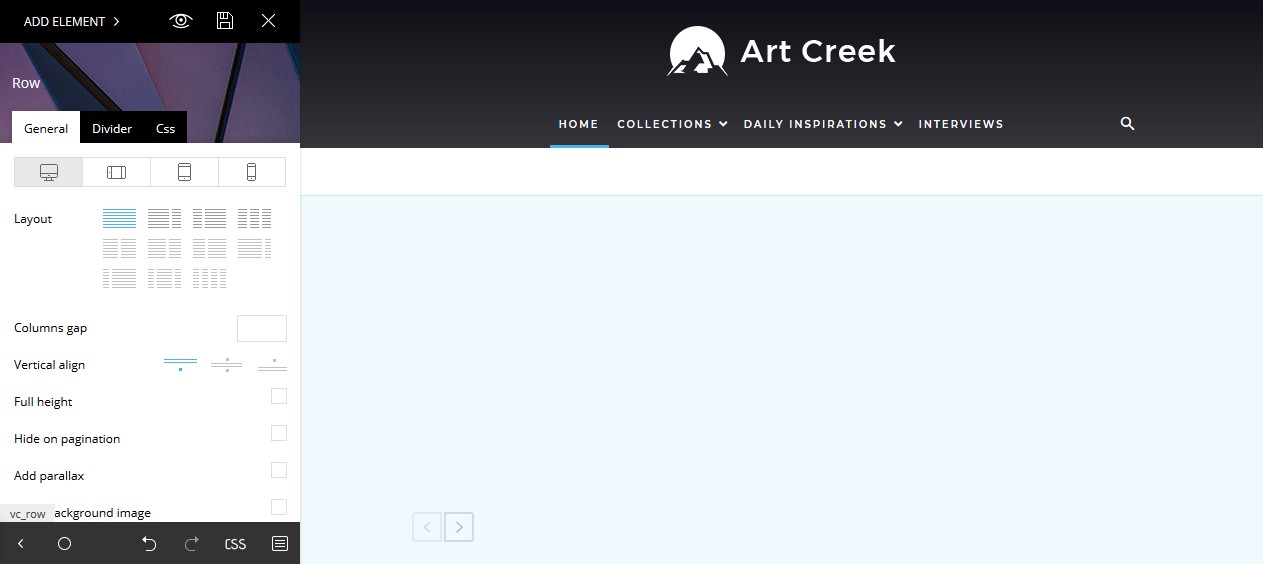
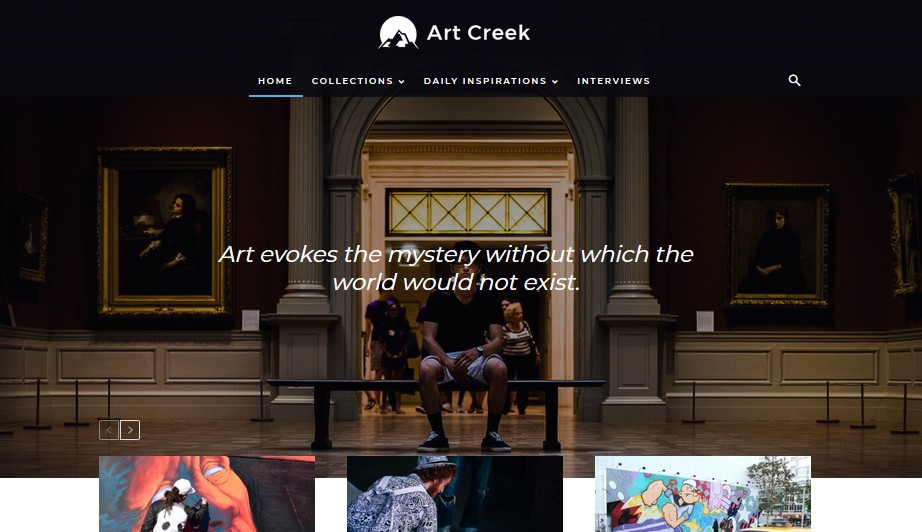
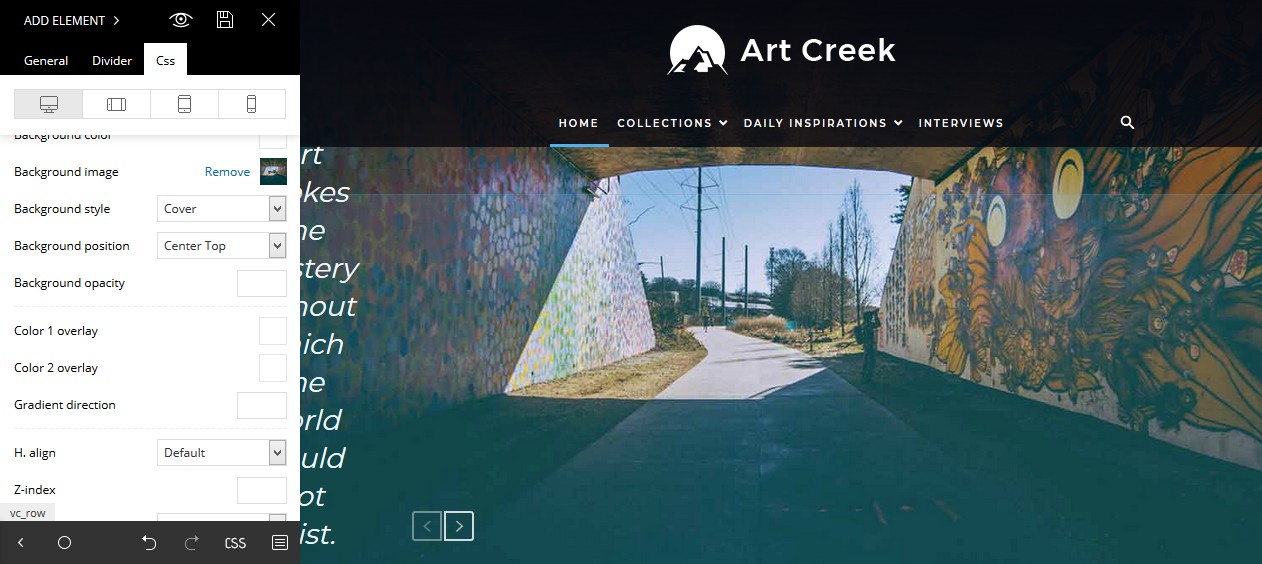
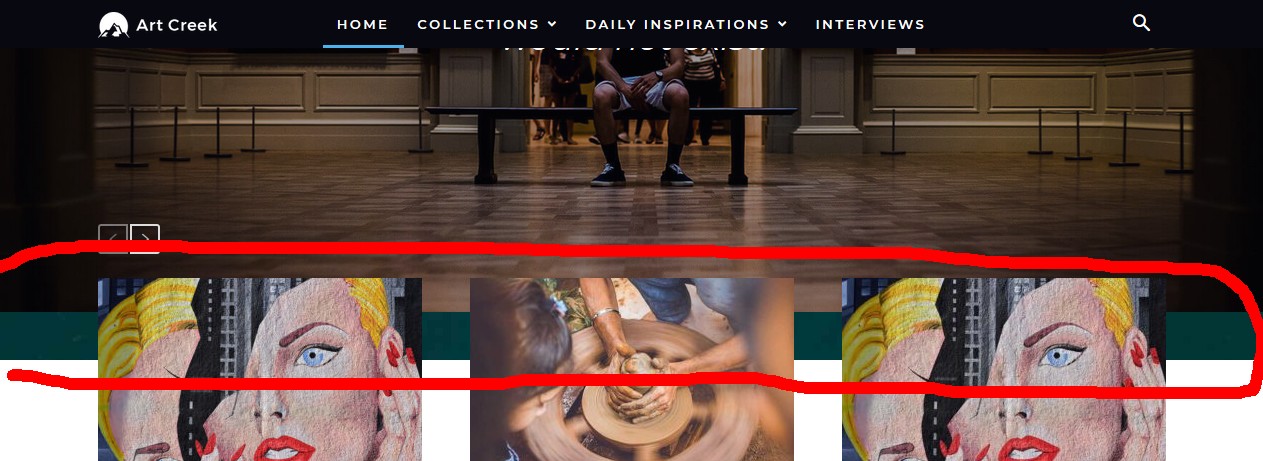
radonHello, I tried to change the top Background Image on the Art Creek Design but I couldn’t find a way how.
1. In the tagDiv Composer the top background image ist suddenly hidden: https://s15.directupload.net/images/181216/hs7v7t5i.jpg
2. But the design looks normal on the page: https://s15.directupload.net/images/181216/3w5ncz6z.jpg
3. Tried to change “background image” on the CSS Tab and a image in the tagDiv Composer appear: https://s15.directupload.net/images/181216/uer843lr.jpg
4. But on the real page it is behind/under the old image: https://s15.directupload.net/images/181216/kyg7cwoc.jpg
How can I change the top background image + change the text color?
Thanks a lot for your help and best regards!
 dstechtips
I want to use #0dcf1d and #1e73be with -120 degree angle please give me the CSS code