
- NewsmagInstalling pre-built websites
- NewsmagIntroduction
- NewsmagSmart Lists
- NewsmagTheme thumbs
 topgunsalute238
how do i change out the header image, when i go to head settings and add background image to header it simply goes under the demo one. how do i delete the demo header image.
 melrenee
Hello!
I love that you guys created a way for us to add an embedded email subscribe feature with the Newsletter element and new plugin. However, I would like to be able to add that to my global sidebar, but do not see it as a widget. Is there a way to make this element a widget? I would also like it in my footer and have for the meantime downloaded a demo footer that had the subscribe feature already embedded, but would prefer to design my own footer with the newsletter element. How would I go about doing that?
Thank You!
Melissa
melreneeHey Guys!
I seem to have a glitch that has just shown up on my homepage in which the last few elements are repeating themselves at the bottom of the homepage: latest articles, most recent, a sidebar ad, and search–basically the last 3 rows. When I go into TD editor, I cannot highlight or select them either as I can with all the other elements on the page. It seems to be a glitch. It’s a new site that I started building last week by downloading the lifestyle mag demo. How to do I get these off of there?
Thanks!
Melissa
 segue04
When i put the link of my page, facebook show as a miniature a demo image of “newspaper template”, could you help me?
 Fryant
Hello,
I have a problem with the Instagram social counter in my site (coleccionismodemonedas.com), and I wanted to see if somebody could help me.
As it stands now, the other social counters work well, but the Instagram one doesn’t work. I have followed the tutorial, and as it stands now, when you click on it it goes to the correct Instagram page, but the counter shows 0. I have noticed that, when you click on it, it goes to https://www.instagram.com/ColeMone2/# Notice the /# added to the end of the url. I have checked 100 times if I had added the /# by accident, but I haven’t. However, I have also noticed that when you set up the username with an @ at the start, as in @ColeMone2, it does show a follower count but the link does not work.
I have the access token on.
Thank you very much!
 MARTINSMITH
Hi
i am facing issue with newspaper theme. whenever i am using any required plugin it conflict with them. I am creating very simple website but it become very complex it took more then 2 week to make my website even i have import demo. its demo also not working. i have create podcasts page import podcasts it is not working like that as it is shown in demo. i have use buddyboss plugin that is not working, now it is creating an issue with woocommerce plugin. can you please check my issue i want to use buddyboss plygin and woocommerce plugin as well. please response as soon as possible
Thanks
 shayan iqbal
 Thanks for reply
yeah, I have done all the requirements that you mentioned to me, but still the same issue I am facing I can’t even install any demo properly. And can’t even customize settings as well. please resolve my issues fast as soon as possible
 Vlad S
 Hello !
It is because you have bought the Wrong Theme.
The demos are all available in the Newspaper Theme.
We can offer you a full refund in order for you to buy the Newspaper Theme.
We are able to offer you a refund if you make a request here: https://themeforest.net/refund_requests/new
Thank you !
 Calin
Calin Hi,
The revolution Slider that we provide is a Bundled Plugins in our theme. No need to activate it, simply ignore the activation messages. It is a bundled plugin, you can use it fully without the need of a activation key
– https://help.market.envato.com/hc/en-us/articles/213762463-Bundled-Plugins
How to install Revolution Slider v5 -> https://forum.tagdiv.com/how-to-install-revolution-slider-v5/
Import Revolution Sliders on demos -> https://forum.tagdiv.com/import-revolution-sliders-on-demos/
Thank you!
 swolly
Hi,
we have a problem with Newspaper theme in our site (Pulses pro demo). In Internet Explorer we have a problem with Flex block 1 and in Safari with Flex block 5.
Can you check here > https://www.gazzettinodelchianti.it/
I saw that the same problem, news title under photo insteasd next to it, are still in pulses pro demo!
Thanks!
Let me know
 jmbenech
 trying answering your last question about title caps. 1/ Are you using a demosite? if yes which one. 2/ Are you using a child theme? it seems not. If you plan to make permanent changes, you’d better use a child theme.
To answer your question and as far as i know, you must precise where you want to change title cap attributes as it is possible to change it block per block…
-
This reply was modified 6 years by
jmbenech.
 driemiljoen
Could someone help me with getting the Newspaper Video News Pro template up and running?
I bought the template under this linke: https://demo.tagdiv.com/newspaper_video_news_pro/ In the downloads at Envato Themeforest, I bought the corresponding theme and received the Newsmag template. I have downloaded and uploaded it but in the demos, but nowhere I can find this exact template. I noticed that the Newspaper theme is not available anyway and that I did get a link to the NewsMag theme. There is one video template in this – but it’s not the one I paid for.
 mehul
mehulI just installed the Newspaper theme – I do not see “Install Demos” tab. I only see “Welcome”,”Plugins”, “Support”.
 kibiribi
I want to add in Header section Javascript code to demonstrate Sirve 360 product
<script src="https://scripts.sirv.com/sirv.js"></script>
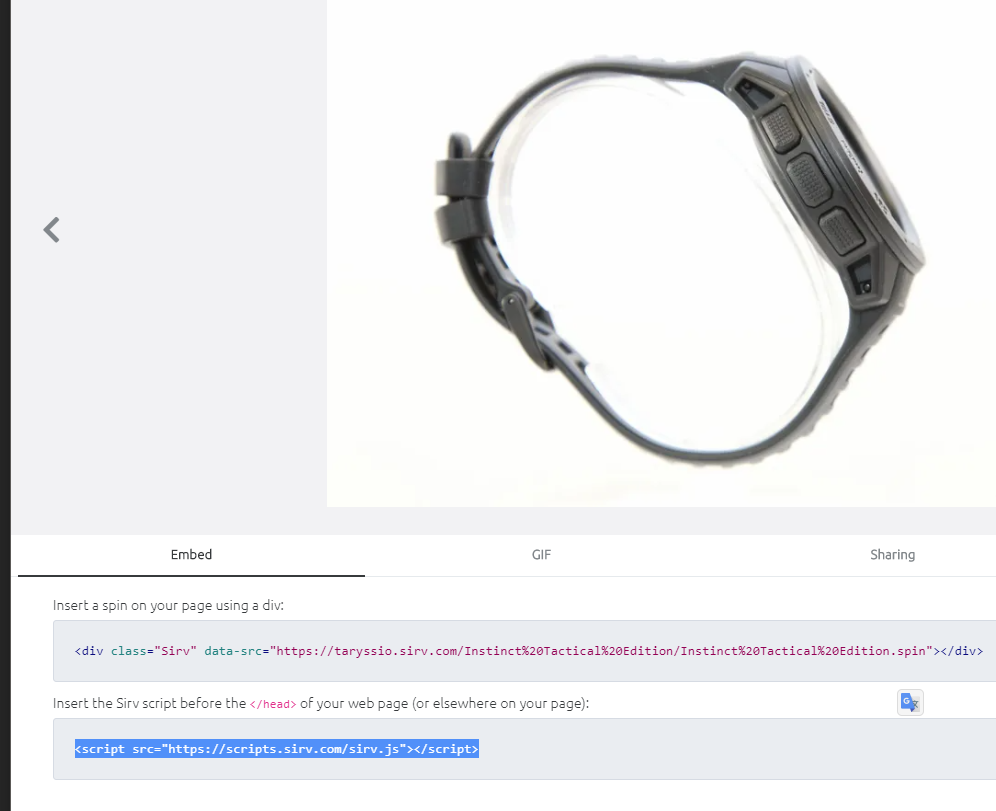
I want to add it with help pf custom code – but this section wants another Javascript format – URL is not allowed:
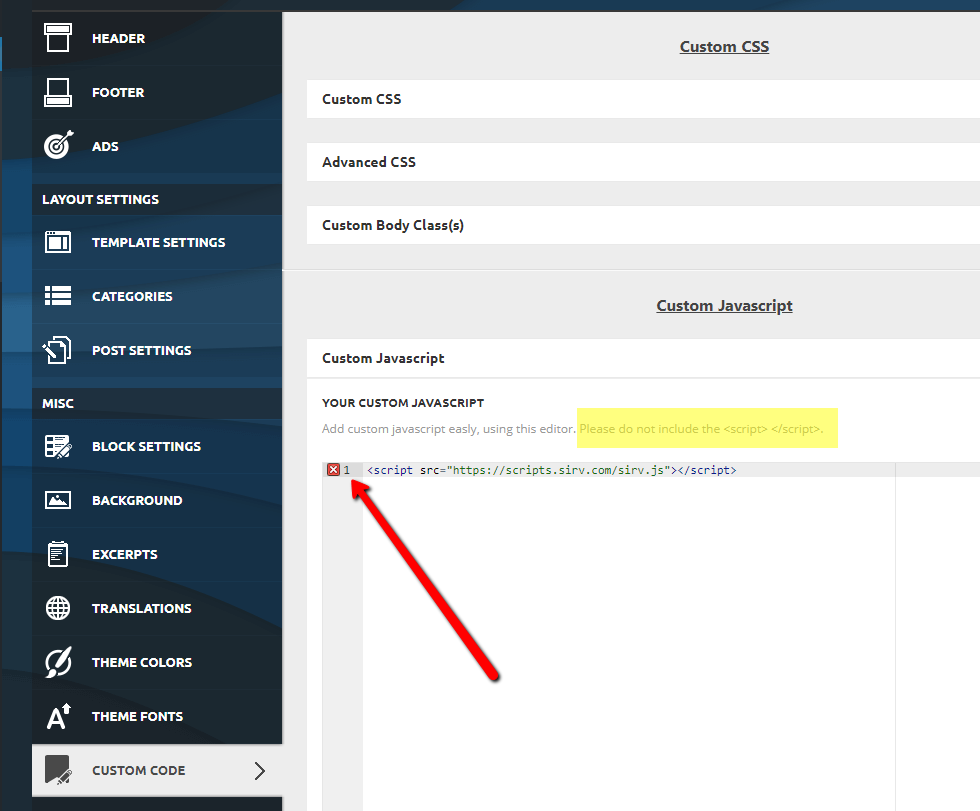
Questions:
1. Is it possible to add all code of https://scripts.sirv.com/sirv.js into this section ?
2. I want to load JS script only for selected pages. Is it possible to control this include method by page\post URL or ID?
 Techrander
Can’t install full demo tech news pro
shayan iqbalI recently purchased a newspaper theme, but I am facing an error. Every time when I try to install the demo, its show an error
 ludyma
 Hello, I have not been able to do what you tell me, the first reason the menu of the home page does not allow to be modified with TD conposer, attached photo.
I have not loaded the demo pro either, since it will not leave me either and although it will leave me I cannot apply the changes, right?

 KEllc-Admin
Demo package shown in TagDiv demos webpage, but not included among the demo installs choices on the Demos tab of the theme page on the WP dashboard. How do I obtain that demo package?
Calin Hi,
That is a shortcode and is for revolution slider plugin.
How to install Revolution Slider v5-> https://forum.tagdiv.com/how-to-install-revolution-slider-v5/
Import Revolution Sliders on demos -> https://forum.tagdiv.com/import-revolution-sliders-on-demos/
If you want to remove it, you need to edit the page with tagDiv Composer, and use the right clink on that element.
Than you!
Calin Hi,
You can use tagDiv Cloud Library and import from there pages/sections templates for podcast posts and pages, in this way you’ll not need to install the demo and keep Newspaper pro demo, also you’ll achieve the same layout.
The cloud templates are editable using tagDiv Composer so you can change the layout and adjust it.
Thank you!
Calin Hi,
I think that you are referring to this demo -> https://demo.tagdiv.com/newspaper_politics/ with revolution slider, this will display the post in function of the settings that are made -> https://i.imgur.com/r9m7TkD.png -> https://i.imgur.com/VRKXcFH.png
Thank you!
Calin Hi,
Unfortunately we can provide support only on forum and email, also we answer to question in time order from oldest to newest.
Please follow my steeps to change the logo on Influencer demo, the first header is an overlay header https://i.imgur.com/AO4EDPO.jpg -> https://i.imgur.com/s1jDOB4.jpg if you set a logo image, make sure that this is set to show -> https://i.imgur.com/SZiutZ6.jpg, if you want to activate sticky header check the website manager -> https://i.imgur.com/ljdlfdZ.jpg here the image/logo is hidden too -> https://i.imgur.com/FS2nmpd.jpg you need to set it on show to be display.
If there are still some problems, or other problems, let us know!
Hope this ill help you better!
We try our best to make some more video tutorials with more details.
Thank you!
 chirsyang09
 I did what you said and found that these pages still exist, but just added “noindex” to the pages.
How to delete such a page completely? Visiting these pages in your demo is redirected to the home page
 BenSchneider
Hello , the mobile version of the demo looks different compared to my website
https://prnt.sc/scwwe9
https://demo.tagdiv.com/newspaper_pulses_pro/#
The mobile version of my website looks like AMPified which I don’t prefer. I need to use the theme’s original mobile version like in the demo.
https://prnt.sc/scwx13
http://www.jobmofy-magazine.com/
BenSchneiderHello , the mobile version of the demo looks different compared to my website
https://prnt.sc/scwwe9
https://demo.tagdiv.com/newspaper_pulses_pro/#
The mobile version of my website looks like AMPified which I don’t prefer. I need to use the theme’s original mobile version like in the demo.
https://prnt.sc/scwx13
http://www.jobmofy-magazine.com/



