- ApiPractical example – How to add a new Block and Module
- Apitd_api_thumb::update
- Apitd_api_thumb::add
- ApiAPI – Thumbnail – Introduction
- Apitd_api_module::delete
- Apitd_api_module::update_key
- Apitd_api_module::update
- Apitd_api_module::add
- ApiAPI – Modules – Introduction
- Apitd_api_block::delete
- Apitd_api_block::update_key
- Apitd_api_block::update
- Apitd_api_block::add
- ApiAPI – Blocks – Introduction
- ApiUsing the Theme API in plugins
 EWP
EWP UPDATE — April 25, 2026
Significant new findings after deeper DOM inspection. The block is no longer empty, but articles are rendered offscreen.
What changed since my last report:
Yesterday: the block container appeared completely empty — no child modules in the DOM.
Today (verified via browser DevTools): the container #tdi_96 now contains 5 .td_module_flex elements with correct titles, dates, categories, and links pointing to the right posts.
However, the articles are rendered at top: -4729px on the public frontend — far outside the viewport, which is why they remain invisible to users despite being present in the DOM.
Detailed observations from the frontend (incognito, logged out):
Articles ARE in the DOM: confirmed via document.querySelectorAll(‘#tdi_96 .td_module_flex’) returning 5 elements with valid content.
Articles positioned offscreen: getBoundingClientRect() returns top: -4729, left: 20 for the first article. Parent #tdi_96 itself sits at normal page position with height: 234px.
Computed CSS does not explain the offset: position: relative, top: 0px, marginTop: 0px, transform: none, translate: none, inset: 0px — no positioning rule should push the elements offscreen.
No transform on any ancestor: walked up the DOM from .td_module_flex to #tdi_96 — no element has a transform or non-default position.
In tagDiv Composer editor, the block displays correctly — all 5 articles visible with normal layout. The issue manifests only on the public frontend rendering.
Block class on frontend: td_block_inner td-mc1-wrap with el_class=”td-week-slider” set in shortcode.
Image container has display: none (intentional — image_floated=”hidden” in config).
Editor still throws 8x “model does not match content” errors when opening the Homepage in tdc. These persist from yesterday and have not cleared.
Hypothesis:
The block appears to enter a ticker/slider rendering mode on the frontend (consistent with the td-week-slider class), where articles are positioned offscreen waiting for a JS animation that never executes. The editor renders the block correctly because it bypasses this ticker behavior, but the frontend runtime applies it and fails. This may be linked to the persistent “model does not match content” errors.
Concrete questions:
(a) How can I force this block to render as a standard vertical flex list (no ticker behavior) without entering Composer to edit it (since opening the Homepage in tdc shows the model errors)?
(b) Is there a way to clear the model-content mismatch from the database directly (wp_options, wp_postmeta) without going through the editor?
(c) Does the td-week-slider el_class trigger specific JS that could fail silently and leave articles parked offscreen?
I can provide additional diagnostic output from DevTools console if helpful.
EWPHi tagDiv team,
I have a Flex Block 1 (configured as “Latest news” widget in the homepage left column)
that renders empty in the frontend but displays posts correctly in the Composer editor preview.
DETAILS:
– Theme: Newspaper v12.7.5 (REGISTERED)
– Demo installed: Newsweek PRO
– Site: https://eurowaypoint.com
– WordPress: 6.9.4
– PHP: 8.2.30
THE PROBLEM:
– In Composer editor: the Flex Block 1 shows the latest 5 published posts correctly
– In frontend (incognito browser, logged out): the block container is generated
(div id=”tdi_96″ class=”td_block_inner td-mc1-wrap”) but completely empty —
no child modules are rendered inside
– 24 published posts exist in the database
– Other blocks on the same homepage (Big Grid Flex 1, other Flex Block 1 instances)
work correctly and display posts
– No JavaScript errors in browser Console
– The block has no special filters configured (Category: All, all filter fields empty)
WHAT I’VE ALREADY TRIED:
– Cleared all caches (SiteGround, WP Super Cache disabled, browser hard reload)
– Restored Homepage from a 3-day-old revision (no improvement)
– Disabled all third-party plugins one by one (Wordfence, SG Optimizer, etc.)
– Verified block configuration in Composer (Filter tab, Layout tab — all default/empty)
– Forced re-save of the block (changed limit number and saved)
– Removed custom CSS that contained :has() selectors
WHAT I NOTICED:
The block was working until I made some modifications today (changed page slug from
/plans/ to /newsletter/, edited some HTML custom blocks for Subscribe links).
The Latest block stopped rendering at some point during these changes.
Restoring an older Homepage revision did NOT fix it.
Could this be a corrupted block state in the database? Is there a way to reset
the block’s internal cache or regenerate its configuration?
Thank you for your help.
 SP1
SP1Hi,
I tried finding out in all your documents, but could not find.
Since the last Newspaper theme we are facing LCP and CLS issues on both desktop and mobile newspaper sites.
And all have to do with tagdiv and newspaper.
For example CLS –
Layout shift score: 0.1865
div.tdc_zone.tdi_67.wpb_row.td-pb-row
div.vc_column_inner.tdi_31.wpb_column.vc_column_container.tdc-inner-column.td-pb-span8
div.td_block_wrap.td_flex_block_4.tdi_82.td_with_ajax_pagination.td-pb-border-top.td_block_template_1.td_flex_block
div.vc_column_inner.tdi_36.wpb_column.vc_column_container.tdc-inner-column.td-pb-span12
div#tdi_37.td_block_inner.td-fix-index
and
Layout shift score: 0.0596
div.tdc_zone.tdi_67.wpb_row.td-pb-row
div.td-block.td-a-rec.td-a-rec-id-custom-spot.tdi_32.td_block_template_1
div.vc_column_inner.tdi_31.wpb_column.vc_column_container.tdc-inner-column.td-pb-span8
div.vc_column_inner.tdi_36.wpb_column.vc_column_container.tdc-inner-column.td-pb-span12
div#tdi_37.td_block_inner.td-fix-index
these all shifting on desktop, which is very high.
Similar problems with LCP too.
How to solve?
website: GadgetBridge.com
 muterobert
Is it possible to define my own image size options for Flex Blocks (and/or other blocks)?
For instance, on our front page there is a Flex Block 2 with a viewport image size of 400×0. But the closest options I can select from the Flex Block options are 696×0 or 300×0. The larger one is not optimal for page speed optimization, and the smaller one is not optimal for visual quality. For one image I understand this isn’t a significant issue, but our front page has nearly 50 thumbnails, so the inefficiency adds up.
Ideally I’d like to be able to define the actual viewport size of 400×0 to achieve optimal quality/page speed optimization.
 Claus_Bo
Hello
On my site I have a custom template with a featured image block. When I paste link to Vimeo video and do not upload image, it shows the video on the page, but when I use a flex block to display video thumbnails it is blank. Ex. see last video on this page https://klf.dk/videogalleri/
What do I need to adjust?
Thanks
 Calin
Calin Hi,
Sorry for the late reply. Our response time is normally under 24 hours, except on weekends and days off.
In your screenshot, you have a flex block builder and the flex block builder use modules, which can be created or imported from cloud – https://prnt.sc/jDMhMSNb8mQS
To set a module to a flex block builder, edit that page/template with tagDiv Composer, select the element and in in “Module” tab select the module template you want to use on that flex block https://prnt.sc/ZlGN06bBJ6k0
Calin Hi,
Using tagDiv Standard Pack provides the old php blocks and templates. Once you disable it you should replace all blocks with flex blocks and templates to cloud templates.
You can use cloud templates for taxonomies too https://prnt.sc/FfAAXF_r_Cbm
Thank you!
Calin Hi,
I think you want to have control over the articles on your homepage, right? If so, this can be done using tagDiv Composer. Edit the homepage, select the block, and then go to the Filter tab—there you can choose the results you want for that block. https://forum.tagdiv.com/flex-block-settings-guide/ – https://prnt.sc/SfBpdih_689q
Also, to make sure everything works properly, ensure that the “Unique Articles” option on the homepage is disabled. https://forum.tagdiv.com/unique-articles/
Calin Hi,
Flex Block 4 uses two modules, so please make sure the author is enabled on both. You can type “author” in the search bar and look for the red indicators to identify the setting: https://prnt.sc/f0SBfZrG6Nkq – https://prnt.sc/DauthZ3MDxIr – https://i.imgur.com/flR4Gdc.png
 Atithya
Hi, I am using Flex block 4 on the homepage, and I wanted to show author name for the articles but even after selecting “Show Author” the author name is not showing
Screenshot: https://drive.google.com/file/d/1Yr7dQkv52tqvFECZaV0TlPiwa6zcnxf-/view?usp=sharing
 leagcooks
hi,
When i add the flex block 1 to my website it makes the all the mobile version move to the left when you scroll?
https://www.ukthemeparkspy.co.uk/
Thanks.
Calin Hi,
The tagDiv Standard Pack, as the name suggests, includes the old theme templates. These templates cannot be edited on the frontend and only offer limited control through the theme panel, where you can enable or disable certain elements.
They are based on an older code structure (from several years ago, before the transition to Cloud Templates), and unlike the newer system, they load all CSS and JS files regardless of whether those elements are actually used.
If you are using Cloud Templates, there is no need to keep the Standard Pack plugin enabled. After disabling it, check your website:
If you don’t see any shortcodes, it means no standard templates or elements are in use, and you can safely keep the plugin disabled (or even remove it).
If you do see shortcodes, I recommend re-enabling the plugin. Then, using the Theme Builder, replace those old elements (for example, swap them with Flex Blocks). Once everything is updated, you can disable or remove the plugin.
This way, tagDiv Composer and Cloud Templates will load only the necessary CSS and JS for each page/template, improving overall performance.
Thank you!
Calin Hi,
You can explore all our demos here: https://demo.tagdiv.com/select_demo/newspaper-prebuilt-websites/?demo-type=all and choose the one that best matches your image sizes and overall layout.
If the issue only affects the single post template, it can be adjusted quickly and easily. However, if changes are needed across the entire site, it’s definitely possible, but it will require a bit more work—each flex block may need to be adjusted individually to ensure the images display properly.
Also, if you can share a link to your website, I’d be happy to take a closer look and suggest the best solution. In some cases, it might be enough to regenerate the images or change the thumbnail size used in the blocks.
Thank you!
 AjitSirohi
 Thanks, it is working. I need a sligh modification.
I have three Sections/Modules on Home Page. All three sections/modules use Flex-Block-1. Is it possible that I can disable Clicks on Block-1/Module-1 but allow it on Blok-1 & Block-3. Right now it disables Click throughout the website. That is not what I want. Please help.
 Bikul
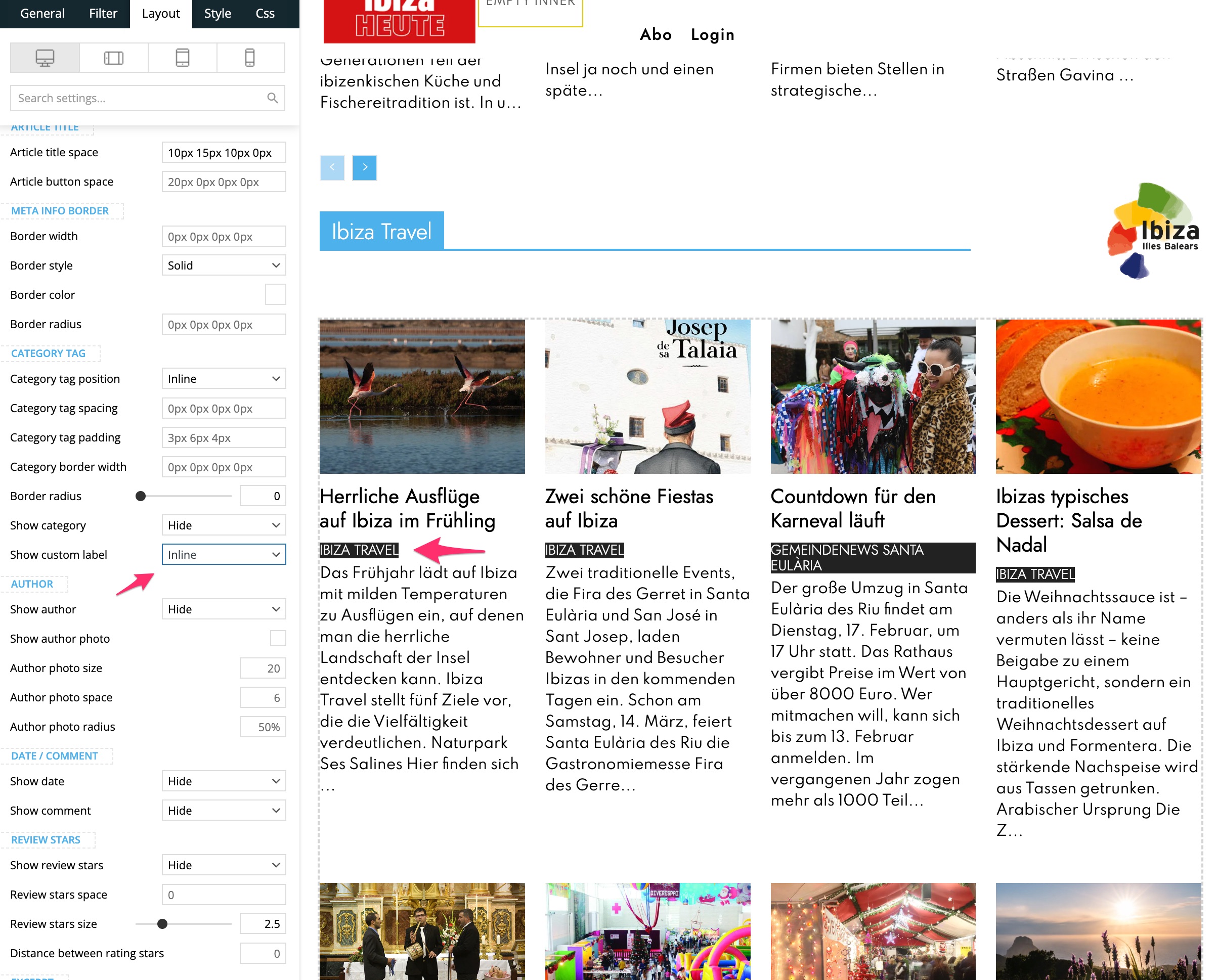
BikulHello,
on this page there is a Flex Block 1. I can choose the position of the Custom Label, but I dont know where to change its Font, Colours etc
What can I do?
Thanks for Feedback
Bernd
 infotec2
I create my website in 4 languages: Hungarian, English, Serbian, Romanian. Accordingly, the categories and entries are also in 4 languages. I use the Polylang plugin for languageization.
When defining the Single templates, I wanted to use the Flex block 1 element for display. In the element, I set the appropriate language category in the category filter. It works well in Hungarian (default language), English, and the elements are displayed, but not in Serbian, Romanian. The “all categories” elements are displayed. The same element works well if I integrate it into a page type. I tried other elements, but the category filter works similarly incorrectly.
The tagdiv works well in Composer, and the filtering result is not empty, but the elements are not displayed on the live website, it remains empty.
Calin Hi,
Check if you are using ajax pagination, mega menu, and many blocks (the theme is making a query for each block in parts, and if you are using mega menu, each element as mega menu makes queries, also ajax pagination makes queries to the database). Also, make sure that you use lazyload for images.
Other type of settings that can reduce the numbers of queries: use a good cache plugin WP Rocket, use object cache (redis), and use flex block cache – https://forum.tagdiv.com/use-flex-blocks-cache-option/ (with will reduce the number of request instead of a request for each page load for each flex block, this request will be only after 5-10 minutes for that flex block, it depends on the time set)
In addition, it’s a good idea to identify what’s consuming your server resources. Tools like Query Monitor – https://www.superspeedyplugins.com/kb/performance-optimization/site-owner-tips/how-to-use-query-monitor-to-analyse-wordpress-performance-problems/ and Code Profiler can help you pinpoint high CPU or resource usage caused by plugins, themes, or database queries.
Thank you!
AjitSirohi Left side is static. Right side also no links. Just two columns with static Images. Which Flexblock to use.
AjitSirohiI want to setup like the Image here. Please advise which Flexbox to use and how.

Calin Hi,
The taxonomy=tdtax_app_tag and ?taxonomy=tdtax_app_category taxonomies were added through the ACF plugin and can be modified there: https://prnt.sc/haKu1OuDxYn0
After making changes, make sure to set the Cloud Template for the new taxonomy. Keep in mind that if you change the slug, the previously added entries will no longer appear, because the new slug creates a different taxonomy parameter.
Also, don’t forget to update the slug in Composer for elements such as filters and Flex Blocks, so that the correct taxonomy is displayed.
Calin Hi,
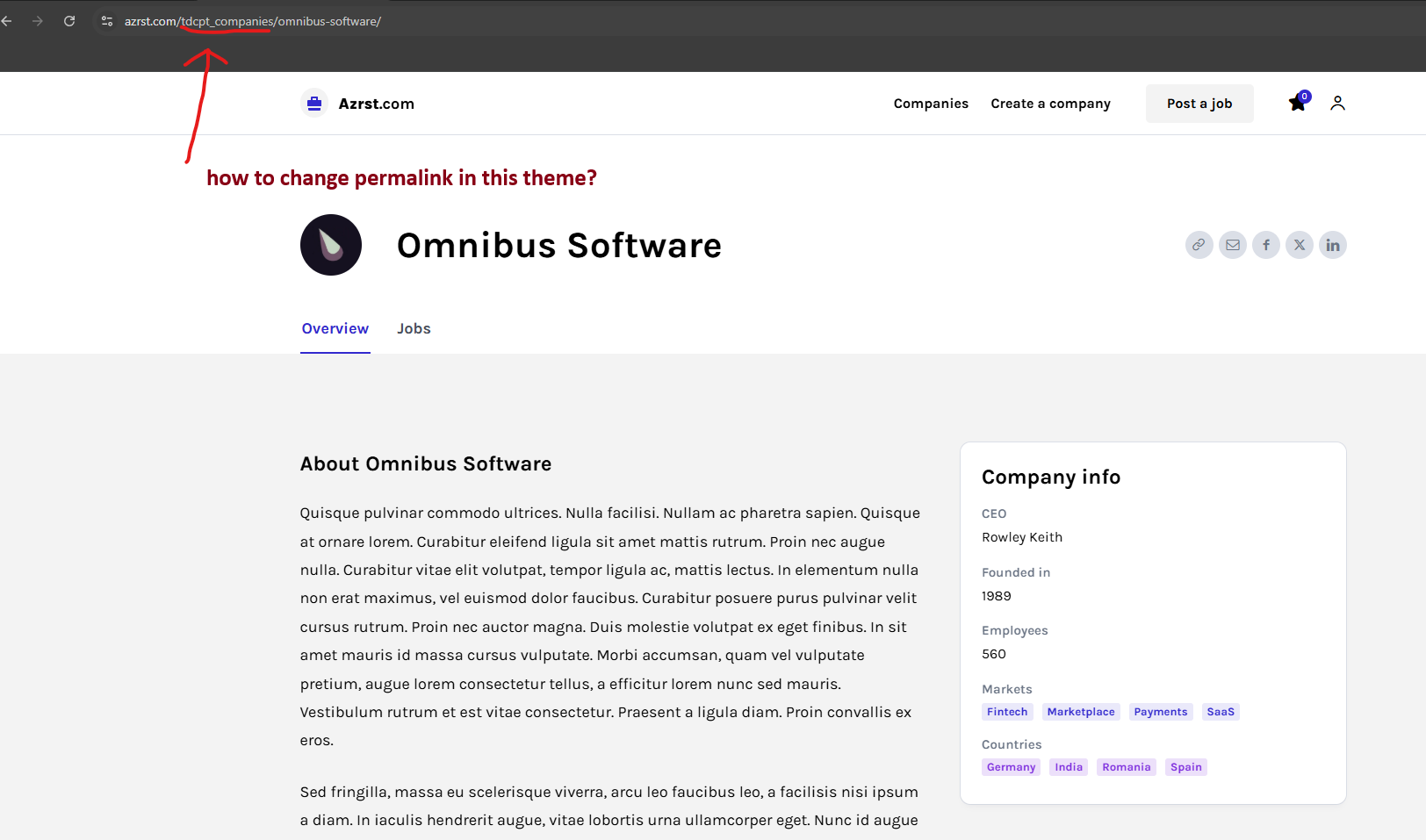
The CPT link https://azrst.com/wp-content/uploads/2026/03/Screenshot-2026-03-14-154535.png can be changed from ACF plugin> Post Types > https://prnt.sc/0Z9Q7r8PGyjn
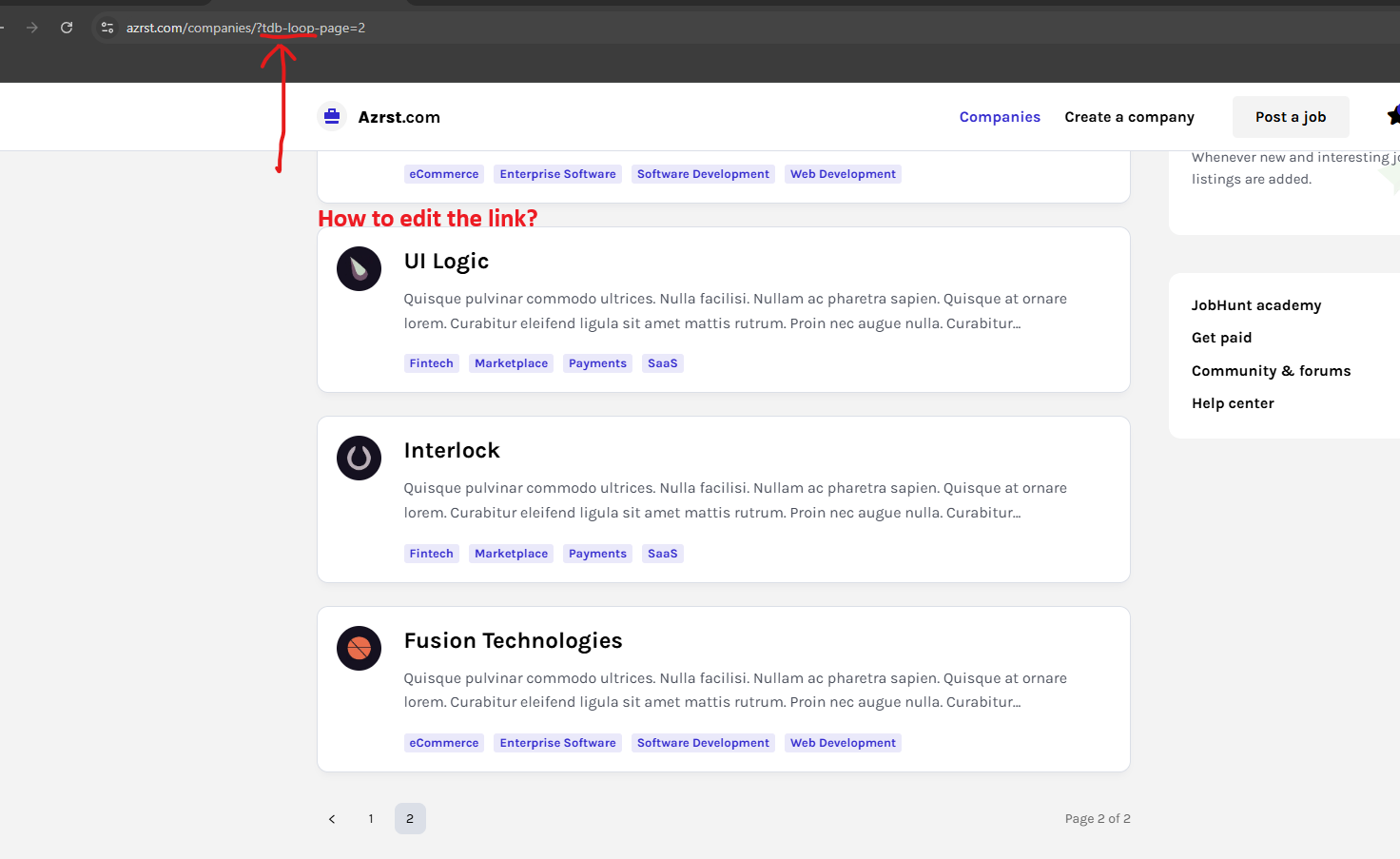
This https://azrst.com/wp-content/uploads/2026/03/Screenshot-2026-03-14-155042.png is the link of pagination created by the flex loop builder, unfortunately, it cna not be changed. The pagination is working with that type of parameter. What can be done is to change the pagination type from numbered to a load more button – https://prnt.sc/tR5HILKHyTdB
Thank you!
Calin Hi,
Unfortunately, the Block elements will not adjust to the website width if it is wider than the default. For this, you’ll need to use the Flex Block elements, which are adjustable based on the width and per viewport using tagDiv Composer.
Alternatively, you can create your own module using the Module Builder and display the block using the Flex Block Builder.
Thank you!
 danizar
 I’ve come up to a solution using the default FLex Module Block. Thank You.
Calin Hi,
Yes, it can be used, but I will suggest using the ACF plugin instead, because the Real Estate Plugin is hardcoded for that demo and you need to manually change the code in the plugin and adjust it according to your needs. By using ACF, you can create CPT’s, taxonomies and custom fields that can be used with the theme, you can create a cloud template and even modules and blocks for those
Calin Hi Danizar, if you want to create a module for your website, you can use the module builder (those modules can be used on Flex Block Builder and Flex Loop Builder). This is easier than creating a classic module in code and you’ll avoid problems like the one you are facing now. If you want to create a simple module, you can use the example from here – https://forum.tagdiv.com/practical-example-how-to-add-a-new-block-and-module/