
No search results were found in Documentation!
 blogatrompa
Hello
Before I use the new NewsMag, I used your Magazin theme and I had exctly the same strange problem. The Main Menu in homepage have always 3 areas selected. It just happens in homepage!!!
Can you help me, please: http://a-trompa.net/
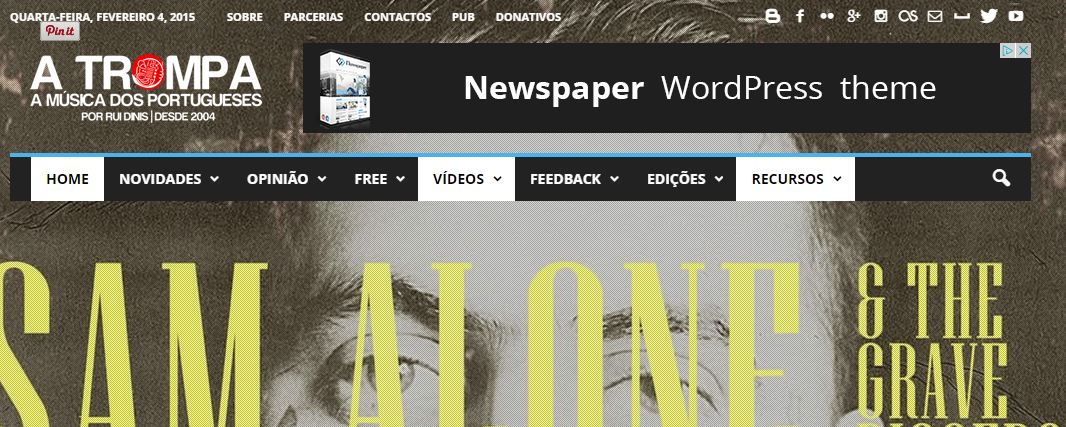
Thx
Rui
 revega
Hello. I use block 6 (and 9) on the homepage but i have a weird spacing problem. i atached a screenshot of the problem. Block 9 have also this issue.
http://inventus.ro/psn/spacing.jpg
thank you and keep up the good work!
 itstrace
Can the author, date and comment block be moved beneath the article excerpt on the homepage?
 aleister
 Thank you for your reply. Unfortunately it’s not a matter of file size, but a matter of server resource usage. An minimal load of 3% jumps to 90% with this new version.
As for returning to previous version of Visual Composer, I can only download latest Newsmag from Themeforest and included Visual Composer package. Is there a resource for downloading older versions?
I believe a better course of action for you would be checking the CPU usage of Visual Composer and warning the developers. Perhaps your test load is too low, because when 500 to 1000 concurrent online users visit your homepage, it’s load on server becomes too big. We are using your theme on our site which recieves millions of pageviews per month, not a small personal blog.
I can’t warn developers because I have no license, as I’m using the bundled version that comes with the theme. I’m aware that this is not a directly Newsmag or tagdiv caused problem but you are responsible for your choice of bundled software and it’s nearly an integral part of creating a nice homepage for your theme. Since you have a deal of distributing it with your theme to increase user experience, it should be your duty to keep it positive.
Thanks,
-
This reply was modified 11 years by
aleister. Reason: Added more information
 Alin [tagDiv]
 Hi,
Sorry for misunderstanding! I was looking to your homepage’s Big Grid.
Now I see that Big Grid that you are talking about. If you have selected all categories to show on Big Grid, this will display also posts that are uncategorized. Uncategorize works also like a category…you can see in Theme Panel that appears like a category page: http://screencast.com/t/HDDxZLauL
Settings: http://screencast.com/t/m2iKOwBUu
Result: http://screencast.com/t/LPxo5QSq2Kgf
You can use that plugin, if it helps you. I have asked about it, because I believed that it is the cause of your issue, but I was referring to the homepage Big Grid.
Hope this helps
Thanks for the message and sorry again!
Alin [tagDiv] Hi,
Please use the same condition like above but to the header style that you use and add also else including there header style that you want to use on other pages: http://screencast.com/t/3PDeShhA
Homepage: http://screencast.com/t/ysI5ya4wxV
Post: http://screencast.com/t/YhgL0yygUI5L
Thanks!
 yakir105
 I defined the page as “Homepage-blank”. And the discussion turned on.
http://www.hayom.org.il/wp-content/uploads/2015/02/Discussion.jpg
But still does not appear comment on the page.
http://www.hayom.org.il/%D7%97%D7%95%D7%91%D7%A8%D7%95%D7%AA/
Thanks!
Alin [tagDiv] Hi,
After you add the line, on every page that use template “Homepage-blank” you will have comments.
Let me know how it goes!
Thanks!
 Lucian
 Hi,
Unfortunately the theme doesn’t have settings for responsive view/mobile view. The content from your homepage/post page is just styled for mobiles screens and it’s the same as on desktop screens.
We plan to improve this system in the future and add options for this but at the moment this can only be achieved via css and use the media queries to target the mobile view and hide content.
This is the media query which you need to used to target the mobile view screens:
/* responsive phone */

@media (max-width: 767px) {

 add your css code here

}
Hope this helps! Sorry for the inconvenience!
Thanks
Alin [tagDiv] Hi,
I understand that you use header style 3, but I don’t know what you want to not display on the other pages/posts.
For example if you want to use header style 3 on homepage and not display banner on the other pages and posts you have to edit header.php and use condition if (is_front_page()) like this: http://screencast.com/t/xUFzgXJyLS
Result:
-Homepage: http://screencast.com/t/wubvEaDuMg0
-Posts, Categories and other pages: http://screencast.com/t/zYIHwjskLck
Please provide more details, if this is not what you want to do.
Hope this helps!
Thanks!
-
This reply was modified 11 years by Alin [tagDiv].
 Pedro Ferreira
Hi ppl,
Just updated my NewsPaper theme for the latest version. I tried Social Counter again (wasn’t using it in previous updates due to similar errors) and it looks ok… unless regarding Twitter. Altough it’s linking for the right account it shows 0 instead of 89 followers.
I’ve browsed a bit before posting this request for help and found Lucian warning about the need of updating the TagDiv social counter plugin to 2.7. In fact mine shows 1.0 but not only doesn’t it mention any updates available as i’ve, as i said, updated the theme for the latest version so i guess this plugin should have been updated. Any hints on what i need to do to get this working?
Here is the link, you will find it right on the homepage, lower section.
http://www.goalpoint.pt
Cheers,
 pray
pray It’s only show in static homepage using page.
I don’t understand about this, i’m newbie
Please help me
 Breakwater
 NVM – Not related, was from the pulgin. BUT, still can’t see header ad.
I don’t know if this is related, but with 1.4 I was able to get all *.js errors cleared on my homepage. Now, with 1.5, I get two recurring *.js errors.
Uncaught SecurityError: Failed to read the 'contentDocument' property from 'HTMLIFrameElement': Blocked a frame with origin "http://riverscenemagazine.com" from accessing a frame with origin "https://platform.twitter.com". The frame requesting access has a protocol of "http", the frame being accessed has a protocol of "https". Protocols must match.
Not sure why twitter http vs https is an issue, nothing is using it on the homepage.
Again, this is new after update. Thank you!
-
This reply was modified 11 years by
Breakwater.
 dexter
Before i updated my theme, i was using the widget text to add my twitter and facebook feeds to my homepage. then after the update, i noticed that my feeds stopped displaying, and wen i went to put it back manually, i noticed that the oprion has been updated and this update have made it impossible for my to include my social feeds on my home page. Please help me out on how to fix this.
 johel
johelThe template Newsmag , has the function of Unique Article on homepage ? How?
Alin [tagDiv] Hi,
In this theme update we have renamed some shortcodes:
– td_ad_box -> td_block_ad_box
– td_authors -> td_block_authors
– td_homepage_full_1 -> td_block_homepage_full_1
– td_popular_categories -> td_block_popular_categories
– td_video_vimeo -> td_block_video_vimeo
– td_video_youtube -> td_block_video_youtube
– td_text_with_title -> td_block_text_with_title
– td_slide -> td_block_slide
– td_social_counter -> td_block_social_counter
So the renamed widgets have to be re added to each sidebar after this update. Make sure that you backup your database and if possible get the widget list from your sidebars.
Rename the short codes via SQL: https://forum.tagdiv.com/update-newsmag-to-1-5/
An alternate solution is to rename the shortcodes manually in your pages: http://screencast.com/t/Da8k0HHtSD
Thanks!
Lucian Hi,
I’ve checked your site and found that you use the normal slider on your homepage for which you can change the title excerpt from here: http://screencast.com/t/vNf7AknffP86
For the big slider you can use the theme panel: http://screencast.com/t/zvhuEyXz3
We will also plan to add an option for settings the excerpt on normal slide also in next theme updates.
Thanks
Lucian Hi,
Thanks Chris!
@Luciferbui
I have checked your homepage page source and seems that you have an description meta tag now: http://screencast.com/t/LUKKduF1VEW and the google webmaster tool preview shows your homepage description: http://www.google.com/webmasters/tools/richsnippets?q=http%3A%2F%2Fbizzaviet.com%2F
I suggest you give it some time to update then check again.
Thanks
Alin [tagDiv] Hi,
I’m not sure I understand what you mean to offset one category in module 8. Modules are used to display articles for example like on category page: http://screencast.com/t/29tbDak2xnV You can set a module for different categories.
If you refer to the Latest Articles display only one category, you can set this from backend page > Homepage Loop Filter: http://screencast.com/t/83QN5jKvQwnz
See in screen options if this is selected: http://screencast.com/t/8bEMplqn7
Please provide more details if this is not what you mean.
Hope this helps!
Lucian Hi,
Thanks Chris!
@WriterChicky Have you managed to solve this as I have checked your site and seems that the view counter works now, both on your homepage and posts too. Please note though that I have tested this by downloading the page every time to avoid cache because as Christopher noted above the post counter doesn’t work with cache.
The ajax post view option was added from version 4.2 of the theme: http://screencast.com/t/h7anh3o2 so if you are not using a theme version newer than 4.2 and want to use the counter and cache also I suggest you update your theme to the latest version then activate the option from theme panel > post settings: http://screencast.com/t/dEasrZOoB then check again.
Use this guide to update the theme and the FTP method: https://forum.tagdiv.com/how-to-update-the-theme/
Use this guide to update the VC plugin: https://forum.tagdiv.com/update-the-visual-composer-plugin-wpbakery/
Thanks
 simchris
 Well, home page is full of modules … how could I have pagination for modules which are unique to the home page?
basically if you have a bunch of modules on the home page, vs the classic blog listing, you can’t really do pagination … what would page 2 show exactly? Would it do a whole new set of queries for EVERY module and somehow advance them xxx number of items? That would kill the server on a site with 10,000 pages really quick.
So, usually pagination only works on things like category pages, or a home page setup in the classic blog fashion where there is a slider, and list of stories from 1 to 20, and then a page 2 of homepage would show 21-40 of the “listing” …
So, I actually was responding to the issue of not having the “description” tag on the home page.
So, pagination works for a page like this, which is a category,
http://ga-ga.com/gogaga/reads/
because it’s a loop of “nn” number of items.
And my page shows the *correct* canonical link for “page 2” of the section:
http://ga-ga.com/gogaga/reads/page/2/
As to pagination …
With a home page full of modules, I don’t see how “pagination” would work, as there is not technically “one” main loop… so that is why there is no pagination on bottom of my home pages, as I’m not using the classic blog “listing” format of 20 items down a page, where pagination would take me to second page following that main loop.
Hope that made sense 🙂
 monsterdevelopment
Hello Guys,
We are working on a bug fix and are testing the newspaper theme heavily. We have run into what we think might be a bug with the theme.
I know this may come as a surprise, but it only involves Internet Exploder, I mean Explorer. 🙂
The homepage loads fine in most desktop and mobile browsers/OS combinations we have tested, but in the following browser/OS combination, we are getting a blank homepage, with no content. It works in many IE browser versions, but these particular combinations of versions will only load the homepage (partially) and only in compatibility mode.
Windows 7 / IE 11 (works fine with IE 8,9 and 10 on Windows 7)
Windows XP / IE 7 (works fine with IE 8 on Windows XP)
We are testing with browser stack. All other Windows and Internet Explorer browser combinations seem to work properly.
See our screenshots:
Windows XP / IE 7: https://files.secureserver.net/0sgqcFSS2KZwer
Windows 7 / IE 11: https://files.secureserver.net/0sZx0BxpmARvKf
When using with the two combinations listed above, we have to manually activate compatibility mode to get the site to load and it only loads partially. The smaller article thumbnails on the right, don’t show up when in compatibility mode.
Any ideas?
The site: http://fishfarminginternational.com
We are still digging into this, but thought this might be something you are already aware of and might be able to save us some time if you have any suggestions or perhaps someone else has had a similar issue.
Thank you!
 Luciferbui
Hi support,
the old revision, my homepage have the description tag(see picture) http://bizzaviet.com/wp-content/uploads/2015/01/Does-not-have-description.jpg. But when I update the new revision, my home page doees not have (Other page is ok). I dont understand. Can you help me?
please fix it for my website http://bizzaviet.com
I am using WordPress SEO of Yoast
Thanks
Alin [tagDiv] Hi,
Please use this custom css in Theme Panel > Custom css: http://screencast.com/t/raP8bB6K
.post ul.td-category a{

padding: 10px 10px 10px 10px;

}

.post .entry-category{

font-size: 15px;

}

.post .entry-comments-views{

font-size: 15px;

}
Result: http://screencast.com/t/nnzWXtNb
You can change font for excerpt from Theme Panel > Custom Typography > Tabs > Excerpt font: http://screencast.com/t/YTkVYvTco
Result: http://screencast.com/t/jEAVWvCd
If you want to change excerpt’s font only on homepage: http://screencast.com/t/jVp8AiZ6
.home .td-post-text-excerpt{

font-size: 15px !important;

font-family: Ubuntu !important;

}
Thanks!
 daimpa
Hello, I’ve some questions about homepage layout:
1. I’m trying to use “posts grid” from visual composer, in a full width column, but it doesn’t matter if I set 1,2,3 or 6 columns in the “posts grid” template: posts are shown always in three columns. Why?
2. Is there any way to hide a “row” and all it’s elements when user has a mobile device?
3. If I use ONLY block 13 + sidebar in my homepage, could this be bad for seo? I don’t see any option to have a pagenav at the end of the section, but only the “load more” button. Not sure if this could be a bad thing, that’s why I’m asking.


