No search results were found in Documentation!
 Anamaria
 Hi,
Please check the console when you hit the save button. Please check this topic https://forum.tagdiv.com/topic/tagdiv-composer-does-not-save-only-content-of-homepage/
Thank you!
 Bettina
 Hello!
Please access the homepage in your frontend, edit the page with the TagDiv Composer, scroll till footer and set a link in a button or an inline text element: https://www.w3schools.com/tags/att_a_href.asp
Thank you!
Bettina Hello @simon-2!
Edit the homepage with the TagDiv Composer, and delete this Youtube ID: https://app.screencast.com/flxP0aLgwkwyb (click on this row)
Thank you!
Bettina Hello @unit45host!
Please edit the homepage with the TagDiv Composer and change all the logos.
Thank you!
 Romi
RomiHello TagDiv support team
I want to ask how to display outgoing links only on the homepage, not on all pages.
I want to place the link in the footer.
I hope for your answer.
Thank you very much
Muhammad Nagib Alaydrus
 avrpatsfan
So I built a mobile page for my homepage by creating a mobile page on the selected tab below based on the documentation:

As you can see, the mobile home page I created is clearly selected. But when I view the mobile version of my site it’s not displaying the mobile page I created and instead it’s showing the phone viewport from the main page as you can see below (and they obviously aren’t the same).

With that being said, where am I going wrong here? And how do I override it so the mobile page I created shows up instead of the mobile page you can edit within the desktop page?
It’s especially confusing because under the pages tab in WP-admin, the correct mobile page that I created and selected is properly showing up as the mobile page for the home page. But for whatever reason that page isn’t what is loaded when you access the site from mobile.

Website is Dirty Politix if that helps.
 JVH1888
I am experiencing an issue with the loading of the featured image on my posts on the website. Both in the individual post and on the homepage and archive pages, the placeholder image appears a few seconds before the actual featured image appears. I have set this up to prevent having a post without an image. Is there a setting causing this or do you know of another solution to solve this issue?
The website facing this issue is ITWM
Anamaria Hi,
Please check this topic https://wordpress.org/support/topic/favicon-not-showing-on-bing/
Also, on the homepage there’s an option Customize icon => https://www.screencast.com/t/I2uVvP4b -> Site identity -> Site icon -> Change image -> publish => https://www.screencast.com/t/lY9WEOZEj
Thank you!
 Upperloft
Using Flex Block 2 on homepage in style of Metropolitan Pro – is there way to make images swipe automatically ?
 newslinker
 I am looking for the PHP file of the content page, not the homepage. for example: https://newslinker.co/spacexs-year-of-triumphs-and-trials-record-launches-and-a-boosters-ocean-rest/
I will add a custom code snippet under the title. If you wish, a technical expert can also help. thank you in advance!
newslinker Hello again. what I meant was not the homepage. On the content pages, I need to add the php code block I wrote myself just below the title. for this I need to find / learn which php file the content page is. can you help me with this?
Anamaria Hi,
Please check the console when you hit the save button. Please check this topic https://forum.tagdiv.com/topic/tagdiv-composer-does-not-save-only-content-of-homepage/
Thank you!
newslinkerHello everyone. as I mentioned in the title, I want to show the date instead of the author in the section in the image. I could not find where to change it, I would be very grateful if you could help me. thank you very much in advance.
img: https://pasteboard.co/vhkmRGihvdbn.png
and one in the footer that says “© tagDiv. All Rights Reserved. Made with Newspaper Theme.” but I couldn’t find it either. I need help in this regard. thank you all in advance.
avrpatsfanSo I’m working on designing my homepage and I’m having an issue with the borders in between the modules. If the titles of the articles featured aren’t the same length then the module borders end up being different lengths.

As you can see in the image, the center border/divider doesn’t go down to the same point as the other 2. And I want it set up so all of the dividers go down to the same point. Having all of the titles be the same length obviously isn’t an option, so I’d appreciate any help or advice a lot! I’ve tried just about everything at this point and I’m honestly pretty frustrated I can’t figure out how to fix the issue.
The website is Dirty Politix
 arajioni
Hello all!
Switched to Newspaper theme for my news website. I am facing now one issue, and I am not able to fix it. I have a section “Most popular” on my homepage. It is a Flex block, with sort filter “Popular”. For example in the last 24 hours.
Everything works fine, but it is a news website, and sometimes old news get spikes in traffic. This leads to the block including old posts in the most popular section.
In the previous version of the website (different theme and using the “most popular” widget) it was filtering in different way – it was selecting the most popular posts, published in the specific time range – the last 24 hours. In the case of newspaper, it is the most popular in the last 24 hours, published anytime on the website.
I am trying to find an option, to show the most readed, but also published in this period. If there is no solution, I will have to use a plugin for this, and it would be a shame, to have this amazing option built in the theme, but using extra plugin to tune it.
Thanks in advance
 acqua
acquaHello,
on my homepage, I got this latest articles box which I can’t edit (move, delete or edit).
How come?
home: https://www.backdoorpodcast.com/
screenshot: https://ibb.co/R3jBHXV
 Prateek
Hi,
I am using flex block builder to display posts on homepage and the same block to show related posts below articles on siingle post template. On homepage the lazy load works find but not on post pages. I also noticed using inspect elements that image thumbnails in flex block builder on homepage has lazy-load class but thumbnails in related posts do not.
Please help.
Edit: I deactivated the lazy load plugin and switched on the theme’s lazy load and it started working. But the plugins do not work on these thumbnails anymore. I’ve tried a couple.
 midtcnick
Wondering if there’s any solution to lock a block or set of blocks.
We have a client who wants users with a certain user role to not be able to move homepage components, but update elements visually using the Post ID within the filter.
I can’t find any functionality to lock the blocks.
 arunmeena617
Hi,
my website automatically redirects to other unknown links after using the td-composer plugin.
I think the plugin has some malware code that redirects my homepage to unknown websites.
 lalanco
Hi,
I was amending my homepage and removed some widgets.
Once done, I saved and everything was fine, the changes reflected on production. few second after, I went again to modify other things and I received this error:
Errors at columns elements: 1(models) : 2(dom). The model does not match the content Current state has involved an issue. You could try an UNDO operation (CTRL+Z / CTRL+SHIFT+Z)
The problem is that I cant remove this message, so I cant amend anything anymore on the homepage. He doest clearly express where the problem is. Is there a way for me to come back modifying the homepage or reset it somehow?
Kind regards,
Cristiano
 DUNKY59
 I already have setup a responsive version following 1 instruction.
But I can’t see my template live for article (or single post).
The problem only concern articles (or sigle post)
No problem with Homepage.
DUNKY59Hey,
I don’t understand how the single post template is generated on mobile. I can’t edit it, and it’s different from what I have set up with TagDiv Composer.
You can see it on cuisinons.com (the homepage is ok).
Thanks,
Anamaria Hi,
Using our theme you can choose from 3 mobile versions
-> mobile responsive => https://www.screencast.com/t/oJ2ShOp47
-> mobile theme plugin => https://forum.tagdiv.com/the-mobile-theme/
-> mobile page => https://tagdiv.com/newspaper-10-3-7-update-brings-customizable-and-fast-mobile-pages/
If you created the mobile pages with tagDiv Composer, then when you install the Mobile Theme plugin, your pages will be overwritten by the plugin (the mobile theme comes with its templates for page, post, category, etc so your current templates from the desktop theme will get converted to the mobile theme layout, the page content is made without builders in mobile editor => https://www.screencast.com/t/xbgZG8kH also, the options that are provided to edit the mobile theme version are limited (this keeps the things simple)).
This is a video about Responsive Newspaper Theme, AMP & Mobile Theme, Mobile Pages & Templates -> https://www.youtube.com/watch?v=SpGkOnJeNZY
So, the mobile responsive is what you see when that you select the viewport on phone => https://www.screencast.com/t/matV17hH, so some settings may apply for each viewport(where is the border blue), and others are not(where the border is black).
The mobile page has the mobile templates from Cloud Library => https://www.screencast.com/t/YCcZ8rL8
The Mobile responsive version of the theme and the mobile page editor can be edit with tagDiv Composer, the mobile theme plugin cannot.
For example, you can have the mobile theme plugin activated and use the mobile page/mobile responsive version for the homepage/pages, but for the categories pages/404 page, you can’t use the mobile page/mobile responsive version if you have the mobile theme plugin activated.
So, if you want to design the pages with tagDiv Composer, you can use the mobile page or mobile responsive version.
No, you do not need a plugin to redirect to the homepage; this will automatically change, but please make sure that you have a cache plugin with the support alos mobile versions.
Thank you!
 joeyfatstat
bangor.today
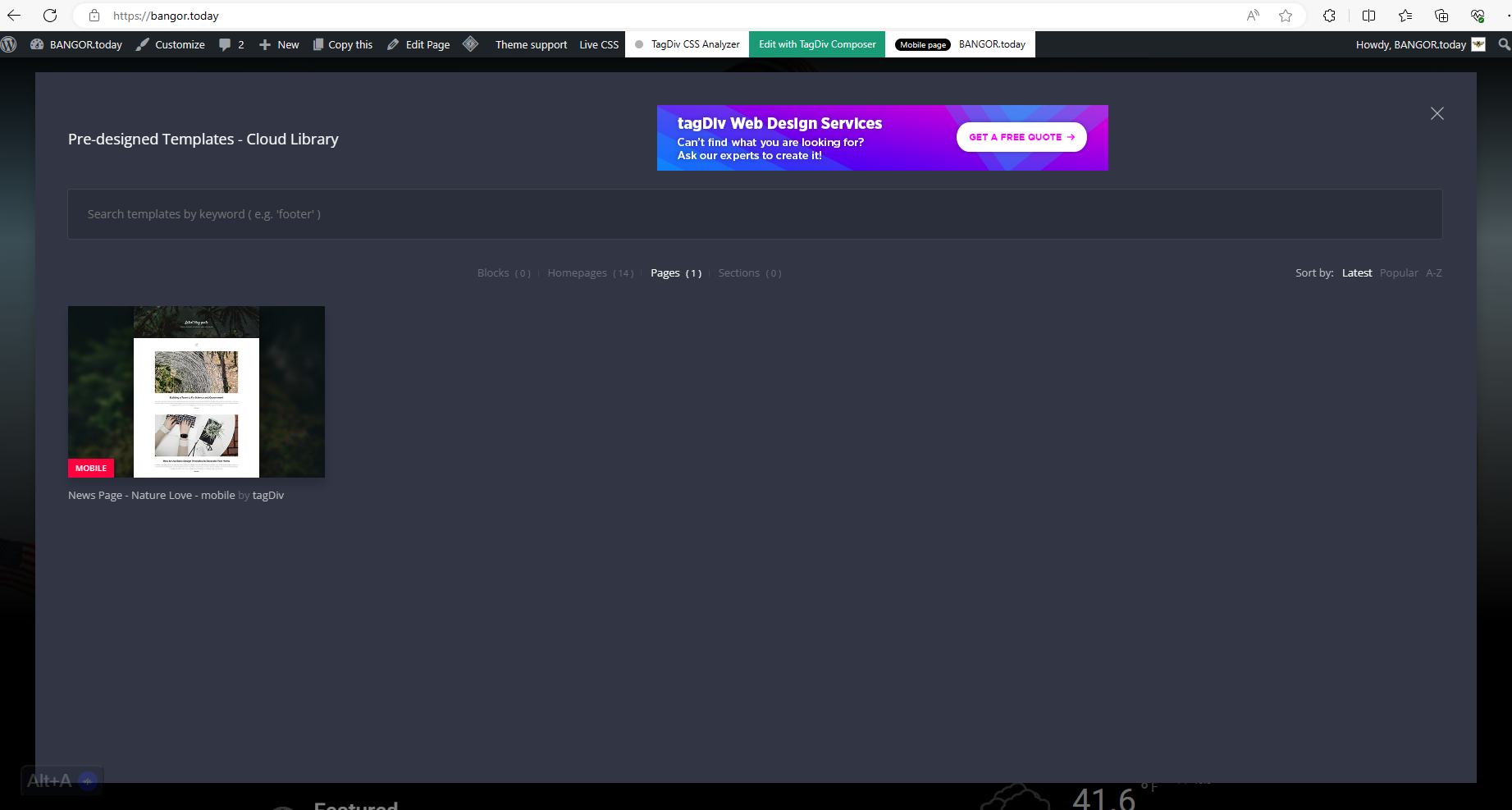
I have these cloud templates Blocks ( 0 )Homepages ( 14 )Pages ( 1 )Sections ( 0 ) I cannot find out where sections or blocks are because they are not showing up in my pop up. see here: https://bangor.today/wp-content/uploads/2023/12/aa33.png
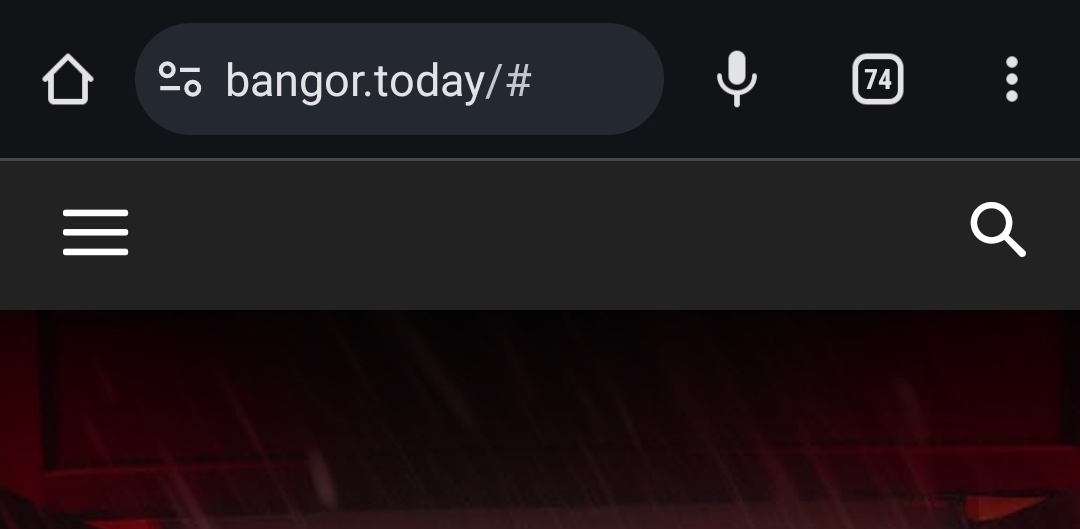
I also cannot seem to get the Logo to display. It will display for a second and then disappear. as seen here https://bangor.today/wp-content/uploads/2023/12/Screenshot_20231226_124908_Chrome.jpg
And I have to initiate Amp in order to use TagDiv mobile?!?! As you see here 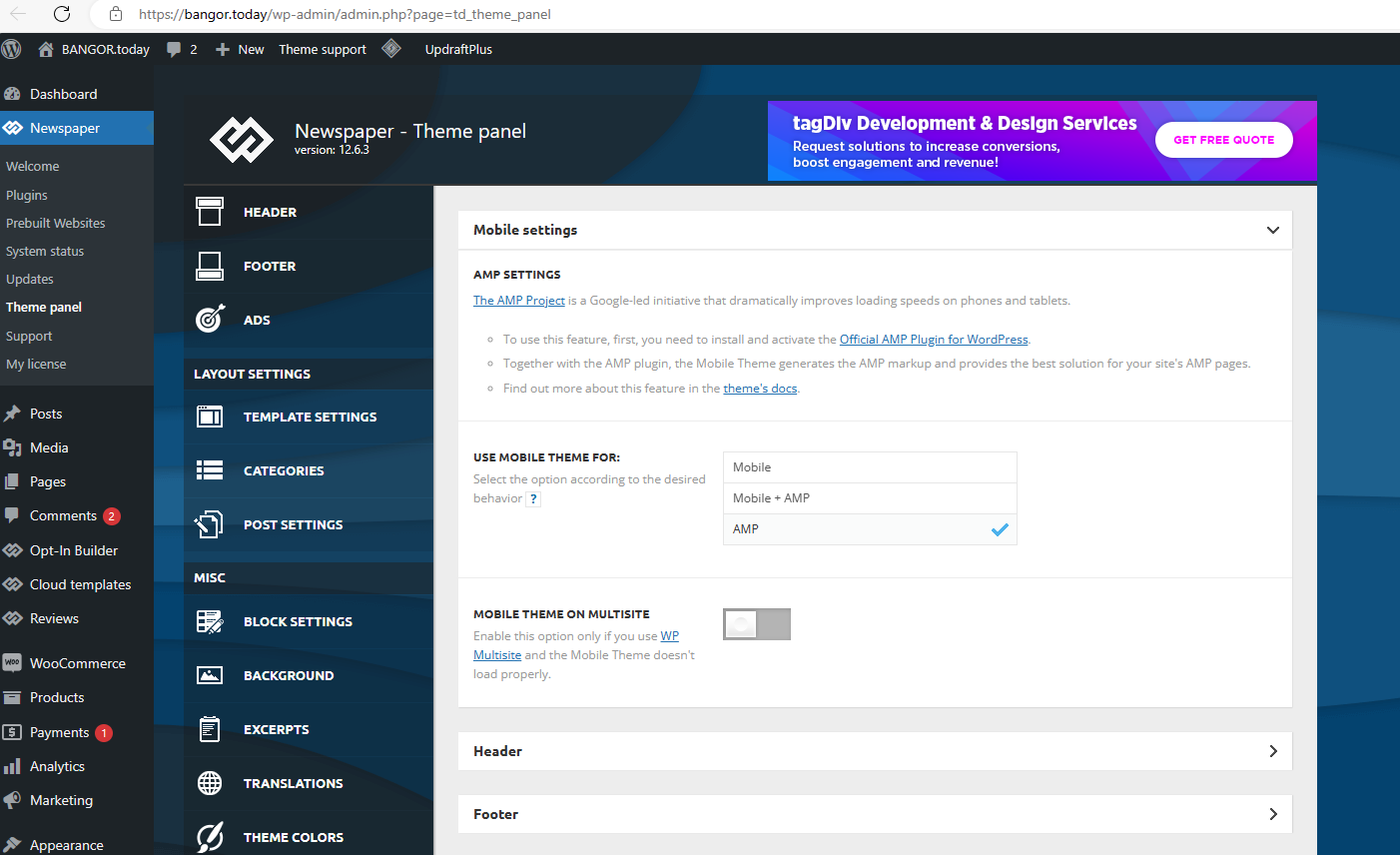
 Savas
SavasThe latest update to the Newspaper theme changed my site appearance. The header is completely different and the posts appear whole on the homepage, and not as an excerpt. How can this be fixed?