No search results were found in Documentation!
 IFP News
Hello
Fir the news sites which are included in Google News the AMP version needs an standard logo size for displaying as top stories and discovered carts, is the Theme’s AMP plugin contains this setting?
Regards,
 ilicmi
 Hello we upgraded theme to version: 10.3.9.1. Also, we regenerated thumbnails and this solved problem with blocks/pictures at homepage. But, we still can’t see logo into header at homepage. Even we can’t upload any logo/pictures via Theme Panel/Header/Logo & Favicon. Our site is https://recepti-kuvar.rs. Thank you, best regards, Miodrag
 meeshymee
 …and no matter what i choose for mobile (logo, no logo..) the header on my phone also shows a grey banner that says newspaper!
(i am using a custom-made header logo with no top memu)
thank you.
meeshymeehello,
i don’t know why but on a daily basis i check the site and instead of my custom logo (which i have set to be end-to-end like a skyscraper banner across the top of my page) the page has a generic logo that is grey and says “newspaper” across the top.. i make no changes but it reverts back to this generic text logo by itself. why? how do i stop this from happening?? (then i refresh the page and it’s back to normal but i see it all the time and fear my readers do as well).
 Robert Turner
 Hi Calin. No that isn’t the problem at all. Images cannot be updated or changed through Tagdiv composer when you’re working with templates. Simply doesn’t work. Social media share the s similarly affected. Tried rollbacks etc with different versions of WP, no different. I assume you guys mad changes to the TagDiv composer plugin as well, and this is where the problem lies.
The images on the site are fine except for logo on sticky menu. Gone and now can’t put it back.
 carlodap
 Hi Vlad, thanks for your reply.
Still testing the theme on local flywheel.
This is the live site where the logo is correctly displayed
empillsblog
Thanks
 Calin
Calin Hi,
As I can see in your screenshot is like the header style was change and you have now set the text logo.
This problem appeasers after the theme was updated using the automatic theme option? if yes, please make a test using the manual theme update like the one from our guide -> https://tagdiv.com/update-newspaper-theme/
If there are no changes in theme files, the using the manual update should look in the same way as before update.
Let me know the results!
carlodapI am unable to upload my big logo (2024 x 483 px) which usually is displayed on aòò the header. On newspaper x I utilized style 10 and upload the real image size (1024 x 247 px) as I read on the forum but that results in an ugly blurred image though.
Any suggestion?
Thanks in advance
 Frydenborg
 How think I have found some of the answers here, I have found where to set text logo and mobile only shows the same as tagdiv composer if mobile theme is not enabled.
But in tagdiv composer, my title is “blank”, not there, and I cannot add it, any suggestions? Thanks.
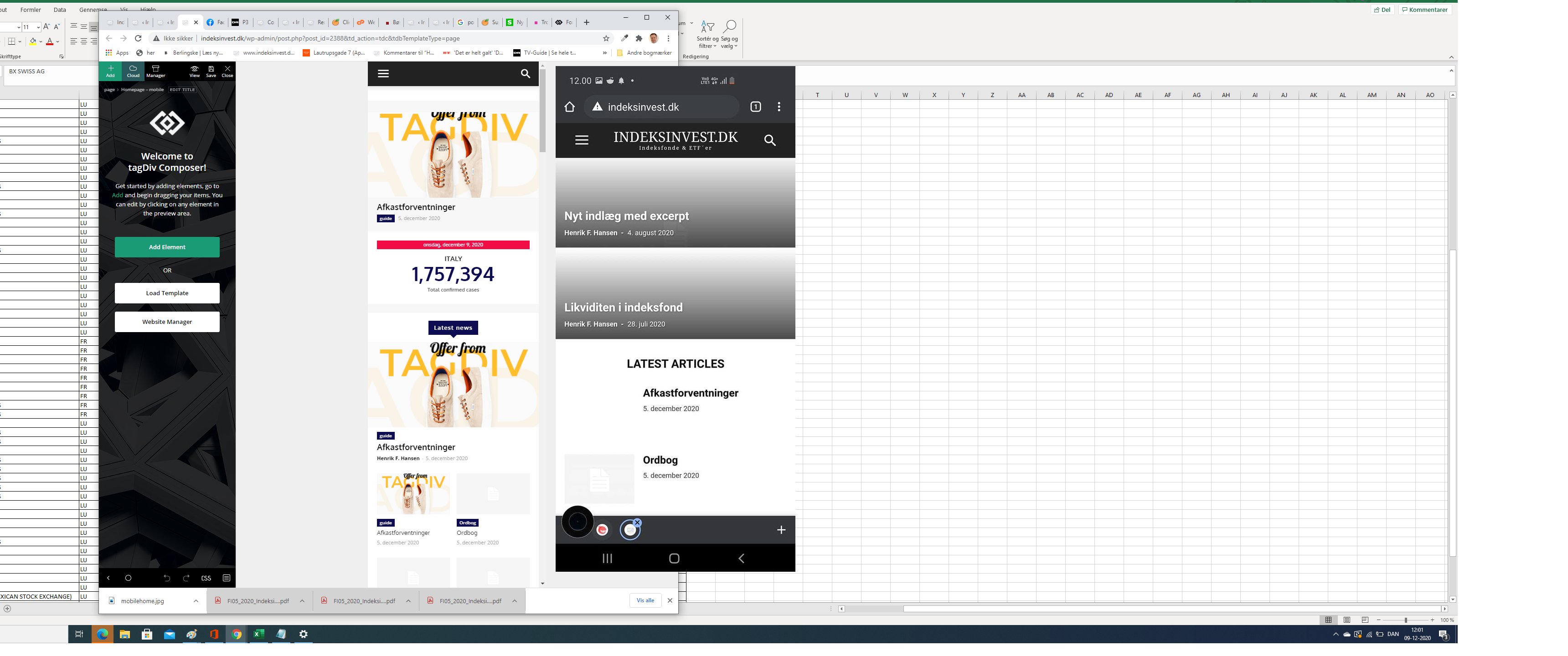
FrydenborgApparently, my site on my mobile (indeksinvest.dk) looks quite different from I see in tagdiv Composer when I edit mobilpage home (see screenshot), I have tried to delele cache.
1. How can I make the site looks the same at mobiles as the mobile home page template in tagdiv Composer?
2. How can I change text logo font at mobile pages?
 pradeepempexus
Hi Support
I am facing very big problem.
My Site has already created posts using divi theam. I have purchased newspaper theme and install it, but problem is that it is not showing featured image, not showing other images in single post.
Logo is also not visible in single post.
it is very bad experience.
 kwoodall
On one of my sites something has gone wrong. The settings for HEADER STYLE and TOP BAR are simply not there. I’m also getting an error in admin about nav-menu and on the front end, the header is just default display without the top bar, logo, and ads.
 Alex
AlexI have some lag problems on the subject. A week ago we had excellent scores on GTmetrix, Google Page Speed, PingDom, etc. Now the site has slowed down a lot after I changed the theme this past week. In particular, when you enter the theme there is a very strong lag with a zoom effect on the entire header (menu and logo) which then returns to normal size. Is it possible that many changes have damaged the theme code? Can you do a check? I contacted my host (Vhosting one of the fastest in Europe) and they do not encounter any problems. I can therefore imagine that the problem is the theme and some code on the home. Can you do a check?
 mehedi57
Dear sir, I am getting one problem with all my sites. I have used one icon with my text logo but the icon is not taking the site’s default color while on the home page. Please the video – https://www.youtube.com/watch?v=ZfuFTQ5JlV8 . But it comes when you visit any other page or post.
Site – http://www.appsworm.com
 teslamag
Hello,
Hope you are well.
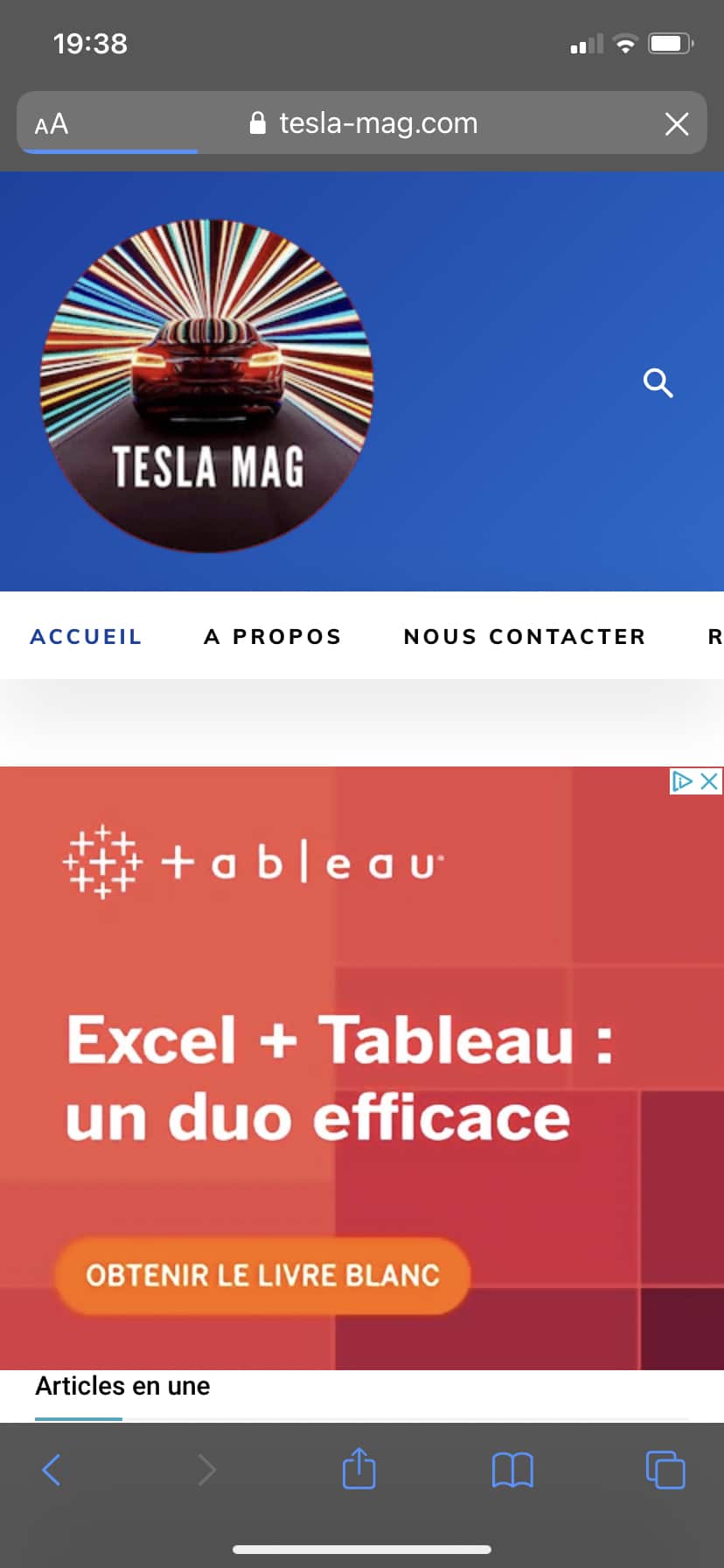
I recently changed my footer and my logo header changed.
I don’t know why but it’s not the one configured in my theme panel which is displaying.
My theme panel parameter: https://www.tesla-mag.com/wp-content/uploads/2020/12/Capture-décran-2020-12-08-à-19.36.54.png
My mobile display: https://www.tesla-mag.com/wp-content/uploads/2020/12/IMG_62400E73EB71-1.jpeg
You can see by yourself at tesla-mag.com through mobile.
Thanks for your help,
Armand
Thanks for your help,
Regards,
Armand
 CarpFreakz
Hi,
I haven’t modified anything and yet my logo no longer appears in the desktop and mobile page header. All settings seem to be correct.
Link to the website: https://www.carpfreakz.nl/
Today i have also updated PHP, and the theme and plug-ins. That didn’t solve the issue so i put a back-up back.
Hope that you can help to solve the issue.
Bas
 wbr
wbr We did this already. All settings margings/padding do the same – the logo moving with single image simultaneously.
So a gap from upper site border is making more. And we have a big empty space, that we dont need. We need to move only “single image” element.
Have you another solution? All theme/tamplates setting is defoult.
wbrLook, by defoult your template has “Header Ad” here – https://i.imgur.com/ZqnREQ5.png
When we delete element “Header Ad” and put element “single image” look how it was – https://i.imgur.com/rZZgNq1.png
If we try to change -> https://i.imgur.com/ivEh8hd.png
So How can we make the below signle element so that the logo does not drop down?
Calin Hi techwafer, if you are referring to the mobile logo from responsive version, this can be edited using tagDiv Composer, Gadgets Pro demo is a SVG -> https://i.imgur.com/kPqFepY.png with a text logo -> https://i.imgur.com/qX3AAJM.png -> https://i.imgur.com/30Wb9ck.png
Hope this will help you!
Calin Hi,
Indeed now the logo is displaying and the infinite loading options is working.
I’m glad that you mange the situation, if you have other questions, let us know!
have a nice week!
 Vlad S
 Hello !
Simply edit your sticky header using tagDiv Composer and remove the logo element. All the other elements will remain on sticky.
Thank you !
Calin Hi robroy, the logo on pro demos can be change with tagDiv Composer -> https://www.youtube.com/watch?v=HXQQygkCCJo
The logo from the Gadgets Pro demo is a SVG -> https://i.imgur.com/kPqFepY.png with a text logo -> https://i.imgur.com/qX3AAJM.png the SVG seems to be 30px width.
Hope this will help you!
Thank you!
 asiatimes
Hello, how can I modify and adjust the original graphics and text on the template after the theme is installed? The modification and adjustment have been for a long time, but the font and presentation style are always adjusted. Please help, thank you.
In addition, in the mobile layout section, whenever you want to select installation in CLOUD TEMPLATE, I tried multiple times in the past two days. After the installation is two-thirds, a red warning message appears and tells you to cancel the action with crtl+Z because the installation failed. , Resulting in two major line codes always appearing on the mobile phone endpoint website:
Warning: require_once(/home/customer/www/twasiatimes.com/public_html/wp-content/Newspaper/tagdiv-deploy-mode.php): failed to open stream: No such file or directory in /home/customer/www/twasiatimes.com/public_html/wp-content/plugins/td-composer/mobile/functions.php on line 11
Fatal error: require_once(): Failed opening required ‘/home/customer/www/twasiatimes.com/public_html/wp-content/Newspaper/tagdiv-deploy-mode.php’ (include_path=’.:/usr/local/php73/pear’) in /home/customer/www/twasiatimes.com/public_html/wp-content/plugins/td-composer/mobile/functions.php on line 11
Also, at the beginning, I mentioned that in the part of revising and adjusting the template, although the photos and texts can’t be replaced, but taking LOGO as an example, LOGO TEXT has changed the Logo text tagline and adjusted it, and also has SAVE. Looking at the website, not only the ICON next to the title is still the old template, but the LOGO TEXT is also before the modification. Only the Logo text tagline has been modified and adjusted. The font selection NATO SANS JP seems to be useless…
Because I am not a developer, I only have journalist experience. I originally wanted to change the professional theme and use the favorite Mintyside layout. I thought that as long as the original website output content file, when the theme is changed, then input the pre-output WP website file. Apply the theme and keep the original content, but it doesn’t seem to be that simple,,,,,,,,, because of my decision, the company shut down the website for a week or two. I really need your help and assistance. It seems I can’t do it by myself Yes, can you help? Or have good suggestions? You can pay for it, just want to solve the problem quickly, Let things go on smoothly, so that some of us who have been in the media for more than 20 years, strive to improve the problem of global media chaos, the goal can be carried out as scheduled, thank you
 techwafer
 Thanks for informing; I have imported the Gadgets Theme on my blog https://bit.ly/39S59G9 but I am facing a problem in the mobile header the default menu is set and the logo isn’t changed even though I’ve changed it in theme panel.
Thanks
 ThomasMaes
Hi, my website is not published yet so I can not put the link. it’s pretty easy to understand the problem.. In the top menu (above the logo) I have a word that has a submenu.. when I go with the mouse on the word the submenu appears but when i move the mouse down to click on the submenu the submenu dissapears. is this a z-index problem? an overflow problem? Do I need to change it with css? i have no idea how to do that.. Same thing with the search button in top menu when u click and search the articles show under it but i can not click on the article because the logo row somehow has priority over it.