- TutorialsFrom WPBakery to tagDiv Composer
- TutorialsWhat is Ajax preloading?
 chofkyton
 what I can’t find to configure is how to display the advertising banners on the mobile phone.
chofkyton I have reviewed the documentation, but it is not clear to me: should I design other web pages (home, etc) for mobile phones?
Any way to avoid an additional design taking the current design that is fine when navigating on the computer?
I would like to avoid additional designs, it would be more efficient for the website built to be loaded on a mobile phone, but how long will I need to deploy my project? it seems endless!
chofkytonHello! I have reviewed my project on the smartphone, but almost nothing is reflected, only the Tickets, the advertising ADs are not displayed, do I have to design a special web page for mobile phones? or is it activated with the Composer editor?
I will appreciate your response.
 justinmrnd5
Hi guys,
Need urgent help!
I could see my mobile version theme being different from the web one. I don’t know it happened and it’s really frustrating a find solution for it.
My web page – https://www.travelrealms.com/
My mobile page on the same – https://www.travelrealms.com/
If anyone could check both the links & help me give a solution
Thanks
 Anamaria
 Hello,
The mobile theme use the thumbs 265X198 and 741X486 => https://i.imgur.com/8jepsGB.png
you can find the thumbs in this path td-composer/mobile/includes/td_config_mob.php and you can change them => https://i.imgur.com/fQsEtA1.png
Thank you!
 Bogdan B.
 Hello,
Usually, this happens with cache plugins. If the cache plugin does not have mobile support then the mobile theme version can be delivered instead. The solution would be to use the recommended WP Super Cache plugin instead and activate these settings (especially the mobile device support): https://forum.tagdiv.com/cache-plugin-install-and-configure/
If the issue is still present you can try deactivating all non-theme plugins and check again in order to rule out a plugin conflict.
I hope this helps
Anamaria Hello,
Please edit with tagDiv Composer, select the element https://i.imgur.com/LFiIOQX.png where is set the text and copy it, after please paste it into the mobile page.
Thank you!
 dimitrisv
Hello,
I am wondering about why in my site specific posts show in their desktop version in the AMP template whereas most others do not (and rightly so).
See for example this:
This is fine –
https://pathologia.eu/enimerosi/koronaios/long-covid-mporei-ta-symptwmata-na-apodidontai-se-alla-aitia/
This displays in the AMP version:
https://pathologia.eu/enimerosi/eswterikh-pathologia/eksetaseis-aimatos-ti-shmainoun-ta-apotelesmata/
Also, in the mobile version from the stats I see that few users see the amp version and even if they go to the AMP version in an article then the homepage and the rest is displayed in the mobile version (I have used the mixed version). So they enter the site in AMP, then they go to the homepage that I like them to see without AMP, and then when they click in an article they see the non-AMP version.
Any thoughts?
 Anonymous
hi
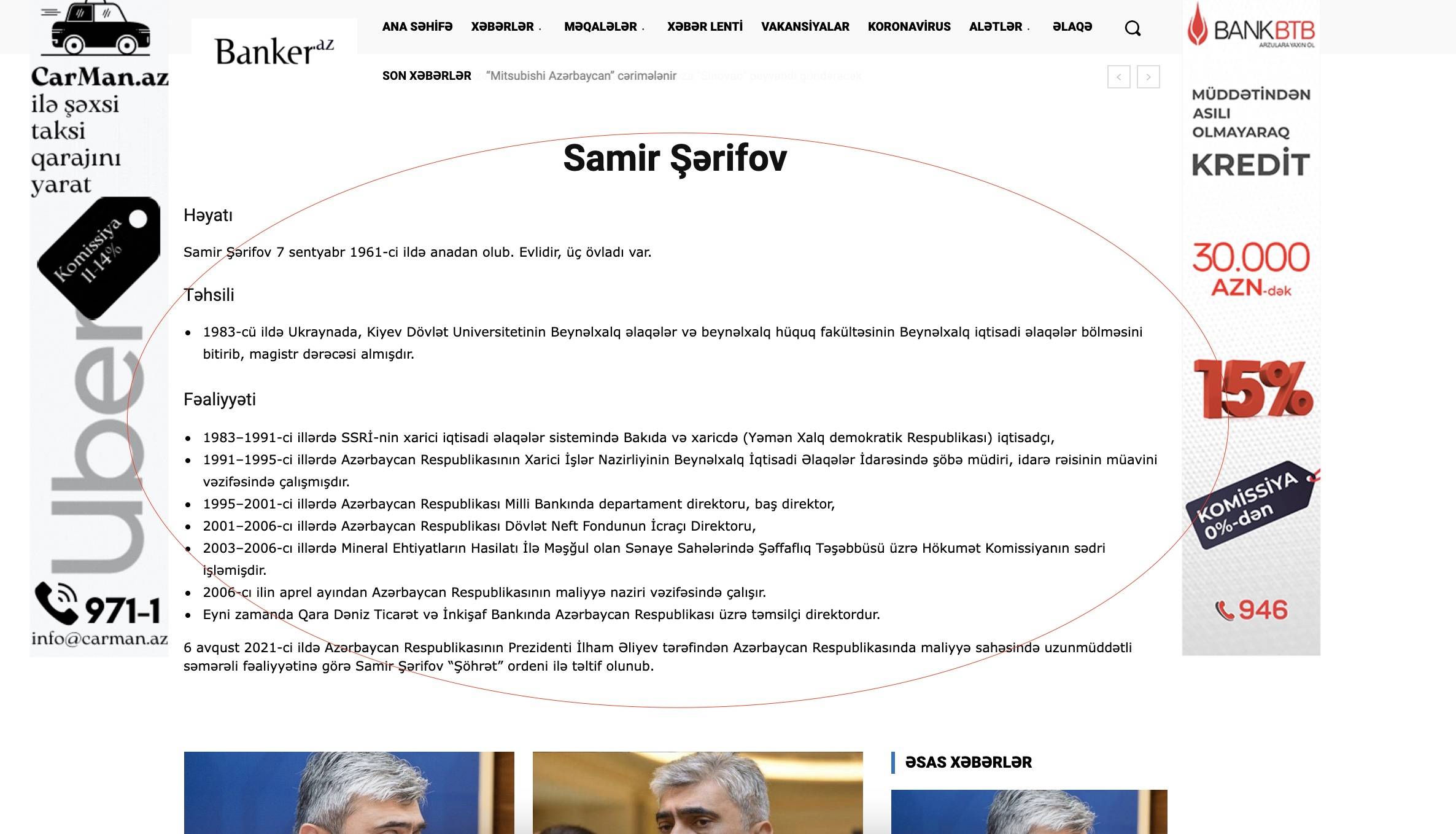
one freelancer added custom place with your template shortcodes which works fine in desktop. i create mobile template and copy content ther (with checkbox) , but in mobile that information is not shown. For example in this page yhou can check https://banker.az/tag/samir-s%c9%99rifov/
here we see this info https://banker.az/wp-content/uploads/2021/11/Screen-Shot-2021-11-11-at-15.38.39.jpg
but in mobile not: https://banker.az/wp-content/uploads/2021/11/Screen-Shot-2021-11-11-at-15.38.39.jpg
what i’m doing wrong? how can i fix that?
 AndrewWc
 Nope.. still the same! I followed all your steps.
I could also see that when I click on the feature image of all my URLs, the image gets expanded to the fullest and does not allow scrolling. This problem can only be seen on the Desktop version (there is no problem in the mobile version)
 midorin
 @player1 this is pathetic, to say the least. Like @jkp said, defacing a website and making it seem like I have a fraudulent website to all my readers is beyond a “mild inconvenience”, it’s spitting on our faces and completely undermining our hard work with our respective websites (not to mention the fact that we PAID for the theme). This theme was chosen by us for its practicability, perhaps because it looks good or works well on mobile… It was supposed to save us time.
I sure am window shopping for a new theme after this blunder. The uncertainty that tagdiv has put around this theme makes me have to worry about something I shouldn’t – we all shouldn’t – have to worry about.
Instead of making updates to “pretty” the theme up – some unnecessary -, what about making sure something like this doesn’t happen anymore? Or that this only happens for those that are using a pirated version of the theme?
It’s beyond anything normal to have to pay for something and be called a “thief”.
Certainly the first and last time.
 rahulroushan
 Does that even answer my question? I already know what you’ve linked to. I’m asking if there is any workaround to stop the extra thumbs for the mobile theme? Like in different Flex Boxes, I can always use the same image size despite different widths etc. of the boxes. The best way could be where you modify the mobile theme blocks and add the option where images are auto-selected from default images. This will require code changes, and you should either consider providing in any update or explain where that code is in the theme files.
 allanh
 Yes, tried all that. Clearing cache, de-register, re-register. The AMP version shows (on mobile device) properly. The desktop version shows Newspaper key not registered.
Emailed contact@tagdiv.com a few hours ago (as you suggested), no response. Site is still down.
 Bettina
 Hello!
If you install the demo with the content, then of course will overwrite your content.
Make sure your posts and pages have no default template set up while you edit them. So, check the settings from the bottom of the page, so you won’t face this issue:
https://forum.tagdiv.com/topic/mobile-theme-is-not-working-3/
Sometimes, the issue can be from a plugin conflict, that’s why, please deactivate ALL plugins except tagDiv ones, also if you are using a cache plugin, deactivate it, clear all cache and try again.
If this problem is not solved after that, then we need to take a look and see what happened there.
Please contact us via email at contact@tagdiv.com and provide the following:
– admin url and credentials
– cPanel url and credentials
– a link to this topic in order to identify you
Our team will take a look!
Thank you!
Anamaria Hello,
Please use this custom code CSS
.td-page-content p, .td-page-content li {

    font-size: 25px;

}
The code needs to be set in Theme Panel> Mobile Theme > Custom code> CSS.
Thank you!
rahulroushanHello, I know that in order to show thumbnails on mobile website when using Tagdiv Mobile Plugin, I need to enable the two thumbnails sizes in ‘Theme Panel –> Block Settings –> Thumbs on Modules/Blocks’
However, I want to avoid it because every image uploaded on the website will have two more thumbnail versions of it created, and thus eat up space (in ‘uploads’ folder) on the server.
Is there a way in which the Mobile Theme can use the default uploaded image or the ‘300×0’ sized image, and resize those using css to show the required thumbnails?
 Hispanic L.A.
 Thank you for the quick reply, Bettina. As always.
I got what you write about the Mobile theme. My questions were, in the Mobile theme, is it possible to change settings like font or style? Specifically, for the subtitle?
My second question was, in the Mobile theme, is it possible to add the “Like” box?
Thanks again,
G
 complexs1
 No, not the mobile theme. The desktop theme.
 DKF
DKFHi there,
I’m trying to import the mobile header template, but it seems that something’s wrong. I can’t install it. Other templates are fine. Is something wrong?
Bettina Hello Amit!
Please check the results on a mobile phone or minimize the screen in front end.
Let me know the results!
Thank you!
Bettina Hello!
You can disable it and choose the option only Mobile from Newspaper -> Theme panel -> Mobile theme.
Thank you!
 Rahul chauhan
 To make the pages appear in the amp, the content is written in the mobile editor section at the bottom of the page, but there is no option to increase the font(screenshot). Also inside the mobile theme panel there is no option to increase the font for the mobile page (screenshot).
 Amit
AmitColor 1 overlay, Color 2 overlay, and Background opacity settings for row are not working for mobile templates created using tagDiv composer.
Rahul chauhan i am using mobile theme plugin and want to increase font size of privacy policy’s page, that is placed in amp footer menu. In theme font section of mobile, there is no any option to edit page font.
Bettina Hello!
The Mobile Theme is a performance optimized theme included in the Newspaper main theme and it loads only for mobile devices. It comes with its own templates for page, post, category, etc so your current templates from the desktop theme will get converted to the mobile theme layout. For more details, please take a look here:
– https://forum.tagdiv.com/mobile-theme-introduction/
– https://forum.tagdiv.com/the-mobile-theme/
If you use Mobile theme plugin, then you can not edit the pages with TagDiv Composer.
You have only some settings for this layout, which you can find in Theme panel -> Mobile Theme. Please note that if a page is made by Composer, than the content won’t be displayed on Mobile theme version. You should create the content with the Mobile Editor.
Thank you!