- ApiAPI – Top Bar Template – Introduction
- ApiAPI – Single Template – Introduction
- ApiAPI – Footer Template – Introduction
- ApiAPI – Smart Lists – Introduction
- ApiAPI – Thumbnail – Introduction
- ApiAPI – Category top section style – Introduction
- ApiAPI – Category top section template – Introduction
- ApiAPI – Modules – Introduction
- ApiAPI – Blocks – Introduction
- ApiAPI – Header style – Introduction
- ApiUsing the Theme API in plugins
 Pallieterke
Hello,
I am getting this issue with the Revolution slider on my website http://sceptr.net/.
Revolution Slider Error: You have some jquery.js library include that comes after the revolution files js include.
This includes make eliminates the revolution slider libraries, and make it not work.To fix it you can:
1. In the Slider Settings -> Troubleshooting set option: Put JS Includes To Body option to true.
2. Find the double jquery.js include and remove it.
The issue is not constant but it pops up anytime and disappears after 1 or 2 reloads. But it never gets totally solved. I have tried putting ‘JS Includes To Body option to true’. Also, in the Global settings I have set ‘Insert JavaScript Into Footer’ and ‘Load all JavaScript libraries’ to ON after researching online.I have also increased the Upload File size and Post size to 32M. Still the issue keeps on popping up.
As the issue is not constant, it is impossible to try switching the other plugins ON/OFF and seeing effects.
Thanks.
 ffarci
 Thank you.
Anyway, I didn’t understand one step. I have to insert the family font (for istance I select the same font family I chose for the other parts)…in this way ->
@font-face {
font-family: ‘Helvetica Neue’;
BUT for the second part of the code ->
src: url(‘add the source url for the font. insert the path that leads to the font’) format(“opentype”); font-weight: normal; font-style: normal; }
I don’t know what to put in! Which is the source url? If I simply want to use your family font “Helvetica Neue” or a font like Verdana how can I find the source url? Thanks a lot!
 Nano
Nano While searching on various other threads on the same topic, I noticed that there are ways to hide ads from the specific page using following code:
.postid-147 .td-a-rec, .postid-147 .td-g-rec{
display:none;
}
The result is here -> http://screencast.com/t/tz610oCpC
Notice : the .td-g-rec class is only for a Google Adsense AD and .td-a-rec for other ads.
Though, it is also discussed that to hide Adsense ads might go against Google’s policy. So, its better not to hide the ad but to stop ad placeholder from loading.
Bogdan was discussing something similar on how to remove ad placeholder from 404 pages on this thread: https://forum.tagdiv.com/topic/how-to-not-have-header-ads-on-certain-posts/#post-123574
Isn’t their any way to simply remove all ad placeholder from loading on any specific post? Please give a try to a solution for this.
You can very well notice that this issue is being faced by all of us, no matter whether they are aware of it or not.
I also noticed that many times, in other threads, it was advised to install any other plugins like Adrotate or QUAD.
I have a simple response on this. When we already have such a robust ad management system in-built in our theme, why should I use a new plugin for it? Shouldn’t we always try to keep numbers of plugins as low possible?
The ad-slots under TagDiv theme Ad manager is ( by default) built by taking Adsense into the consideration. Even Adsense examples are mentioned there, then why shouldn’t we try to improve its functionality rather than telling to use a new plugin?
I know that not everything can be integrated into a theme but if you do have such function. Please try to perfect it in future updates.
Just to give an example. There is a very popular theme on Themeforest called “BIMBER,” the developer didn’t want to work on ad section of the theme so, they collaborated with QUAD team and added the seamless ad-management system with this plugin.
But, since here we already have a very robust ad management option, we must try to make it fully worth of having it.
Hope you guys understand.
Love for TagDiv.
-
This reply was modified 9 years by
Nano.
 Bogdan B.
 Hello,
1. please first use a font that is already loaded such as verdana and see if the font changes with the css. You cannot use a custom font with css without loading it first. The font loading is done with another css code like so:
@font-face {

font-family: 'add your font family here';

src: url('add the source url for the font. insert the path that leads to the font') format("opentype");

font-weight: normal;

font-style: normal;

}
2.For the mobile version of the text logo, please use this code:
@media (max-width: 767px){

.td-logo-text-container .td-logo-text {

    font-size: 56px!important;

}

.td-logo-text-container .td-tagline-text{

font-size: 16px!important;

}}
Thank you!
Bogdan B. Hello,
Other theme s do not use our own mobile menu. It is not the same element that runs better on a theme and on another one not. It is our own custom made menu. Please provide a link to your site so I can inspect it and see how the menu loads.
Thank you!
 bpdigitalmedia
 Thank you for the codes. The Header one worked perfectly, but the button one didn’t change anything.
This is what I need of a button:

Another thing: I’m having trouble to take off the Media icons and Sign in button of the Menu, only on mobile. Can you please guide me on were can I disable this on mobile too? It is already disabled on Newspaper> Theme Panel> Header> Top bar

Bogdan B. Hello,
Unfortunately the mobile menu does indeed take a bit of time on it’s first load as the graphics have to be loaded first for it. Try not to use a mobile background image. Try to add simple color to it as colors load faster than images. There is little to be done about this though. The mobile menu loads faster on some browsers like chrome and slower on others such as firefox or ie 10-
Thank you!
 Simion C.
 Hi,
The sidebar will display the ads everywhere it is set, in per category, in posts general – https://www.screencast.com/t/GS38sCaV – or per post – https://www.screencast.com/t/CGcBE8iRWS
You can create a sidebar with de default ad and a custom ad and set it to a category, then create another sidebar with the same default ad and a custom ad, basically you can have as many custom sidebars as you like.
Also it is recomended to set the sidebar from the primary category of the posts – http://prntscr.com/e0zv8s
In the sidebar you can use the default sidebar ad and the other 5 custom ads – https://forum.tagdiv.com/sidebar-ads/
Thanks
 skhullar
We are not able to update/insert any Ads in the them_panel
On save the from is not able to update the field. Get save cursor remains continuously. No timeout error.
However we are able to update other fields
Sunil
 ecase
ecase Starting with point 3: The error warning started happening right when I activated mobile theme
4. I purchased the theme for speed, our alexa has really been falling drastically since install, we have noticed that the menu takes some time to load , its like it has a delayed animation.. This happens on your demo too. It thenm works fine after first load, but when you move to next page it struggles to load again. So if now if mobile isn’t faster, what will make the main site faster
2, we have optimized it accordingly and even added imagify, keycdn but the issue still persist , can you have a look? Please note that this is not a new site, it’s very old and has a history, and loads of visitors and has other thems changed. I am trying to resolve this with you, if you will take the time to see, but it just seems the speed issue is really a problem,
I’ll contact you with you with login
ecaseWhat can we do to speed up menu load. There is a delay when you try and open menu first time and then it’s fast. Not sure why. I tested on your demo too and it is difficult for our readers to navigate especially they are on a very slow connection.
We are still using the mobile theme and it’s still making us wait a few seconds before it loads first time. Same thing happens when you navigate to other pages
 munvik
 Hi!
Exactly I am saying that style – 2 should show
image – Text (on the right side of the image)
But when I am using visual composer, it is shown as
Image
Text (not starting from the right of the image but starts from the below the image and space on the right side is empty)
2. Can I achieve this thing by inserting my custom css into any style file of the theme.
3. Regarding smart list, when smart list is used, each list content adds an number to the url like …/2/, etc
Is it not violation of any google policy (search and adsense). Please confirm.
4. In the smart style – 8, we have drop down of each list item along with Back-Next button on top as well as bottom of the post. Is it possible to achieve these three features with other smart list style. As some style have Back-Next Button on both place but does not have dropdown and some have Back – Next Button only on top.
5. Can I change layout of Back – Next button in smart list style, like change of colour of background of button from black to other colour.
 ayra03
 Thank you a lot for a quick answer! I deleted category page and add one new static page with block filter.
Now it works: http://laglika.gradskekarte.com/novosti/lag-lika-u-medijima/
Great!
But in main blog page ( http://laglika.gradskekarte.com/novosti/ ) I cannot filter content by categories in visual composer. So, there I have now all posts and I want to have a posts with specific category.
Do I have to delete main blog page and open a another static page which will have function of a blog and then I can filter posts by categories? Or I can do it without opening a new static page?
 Catalin
 Hello Snubbe,
Please keep in mind that you do not have to be a webmaster to add a simple ad on your side, sorry! If you will read above documentation which I gave you above, there you will find the steps which you are needed to take to display an ad. (Using the Google AdSense code or Using other Ads, made by you).
Please provide more details about your problem if you have followed these steps and you cannot bring any results in this regard. Also, you should provide your website so I can take a closer look.
Thanks for your understanding!
 mayaguez
Will the placement of AdSense ads on the Home Page slow the site?
Both Desktop and Mobil?
1. If Yes, what would be the recommendations (max # of ads) on Home Page for each Desktop and Mobil?
2. Same question for other (pages) Post articles?
Thank you
Catalin Hello sasquatters,
I have added your Amazon ad on my side, and it did not work as properly -> https://www.screencast.com/t/Lid3rXdgyoy. It seems that the Amazon will not deliver this ad, sorry! Try to use this code with a default theme and check the results. Notice that this type of issue is not theme related. As you can see, our theme has been designed to use only Google Adsense. So, with Amazon Ad, the theme was not tested, sorry! Another alternative in this regard would be to use the AdRotate plugin and check the results. Also, you can contact the Amazon Ad provider, tell the problem because they should be able to provide a more accurate response in this regard.
Thanks for the message!
ayra03Hi,
I’m wondering how to make a two blogs under one domain with your nice theme.
So, this page I use for news and it’s assigned as main post page: http://laglika.gradskekarte.com/novosti/
Now, I created another post page: http://laglika.gradskekarte.com/category/lag-lika-u-medijima/ because from some reason it’s important to have it as separate post page.
But two problems had occurred:
1. Post assigned to category “LAG LIKA u medijima” goes also into main post page “NOVOSTI” and I want that is connected only with “LAG LIKA u medijima” page. How to do that?
2. Styling of “LAG LIKA u medijima” page isn’t similar to “NOVOSTI” page. I want it look the same – first small photo and right to it comes text.
Please can you help me?
Catalin Hello adibiase,
What kind of Ad Provider do you have? Notice that our theme has been designed to work as properly with Google Adsense system and there is no need to make other changes with your above request. For more information about our Ads, please consult the documentation here -> https://forum.tagdiv.com/newsmag-header-ads/ and here -> https://forum.tagdiv.com/newsmag-using-other-ads/
If you want to display more levels in our theme and if you are not aware of the steps which are needed to take in this regard, please consider hiring a freelancer/developer to help you because we cannot provide custom work at the moment, sorry!
Thanks for the message!
 sike
sikeHi,
I just bought this theme, and i’m new to wordpress, so i started testing the tech news demo theme…
When i for instance add an article for apple it also ads it to all other categories?
I have been looking at the source, and it seems there are no IDs added in there?
Can this be fixed?
Thanks
Bogdan B. This means there is a theme related element that is called using http and not https. Please check the logos or background image or any other setting in the theme panel.
Here are your mixed content errors:
https://www.screencast.com/t/BEJyrzH6Oc
Please check these few leads:
http://www.wpbeginner.com/wp-tutorials/how-to-add-ssl-and-https-in-wordpress/
https://css-tricks.com/moving-to-https-on-wordpress/
https://yoast.com/dev-blog/move-website-https-ssl/
You can also check our forum for some insight on ssl:
https://forum.tagdiv.com/topic/moving-to-ssl/
Thanks.
Simion C. Hi,
Ads will display in the locations that you choose, in Theme panel->Ads – https://www.screencast.com/t/L0M9Xw9vjyeR or in any ad box you use that coresponds to an ad placed in theme panel – https://www.screencast.com/t/3cdjcksUC If you want to remove the header ad, remove the code from the header ad section – https://www.screencast.com/t/Lgf70WPTtRh and the same for other ads. You can remove the ad title here – https://www.screencast.com/t/pcINGIxew – https://www.screencast.com/t/FFVc4XIJ5
As for the white space reduction try this code, enter it in Theme panel->Custom Css
@media (min-width: 1014px) {

.td-logo-wrap-full {

margin-bottom: -30px;

}

}
Result – https://www.screencast.com/t/mullEAOopRES
To remove the Home page title – https://www.screencast.com/t/ht1nprfb8V9 you have to select the default page template in page attributes – https://www.screencast.com/t/j1uj2o0pf or use this code in Theme Panel->Custom Css
.td-page-title span {

display: none;

}
Result – https://www.screencast.com/t/6BZ5StBZiuD
If you meant something else and I misunderstood you, please correct me.
Thanks
Catalin Hello sternsports,
Please consult deeper our documentation here -> https://forum.tagdiv.com/newsmag-using-other-ads/ -> https://forum.tagdiv.com/newsmag-header-ads/
Thanks for your understanding!
 Jessie
Hi guys, great theme and thanks for your hard work.
There seems to be some trending issues… “Images disappearing,” “Non secure collection of passwords warning,” “tagdiv image gallery stops working”
To make things easier on all of us, please sticky post such issues with their fixes. Then we can be aware of them even if we haven’t encountered them yet and fix these issues before they cause problems and time expenditure. It will cut down on the number of support threads and help you to address other issues more efficiently.
Thank you!
 planetvic
I want to be able to create custom image url redirects.
I will give an example of what I am trying to do.
I made my original aerospaceguide website using Microsoft Frontpage.
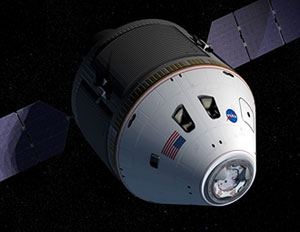
I am trying to change / customise / redirect an image on the Orion Spacecraft page.
http://www.aerospaceguide.net/spaceexploration/orion.html
The original picture address was:
/spaceexploration/orion.jpg
or http://www.aerospaceguide.net/spaceexploration/orion.jpg
Using WordPress I added the same picture, but wordpress has named it:
http://www.aerospaceguide.net/wp-content/uploads/2016/07/orion.jpg
Is the a way to redirect it so it shows http://www.aerospaceguide.net/spaceexploration/orion.jpg
Reason: I have alot of picture links from other websites, but they point at my old picture addresses.
Is there are way to do the redirect?
Note: I use the Redirection WordPress plugin for pages and that works well, but it doesn’t seem to work with images. It has the option to do it, but doesn’t seem to work.
I await your reply,
Vic Stathopoulos
http://www.aerospaceguide.net
 dharma3d
Hi, I have a site on Croatian language (atma.hr) and since ‘Like’ is translated to a longer word, what happens is overlapping with Tweet button. The width of FB Like button should be 135px instead of 105px which is set but I don’t know how to change it.
I guess you should see this when you are located in Croatia, not from other countries.
Here is the screenshot:

Thanks