- ApiAPI – Top Bar Template – Introduction
- ApiAPI – Single Template – Introduction
- ApiAPI – Footer Template – Introduction
- ApiAPI – Smart Lists – Introduction
- ApiAPI – Thumbnail – Introduction
- ApiAPI – Category top section style – Introduction
- ApiAPI – Category top section template – Introduction
- ApiAPI – Modules – Introduction
- ApiAPI – Blocks – Introduction
- ApiAPI – Header style – Introduction
- ApiUsing the Theme API in plugins
 frontsidetv
Hi
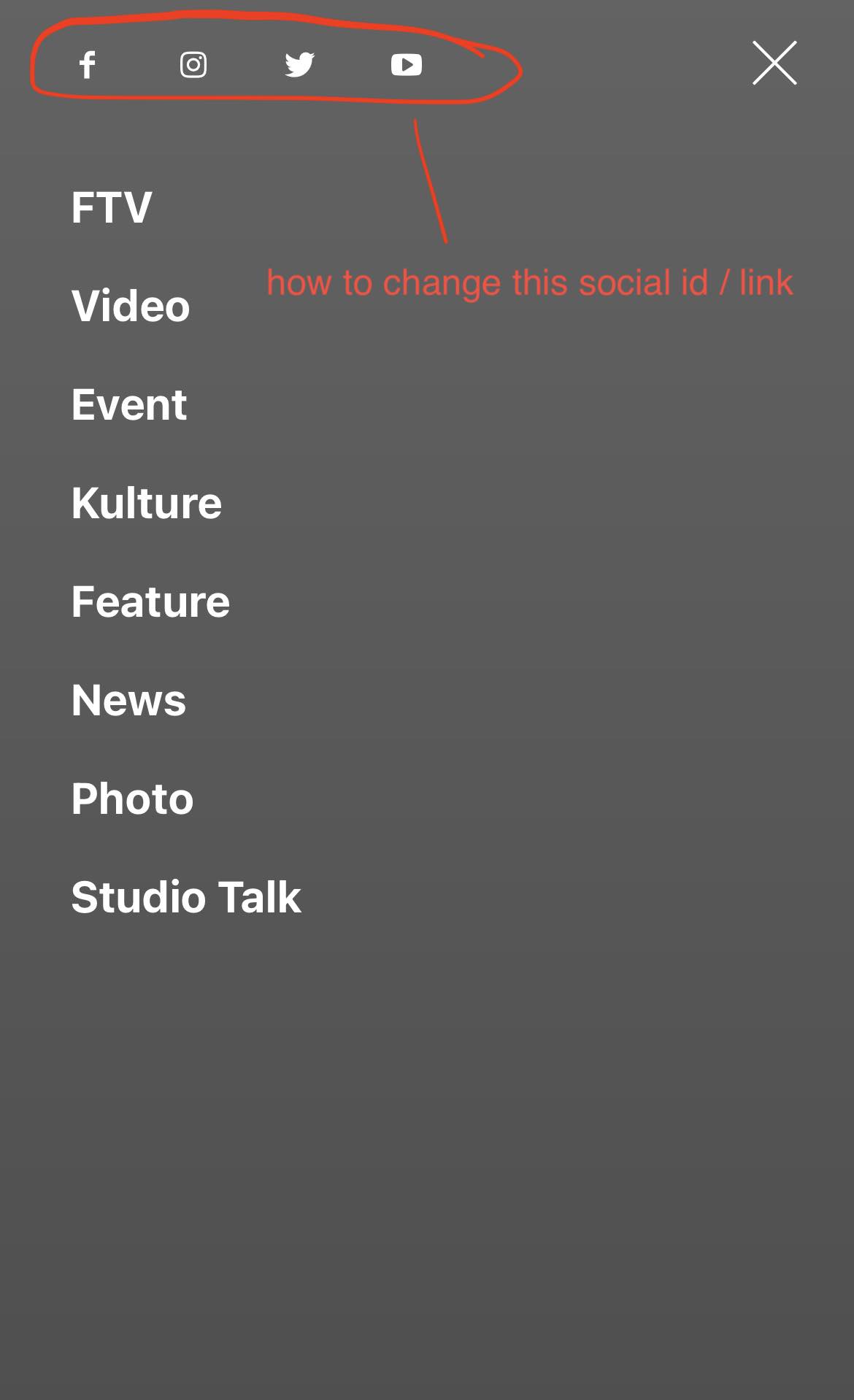
I have problem finding where i can change the social menu id / links on the mobile version. It still links to tagdiv social media platforms. Others are fine.
 vastio7
 Hi Bettina,
I am sorry but that’s not an acceptable answer.
I don’t understand how the official Google plugin is not tested.
One of the reasons that I chose your theme is because you claim that’s fully responsive with Google Adsense.
If that’s not the case and the Site Kit for Google plugin is not tested with your theme I would like to ask for a refund to find a theme from another developer.
What would be the process for the refund?
Many thanks,
Vasilis
 Bettina
 Hello @Whambam32!
I’ve checked your website and it seems that your issue is solved somehow because the wallpaper background ads are clickable.
The z index is useful for placing elements on top of one another.
Thank you!
 tghidotti
I have another doubt, when a post ends, it auto loads others, is there a way to disable it so it doesn’t load more than one post?
Bettina Hello @adfrogs !
We’ve created different demos which you can use without building the whole design for templates. The ads in the cloud templates are added manually to the templates. You can use other templates from any demo you like. Import and assign sections, pages, templates, headers, and footers.
Unfortunately, there is not a global setting for the ads, sorry.
Thank you for understanding!
 Edragon
 TagDiv Composer elements? Are you sure? Where exactly and why it’s in elements or why it’s in two completely different places it’s kind of very confusing, because nobody is going to search this option from elements (does not make sense) when it’s already in
And why it’s on two different places in THEME PANEL > ADS > CUSTOM AD 1 (or any other one you use) > DISABLE FOR ADMINS/EDITORS
And no, ad blockers are not ON and would not even affect my ad block where I use manual ad with image and url.
 TMI123
We recently updated to the latest version of WordPress, Newspaper and PHP, and the rotating ads in the Header stopped working. It still works with the older versions on other websites, but not after the upgrades. We cant figure out why it stopped working. We use AdSanity rotating ads, but it does not work with any other rotating ad plugins. We think that it might be a problem with Newspaper and WP compatibility, but everything is up to date. The same short code for the adzone or group works on older websites, but not after the upgrade. Any ideas on how to fix this or what the problem could be?
 Emre
Emre Hello,
I’m posting here so I don’t want to open another ticket. I turned off google auto ads because it slowed down the page. But now the amp shows very few ads, what should I do to show more ads? I tried some plugins but there was a problem with the design. Is there a way you can suggest? Thank you.
Bettina Hello!
If you do not use auto ads, then you can exclude the ads from a specific post/article by duplicating the existing single post cloud template, giving it another name, hiding the elements/changing the style, and assigning it only to your special post(do not make it globally).
Thank you!
Bettina Hello!
If you want to use auto ads (which are displayed randomly on your website), then they should be placed in the Theme Panel -> Analytics/Js Codes. Unfortunately, you can not choose where to display them, only if you use the normal ads and not the auto. Uninstall the cache plugin(WP Rocket or any other) that you use because sometime can interfere and your ads couldn’t be displaying well.
Thank you!
 Simion C.
 Hi,
AMP is very restrictive when it comes to the ads and to the content. What type of ads are you planning to use on AMP exactly? Are they compatible with AMP?
The most popular and widely used type of ads used for AMP are AMP auto ads from Google https://support.google.com/adsense/answer/9261309?hl=en
We provide a field for entering the code https://i.imgur.com/2kAsROP.png
Also the mobile theme ad spots will load ads on mobile or mobile + AMP https://i.imgur.com/YEkMJ6N.png
But for any type of other ads, with other requirements perhaps, maybe it is possible to add them via ad inserter plugins or similar. Or perhaps it will require modifications to the code, it depends.
Could you mention a few details about the type of ads you want to use? Also, if their provider has documentation for implementing them on AMP, please provide that as well so I can take a look.
Thank you!
 sgaddo
 Hi support team.
I have the same problem, the Instagram image feed is not showing the pictures in the global footer, but I wanted to point your attention on another aspect:
I have exactly the same site, running the same version of the theme (10.4 and I cannot update), in two different environments: production (or LIVE) and development.
The production environment doesn’t show the feed and, looking at the code, it’s trying to load the pictures from this URL:
https://scontent.cdninstagram.com/v/t51.2885-15/274622029_3149200718694712_2486979673539822313_n.webp?stp=c227.0.500.500a_dst-jpg_e35&_nc_ht=scontent.cdninstagram.com&_nc_ohc=nAgJL-Z6sTQAX9DZc0g&edm=ABfd0MgBAAAA&ccb=7-5&oh=00_AT9Vtjo_bZwJkSNxjeqa5R9Vl8bOjeANNHqZbb8KhDs0iA&oe=62C5ABE4&_nc_sid=7bff83
And if you go on that URL the browser shows URL signature expired message.
In the development environment instead, the instagram feed is showing the recent thumbnails, but they are loaded locally (so from the local /wp-content/uploads/2022/04/ directory) and as a link background.
That’s a completely different way of loading and showing pics. Why?
And why it’s still working on DEV?
The websites are:
https://www.worldfootballscouting.com/
and
https://dev.worldfootballscouting.com/
So, I hope this will help your developers to give us all an answer.
Waiting for your kind reply.
Thanks.
-
This reply was modified 4 years by
sgaddo. Reason: The pasted code example was not showing properly
 Eighthats
 We are still experiencing severe issues with our site due to the slow queries caused by the TD_composer.
Similar to these other tickets:
https://forum.tagdiv.com/topic/very-slow-query-because-of-most-popular-news/
https://forum.tagdiv.com/topic/performance-issues-on-large-database/
even when testing the site with only tagdiv plugins enabled, the queries take quite a long time and will cause the site to timeout if there is high traffic.
This issue is critical and we have absolutely narrowed it down to the theme, its page builder, and the way it loads in posts per page.
Caching, optimization, server resources, plugin conflicts, etc have all been tested.
 Calin
Calin You can set any type of ads there, this includes banner ads, for this you need to use a code, you can get more details for how to do this using this guide -> https://forum.tagdiv.com/using-other-ads-non-adsense-ads/
Thank you!
 xiona
xionaHello, help me I don’t know what happened, my menu from each page was disappeared.
in Editing I can see it, but when I go to preview its gone.
I tried to go back to last update (backup) – its come back, but if I editing smth another -its disappeared again,


maybe some time ago I make something wrong here, but I don’t know
 kalacosolutions
Have setup code within the Theme Panel for Article inline ads, however it is not displaying within the article (nor anywhere). Using this code within Theme Panel (it is non-adsense)
<div class=”td-visible-desktop”>
[the_ad_placement id=”article-inline”]
</div>
The shortcode is from Advanced Ads plugin. It works on other areas of the side.
Link to one of the pages on the site (still a work in progress):
https://www.bylocalnews.com/news/newcomer-corey-morgan-running-for-mayor-of-broussard/
Thank you for any assistance.
 kodro
kodroHello,
I have seen that many websites have external links to other websites of the same media group.
The look and field of these grids of external content, is identical to that of the website itself. But when you click on the news, it directs you to an external web.
Is it possible to do this with any grid in Newspaper 11? An example:

 Esthertimesdv
Hello,
I just started using Newsmag for my digital magazine ( https://deve.es ). This magazine is planned to work with monthly paid subscriptions (I installed a different plugin because it has specific qualities), and readers will create accounts to read some articles for free, be signed up for a newsletter and eventually subscribe.
However, I have problems with the top menu of the page in PC version and with the same menu on mobile version. In the PC version when I go to the top menu (see image https://deve.es//wp-content/uploads/2022/08/Captura-de-Pantalla-2022-08-13-a-las-23.28.40.png ) I see “my account” and “subscribe”. I want to know if this top menu can be modified so it only shows “sign up” and “subscribe”
On the other hand,
When I tap to open the main menu (see image) https://deve.es//wp-content/uploads/2022/08/IMG_6430.jpg , I can only see a “sign in”/”join” option . I wonder if
1) this can be changed to include a “subscribe” option
2) the “join” can be replaced by a “subscribe”
Thanks you in advance for your help.
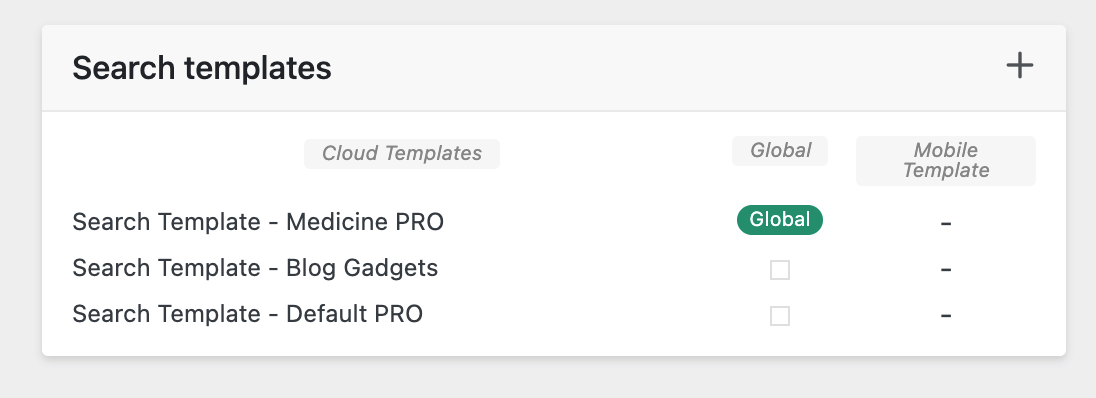
 thedonatshop
 I have added yet another. The results are still sample posts.
https://i.gyazo.com/9f5f1ab7b22e40fc22de03263ff1cab0.png
when I click “view” directly from the search template it brings me to the medicine pro search page. it shows with “sample posts”
but then when I do a search on that page it reloads to the “blog gadgets” search template again. but maybe it’s cached. I don’t know.
Bettina Hello!
I’m not sure what you mean exactly. This is the code which is hiding the other images/ads which appear in the Mobile Theme layout:
https://pastebin.com/ex1i7Bg1
The code should be added here: https://prnt.sc/nTiJueuIDC0I
Hope that helps you!
Thank you!
 ExtraSportz
Hi! I don’t know how to use the widgets section in WordPress. Whenever I open it, Only the footer section is visible where I can make changes. But I want to make changes to other parts of the website. I am not able to use the widget. It would be great if you help me out. Please see this image: https://imgur.com/HurLBcZ
another question is the I want to understand the difference between smarts list and custom ads in the ad section. I have read the documentation. But I could not grasp it properly.
I also have to place the custom ads using the widget on my website. Please let me know how to do that.
Please answer these three questions, Calin.
 creativeopole
 After all, everything is described above. Just post you in your demo version in the following article html codes:
https://forum.tagdiv.com/using-other-ads-non-adsense-ads/
1. Just add banners for different sizes from “Sample image ad with different images for each device:”
2. Then install and run the template plugin for mobile devices.
In the screenshot below you can see that ads for all devices and sizes are displayed.
 Tiit
Tiit Yes, I opened the viewport on my phone. It looks the same as on my computer screen. I changed the logo text in the General tab, which reads Lugemiselamus now (the title of my page). The correct name is displayed in desktop and tablet mode. However, it is still THE CRITIC in phone mode. I don’t see any other place to change this. If I turn my phone horizontally, the correct name is displayed. Is there a limit to the header width where the title is displayed and my title is too long for mobile view? If so, where can I change this?
Tiit
 Anamaria
 Hi,
You can use the element Ad Box, and set the element where you want.
The ad box has 3 sections for ads: using theme panel ads -> https://i.imgur.com/KFa9ibl.png, using images/banners -> https://i.imgur.com/MfAPTaE.png and custom code -> https://i.imgur.com/2rh8SuD.png save it and will appear on the post (you can set a shortcode like a shortcode from adrotate plugin or other plugins)
Thank you!
Anamaria Hi,
I’m sorry, but I’m not sure I fully understand what you are trying to achieve. Could you explain once again with some screenshots, please?.
You can use the element Ad Box, and set the element where you want.
The ad box has 3 sections for ads: using theme panel ads -> https://i.imgur.com/KFa9ibl.png, using images/banners -> https://i.imgur.com/MfAPTaE.png and custom code -> https://i.imgur.com/2rh8SuD.png save it and will appear on the post (you can set a shortcode like a shortcode from adrotate plugin or other plugins)
Thank you!