
- NewspaperPosts Loop Element
- NewspaperFlex Block Builder and Flex Loop Builder
- Apitd_api_category_top_posts_style::update_key
- Apitd_api_category_top_posts_style::update
- Apitd_api_category_top_posts_style::add
- NewspaperBookmark – Save For Later
- NewspaperModules Builder in Newspaper Theme
- NewspaperFilters and sorting for taxonomies
- NewsmagPage templates
- NewspaperPage templates
- NewspaperSmart Sidebar
- NewspaperChild Theme Support
- ApiAPI – Thumbnail – Introduction
- ApiAPI – Category top section style – Introduction
 ale
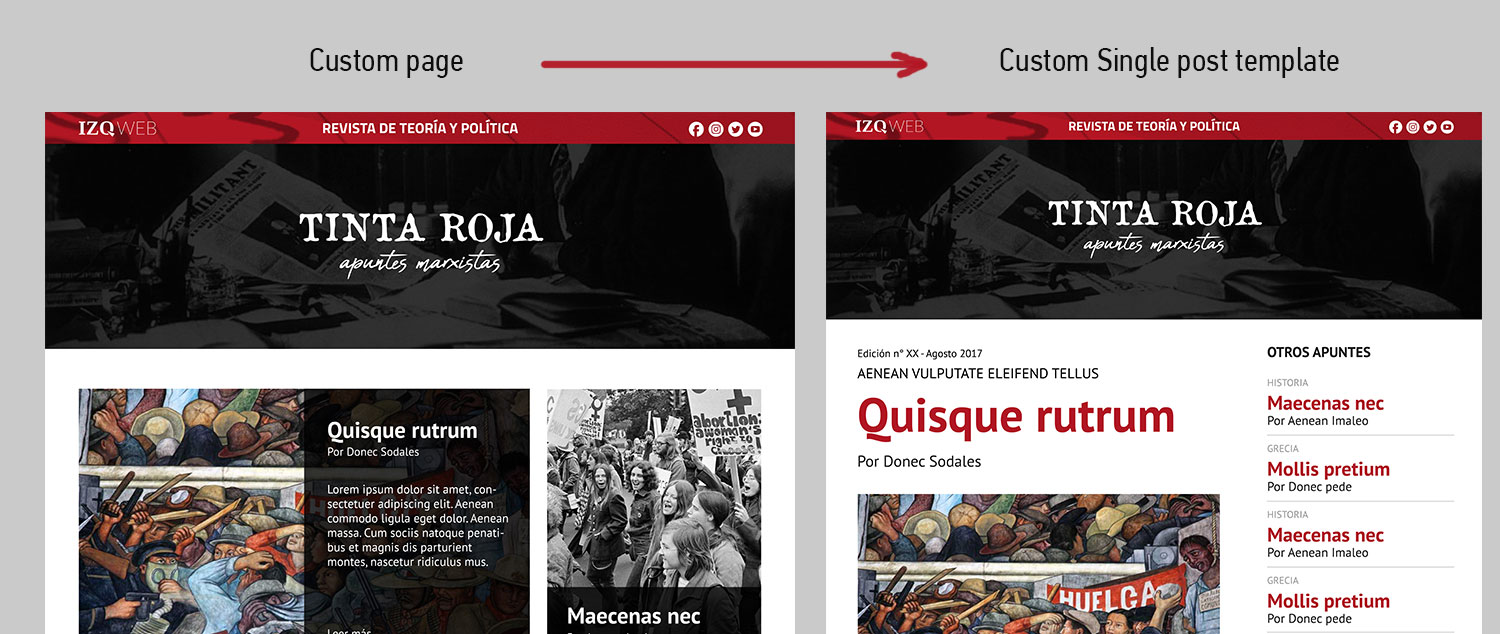
ale This is a preview of what we need. I´ve customized the page but I can´t do the same with de post template.
I create a loop-single-14.php but I dont know how to use it in my new posts. Any idea is welcome.
Thanks again
 NickDeBaerdemaeker
 Also, the need to implement the api is still there.
We have painstakingly created a custom “alphabetical letter” taxonomy to display all posts on one page using a keyword, all posts that have keyword A on page A etc etc.
However since we can not select a custom taxonomy on the tagdiv composer when filtering posts (only categories are allowed) we are stuck.
We have implemented this text into the plugin, which gets us the ARTICLE DISPLAY VIEW icons on the theme panel. however when we select them the page reverts back to the default. could you point us in the right direction please ?
<?php
/*
Plugin Name: td-api-plugin
Plugin URI: http://tagdiv.com
Description: tagDiv API plugin
Author: tagDiv
Version: 1.0
Author URI: http://tagdiv.com
*/
class td_api_plugin {
    var $plugin_url = '';
    var $plugin_path = '';
    var $root = '';
    function __construct()
    {
        $this->root = get_site_url();
        $this->plugin_url = plugins_url('', __FILE__); // path used for elements like images, css, etc which are available on end user
        $this->plugin_path = dirname(__FILE__); // used for internal (server side) files

        add_action('td_global_after', array($this, 'hook_td_global_after')); // hook used to add or modify items via Api
    }
    function hook_td_global_after() {

//Add new modules

td_api_module::add('td_module_20',
            array(
                'file' => $this->root . "/wp-content/themes/newspaper-child/includes/modules/td_module_20.php",
                'text' => 'Module 20',
                'img' =>  $this->root . '/wp-content/themes/newspaper-child/images/panel/modules/td_module_20.png',
                'used_on_blocks' => array('td_block_25'),
                'excerpt_title' => 30,
                'excerpt_content' => 50,
                'enabled_on_more_articles_box' => false,
                'enabled_on_loops' => true,
                'uses_columns' => true,                      // if the module uses columns on the page template + loop
                'category_label' => true,
                'class' => 'td_module_wrap td-animation-stack',
                'group' => '' // '' - main theme, 'mob' - mobile theme, 'woo' - woo theme
            )
        );

        td_api_module::add('td_module_21',
            array(
                'file' => $this->root . "/wp-content/themes/newspaper-child/includes/modules/td_module_21.php",
                'text' => 'Module 21',
                'img' => $this->root . '/wp-content/themes/newspaper-child/images/panel/modules/td_module_21.png',
                'used_on_blocks' => array('td_block_21'),
                'excerpt_title' => 15,
                'excerpt_content' => '',
                'enabled_on_more_articles_box' => true,
                'enabled_on_loops' => true,
                'uses_columns' => true,                      // if the module uses columns on the page template + loop
                'category_label' => true,
                'class' => 'td_module_wrap',
                'group' => '' // '' - main theme, 'mob' - mobile theme, 'woo' - woo theme
            )
        );

    }
}

new td_api_plugin();
the text in module 20 for instance looks like this:
<?php

class td_module_20 extends td_module {

    function __construct($post, $module_atts = array()) {
        //run the parrent constructor
        parent::__construct($post, $module_atts);
    }

    function render() {
        ob_start();
        $title_length = $this->get_shortcode_att('m20_tl');
        ?>

        <div class="<?php echo $this->get_module_classes();?>">
            <div class="td-module-image">
                <?php echo $this->get_image('td_150x150');?>
                <?php if (td_util::get_option('tds_category_module_20') == 'yes') { echo $this->get_category(); }?>
            </div>
            <?php echo $this->get_title($title_length);?>

            <div class="td-module-meta-info">
                <?php echo $this->get_author();?>
                <?php echo $this->get_date();?>
                <?php echo $this->get_comments();?>
            </div>

            <?php echo $this->get_quotes_on_blocks();?>

        </div>

        <?php return ob_get_clean();
    }
}
We have created pages for each letter which each run their specific post template, which looks like this:
<?php

/*

Template Name: archief albumrecensie a

*/
get_header();
//set the template id, used to get the template specific settings
$template_id = 'archive';
//prepare the loop variables
global $loop_module_id, $loop_sidebar_position, $part_cur_auth_obj;
$loop_module_id = td_util::get_option('tds_' . $template_id . '_page_layout', 1); //module 1 is default
$loop_sidebar_position = td_util::get_option('tds_' . $template_id . '_sidebar_pos'); //sidebar right is default (empty)
// sidebar position used to align the breadcrumb on sidebar left + sidebar first on mobile issue
$td_sidebar_position = '';
if($loop_sidebar_position == 'sidebar_left') {
$td_sidebar_position = 'td-sidebar-left';
}
//read the current author object - used by here in title and by /parts/author-header.php
$part_cur_auth_obj = (get_query_var('author_name')) ? get_user_by('slug', get_query_var('author_name')) : get_userdata(get_query_var('author'));
//prepare the archives page title
{
$td_archive_title = get_the_title();
}
?>
<div class="td-main-content-wrap td-container-wrap">
<div class="td-container <?php echo $td_sidebar_position; ?>">
<div class="td-crumb-container">
<?php echo td_page_generator::get_archive_breadcrumbs(); // get the breadcrumbs - /includes/wp_booster/td_page_generator.php ?>
</div>
<div class="td-pb-row">
<?php
switch ($loop_sidebar_position) {
default:
?>
<div class="td-pb-span8 td-main-content">
<div class="td-ss-main-content">
<div class="td-page-header">
<h1 class="entry-title td-page-title">
<span><?php echo $td_archive_title; ?></span>
</h1>
</div>
<?php locate_template('loop-albumrecensies-a.php', true);?>
<?php echo td_page_generator::get_pagination(); // get the pagination - /includes/wp_booster/td_page_generator.php ?>
</div>
</div>
<div class="td-pb-span4 td-main-sidebar">
<div class="td-ss-main-sidebar">
<?php get_sidebar(); ?>
</div>
</div>
<?php
break;
case 'sidebar_left':
?>
<div class="td-pb-span8 td-main-content <?php echo $td_sidebar_position; ?>-content">
<div class="td-ss-main-content">
<div class="td-page-header">
<h1 class="entry-title td-page-title">
<span><?php echo $td_archive_title; ?></span>
</h1>
</div>
<?php locate_template('loop-albumrecensies-a.php', true);?>
<?php echo td_page_generator::get_pagination(); // get the pagination - /includes/wp_booster/td_page_generator.php ?>
</div>
</div>
<div class="td-pb-span4 td-main-sidebar">
<div class="td-ss-main-sidebar">
<?php get_sidebar(); ?>
</div>
</div>
<?php
break;
case 'no_sidebar':
?>
<div class="td-pb-span12 td-main-content">
<div class="td-ss-main-content">
<div class="td-page-header">
<h1 class="entry-title td-page-title">
<span><?php echo $td_archive_title; ?></span>
</h1>
</div>
<?php locate_template('loop-albumrecensies-a.php', true);?>
<?php echo td_page_generator::get_pagination(); // get the pagination - /includes/wp_booster/td_page_generator.php ?>
</div>
</div>
<?php
break;
}
?>
</div> <!-- /.td-pb-row -->
<div class="archiefmenutitel"></br></br><h1 class="entry-title td-page-title">ARCHIEF</h1></div>
<div class="albumrecensiesabc">
<?php wp_nav_menu( array( 'theme_location' => 'albumrecensiesabc' ) ); ?>
</div>
</div> <!-- /.td-container -->
</div> <!-- /.td-main-content-wrap -->
<?php
get_footer();
and finally the loop it uses
<?php

/**

 * If you are looking for the loop that's handling the single post page (single.php), check out loop-single.php

 **/
// $global_flag_to_hide_no_post_to_display - comes from page-category-big-grid.php and is a flag to hide the 'No posts to display' message if on category page there are between 1 and 5 posts
global $loop_module_id, $loop_sidebar_position, $global_flag_to_hide_no_post_to_display;
///if we are in wordpress loop; used by quotes in blocks to check if the blocks are displayed in blocks or in loop
td_global::$is_wordpress_loop = true;
$td_template_layout = new td_template_layout($loop_sidebar_position);
if (empty($loop_module_id)) { //not sure if we need a default here
$loop_module_id = 1;
}
$td_module_class = td_api_module::_helper_get_module_class_from_loop_id($loop_module_id);
//disable the grid for some of the modules
$td_module = td_api_module::get_by_id($td_module_class);
if ($td_module['uses_columns'] === false) {
$td_template_layout->disable_output();
}
$args = array(
'post_type' => 'post',
'posts_per_page' => '-1',
'meta_key' => 'keyword',
'orderby' => 'meta_value',
'order' => 'ASC',
'tax_query' => array(
'relation' => 'AND',
array(
'taxonomy' => 'alphabetical_letter',
'field' => 'term_id',
'terms' => array( '441' ), //this is by slug
),
array(
'taxonomy' => 'category',
'field' => 'slug',
'terms' => array( 'muziek-recensies' ), //this is by id
),
),
);
// The Query
query_posts( $args );
// The Loop
if (have_posts()) {
while ( have_posts() ) : the_post();
echo $td_template_layout->layout_open_element();
if (class_exists($td_module_class)) {
$td_mod = new $td_module_class($post);
echo $td_mod->render();
} else {
td_util::error(__FILE__, 'Missing module: ' . $td_module_class);
}
echo $td_template_layout->layout_close_element();
$td_template_layout->layout_next();
endwhile; //end loop
echo $td_template_layout->close_all_tags();
} else {
/**
* no posts to display. This function generates the __td('No posts to display').
* the text can be overwritten by the themplate using the global @see td_global::$custom_no_posts_message
*/
echo td_page_generator::no_posts();
}
all of this was working fine since all of the code was directly implemented in the td config php file, which gets overwritten when you update the theme. all I thought I would have to do is implement the said code in the plugin api but clearly this isn’t how it should be done. I’m fearful that weeks of work on this alphabetical archive have been for nought…
-
This reply was modified 8 years by
NickDeBaerdemaeker.
 Catalin
 Hello miguel_dimase,
Please notice that here is talking about two different things. Posts and module on the page/homepage/blog which has a different design. If you want to change the position of category tag in loops, you can do this from Single Cloud Library like this -> https://www.screencast.com/t/0q5T8CIenOdM and if you want to change the position of category tag on the module, you should edit that module in the code. If you are not aware of the steps which are needed to take in this case, please consider hiring a freelancer/developer to help you because we cannot provide custom work at the moment, sorry!
Thanks.
 miguel_dimase
 Thanks for your answer, Simion:
1) In Theme panel->Template settings->Blog and post template, there is NO template selected (it’s a pitty that this editor doesn’t allow to attach images directly), but there is no module “boxed” (as in your image it’s the M18). In adddition, NO module type (Mx) seems to correspond with the way the default Newspaper blog page displays the articles. SO, I couldn’t select “the same” module/template as the blog page anyway.
2) I don’t want to change the way the blog page shows the posts by selecting a different Mx module AND by selecting later the same module in the categories, EVEN IF the categories showed the same as the blog page then, BECAUSE I REPEAT MY ORIGINAL NEED: that my categories show THE SAME WAY THE PAGE BLOG SHOWS NOW, which seems to correspond to no module the users can reach, as far I can see… If, on the other hand, I am wrong, please tell me which is the module that corresponds to the blog page as shown NOW (“out of the box” Newspaper). By the way, it’s not the M18 module boxed in your image (although I assume that you used that one just as an example, becasue it’s nothing like the way the blog page looks “out of the box” AND because the categories do not look like the blog page when I change them to the M18 module…).
3) Thanks for your additional suggestion, but I currently don’t want/need a static homepage.
4) With respect to the placeholder images shown now in the category pages, I repeat what I said preemptively in my previous comment: if the solution is establishing a feature image for every post and, on top of that, establishing the proper size of its miniatures relative to the module chosen, I don’t want / I can’t do that now. I just want/need that the category pages show/behave IDENTICAL to the blog page, where images are shown perfectly! By the way, that should be the DEFAULT category look/behaviour in ANY theme: if nothing is touched, they should look/behave as the main page/loop but with fewer (only its) posts!
5) Saying it, again, in other words: my category pages should look as mere FILTERS of the blog page, showing just the proper/latest/all/whatever CATEGORY articles, but in exactly the same way/look/style/design as the out-of-the-box Newspaper blog page looks now, in which case there would be no need to establish feature images (which it’s my main goal), because I DID NOT established any of them in the posts that are currently displayed pefectly in the blog page which it’s using their main images just fine, as it was in my old theme!
6) Of course there is A way of doing this in ANY theme, but I just didn’t buy a theme to begin to work in something like this right from the beginning touching/cloning PHPs, etc. What is the BEST way of doing this in Newspaper?
Thanks again, Simion.
miguel_dimaseI’ve just purchased the theme, migrating posts from a previous theme.
The main page (blog/loop) shows the posts with its main image and excerpt text as the previous theme. The posts never got a feature image established.
However, the same articles showed in a category page look different and with an image placeholder instead. I can’t find a way to establish the SAME template, that is to say, the site wide template to show the categories, as is custom with many theme: as mere filters of posts!
If the solution is establishing a feature image for every post and, on top of that, establishing the proper size of its miniatures relative to the module chosen, I don’t want / I can’t do that now.
I just want/need that category pages be treated an look as the main page, like most themes do!
Why the default look/option for them isn’t the site wide template??
The main page: http://migueldimase.com/
A category page: http://migueldimase.com/educacion
 tzabula
 Please, advise which loop-single should I choose – https://www.screencast.com/t/C3c5M9Tph6 – if I use Cloud Templates for posts – http://prntscr.com/k0r0s1, http://prntscr.com/k0r13l, http://prntscr.com/k0r1f6
Also where should I put the code – http://prntscr.com/k0r1xd – if I want the rating stars to be displayed below the post end – http://prntscr.com/k0r2or
http://prntscr.com/k0r3zc – Here?
Many thanks in advance for your reply!
 daveml75
I am creating a page with the “latest articles + pagination” template.
I have a tagdiv composer grid on top for featured articles.
Ideally I would like to enable “Unique Articles” but then pagination doesn’t work right.
I can not use “offset” to solve the problem because the grid will have only “featured” articles, correct?
One solution would be to set “hide featured posts” in the “Posts Loop Settings,” BUT then what happens when the featured posts are no longer in the grid? They are not in the post loop or the grid anymore? They basically disappear?
Is there any solution that can automatically put posts back in the post loop where they belong after they are done being featured in the grid? (in other words, is there any way to get the exact functionality of “unique articles” without breaking pagination?)
thanks!
Catalin Hello LenFI,
You can alter the number from here -> https://www.screencast.com/t/xPAqN4f8M5 and also, another alternative, in this case, would be to load a Tag template and limit the post loop to a certain number of posts, like this -> https://www.screencast.com/t/GB29FcncbCt
Thanks.
 agracjan
Hi
How to exclude post you actually read from posts loop under the post?
My website: http://www.theillest.pl/
 worldofmaya
Hi!
I’m trying to updated an existing site from version 8.1 to 8.8.1 without success. Everything loads fine in v8.1. As soon as I use the new theme none of the posts have any content (td-post-content ist empty).
– I tried to reset everything via theme panel
– I disabled all plugins
– only disabled td-composer
– installed Demo content
Nothing helped.
Last thing I did was enabling wp debug which displays the following error:
Fatal error: Uncaught Error: Call to undefined function get_featured_image_copyright() in /usr/www/users/testsd/wp-content/themes/Newspaper-child/includes/wp_booster/td_module_single_base.php:166 Stack trace: #0 /usr/www/users/testsd/wp-content/themes/Newspaper/loop-single.php(47): td_module_single_base->get_image('td_696x0') #1 /usr/www/users/testsd/wp-includes/template.php(688): require_once('/usr/www/users/...') #2 /usr/www/users/testsd/wp-includes/template.php(647): load_template('/usr/www/users/...', true) #3 /usr/www/users/testsd/wp-content/themes/Newspaper/single.php(28): locate_template('loop-single.php', true) #4 /usr/www/users/testsd/wp-includes/template-loader.php(74): include('/usr/www/users/...') #5 /usr/www/users/testsd/wp-blog-header.php(19): require_once('/usr/www/users/...') #6 /usr/www/users/testsd/index.php(17): require('/usr/www/users/...') #7 {main} thrown in /usr/www/users/testsd/wp-content/themes/Newspaper-child/includes/wp_booster/td_module_single_base.php on line 166
Do you have any clue why this happens?
 Simion C.
 Hi,
The theme has post template files, each post template has a corresponding single and loop-single file
– https://www.screencast.com/t/m09zQ6dWnm
Those files are responsible with the posts. Maybe those are what you are looking for. But note that despite of what worked with other themes, may not work with the next. Premium themes have different and custom code and functionality. SO making a new theme work like the previous one is in most cases impossible.
Thanks
 Jose
Jose Hello Bogdan B.
Thanks but I think there is a mistake: There is no “infinite loading+load more” option / I can’t see that option in this template cloud (loop block).
https://fotos.subefotos.com/6b50aa9762389bb03f9808b329f21b7bo.jpg
If I select “normal pagination”, “read more” never appears.
If I select “no paging”, even if I put a maximum number of posts, “read more” never appears.
I mean, I can’t get the “read infinity” with this boton?, am I setting something up wrong?
cheers
JoseFirst of all, congratulations for the updates. It’s really incredible the potential of all the configurations, I’m really enjoying making new designs for my pages 🙂
I have a question with Post Loop, when I select “No Pagination” and set a maximum limit of for example 20 post….. The “read more” button does not appear when the 20 posts are finished, it just ends.
Am I doing something wrong?
I would like to see “load more” /”show more” after the set post limit. (load infinite witb 20 post (example) + button “read more”)
https://fotos.subefotos.com/9730ff28a5222b028a8c8f256b609cc6o.jpg
 ctoweett
 But I still would prefer if the tagdiv team also introduced the full-width template as part of the 13 default theme post templates (loop single and single template). I have done several customizations to the theme with regard to speed (example for a single post with 25 comments http://prntscr.com/js1nz8) and have managed to keep all my posts and pages below 1mb. I am not sure if that is a priority for now, but is it possible? (I am only using the cloud plugin for the full width feature only).
 greg-2
Has this been done before? I couldn’t find anything on the forum.
Basically, looking to have any given post page to show three or four posts, and then an ad that looks similar to a post, and then three or four more posts.
Otherwise, I will edit the loop to include an adsense ad every X amount of posts.
Thanks,
Greg
ctoweett Find the 404.php file inside the Newspaper theme and remove this code (preferably in a child theme not to lose the changes with the theme update).
<h4 class="block-title"><span><?php echo __td('OUR LATEST POSTS', TD_THEME_NAME)?></span></h4> <?php

                $args = array(
                    'post_type'=> 'post',
                    'showposts' => 6
                );
                query_posts($args);

                $td_loop_block_module = td_util::get_option('tds_404_page_layout');
                //$td_loop_block_module

                locate_template('loop.php', true);
                //get_template_part('category', 'slider');
                wp_reset_query();

?>Hi,
It may affect post loops, such as the latest articles loop, or the category page loops. May be other problems. Making posts sticky will not be taken into account by blocks or elements that display posts. Please try and use the available block filtering and sorting options.
Thanks
 deltasystemsgroup
 Thanks for letting me know. I’ll drop the sub categories.
The tags can be omitted from the “Posts Loop” on the homepage, so that gets us there. The only issue I have is that these are tags for layout, not content, and would still be visible on the front end to site visitors. They don’t have IDs or anything for me to hide them. I suppose I could do something with string matching in JS.
Is there a way to hide specific tags from the front end that I’m not aware of?
Thanks for the support!
deltasystemsgroupHello!
The site I’m working on requires an editorial workflow that has the need to select where a story will appear on the site.
Example: A “Top Story” is meant to be the first, large block on the homepage. Then other featured stories under it. After that, the typical news loop that is paginated and excludes the “Featured” stories. The “Top Story” won’t just be the latest “Featured” story.
I see the “Featured” category is hidden from users on the front end of the site and can be excluded from the loop. https://forum.tagdiv.com/featured-posts-2/
When I make a sub category under “Featured” category, those stories are not hidden from the loop and the “Featured” category along with the sub category is visible on the front-end.
Is there a way to hide “Featured” and any child categories under it? It seems adding a child category and using it breaks the “Featured” functionality.
Maybe a bug? It would be great if we could have a set of categories to filter on that are hidden from the front end like “Featured” is currently.
Hope you have ideas on how I can do this. Thanks!
NickDeBaerdemaeker Normally yes, but I’ve made custom loops etc that cause the tagdiv composer to not work…
So, I take it creating a new page using tagdiv might be an option.
Is it possible to show posts from a certain category, with a certain taxonomy ?
The point is that we are trying to make the posts appear from category musicreviews, which have the taxonomy alphabetical letter A on one page.
And later on posts from category livereviews, which are also in the taxonomy alphabetical letter A on a different page…
NickDeBaerdemaekerFor our site we have created an abc index for our posts.
We have a taxonomy built called “alphabetical_letter” which houses all the articles, which are on their own again divided into live-review, album-review and so forth.
We are now in the process of making seperate loop files/taxonomy files.
In our example we did this for the letter N for muziekrecensies category, so that this will display only all articles marked with the category muziek-recensies and the taxonomy alphabetical letter N, using the code further below.
The loop has been set for the first 30 posts, only strange thing is that after this the load more function from the theme kicks in, and displays all articles, not just the ones with the keyword N in the alphabetical letter taxonomy, but all the other ones from the category muziekrecensies.
Is there a way to solve this please ?
the page where this is happening can be seen here (posts currently set to -1 for reviewing reasons):
for the loop-albumrecensies.php
<?php

/**

 * If you are looking for the loop that's handling the single post page (single.php), check out loop-single.php

 **/
// $global_flag_to_hide_no_post_to_display - comes from page-category-big-grid.php and is a flag to hide the 'No posts to display' message if on category page there are between 1 and 5 posts
global $loop_module_id, $loop_sidebar_position, $global_flag_to_hide_no_post_to_display;
///if we are in wordpress loop; used by quotes in blocks to check if the blocks are displayed in blocks or in loop
td_global::$is_wordpress_loop = true;
$td_template_layout = new td_template_layout($loop_sidebar_position);
if (empty($loop_module_id)) { //not sure if we need a default here
$loop_module_id = 1;
}
$td_module_class = td_api_module::_helper_get_module_class_from_loop_id($loop_module_id);
//disable the grid for some of the modules
$td_module = td_api_module::get_by_id($td_module_class);
if ($td_module['uses_columns'] === false) {
$td_template_layout->disable_output();
}
$args = array(
'post_type' => 'post',
'posts_per_page' => '30',
'tax_query' => array(
'relation' => 'AND',
array(
'taxonomy' => 'alphabetical_letter',
'field' => 'term_id',
'terms' => array( '437' ), //this is by id
),
array(
'taxonomy' => 'category',
'field' => 'slug',
'terms' => array( 'muziek-recensies' ), //this is by slug
),
),
);
// The Query
query_posts( $args );
// The Loop
if (have_posts()) {
while ( have_posts() ) : the_post();
echo $td_template_layout->layout_open_element();
if (class_exists($td_module_class)) {
$td_mod = new $td_module_class($post);
echo $td_mod->render();
} else {
td_util::error(__FILE__, 'Missing module: ' . $td_module_class);
}
echo $td_template_layout->layout_close_element();
$td_template_layout->layout_next();
endwhile; //end loop
echo $td_template_layout->close_all_tags();
} else {
/**
* no posts to display. This function generates the __td('No posts to display').
* the text can be overwritten by the themplate using the global @see td_global::$custom_no_posts_message
*/
echo td_page_generator::no_posts();
}
this for the taxonomy-alphabetical_letter-n.php
<?php

/**

 * the custom taxonomy template

 * This file is loaded by WordPress on custom taxonomies. You can further customize this template

 * for specific taxonomies by copying this file to taxonomy-yourTaxonomyName.php

 */
get_header();
global $loop_module_id, $loop_sidebar_position;
// get the current taxonomy object - note that it's note complete
$current_term_obj = get_queried_object();
//read the loop variables for this specific taxonomy
$loop_module_id = td_util::get_taxonomy_option($current_term_obj->taxonomy, 'tds_taxonomy_page_layout');
$loop_sidebar_position = td_util::get_taxonomy_option($current_term_obj->taxonomy, 'tds_taxonomy_sidebar_pos');
if (empty($loop_module_id)) {
$loop_module_id = 1; // module_1 is the default
}
// sidebar position used to align the breadcrumb on sidebar left + sidebar first on mobile issue
$td_sidebar_position = '';
if($loop_sidebar_position == 'sidebar_left') {
$td_sidebar_position = 'td-sidebar-left';
}
?>
<div class="td-main-content-wrap td-container-wrap">
<div class="td-container <?php echo $td_sidebar_position; ?>">
<div class="td-crumb-container">
<?php echo td_page_generator::get_taxonomy_breadcrumbs($current_term_obj); // get the breadcrumbs - /includes/wp_booster/td_page_generator.php ?>
</div>
<!-- content -->
<div class="td-pb-row">
<?php
switch ($loop_sidebar_position) {
default: //default: sidebar right
?>
<div class="td-pb-span8 td-main-content">
<div class="td-ss-main-content">
<div class="td-page-header">
<h1 class="entry-title td-page-title">
<span><?php echo $current_term_obj->name ?></span>
</h1>
</div>
<?php locate_template('loop-albumrecensies.php', true);?>
<?php echo td_page_generator::get_pagination(); ?>
</div>
</div>
<div class="td-pb-span4 td-main-sidebar">
<div class="td-ss-main-sidebar">
<?php get_sidebar(); ?>
</div>
</div>
<?php
break;
case 'sidebar_left':
?>
<div class="td-pb-span8 td-main-content <?php echo $td_sidebar_position ?>-content">
<div class="td-ss-main-content">
<div class="td-page-header">
<h1 class="entry-title td-page-title">
<span><?php echo $current_term_obj->name ?></span>
</h1>
</div>
<?php locate_template('loop-albumrecensies.php', true);?>
<?php echo td_page_generator::get_pagination(); ?>
</div>
</div>
<div class="td-pb-span4 td-main-sidebar">
<div class="td-ss-main-sidebar">
<?php get_sidebar(); ?>
</div>
</div>
<?php
break;
case 'no_sidebar':
?>
<div class="td-pb-span12 td-main-content">
<div class="td-ss-main-content">
<div class="td-page-header">
<h1 class="entry-title td-page-title">
<span><?php echo $current_term_obj->name ?></span>
</h1>
</div>
<?php locate_template('loop-albumrecensies.php', true);?>
<?php echo td_page_generator::get_pagination(); ?>
</div>
</div>
<?php
break;
}
?>
</div> <!-- /.td-pb-row -->
</div> <!-- /.td-container -->
</div> <!-- /.td-main-content-wrap -->
<?php
get_footer();
 alopfr
 Hi again,
I finally change the code in loop-single.php to:
<?php if ( has_excerpt() ) : // Only show custom excerpts not autoexcerpts ?>
<span class=”td-post-sub-title”><?php echo get_the_excerpt(); ?></span>
<?php endif; ?>
And is showing excerpt instead of subtitle and I can customize fonts via ‘subtitles’ in Theme options. But the meta data of posts (name of author, date) is too close to subtitle (now, excerpt). How could I change padding?
I attach a screenshot: https://www.dropbox.com/s/hqnszg3zcs3op2q/Captura%20de%20pantalla%202018-04-27%20a%20las%200.01.45.png?dl=0
Best wishes,
Simion C. Hi,
Maybe there are not enough posts in the categories, only posts that belong to the currently viewed category page will be displayed. First the top grid will be populated and if there are more posts they will be displayed below the grid.
This is unusual since it seems there are similar number of posts in all your category pages. So that could mean that something is not working as intended. If you made any modifications to the category template files or maybe the loop file, please try and remove them temporarily. Additionally deactivate all non theme plugins as a quick test, check if this solves the issue. Let us know.
Thanks
 bellendir
 Спасибо. Нашел. Написал в loop.php
query_posts($query_string .’&cat=-**’); Заработало!
О комментариях вопрос еще актуальный
Thanks. I’ve found it. Written in the loop.php –
“query_posts ($query_string .’&cat= -**’);” Earned!
On review the question is still relevant
 Margherita
Hi,
I recently installed the Ajax Load More plugin and purchased the Previous Post Add-on.
I would like to know if you have encountered any problems with this plugin, and what you suggest to install this shortcode inside the single template .php file (or if it should also be installed in the single loop or elsewhere).
Thank you
——- example ——-
<? php get_header (); ?>
<main id = “page-content”>
<div class = “post-container”>
<? Php
// The loop
if (have_posts ()):
while (have_posts ()): the_post ();
// replaced with Ajax Load More shortcode
echo do_shortcode (‘[ajax_load_more post_type = “post” repeater = “default” previous_post = “true” previous_post_id = “‘. get_the_ID (). ‘” posts_per_page = “1” button_label = “Previous Post”]’);
endwhile;
endif;
?>
</ Div>
</ Main>
<? php get_footer (); ?>



