No search results were found in Documentation!
 jamiesharpe
Hello – I have a mobile view that is not displaying images, where the other three views are. My site is in preview mode so I will send my login information with a reference to this issue.
 ryderspyder
Hello –
What is the best way to display an RSS feed? I’m using RSS Aggregator on this page: https://www.kvnutalk.com/cache-valley-daily/ and it’s not showing anything. But in the preview of the RSS Aggregator settings, it’s showing stories. I’m using the exact same method for this page: https://www.kvnutalk.com/national-news/ and it seems to work. However, no pictures are showing, which I wish they would.
Any help?
jamiesharpeHello – I have several pages that are showing up different when I view them on PC vs Mac in the “portrait viewport” in TD composer. Since my site is in preview mode I will send you my login details in an email.
jamiesharpeHello – I’m having an issue with one page in my website, where the images are showing up fine on desktop view but not on mobile. Since I’m in preview mode I will send you my login info but here are the screenshots:
https://www.screencast.com/t/mXl3dFmBF (desktop)
https://www.screencast.com/t/UDrg4k9S (mobile)
 BrentEades
I’ve spent several weeks upgrading my Newspaper 8.5 site to 9.8. I was about to go live when I noticed a major issue: when I start writing a new post and try to preview it before publishing it I get a 500 error, see attached capture. Once I actually publish the post all seems well. Need a fix for this. My theme status page shows all green, no warnings.
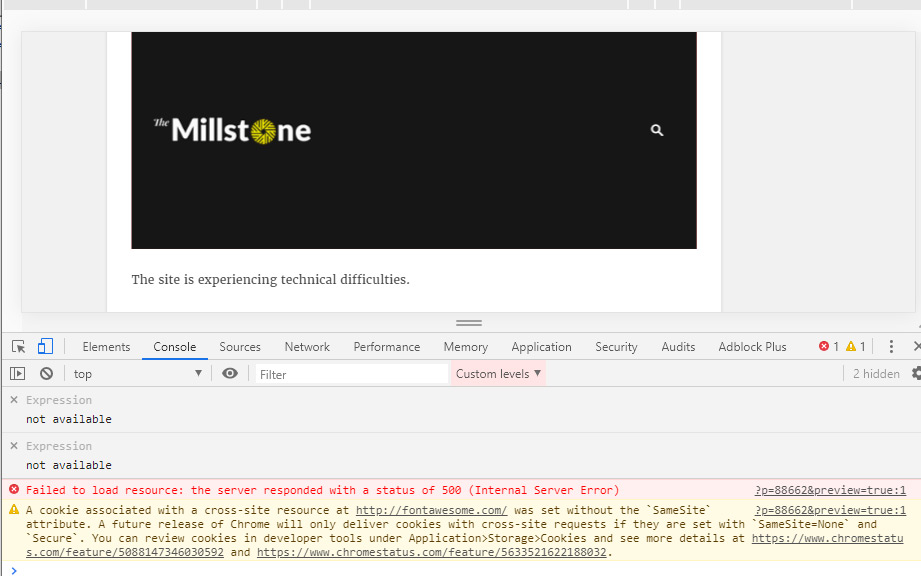
 climate188
hello,
I’m trying to use the Big Grid Slide element on my homepage, but the slider itself is not working. I reviewed all settings and set the autoplay at 2 seconds, but nothing actually slides in the preview. Is there a step I missed here?
Thanks
 Calin
Calin Hi learn4funs,
Please preview me a link where I can check this problem (a link to the post/page with the structured data on AMP issue).
Thank you!
Calin Hi,
If you are referring to this section of reviews -> http://prntscr.com/pl3rg7 then you can edit it from this file -> wp-content/plugins/td-composer/legacy/common/wp_booster/wp-admin/content-metaboxes/td_set_post_settings.php -> http://prntscr.com/pl3sf9 -> http://prntscr.com/pl3sx7
Hope this will help you!
Thank you!
 PhotoWorkout
I switched to a third party review system. How can I code out the functions and elements of the native review functionality from the theme? To not confuse writers (they should not be able to use the native post settings > review) and to reduce the CSS / function file size when page loads on front-end.
Thanks
jamiesharpe Hi Calin – I sent you all my admin login earlier as I’m still in preview mode. I deactivated a plug-in that seems to have improved the situation but for some reason, the first image in each of my posts are still missing when I look from the front end (but they are there in the post edit view). Here’s an example:
From this page:
1) Front end view (missing image): https://www.screencast.com/t/qkBfLdRAUYWr
1a) Back end view (image is there): https://www.screencast.com/t/LtkqCo8GFc
Please let me know what you think? Thank you.
 TeXLOgDiV
We have decided to migrate our entire site from Drupal to WordPress. (since lot of problems).
We have around 25000+ articles.
Our various sections are as follows:
News – This section has text content, text with images and/or videos.
Guides – Same as News, but it also has multi-page section for same article.
Reviews – Same as Guides
Downloads Section – This section displays various download items like software/apks/etc.
We also display unique article with multiple things like Download size, OS, Development company link etc. in readable format + the content info with/without images.
Video – We provide unique content + videos on this page, we upload to our youtube channel and then link back here and/or our unique content with other channel videos.
I am not a huge graphic designer/coder but CONTENT MANAGER (with 20+ years experience in this industry).
We are at present only more interested to migrate all our existing content from Drupal to WordPress. (Named as Phase 1, been already working since last 2 and half months on same)
Phase 2 will have some business integrations (better ROI) and little theme related work
For Phase 3 we will require unique skills from this company as well for major custom work..
I will appreciate to get some insights for our requirements, and will be glad to meet the members of this new community 🙂
Regards,
jamiesharpeHi I’m currently using a plug in to put my site in preview mode. Does Newspaper have anything embedded in the theme that would allow me to do this?
jamiesharpeHello – I’m having an issue with images on posts. In Edit mode, images show up but when I save and view from the front end, there are no images there. Here is an example: https://www.pinkluggageabroad.com/chefchaouen-guide/
My site is in preview mode so I will send my wordpress login info.
 Vlad S
 Hello !
We have reviewed your website and everything seems to be in order with it. Please check and let us know if the issue is still available.
Thank you !
 Andreas
 PS. if I’m logged in with the administrator account and preview a post, I then see the comments section.
Calin Hello @iamkingsleyf,
So for example if you want to remove the article and review meta this function should be deleted/commented – http://prntscr.com/ocxpcn -> http://prntscr.com/ocxnaw
-> http://prntscr.com/ocxphq
Thanks.
Calin Hi,
Using reviews the schema will add the review attribute http://prntscr.com/phab65 -> http://prntscr.com/phaaih if I understand correctly you want to you want instead of review to have set the text from description, unfortunately this can be achieve only with custom work, sorry.
Thank you!
 Laudess
Hi,
I have php fail this morming :
Warning: getimagesize(): Peer certificate CN=*.preview.infomaniak.website' did not match expected CN=http://www.vegetable.fr’ in /home/clients/de7a5aea8f9aaba5e70ea2eb64c386fa/new/wp-content/plugins/td-cloud-library/shortcodes/header/tdb_header_logo.php on line 611
Warning: getimagesize(): Failed to enable crypto in /home/clients/de7a5aea8f9aaba5e70ea2eb64c386fa/new/wp-content/plugins/td-cloud-library/shortcodes/header/tdb_header_logo.php on line 611
Warning: getimagesize(https://www.vegetable.fr/wp-content/uploads/2019/05/logo_vegetable_header.png): failed to open stream: operation failed in /home/clients/de7a5aea8f9aaba5e70ea2eb64c386fa/new/wp-content/plugins/td-cloud-library/shortcodes/header/tdb_header_logo.php on line 611
Could you help me pls ?
 my229life
 Hello, I followed your instructions but unfortunately the changes were not saved, as shown in these documented step-by-step screenshots.
1. https://www.dropbox.com/s/a7japuj6obd8y7w/mobile_header_01.jpg?dl=0
2. https://www.dropbox.com/s/qx8wcbu8zy1lvf9/mobile_header_02.jpg?dl=0
3. https://www.dropbox.com/s/h3se8kpjll7c30d/mobile_header_03.jpg?dl=0
4. https://www.dropbox.com/s/m5rmklkoclr6xd5/mobile_header_04.jpg?dl=0
5. https://www.dropbox.com/s/7zxncn3suum1x4p/mobile_header_05.jpg?dl=0
6. https://www.dropbox.com/s/7nvtmwrxlk1551z/mobile_header_06.jpg?dl=0
7. https://www.dropbox.com/s/avfc5e1k51u1l03/mobile_header_07.jpg?dl=0
8. https://www.dropbox.com/s/1zrvsic461t3rs7/mobile_header_08.jpg?dl=0
9. https://www.dropbox.com/s/x0l35l3vfoz6xv7/mobile_header_09.jpg?dl=0
All of the settings are the same as previously described. Please review and let me know your recommendations. Thank you.
 iamkingsleyf
 Are we to remove the whole of this block?
/**
* returns the item scope for single pages. If we have an article or a review
* @return string
*/
function get_item_scope() {
//show the review meta only on single posts that are reviews, the rest have to be article (in article lists)
if ($this->is_review && is_single()) {
return 'itemscope itemtype="' . td_global::$http_or_https . '://schema.org/Review"';
} else {
return 'itemscope itemtype="' . td_global::$http_or_https . '://schema.org/Article"';
}
}
function show_item_scope() {
echo printf( '%1$s', $this->get_item_scope());
}
Or just
'://schema.org/Review"';
'://schema.org/Article"';
Are we to remove the whole of this block?
/**

* returns the item scope for single pages. If we have an article or a review

* @return string

*/

function get_item_scope() {

//show the review meta only on single posts that are reviews, the rest have to be article (in article lists)

if ($this->is_review && is_single()) {

return 'itemscope itemtype="' . td_global::$http_or_https . '://schema.org/Review"';

} else {

return 'itemscope itemtype="' . td_global::$http_or_https . '://schema.org/Article"';

}

}

function show_item_scope() {

echo printf( '%1$s', $this->get_item_scope());

}
Or just
'://schema.org/Review"';

'://schema.org/Article"';
 Benedict Paramanand
My website URL – sustainabilitynext.in
On PC it looks fine, but not on mobile.
Some changes are not reflected in mobile,
1) Top Bar is not seen in mobile.
2) The logo is very small and is embedded in a patch which is not there in the PC version
3) There are 7 articles with images on top in PC and we can see only 3 images in mobile
4) The category names are not seen in the PC and are there in mobile
5) I want the section names to appear on mobile, like; Recent Articles, Benedict’s Book Review and others… which are there in PC
6) In recent articles, the articles start from August issue in PC but not in mobile, as it lists from latest articles
 TheRiz
 Calin – Yes, that is what I am trying to do, call the content. On the backend WP editor, this field is called “Feature Name” in the Review section. I would like to call what is entered here for this field within the schema. Is that possible?
iamkingsleyf Are we to remove this?
/**

     * returns the item scope for single pages. If we have an article or a review

     * @return string

     */

    function get_item_scope() {

        //show the review meta only on single posts that are reviews, the rest have to be article (in article lists)

        if ($this->is_review && is_single()) {

            return 'itemscope itemtype="' . td_global::$http_or_https . '://schema.org/Review"';

        } else {

            return 'itemscope itemtype="' . td_global::$http_or_https . '://schema.org/Article"';

        }

    }
function show_item_scope() {
echo printf( '%1$s', $this->get_item_scope());
}
iamkingsleyfHi,
We want to remove the schema code from the theme and by the way it will be better if we can TURN IT OFF without this STRESS and work, we don’t want where our request will fall under not provided support.
following this screenshot https://prnt.sc/nx0d2i i don’t know if removing the following code will solve it.
/**

     * returns the item scope for single pages. If we have an article or a review

     * @return string

     */

    function get_item_scope() {

        //show the review meta only on single posts that are reviews, the rest have to be article (in article lists)

        if ($this->is_review && is_single()) {

            return 'itemscope itemtype="' . td_global::$http_or_https . '://schema.org/Review"';

        } else {

            return 'itemscope itemtype="' . td_global::$http_or_https . '://schema.org/Article"';

        }

    }
function show_item_scope() {
echo printf( '%1$s', $this->get_item_scope());
}
Thanks