- NewspaperModules Builder in Newspaper Theme
- NewspaperSingle Post Shortcodes
- NewspaperThe Mobile Theme
- NewspaperSmart Lists
 AntonioGM
Hi.
Is it possible to resize the image in mobile using smartlist 4? It would be ideal to be able to see in full width.

Thanks.
 12familyde
 “The goal of the block editor is to make adding rich content to WordPress simple and enjoyable.
The new post and page building experience will make writing rich posts effortless, making it easy to do what today might take shortcodes, custom HTML, or “mystery meat” embed discovery.
WordPress already supports a large amount of “blocks”, but doesn’t surface them very well, nor does it give them much in the way of layout options. By embracing the blocky nature of rich post content, we will surface the blocks that already exist, as well as provide more advanced layout options for each of them. This will allow you to easily compose beautiful posts like this example.”
This is the official description fro Gutenberg as a plugin (right now). But this plugin is meant to be hardcoded into the core of wordpress. And as YOAST writes in his post (https://yoast.com/gutenberg-alternative-approach/)it should totally kill the existing wordpress editor – and become the “new one”.
This would be more than hard word for any plugin and theme developer. Especially when you take a look into the timeline, when this editor shall be released. For me this sounds like a kind of nightmare …
Best regards
Torsten
-
This reply was modified 9 years by
12familyde.
 danna
danna Hey Simion,
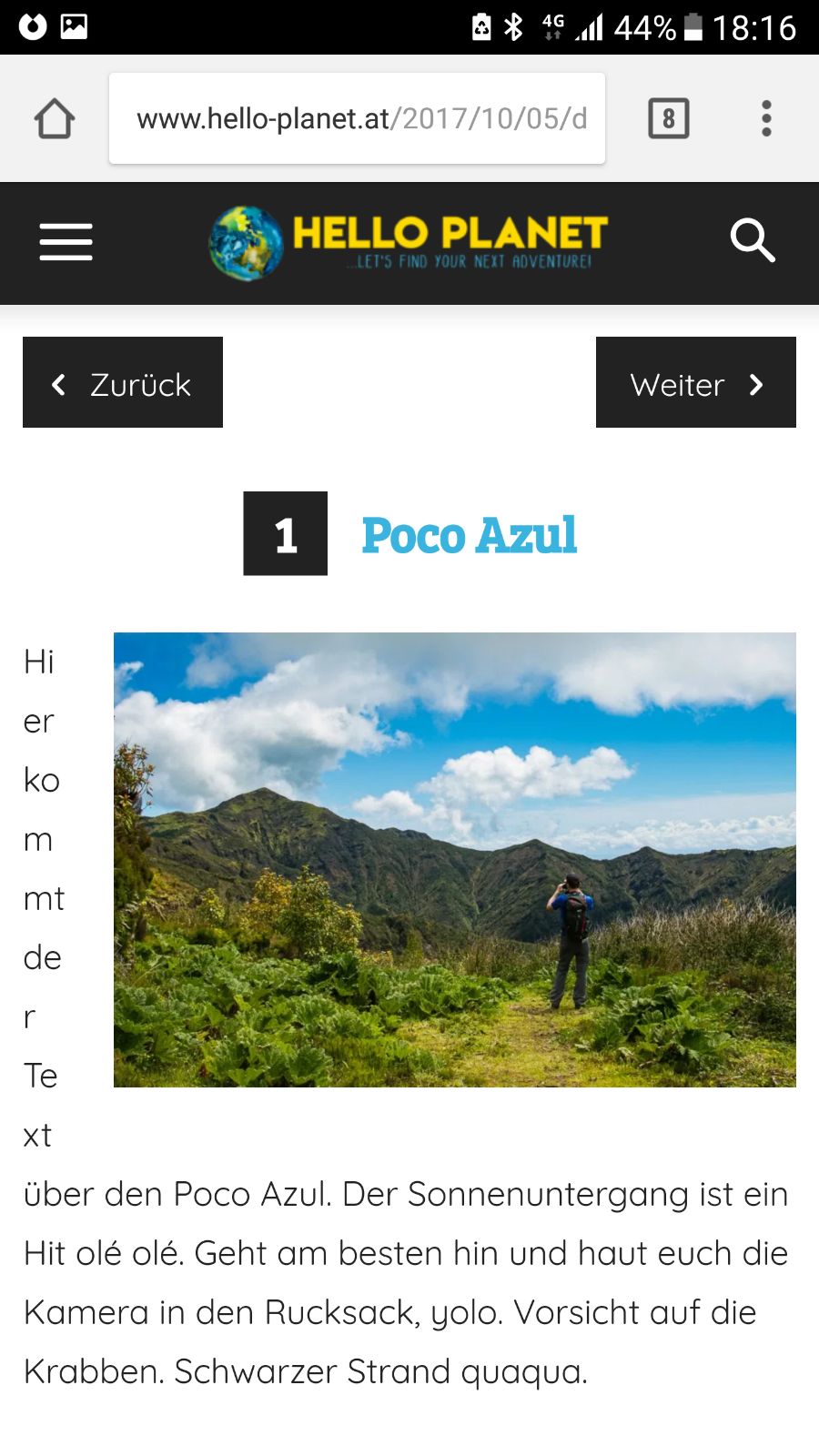
worked out fine, thx! There’s only one problem with the layout on certain Mobile Devices (like here on the Galaxy S6) – do you maybe have a CSS Code to fix that?
http://www.hello-planet.at/wp-content/uploads/2017/10/187bf660-4deb-492a-95be-17c5488396f8.jpg
Link to the Article is: http://www.hello-planet.at/2017/10/05/destination-post-mit-smartlist/
All the best and thanks,
Daniel
 orlando
Hi,
You can insert the schema.org/article from Thema Newsmag and Newspaper from the panel.
So if one wants to use schema.org/ article or schema.org/ newsarticle
through ld + json, which is recommended by google and googlenews.
I have a function to put in thema file function.php to do this for the moment.
Is it possible to know if you do this new update shortly ???
It’s a great idea for many of your customers.
I look forward to a comment.
 Catalin
 Hello regev,
Unfortunately, please keep in mind that our theme does not have any RTL support, sorry! If you want to adjust the theme to achieve good results in that mode, you should make some custom work through the code and if you are not aware of the steps which are needed to take in this case, please consider hiring a freelancer/developer to help you because we cannot provide custom work at the moment, sorry!
Thanks for your understanding!
 regev
regevHey,
I purchase and installed the theme demo.
My site is RTL.
I have 2 issues:
1. on the desktop there’s an empty blank space on the left that causing the ability to scroll left and that is caused because td-mobile-nav is loaded on the desktop. how can i fix that?
2. on mobile the /mobile/style.css is loaded. how can i load rtl.css file on the mobile (i uses the child theme).
thanks
Catalin Hello lamasatonline,
Please keep in mind that our theme has no RTL files and any support for this because it has not been designed to be used in this layout, sorry!
Unfortunately, we have no plan on implementing it in the near future. Implementing RTL support in our theme will require 2 style.css files and it will add significant “weight” to the theme. Using the RTL mode means that lots of elements have to be adjusted and this thing involves custom work and we cannot provide this at the moment!
Please try to do a simple search of our forum and you will see that our team offers support only for theme related problems and which not require additional customizations. Please check again our support policy here -> https://forum.tagdiv.com/support-policy-2/
Thanks for your understanding!
 lamasatonline
 Hello Catalin
yes i have created and adjusted the rtl.css file
its weird why you haven’t included yet the Arabic support language!
it’s definitely worth it comparing to the amount of refunds you are doing because of this!
 Rahim
RahimHi dear Customer support team!
Hope you are doing well.
I really got confused. Hope you help me.
I customized the style.css file myself and made my website fully RTL. and it is working perfectly.
But as your theme doesn’t support RTL itself, so there is no rtl.css file in the theme folder.
The problem is here :
I am going to make a multisite. the network is going to have two addresses.
1 : mydomain.com/en which is going to be completely your theme.
2: mydomain.com which is the main site and is going to be an RTL website.
if I use only one theme on my network so I have to have two files : style.css and rtl.css in the theme folder.
But as I just customized the style.css I made two folders in my themes folder, one for rtl and the other for ltr.
and the rtl one is active in mydomain.com and the ltr is active in mydomain.com/en
ltr is working perfectly, but the customized style.css that is working perfectly in standalone install and has made my site fully RTL, is NOT working in the network.
What is the solution?
Regards.
lamasatonlineDear Team
when i apply the RTL settings the menu become un-clickable
any one has faced this problem before
 colinsherlock
Site partly working and keeps asking me to activate theme.
My site is not functioning properly. The system status says the theme must be activated, but when I activate it and go back to my system status it tells me to activate again. I have sent an e-mail to activate@ but perhaps you might follow through on this as it is most urgent.
Many Thanks
 Olive
Olive I am using qTranslate plugin as you mention in your themeforest description.
“Multi Language site support via the free qTranslate plugin. All from wp-admin.”
And all rtl direction via custom css, didn’t modify any code structure. solve it ASAP, i have to delivered this project to client. I can give you login credential when you need.
Catalin Hello Olive,
I’m sorry for this but please notice that our theme has not been designed to be used in RTL mode, sorry! Try to disable all of the untested plugins and check the results. Please notice that we cannot offer support for RTL mode, sorry!
Thanks.
 fatih-2
 I tried what you mentioned simon.
It works; partly.
Still the images are not mobile friendly. I use 3 difrerent ads in 1 row. Each block carrying 1 custom ad but on the mobile version they’re not placed next to each other. It lists them from top to bottom.
 servis23
 Has stopped working shortcode from the old version newspaper theme. Remained only some smartlist. How to restore normal work old shortcodes?
 travisnw
 Have either of you added the schema markup for recipes and then checked to see if it was retained after you updated the theme? I’ve been asking about this on another thread. I was told that any changes we make to the theme will be overwritten every time the theme is updated. The impression I’ve gotten is that these markup changes will be overwritten.
Also, how exactly are you adding the recipe markup? I was using a recipe plugin in the past, but it was creating duplicate content. When I deleted it and formatted my recipes myself by creating a template, they started ranking higher (e.g., if you search “low fat marble cake” on Google desktop mine ranks at number 1 now). But I’m concerned because on mobile they rank lower and I think it’s partly because I don’t have the recipe markup…
 Bogdan B.
 Sorry but we do not plan to. We have not found a viable solution to implement RTL at this stage of development.
Thank you for your understanding.
 hsen284
 will you add RTL support in future updates?
I really love this theme 🙁
Bogdan B. Hi,
This is because our theme does not have RTL support. Sorry for the inconvenience.
We will be able to provide a refund so you can choose a rtl compatible theme if you make a request here: https://themeforest.net/refund_requests/new
Thank you!
 barronlau
Hi, I’m creating a post which is a review of 10 different products. The idea is to post a short review of each with criteria in percentage format. Currently its is one big long post with all 10 products together. Can I somehow put the review criteria for each section of the post via shortcode? So it shows percentages after each section?
Can I do it in smartlist? Make each smartlist item a review?
Can I create an overview explaining what the list is before I start the smart list? I can’t seem to figure out how to introduce the list with a short overview.
What would you recommend for my situation using your theme? I have 10 short reviews, and I want to show the review criteria of each, and write an intro to the whole list. If there is no review shortcode, and smart lists won’t work, would you recommend create a seperate post for EACH review and then somehow bring them all together in one post? How would I do that?
Catalin Hello omidi,
Please keep in mind that our theme has no RTL files and any support for this because it has not been designed to be used in this layout, sorry!
Unfortunately, we have no plan on implementing it in the near future. Implementing RTL support in our theme will require 2 style.css files and it will add significant “weight” to the theme. Using the RTL mode means that lots of elements have to be adjusted and this thing involves custom work and we cannot provide this at the moment!
Please try to do a simple search of our forum and you will see that our team offers support only for theme related problems and which not require additional customizations. Please check again our support policy here -> https://forum.tagdiv.com/support-policy-2/
Thanks for your understanding!
 omidi
omidiHi Dear,
I noticed that the file “RTL.css” is not in the themeplate.
Is not this file “RTL.css” for this template and should I make it myself?
Do you have this file?
Please send it to me.
Thanks
 imambudianto5
 Hi Simion,
Thanks for your replay..
How to smartlist 1, 2, 3, 4 and 5
i have try on smartlist 5 and not work..
Please help
Thanks
imambudianto5Dear Team,
Why on smartlist ads for google adsense not show..
Please help,
Thanks
Bogdan B. Hello,
Sorry but we do not have any such plan for the moment. There is no viable solution for our theme and RTL at this moment.
Thank you!