- NewspaperSocial Sharing
- NewspaperSharing
- NewspaperDesign your post pages using the Default Templates
- NewspaperFacebook Share
 Lanell
Hi,
On single posts – is there a way to change the Sharing features on the Twitter share button so that it uses a shortened URL for blog posts instead of the entire title?
thanks,
– Lanell
 Ryanx
RyanxHey, first of all I’d like to say that the theme is absolutely amazing and am having a blast using it!
As for my question, it might not be the brightest one but I can’t figure it out for some reason. I have a social sharing button written in JS and I wanted to add it so it shows up next to facebook like button. The code looks like this:
<script language="javascript">

var wykop_url=location.href;

var wykop_title=encodeURIComponent(document.title);

var wykop_desc=encodeURIComponent('Description');

var widget_bg='FFFFFF';

var widget_type='compact2';

var widget_bold=true;

var widget_url='http://www.wykop.pl/dataprovider/diggerwidget/?url='+encodeURIComponent(wykop_url)+'&title='+(wykop_title)+'&desc='+(wykop_desc)+'&bg='+(widget_bg)+'&type='+(widget_type)+'&bold='+(widget_bold);

document.write('<div><iframe src="'+widget_url+'" style="border:none;width:100px;height:20px;overflow:hidden;margin:0;padding:0;" frameborder="0" border="0"></iframe></div>');</script>
Would be really greatful if you could help me figure this out.
And as for my 2nd question, what would be the best way to visually modify the sharing part of the single_post to make SHARE FACEBOOK/TWITTER/G+/PIN appear in one line and like button/tweet in the new line right below (and not inline as it is now)?
Thanks in advance and once again, terrific work with the theme!
 DeXanderPRO
Hi, i find so problem.
If i use Dropcat shortcode and then repost my post somewhere then i loosing first letter!

I use Easy Social Share Buttons for WordPress for sharing.
And also two questions:
1) How i can add VKontakte icon in profile?
2) How remove “Website” in comment form?
 simchris
 Ha. Yeah. We are looking to abandon AddThis entirely since we don’t use their stats package for anything.
Actually been testing this as simple replacement:
https://wordpress.org/plugins/simple-share-buttons-adder/
Kind of finding the [xxx shares] stuff kind of stupid, personally. Who cares if other people are sharing it – why would that make ME want to share it? I go back and forth on that. And the cookies and tracking that goes with the XXX buttons is not really something I care for, much. So CLEAN simple share buttons that all load locally and don’t add tracking elements to my URLs, etc. …. nice. 🙂
But some folks love the whole mashable style share thing.
I’ve liked AddThis as it generally has worked well “most” of the time, folks know what it is, and you had lots of simple choices for “I just want one button” or “I just want a square” or whatever.
We’re kind of leaning back to more simplicity. People who share stuff regularly know what a Pinterest button does.
a) doesn’t need to say “Pinterest” AND
b) doesn’t need a share counter,
etc.
Sorry. Getting off the soapbox now 😉
 Nitish Saxena
 I understand that, but this doesn’t explain why Google starts picking it up correctly as soon as I shift to a different theme. But as soon as I revert to Newspaper, it goes back to being buggy.
I tried sharing using share plugins, even manually pasting the URL (pressing space and all) but the end result is the same, it simply doesn’t work.
Which is why I re-iterate that there’s something else at play here.
 Kerran elamassa
 About my previous question:
Actually, I would like to have tags and social sharing icons to show under my pages. The reason is that many of my pages have similar content to posts, would be great if they also looked the same.
Thanks again!
simchris Fact:
if you look at your meta tags and the correct image is listed for sharing in the OG tags, then Google will “normally” grab that image, most often this is your “featured” image.
Sometimes they don’t due to size of image, or inability to load that link, and will go for the first, largest image on the post that the bot can scan.
You can often try “fetch page as Google” from your webmaster tools to see what Google’s bot is “actually” seeing when it reads your page(s).
Nitish SaxenaMy Site URL: http://www.droidgoblin.com
This is one issue that has plagued my site for months. As per the developers, it was fixed in the theme several versions ago. However it still doesn’t work for me.
Issue: When sharing posts on Google+, a very small and INCORRECT thumbnail comes up, along with just the post title.
Expected (Correct) Behavior: Post title, along with the correct BIG featured image and meta description/post extract should be displayed.
I tried disabling all plugins with no success. All caches cleared, CDN (previously PageSpeed, now Cloudflare) both disabled.
Switching themes, even to default WP themes fixes the issue, so I know it isn’t something on the server side. Sharing of posts on Facebook works perfectly well too.
Any help in this regard would be much appreciated.
 luke86
I have installed a plugin called Facebook Comments (https://wordpress.org/plugins/facebook-comments-plugin/). The plugin is working but it is being displayed in the wrong location. It is appearing at the bottom of the post, above the author box, related posts and sharing options. I would rather the comments appear underneath these (like it does with the default comments system).
Also, on my homepage I want to use the Big Grid: see http://www.monged.com/
The issue is that I want more posts to be displayed and the infinite scroll. Is this possible please.
see http://www.viralnova.com/ for reference.
Many thanks,
Luke
 Alin [tagDiv]
 Hi,
You have to edit loop-single(or the post template that you use) and put this code
<?php echo $td_mod_single->get_social_sharing();?> like this: http://screencast.com/t/28NMc6Ua3xIm
Result: http://screencast.com/t/w9QHdKmL
Thanks!
-
This reply was modified 11 years by Alin [tagDiv].
 Feedup
Hi,
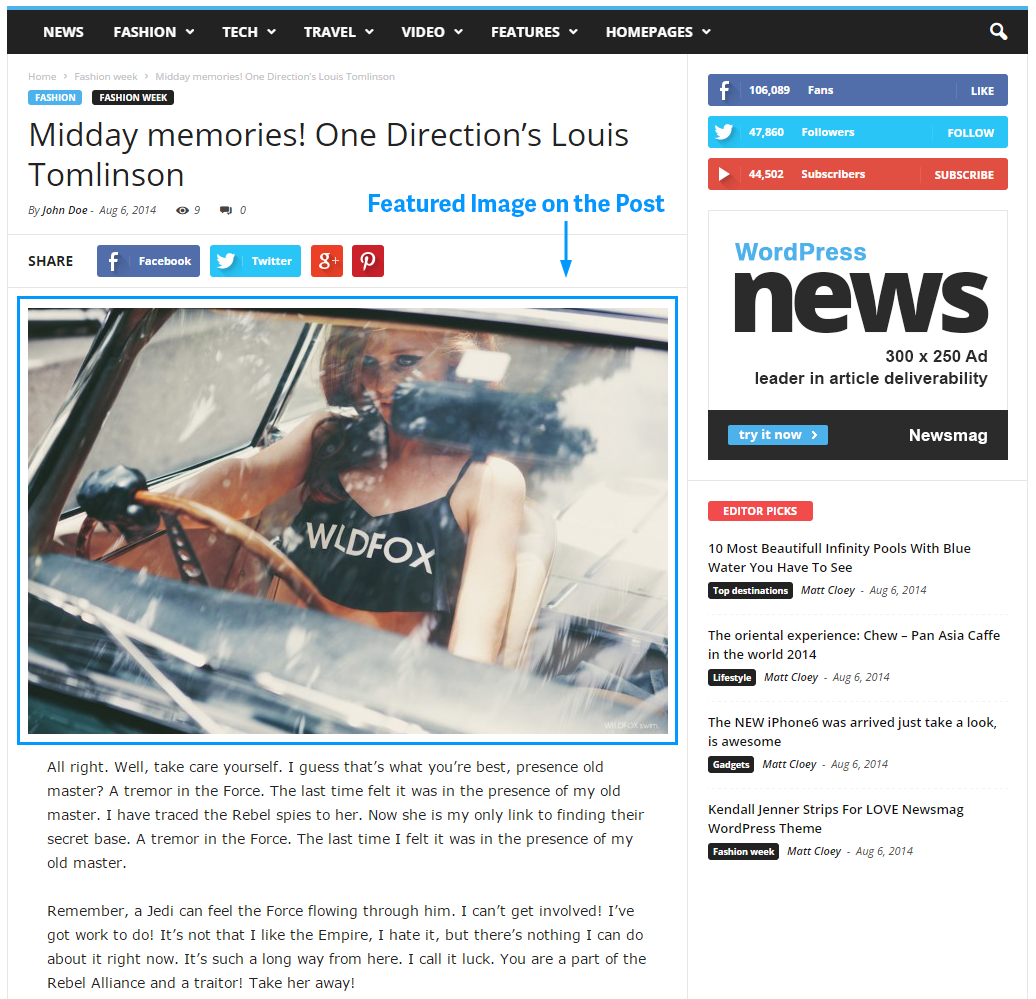
I am trying to move items above the Featured Image.
An example is here: https://forum.tagdiv.com/wp-content/uploads/2014/11/featured-image-on-post.png .
I want an Author Box Plugin and a Social Media Sharing Plugin above the featured image.
How can I accomplish this?
Thanks.
 Marius
 Hi,
1. Make this: http://screencast.com/t/PFEbStG0jYSu
2. If you want to hide the arrow you can hide it via CSS, just add this in Theme Panel -> Custom CSS section:
.td-icon-menu-up:before{

display:none;

}
4. You can replace SHARE here:(top) http://screencast.com/t/Ry2g9yXaDyvJ – (bottom) http://screencast.com/t/stcA0j7ooc6l
We’ll fix this in one of the next updates.
5. You can edit td_module_single.php:
-for top sharing: http://screencast.com/t/xE7yxlxp4
-for bottom sharing: http://screencast.com/t/rIZu9dj4PH
Thanks!
 zorlander
 LinkedIn would be great to add to the social sharing buttons. I’m looking forward to the implementation!
Thanks,
Tim
 LiesbethRoos
Hi,
There is something wrong about the latest post I made. It’s about this post:
https://roos-stucadoors.nl/rode-rozen-voor-onze-klanten/
I’ve problems sharing this post on social media. Facebook and LinkedIn don’t recognize the link. http://screencast.com/t/q3Xqn2kqEnBI
And when I click the Google+, it changes in a warning triangle. http://screencast.com/t/1op2MUgTdg8
Do you have any idea what might have causes these problems?
Thank you, Liesbeth Roos
simchris So (continued)
WP 4.1; Theme 1.31 Unit/Linux/Apache/CentOS
Not using child theme.
No minification.
Only changed name of theme folder and name in CSS file to sitename.
Not using megamenus.
Not using revslider.
Not using jetpack.
Disqus turned off.
HEADER.PHP HACK: (same hack we did with Newspaper where snippets worked right)
One hack to header.php was removing call to pingback since we don’t want that
REMOVED:<link rel="pingback" href="<?php bloginfo( 'pingback_url' ); ?>" />
Removed the “facebook sharing fix for videos” section, not needed for our use.
Yoast WordPress SEO = on
TagDiv speed booster = on
Post settings:
Default = style 2
Featured Images – use = on
Breadcrumbs = all on
Lightbox = off
more articles box = off
ajax count = off
Related article = show by category
Sharing – all off except show top article sharing
Still showing error of not seeing the rating in preview.
TEST:
on the off chance it’s one of my customizations in functions.php
(I turn off Yoast in toolbar, hide ?version numbers and change default compression; post message for those trying to hack login/ping)
I am removing all of those …… NO CHANGE
Argh. So far only thought at this point is checking the actual content that makes up the review text itself, but looking at the Techwalls site with same issue, I don’t see any oddball characters in the summary box that might cause such an issue.
-
This reply was modified 11 years by
simchris.
simchris (continued)
okay, now with Yoast WordPress SEO “on” as well as “Limit Longin Attempts” plugin turned on (security to block repeat hack attempts by password guessing with bots); we now see the “rdfa-node” populated.
The preview still does not show the rating.
Publisher markup now on via Yoast setting, but “not verified publisher markup” error – even though it is verified.
Bookmark section related to item 1 appears to be error; as that is different story than “this page.”
TEST:
am removing all my custom CSS ….. NO CHANGE
TEST:
turn off post setting ‘show related articles’ …… NO CHANGE
except “bookmark” in first box, now shows link to the first item from sidebar under module “what’s new”
TEST:
remove sidebar second Google adsense box …. NO CHANGE
TEST:
remove all sidebar AdSense Ads (2) ….. NO CHANGE
TEST
switch sidebar ads back on; turn off header AdSense ad …. NO CHANGE
TEST
theme based social sharing at top/bottom of post = OFF ….. NO CHANGE
simchris You could likely edit the social sharing module to add that function; or simply use a plugin for social media sharing (AddThis, etc.) and disable the built-in sharing.
 eox
eoxWhen I share post on facebook, in description (below image and title) is Author, or image description… I want to replace that with post intro text…
 Lucian
 Hi,
You can go to Facebook Comments plugin settings and disable the automatic position like this: http://screencast.com/t/xhduGF2G then use the short-codes to add the fb comments after the social sharing buttons in the post template: http://screencast.com/t/lOfxcqKx5w
Thanks
 Solari
 It’s inside the archive when you download it. They usually copy it to here and the Newsmag page on Themeforest, but here’s what it looks like:
[ V 1.3 ]
– improvement: added translation for EVEN MORE NEWS widget from footer
– improvement: added in Theme Panel -> Custom Typography: Footer text under logo
– improvement: added in Theme Panel -> Post settings: Show/Hide categories tags on single post page
– improvement: added in Theme Panel -> Custom Typography: Subtitle for post
– fix: slider height when the screen size is smaller then 320px
– fix: removed image captions that appears in post excerpt
– fix: reviews stars number display
– fix: added break-word for comments text
– fix: php notice when source or via have no url
– fix: sharing show/hide issue
– fix: twitter share strange characters in title
– fix: facebook like button show on https
– fix: load default style stack was not working
– fix: module 14 css bug
– fix: added module MX 4 to the excerpt panel
Lucian Hi,
I have tried your site on emulator for both cases and haven’t found any issues with your social sharing icons: http://screencast.com/t/kWk0fJciPB
You could try this solution suggested by @handiso and regenerate the newsmag font following the steps provided here: https://forum.tagdiv.com/topic/icons-missing/page/2/#post-29906
Thanks
Lucian Hi,
@masbay93 Please let us know if you tried the solution provide above by @handiso and regenerate the newsmag font following the steps provided.
Please also let us know if you also have issue with other icons or just the social sharing icons and also provide an URL to your site so we can check this.
Thanks
 gouravgola
 @lucian thanks for responding, can you please elaborate this process?
as far from your above point, i understood these things:
1. go to setting>visual composer> myshort codes ? is it how to generate short codes? but what should i add there to generate code there? i want to add content.ad widget php code.
2. then add <?php echo do_shortcode(‘[]’);?> to loop-single.php like this:
<?php echo $td_mod_single->get_social_sharing_bottom();?>
<?php echo $td_mod_single->get_next_prev_posts();?>
<?php echo do_shortcode(‘[]’);?>
<?php echo $td_mod_single->get_author_box();?>
<?php echo $td_mod_single->get_item_scope_meta();?>
</footer>
as i want my widget to show up just below nest prev navigation?
is this the way you are saying?
if yes then please tell me how to generate short codes and how to use them in details, that would be really great help for those who are new to wordpress!
thank you!
 Osmanovic
 Thank you Arved 🙂
Lucian:
“I have tested the social sharing and like/tweet issue and you are right the like/tweet option can be set without the sharing buttons. I have added this issue on our todo list and we will fix this in the next theme update.
Please let me know!”
By now you’ve released two Updates but now correct this error. Please …
eox I solved this problem. If someone helps do this:
In style.css change Post template 4 code with:
/* ----------------------------------------------------------------------------
Template 4
*/
.td-post-template-4 header {
position: absolute;
bottom: 0px;
}
.td-post-template-4 header .entry-title,
.td-post-template-4 header .td-post-sub-title,
.td-post-template-4 header .meta-info,
.td-post-template-4 header .entry-date,
.td-post-template-4 header .td-post-author-name a,
.td-post-template-4 header .td-post-comments a {
color: #ffffff;
}
.td-post-template-4 header h1 {
font-size: 24px;
line-height: 29px;
margin-top: 7px;
margin-bottom: 5px;
position: relative;
right: 2px;
/* responsive portrait tablet */
/* responsive portrait phone */
}
@media (min-width: 768px) and (max-width: 1023px) {
.td-post-template-4 header h1 {
font-size: 24px;
line-height: 29;
}
}
@media (max-width: 767px) {
.td-post-template-4 header h1 {
font-size: 24px;
line-height: 29px;
right: 0px;
}
}
.td-post-template-4 .meta-info {
margin-bottom: 16px;
/* responsive portrait phone */
}
@media (max-width: 767px) {
.td-post-template-4 .meta-info {
margin-bottom: 10px;
}
}
.td-post-template-4 .entry-thumb {
box-shadow: 0px 0px 10px rgba(0, 0, 0, 0.3) inset;
transition: box-shadow 0.2s ease-in-out 0s;
padding-bottom: 0px;
margin-bottom: 0px;
}
.td-post-template-4 .entry-crumbs {
top: 0px;
padding: 15px 0px 15px 0px;
}
.td-post-template-4 .td-post-header {
width:680px;
padding-top: 0px;
border-bottom: 0px;
}
.td-post-template-4 .td-post-sharing-top {
border-top: 0px;
border-bottom: 1px solid #e6e6e6;
}
.td-post-template-4 .td-post-featured-image {
min-height: 200px;
background-color: #444444;
/* responsive portrait phone */
}
@media (max-width: 767px) {
.td-post-template-4 .td-post-featured-image {
min-height: 182px;
}
}
.td-post-template-4 .td-post-featured-image .wp-caption-text {
bottom: 0;
color: #FFFFFF;
position: absolute;
right: 0;
margin-right: 20px;
max-width: 400px;
height: 17px;
overflow: hidden;
/* responsive portrait phone */
}
@media (max-width: 767px) {
.td-post-template-4 .td-post-featured-image .wp-caption-text {
display: none;
}
}
.td-post-template-4 .td-post-content {
border-top: none;
margin-top: 0px;
padding-top: 14px;
/* responsive portrait phone */
}
@media (max-width: 767px) {
.td-post-template-4 .td-post-content {
padding-top: 10px;
}
}
.td-post-template-4 .td-post-sub-title {
font-size: 16px;
line-height: 26px;
border: 0px;
padding: 0px;
}
In single_template_4.php delete all and paste this:
<?php

// Template 4 - post-final-4.psd - full image + overlay full title

//get the global sidebar position from single.php

global $loop_sidebar_position;
$td_mod_single = new td_module_single($post);
?>
<article id="post-<?php echo $td_mod_single->post->ID;?>" class="<?php echo join(' ', get_post_class('td-post-template-4'));?>" <?php echo $td_mod_single->get_item_scope();?>>
<div class="td-container">
<div class="td-container-border">
<div class="td-pb-row">
<?php
//the default template
switch ($loop_sidebar_position) {
default:
?>
<div class="td-pb-span8 td-main-content" role="main" itemprop="mainContentOfPage" itemscope="itemscope" itemtype="<?php echo td_global::$http_or_https?>://schema.org/Blog">
<div class="td-ss-main-content">
<div class="td-post-header td-container">
<div class="td-entry-crumbs td-pb-padding-side"><?php echo td_page_generator::get_single_breadcrumbs($td_mod_single->title); ?></div>
<div class="td-post-featured-image td-image-gradient">
<?php echo $td_mod_single->get_image('td_1021x580'); ?>
<header class="td-pb-padding-side">
<?php echo $td_mod_single->get_category(); ?>
<?php echo $td_mod_single->get_title();?>
<?php if (!empty($td_mod_single->td_post_theme_settings['td_subtitle'])) { ?>
<p class="td-post-sub-title"><?php echo $td_mod_single->td_post_theme_settings['td_subtitle'];?></p>
<?php } ?>
<div class="meta-info">
<?php echo $td_mod_single->get_author();?>
<?php echo $td_mod_single->get_date(false);?>
<?php echo $td_mod_single->get_views();?>
<?php echo $td_mod_single->get_comments();?>
</div>
</header>
</div>
</div>
<?php
locate_template('loop-single-4.php', true);
comments_template('', true);
?>
</div>
</div>
<div class="td-pb-span4 td-main-sidebar" role="complementary" itemscope="itemscope" itemtype="<?php echo td_global::$http_or_https?>://schema.org/WPSideBar">
<div class="td-ss-main-sidebar">
<?php get_sidebar(); ?>
</div>
</div>
<?php
break;
case 'sidebar_left':
?>
<div class="td-pb-span4 td-main-sidebar" role="complementary" itemscope="itemscope" itemtype="<?php echo td_global::$http_or_https?>://schema.org/WPSideBar">
<div class="td-ss-main-sidebar">
<?php get_sidebar(); ?>
</div>
</div>
<div class="td-pb-span8 td-main-content" role="main" itemprop="mainContentOfPage" itemscope="itemscope" itemtype="<?php echo td_global::$http_or_https?>://schema.org/Blog">
<div class="td-ss-main-content">
<?php
locate_template('loop-single-4.php', true);
comments_template('', true);
?>
</div>
</div>
<?php
break;
case 'no_sidebar':
//td_global::$load_featured_img_from_template = 'art-slide-big';
td_global::$load_featured_img_from_template = 'full';
?>
<div class="td-pb-span12 td-main-content" role="main" itemprop="mainContentOfPage" itemscope="itemscope" itemtype="<?php echo td_global::$http_or_https?>://schema.org/Blog">
<div class="td-ss-main-content">
<?php
locate_template('loop-single-4.php', true);
comments_template('', true);
?>
</div>
</div>
<?php
break;
}
?>
</div> <!-- /.td-pb-row -->
</div>
</div> <!-- /.td-container -->
</article> <!-- /.post -->
Now, go to the Theme panel in Post Settings activate Post style 4.
Good luck 🙂