
- NewspaperSmart Sidebar
 dahlnewpage
Hello, for some reason the sidebar will not show up on my homepage.
I tried Default setting and Right hand under Sidebar Position, but sidebar will not show up).
The Sidebar shows up normally on the other pages. Any advice? I’m not using the smartsidebar
 Catalin
 Hello mayaguez,
1)If you have right followed all the steps which are presented in our guide, the smart sidebar should work as expected. Also, if you are using some untested plugins, please try to disable all of them and install only the plugins that come bundled with the theme packet and rule out any conflicting plugins.
2)Unfortunately, our theme does not have any such an option that allows you to embed your Twitter, sorry! You should try to find some plugins which has this functionality and see how it will work for you.
Thanks for the message!
 mayaguez
1. I viewed and read the tutorial for the Smart Sidebar. I believe I followed the instruction on to how to activate the sticky sidebar and how to create sticky sidebars for each of my post categories but I tried creating one for my Puerto Rico category but it (the sidebar) does not display… What am I missing? http://hispaniclatinonewsandevents.network/caribe/puerto-rico/se-despide-alejandro-garcia-padilla-el-nuevo-dia/
2. I was told I can add (embed) a Twitter profile in the sidebar. I do not see where the twitter profile can be embedded within the Post Settings. Please advise….
I tried to figure this out but could’nt.
Thank you.
 FishOutOfWater
TagDiv . . . again I have to urge (beg? plead? grovel?) for someone to create ‘documentation’ section that is a very simple (and easy to create, for you) “map” or “key” as to what sections/parts/designations are what.
While the documentation descriptions are basically adequate for WHAT to do and HOW to do it, I find myself endlessly not being able to discern what element of the theme is affected. What’s what? Who’s on third? Some elements (“footer”) are simple for newbs, others (blocks? modules? excerpts? content? post title? article title? smart sidebar? standard sidebar? default sidebar? demo sidebar? post? custom post? default post? main menu? top menu? ETC ETC) these things I KNOW are second nature to folks who do website development day by day and for years. But for newbies it is a total mystery exactly what elements are what.
I’ve attached an image from one of your model sites with an example of what I mean would be VERY (!!!) helpful to those of us not in the industry. It would take someone at your end all of an hour to create a “key” of images that simply say “this is the header” “this is a module” etc.).
Every time I change a setting – and there are over 1,000 settings by my rough count – something other than what I think will change, get’s modified. A bit of help from your side would save some of us huge amounts of time on the simplest things. I’ve spent 6H so far just this evening simply trying to get a basic color palette on the main page set, but am wandering in the dark.
Please consider adding this most rudimentary part of documentation to your site. The themes are great but do no good if some of us are unable to discern what parts are what. It’s exceedingly frustrating. I just about give up after hours of flailing about merely attempting to accomplish the simplest tasks because I’ve no idea what ‘elements’ are what in your theme – and there’s zero documentation with any guidance whatsoever – just words and some videos saying just click click click presto bingo your site is done and amazing.
Yah, if you’ve been doing it for many years. If you’re a newb and haven’t, it’s hopeless.
NB: I can’t attach my example image because there’s no way to submit a pic with a forum post.
 datomnz
Hi,
I have a page with a 1/2 + 2/6 + 1/6 column layout, and would like the right 1/6 column to be smart/sticky. However from your documentation it only works with a 2/3 + 1/3 layout.
I really need it to work for the layout I’m working with – is there anything I can do to make the 1/6 column sticky?
Thanks in advance,
Tom
 simchris
 You can use Google ads in the sidebars; just don’t use in the “smart sticky sidebar”.
 nkodgh
 Thank you Catalin. I had forgotten about that simple turn-off featured.
As a follow up, you warned against usage of Google ads in smart sidebars by this:
Warning: If you plan to use Google Adsense in the sidebar don’t enable this feature. Google’s policy doesn’t allow placing the ad in a “floating box”, you can read more about it here.
but when I clink on the link and read what Google says, it doesn’t say anything in relation to usage of smart sidebars. Can’t I go ahead and use Adsense in the sidebar? Because it doesn’t alter targeting by usage of keywords nor alter the content/language as Google says.
Catalin Hello nkodgh,
Notice that for smart sidebar is an option for enabling or disable it, like this -> https://forum.tagdiv.com/newsmag-smart-sidebar/
If is not what you mean, provide more details.
Thanks for the message!
nkodghHello,
The default Newsmag sidebar for my posts appears to be a smart sidebar. I want to disable that so I can place Google ads in the sidebar for my posts published in various categories. Currently, eg. on this page: http://www.myjcr.com/articles/lifestyle/5-ways-to-save-money-when-you-re-broke/, there’s a default smart sidebar. I want it to behave like the one on the homepage.
 Alin [tagDiv]
 Hi,
Please check this tutorial – https://forum.tagdiv.com/smart-sidebar-2/ it is specified there how to enable sticky sidebar also on pages created with Visual Composer pagebuilder.
You can try this solution to remove pages from search results – https://forum.tagdiv.com/topic/search-box-3/
Thanks!
 robbie
 Thanks a lot for the clarifications.
If i use default template along with widgetised sidebar, the sticky (smart sidebar) option doesn’t seem to work. How to get this done?
It would be good to have an option to remove pages on search results.
Catalin Hello luftfartmedia,
The smart sidebar is fully tested and compatible with the entire theme and if you will correctly setup, it should work as expected. So, I have noticed that you are using some untested plugins which can interact with the theme core files and create a lot of unknown issues. Please try to disable all of them and install only the plugins that come bundled with the theme packet and rule out any conflicting plugins. If the problem is still there, please try to make a new clean install from scratch only with the required plugins and check the results.
Hope this helps and let us know how it goes!
Thanks for your understanding!
 luftfartmedia
I made a frontpage with Visual Composer with a smart sidebar, but the sidebar wont show in posts. Why?
http://luftfart.media
Thanks
Espen
Alin [tagDiv] Hi,
It is specified in this tutorial how to make the sidebar sticky on your homepage – https://forum.tagdiv.com/smart-sidebar-2/ – http://screencast.com/t/wblepRUz0oJ
If you use a plugin to rotate banners you can paste the plugin’s shortcode into the theme ad spots, they render also shortcodes or to place it in the sidebar you can paste the shortcode in a text widget.
Thanks!
 rgomez
Hello,
I checked the documentation, I didn’t find how to make smart sidebars in homepage. Please guide me, I need the widget section to run ads with a specific plugin (Ad rotate pro).
Thanks,
Catalin Hello nkodgh,
For more information about smart-sidebar, you should consult our documentation here -> https://forum.tagdiv.com/newsmag-smart-sidebar/
Thanks for the message!
Catalin Hello alintiniuc,
Please make sure that you have correctly set your sidebar from Theme panel, according to our documentation here -> https://forum.tagdiv.com/newsmag-smart-sidebar/ -> https://forum.tagdiv.com/newsmag-how-to-use-visual-composer/
Please keep in mind that the sidebar is fully tested and compatible with the theme and seems to work as properly. Also, if you have some additional customizations, try to leave all of them, revert the theme to the default state and check the results.
Also, if the problem is still there, please send us an email at cotnact@tagdiv.com with your log-in information (wp*-admin) so we can further inspect it closer your setup page. Also, please provide the link of this topic so we can easily identify you.
Thanks for the message!
 Federico909
Hello,
I have installed your theme but in the developer tools i have notice that when i scroll to bottom and to top the console have multiple error.
The error is this
———————————————————————————————————
// go in all the sidebar items
for ( var item_index = 0; item_index < tdSmartSidebar.items.length; item_index++ ) {
var cur_item_ref = tdSmartSidebar.items[ item_index ];
cur_item_ref.content_top = cur_item_ref.content_jquery_obj.offset().top; <— Uncaught TypeError: Cannot
read property ‘top’ of undefined
cur_item_ref.content_height = cur_item_ref.content_jquery_obj.height();
cur_item_ref.content_bottom = cur_item_ref.content_top + cur_item_ref.content_height;
cur_item_ref.sidebar_top = cur_item_ref.sidebar_jquery_obj.offset().top;
cur_item_ref.sidebar_height = cur_item_ref.sidebar_jquery_obj.height();
cur_item_ref.sidebar_bottom = cur_item_ref.sidebar_top + cur_item_ref.sidebar_height;
—————————————————————————————————————–
There is a fix?
 Bogdan B.
 Hi,
Did you add td-ss-row to the row in visual composer? https://forum.tagdiv.com/smart-sidebar-2/
Thank you!
Catalin Hello seban,
Please notice that this white space will inherit the background color content, like this -> http://screencast.com/t/ONnZLYedSv As a quick solution, you should use the Smart Sidebar feature which makes the sidebar to be sticky on page, like this -> http://demo.tagdiv.com/newsmag/ The smart sidebar can be enabled from Theme panel, like this -> http://screencast.com/t/hgSs3e0TdFdv For more information about this feature, please consult here -> https://forum.tagdiv.com/smart-sidebar-2/
Hope this helps!
Thanks for the message!
 AndroidKosmos
Hey,
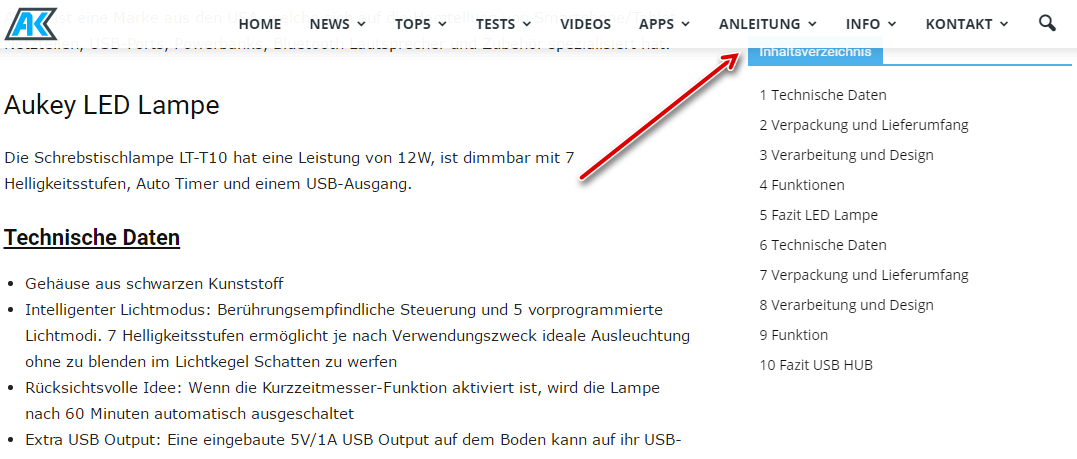
i have a problem with the smart sidebar and stick menu. The menu overlaps the title of the sidebar widget.
Is it possible to fix this?
Bogdan B. Hello,
Thank you for your appreciation.
1. Unfortunately a stretched row means to stretch it to the full width of the screen. That cannot happen with a sidebar so there is no way of having a full width row and sidebar as they will conflict with one another and break the layout.
2. We do not recommend using visual composer on posts at all especially on smart lists. Visual composer was only meant to be used on pages as this guide suggests: https://forum.tagdiv.com/how-to-use-visual-composer/
3.Well the post sub-title was n ever meant to be a description. It was meant to be a small part of text not a full on excerpt. Please avoid any long titles or sub-titles. These are meant to be titles, not descriptions.
4. The grey background color you added on the row in visual composer seems to display fine: http://screencast.com/t/XG770wNGNA
5. We always look to improve our theme. We are not up to 14 post templates and we plan on adding more but it takes time as they are not easy to make.
6. We did not add such a button as the comment section is just below the related articles. We did not see the point in creating a jump link fro the bottom sharing that goes 1 element down to the comment section. You can maybe add it in with customization if you need this feature. Here is where the bottom sharing is being created: http://screencast.com/t/AT1QCJiV6W
7. We do not have any such plan for the moment, but I will add it to our list for suggestions and pass it on to the development team.
Thank you!
 marzamemi
Hi there, on my new website homepage I set two smart sidebar. The second one which is in a row at the bottom of the page does not work. Can you help me?
 Siddhartha Mukherjee
Hey Tag,
This is Siddhartha from Farbound.Net. I have been using your theme for some time now and I have to say this – it is just wonderful with its intuitiveness, stylish appeal and flexibility. Plus your updates never cease to surprise. Though my support expired a while back, I was wondering if you could still supply me with some answers.
1. Can the smart side bar by any chance and via custom CSS be made to recognize stretched rows? Say I use template style 3 with the right side bar operational and then put some stretched VC rows into the content. If I do this right now the sidebar flows right over the VC containers. If I can get the sidebar to float underneath the stretched content, nothing like it. Presently I am using visual composer to do this.
2. The Smart List is not supposed to work with Visual Composer, is it? I tried that on template 5 with visual composer, but the sidebar gets pushed right below the content. Also sometimes the NEXT and PREVIOUS BUTTONS overlap each other. Or am I doing something wrong here?
3. For templates that include the headlines and subtitles within the featured image, is there any way to adjust both the subtitles and headlines to appear better with some spacing when viewing on mobiles? Right now it becomes a jumble. But works well with just headlines. These would be template style 3 and template style 7. For an example: view this page (I noticed this on chrome with the browser size minimized) – Outpost of a vanishing world
4. I followed your instructions and successfully placed an advertisement just above the footer section with a stretched visual composer row, background-color applied. The ad was visible but the background-color was not. Did I miss something?
5. Do you plan to include new post templates in the future? A template that has the headline and subtitle on top of a rather large full width image. I am doing this right now with visual composer.
6. I noticed the social share box at the bottom has some space. Was wondering if it could accommodate a COMMENT icon inside as well along with the word ‘COMMENT’ or just the word. You know, once people reach the end of the story they can not only share it if they like but also find the COMMENT WORD there – clicking which they could directly reach the comment section. The comment icon presently available right now is very stylish but I feel not many are aware what the icon stands for. Yes, I am also well aware people who comment are very less, but since I still come across a lot of reputable media sites using the comment word big and bold, I assume the word does better than an icon.
7. Do you plan to include the option of using custom background-colors with advertisements? I managed to add a light grey to the header ad by coloring the wrapper via css but if an adblock is on viewers only see the grey box. Not that I mind, I can always put a message that says kindly turn your adblock off. Though if you do add in that option, would be very nice indeed.
Thanks
Catalin Hello eddiecassidy6,
First of all, I will thank you for your above explanation. Here is talking about an unproperly setup of your homepage and that’s why you will bring these. I guess that you want to have a smart sidebar which rolling until the latest article module, look like the demo, right? Please notice that you should use correctly the Visual Composer (2/3+1/3) and also if you want to have this type of sidebar you should set it properly with our documentation here -> https://forum.tagdiv.com/smart-sidebar-2/ I have inspected your screens and I have notice that you are not using the right layout of your rows in Visual Composer and that’s why you will bring these white spaces. Try to use our documentation regarding on how you can use the Visual Composer plugin, here -> https://forum.tagdiv.com/how-to-use-visual-composer/ because it is very useful to understand the right steps in order to achieve best results. If you want to change the background of your website, first of all, you should check the Design Option from your Row Settings because the color comes from here, like this -> http://screencast.com/t/r27qtdqFqSf
Regarding on pictures on the header menu, please notice that all of them were made using the Font Awesome for Menus plugin which has this functionality. For more information about this plugin, please consult the documentation here -> https://forum.tagdiv.com/how-to-add-icons-in-menu/
Hope this helps!
Thanks for your understanding!
