yavoedmond
TD composer dont work in my server, how can I edit posts templates in file?
 quanguous
Hi,
I need some help with the TD Composer.
I would like to create a bloc as follows in my home page :
display the latest posts of a selection of categories.
For instance, i have 3 categories in my website : sport, movies, books. I would like to display a bloc like this:
<movies> <sport> <books>
last post of movies last post of sport last post of books
2nd last post of movies 2nd last post of sport 2nd last post of books
Can you please assist?
thanks
 Heavy_Hauler
Hello team,
Could you please help me to get the issue resolved.
after installing the Romania theme I am not able to connect with the youtube videos. apart from that I need to remove the
title of the posts like “technology”, “latest news” and “Music”.
When i go to my dashboard and open pages and try to open home page I am getting below warning and error
Warning: The current content hasn’t been created by TagDiv Composer!
Error : Errors at columns elements: 2(models) : 1(dom). The model does not match the content Current state has involved an issue. You could try an UNDO operation (CTRL+Z / CTRL+SHIFT+Z)
I Home Page was not at all opened by me but still getting this error. .tried reinstalling the theme but issue remains same.
kindly help me to resolve this issue ASAP.
Thank you
Dilip
 vampireprincess
I succeeded to add co-author to the post page following your tutorial
but how can I add the same to flexbox, boxes and as well to the category page
How can I create accordion menu with TD composer
or which plugin can I add that can work together with TD composer
to achieve the accordion style
I need this desperately for archive, I wish to put in every
accordion block by 20 editions of our magazines
How can I save my own row elements (to have my own cloud element) that I created from different blocks and import them to another page
The video block is not working properly
https://i.postimg.cc/WNkL0CyD/12.jpg
How can I change the order of the posts on the category page
I wish that I can order or from newest or from oldest post
I tried in the Theme panel => Categories but I just couldn’t find
that option
 victorramirez
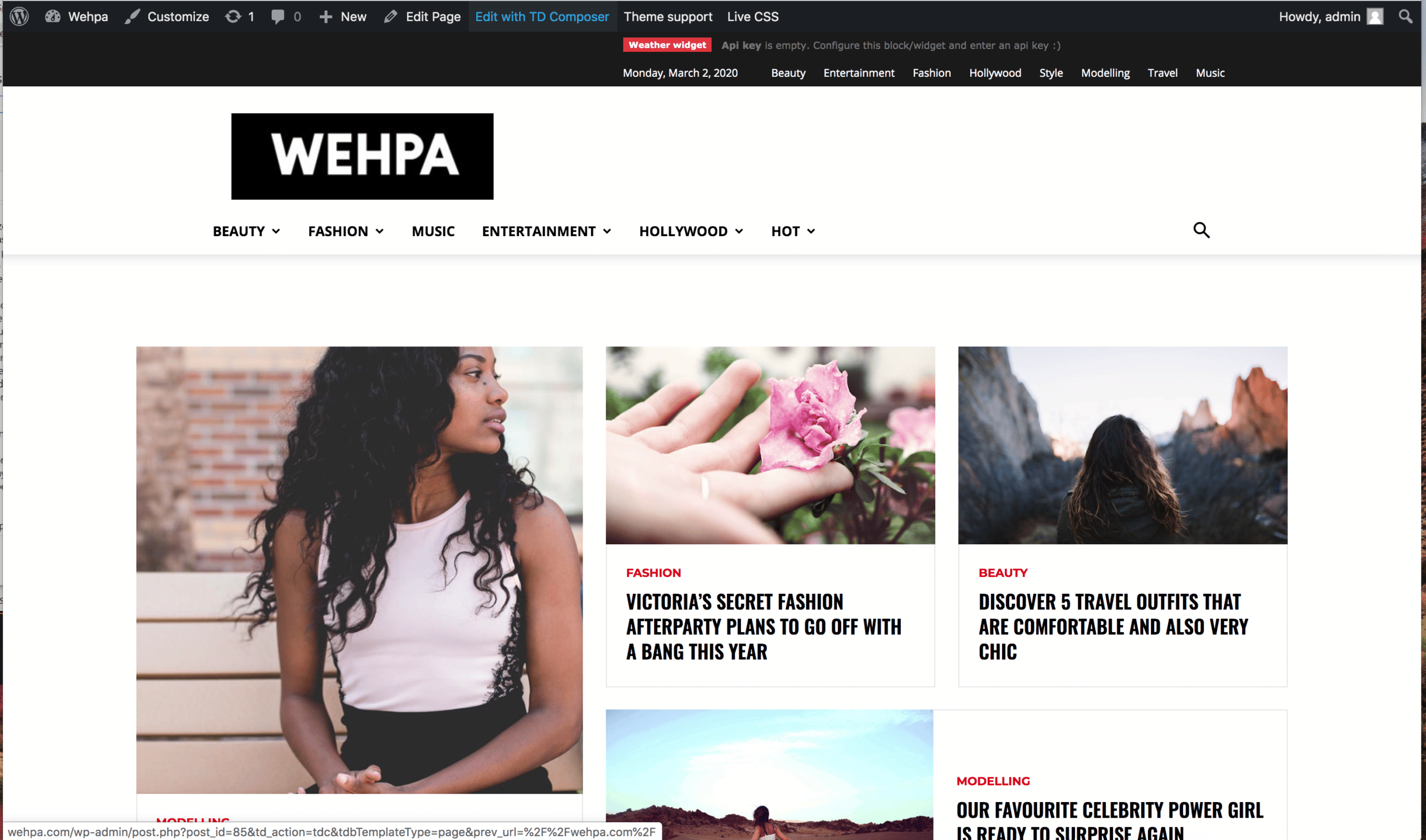
 Before I click the TD Composer button
http://wehpa.com/wp-content/uploads/2020/03/wehpa-01.png
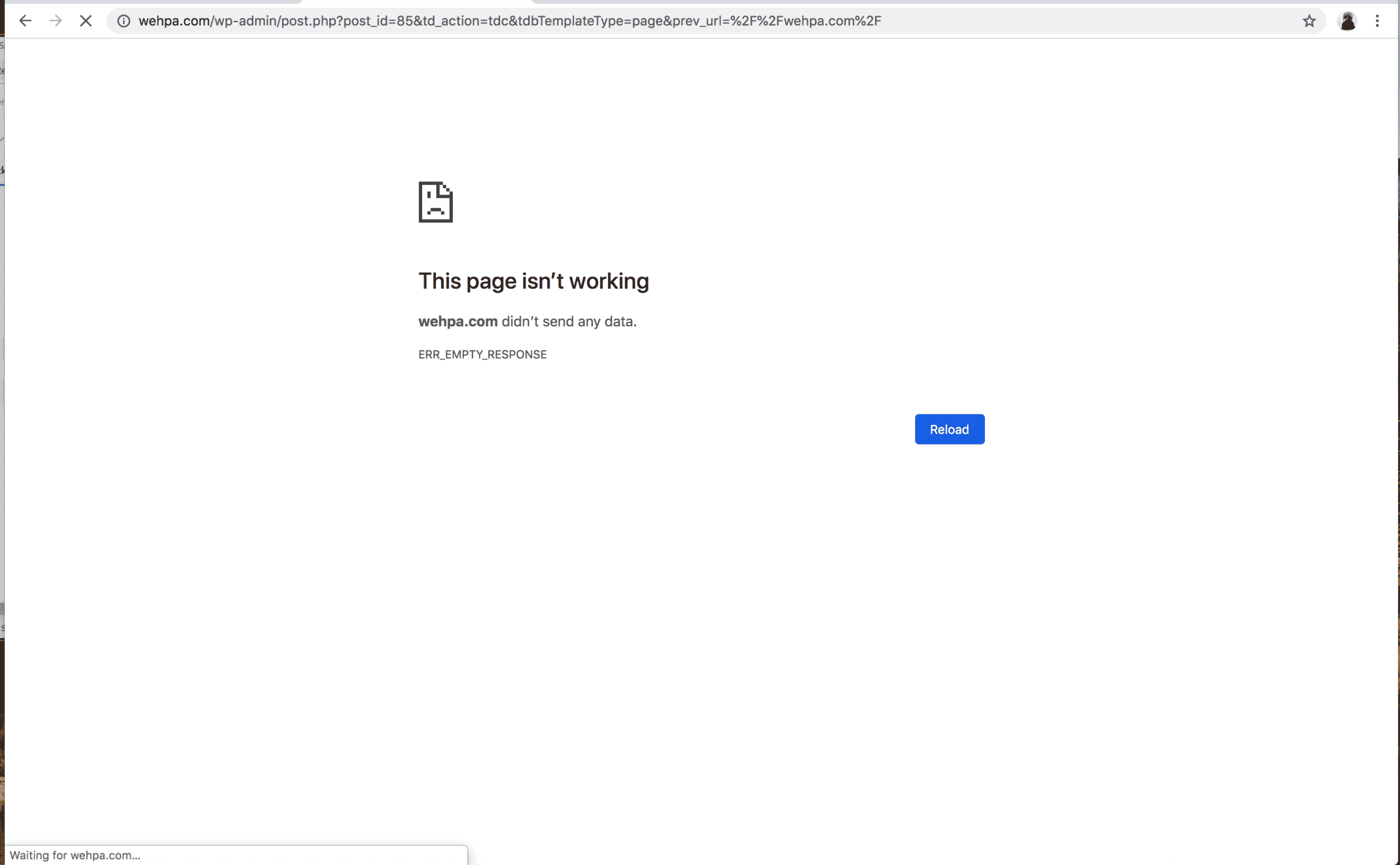
After I click TD composer button
http://wehpa.com/wp-content/uploads/2020/03/whepa-02.png
 Calin
Calin Hi,
The process that start after you pres the button is in wp-content/plugins/td-composer/legacy/Newspaper/js/tagdiv_theme.min.js -> https://i.imgur.com/VQtAb9F.png
Thank you!
Calin Hi,
If you are referring to the single post author box, for these the files need to be change are in wp-content/plugins/td-cloud-library/shortcodes/single/tdb_single_author_box.php and tdb_single_author.php if you are referring to this element -> https://i.imgur.com/nCDtVe4.png the file is wp-content/plugins/td-composer/legacy/Newspaper/includes/shortcodes/td_block_author.php
Hope this will help you!
Thank you!
Calin Hi,
Please provide me a link where I can inspect the problem with the ads from the header.
In Newspaper 10.3 the file for author link is in this path -> wp-content/plugins/td-composer/legacy/common/wp_booster/td_module_single_base.php -> https://i.imgur.com/eVeksQq.png this is for the standard posts style, if you are using a single post template from tagDiv Cloud Library then you need to check the files from here -> wp-content/plugins/td-cloud-library/shortcodes/single/ tdb_single_author.php and tdb_single_author_box.php
Thank you!
 sastrysk
 This is the System Status.
sastrysk Can you please check the error “td composer” is making problem
Error Details
=============
An error of type E_ERROR was caused in line 1671 of the file /var/www/html/wp-content/plugins/td-composer/legacy/common/wp_booster/td_util.php. Error message: Out of memory (allocated 33554432) (tried to allocate 36864 bytes)
We have allotted 600MB of Ram in wp-config
Please Try to solve the issue.
Thanks
 reedesign
On my homepage, I have a Big Grid Flex 5 block. I want only four specific posts here, and I don’t want it to change as I add other posts to the site. Overall, I have 2 categories. For example, I want 2 posts (id:857 and id:672) from 1 category, and 2 posts from the other (id:868 and id:492). And I want them ordered: the big picture on the left be 868, and to the right of that, I want 492, then the 2 smaller pictures be 672 and 857.
I know your tutorial says “Post ID filter – Specific posts can be filtered to your block by using the post ID. You can get the post ID by accessing Wp Admin > Posts section, hover the post title and check the link displayed on the browser left-bottom area. The IDs can be extracted from this URL. In order to exclude posts from a Big grid just add a ‘-’ symbol in front of each ID.”
My question is, using your TD composer, what exactly do I put into the FILTERS box? And I want these posts to be “unique” on the page.
Oops, just notice my Topic for this post says 5 posts in “Big Grid 5”. I meant to say 4 posts.
victorramirezThis page isn’t working wehpa.com didn’t send any data.
ERR_EMPTY_RESPONSE
it popping this error http://wehpa.com/wp-admin/post.php?post_id=85&td_action=tdc&tdbTemplateType=page&prev_url=%2F%2Fwehpa.com%2F
Heavy_HaulerHello Team
Recently I bought NewsPaperX theme. It got installed successfully but I am not able to modify Home Page. Due to that I am not able to set youtube video and few other changes like widget title. Could you please help me in the same.
 dxtrans
This code My Post Page Error Message
Can you advise how to delete it? Thank you!
Notice: Undefined index: widget_id in /site/www/wp-content/plugins/td-composer/legacy/common/wp_booster/td_wp_booster_functions.php on line 2573
 Mahfuzul Hasan
 Hello Saurav, did you notice that your website is not anymore discover-able by google and other services like Gtmatrix? That is the credit of TD Composer 🙂 I feel great buying this theme lol.
 TonyAks
Hello,
I seem to be regularly receiving a critical error message. The error points to the TagDiv Composer Plugin; i have put an excerpt of the error below.
I have raised a ticket with my hosting provider also, who has told me that the plugin is out of scope of their support, even though the error message seems to point to a memory issue.
Please note that the PHP version has been upgraded to 7.3
Could you please assist me with this?
—-
WordPress version 5.3.2
Current theme: Newspaper (version 10.3)
Current plugin: tagDiv Composer (version 2.5 | built on 05.02.2020 7:28)
PHP version 7.2.25
Error Details
=============
An error of type E_ERROR was caused in line 699 of the file /home/cluster-sites/7/f/xxxx.com/public_html/wp-content/plugins/td-composer/includes/tdc_main.php. Error message: Out of memory (allocated 136814592) (tried to allocate 4032168 bytes)
 citymagthess
Hello. I have installed the same footer template like 4-5 times now. Every time i save it its ok. If i need to edit anything, it kinda not recognises it as a template.
Meaning
In the Cloud templates page (wp-admin/edit.php?post_type=tdb_templates#/)
Every other template shows an edit template link. The footer template the specific link is missing.
I have created the plugin from template more than 4-5 times by now. If i press edit so i can edit it brings me to the normal editor and then by pressing the TagDiv composer i get
Error at zones: 6(models) : 0(dom). The model does not match the content Current state has involved an issue. You could try an UNDO operation (CTRL+Z / CTRL+SHIFT+Z)
 pavel_t
Hi, in my cloud template I use element Subcategories (list of subcategories) predefined in TagDiv Composer.
When I switch on option “Show image: Show”, it is not working. Only general “missing image” is shown (td-cloud-library/assets/images/medium_large.png) instead correct Category image even if there is set up image in WP Category edit page. Category title and description are shown correctly.
 nealo
nealoI’m new to the TD Composer and I’m trying to add static pages for about us and a contact form. when i publish the pages the page content starts at the top and runs through the header splitting the logo on the left and the menu to the right.
how do i set the header to be static on “pages” so that the page content begins below the header like the home page or posts pages?

sastryskWhy I am getting this error frequently for your theme files
Error Details
=============
An error of type E_ERROR was caused in line 1671 of the file /var/www/html/wp-content/plugins/td-composer/legacy/common/wp_booster/td_util.php. Error message: Out of memory (allocated 33554432) (tried to allocate 36864 bytes)
 altgirlmedia
I’m trying to use shortcodes in TD composer in a raw html block it’s not rendered. How can I use custom shortcode?
Thank you
Calin Hi,
Is possible that the code to not be set in the right place, using Newspaper theme there are three headers.php if you are using standard pack and a standard header the code need to be set in this header file -> wp-content/plugins/td-standard-pack/Newspaper/header.php if you are using a cloud header from tagDiv Cloud Library you need to set the code in this header file -> header.php adn if the tagDiv Composer is not enable the theme will use this header file -> wp-content/themes/Newspaper/header.php
Hope this will help you!
Thank you!
Calin Hi,
Is look that the element overwinters the footer page from tagDiv Composer -> https://i.imgur.com/7xBDgAV.png anothere solution it will be to use a standard footer, your’s look like footer style 13 -> https://i.imgur.com/guMcAjT.png maybe this can fix the problem.
Also you can use this custom css to hide the duplicate content from footer -> https://i.imgur.com/w4RY3Nx.png
.td-footer-page .elementor{

  display: none;

}
The code need to be set in theme panel> custom code> custom css
Hope this will help you!
Thank you!
Calin Hi,
You can achieve this using the tagDiv Composer to edit the cloud header from tagDiv Cloud Library -> https://i.imgur.com/XoliAXC.png
Also you can achieve this using a custom css -> https://i.imgur.com/dqYkLjp.jpg
.td-g-rec-id-header {

  text-align: center;

}
The code need to be set in theme panel> custom code> custom css
Hope this will help you!
Thank you!
Calin Hi,
For mobile version, the the file use for stile is wp-content/plugins/td-composer/mobile/style.css -> https://i.imgur.com/1VnuCbV.png
Hope this will help you!
Thank you!