themesic
 Custom editing is not a problem. Im mostly concerned about updates. They will override my changes. Is there any way to do auch a change updates-friendly?
 Bogdan B.
 Hello,
This is because you updated the theme and the tagdivb composer page builder installed automatically. If you do not plan on using the tagdiv composer, you should disable it and not use it together with the visual composer plugin.
Thank you!
 south310
The Live CSS editor is currently being included in the code of every page using the Newspaper theme (even for non-logged in users), and is merely being hidden from view with a style="display: none"
I noticed it when looking at my site’s results in Google search, and seeing this in the summary for every page:
“Edit with Live CSS. Save. Write CSS OR LESS and hit save. CTRL + SPACE for …”
This issue was also brought up by someone else as a comment on Themeforest: https://themeforest.net/comments/18588378
As was mentioned by that user in the Themeforest thread, this can be fixed by manually commenting out the require_once "css-live/css-live.php"; line in the wp-content/plugins/td-composer/td-composer.php file.
But that does not seem like the best long term solution.
Would it be possible in a future Newspaper update to set this to only be included on a page when a user is logged in, for example with a is_user_logged_in() check or something?
Because, besides the effects in the search engines, I think it is totally unnecessary to load all this extra code on each page when no one is even logged in to make use of the editor:
<div id="tdw-css-writer" style="display: none" class="tdw-drag-dialog tdc-window-sidebar">

        <header>
Edit with Live CSS
<div class="tdw-less-info" title="This will be red when errors are detected in your CSS and LESS"></div>
</header>
<div class="tdw-content">
<div class="tdw-tabs-content tdw-tab-editor tdc-tab-content-active">
<script>
(function(jQuery, undefined) {
jQuery(window).ready(function() {
if ( 'undefined' !== typeof tdcAdminIFrameUI ) {
var $liveIframe = tdcAdminIFrameUI.getLiveIframe();
if ( $liveIframe.length ) {
$liveIframe.load(function() {
$liveIframe.contents().find( 'body').append( '<textarea class="tdw-css-writer-editor" style="display: none"></textarea>' );
});
}
}
});
})(jQuery);
</script>
<textarea class="tdw-css-writer-editor td_live_css_uid_1_5a77558c5778f"></textarea>
<div id="td_live_css_uid_1_5a77558c5778f" class="td-code-editor"></div>
<script>
jQuery(window).load(function (){
if ( 'undefined' !== typeof tdLiveCssInject ) {
tdLiveCssInject.init();
var editor_textarea = jQuery('.td_live_css_uid_1_5a77558c5778f');
var languageTools = ace.require("ace/ext/language_tools");
var tdcCompleter = {
getCompletions: function (editor, session, pos, prefix, callback) {
if (prefix.length === 0) {
callback(null, []);
return
}
if ('undefined' !== typeof tdcAdminIFrameUI) {
var data = {
error: undefined,
getShortcode: ''
};
tdcIFrameData.getShortcodeFromData(data);
if (!_.isUndefined(data.error)) {
tdcDebug.log(data.error);
}
if (!_.isUndefined(data.getShortcode)) {
var regex = /el_class=\"([A-Za-z0-9_-]*\s*)+\"/g,
results = data.getShortcode.match(regex);
var elClasses = {};
for (var i = 0; i < results.length; i++) {
var currentClasses = results[i]
.replace('el_class="', '')
.replace('"', '')
.split(' ');
for (var j = 0; j < currentClasses.length; j++) {
if (_.isUndefined(elClasses[currentClasses[j]])) {
elClasses[currentClasses[j]] = '';
}
}
}
var arrElClasses = [];
for (var prop in elClasses) {
arrElClasses.push(prop);
}
callback(null, arrElClasses.map(function (item) {
return {
name: item,
value: item,
meta: 'in_page'
}
}));
}
}
}
};
languageTools.addCompleter(tdcCompleter);
window.editor = ace.edit("td_live_css_uid_1_5a77558c5778f");
// 'change' handler is written as function because it's called by tdc_on_add_css_live_components (of wp_footer hook)
// We did it to reattach the existing compiled css to the new content received from server.
window.editorChangeHandler = function () {
//tdwState.lessWasEdited = true;
window.onbeforeunload = function () {
if (tdwState.lessWasEdited) {
return "You have attempted to leave this page. Are you sure?";
}
return false;
};
var editorValue = editor.getSession().getValue();
editor_textarea.val(editorValue);
if ('undefined' !== typeof tdcAdminIFrameUI) {
tdcAdminIFrameUI.getLiveIframe().contents().find('.tdw-css-writer-editor:first').val(editorValue);
// Mark the content as modified
// This is important for showing info when composer closes
tdcMain.setContentModified();
}
tdLiveCssInject.less();
};
editor.getSession().setValue(editor_textarea.val());
editor.getSession().on('change', editorChangeHandler);
editor.setTheme("ace/theme/textmate");
editor.setShowPrintMargin(false);
editor.getSession().setMode("ace/mode/less");
editor.setOptions({
enableBasicAutocompletion: true,
enableSnippets: true,
enableLiveAutocompletion: false
});
}
});
</script>
</div>
</div>
<footer>
Save
<div class="tdw-more-info-text">Write CSS OR LESS and hit save. CTRL + SPACE for auto-complete.</div>
<div class="tdw-resize"></div>
</footer>
</div>
 TheMediumUTM
 Hi,
This fix is still needed in Newspaper 8.6.
The solution is still the same.
Please update it in the theme files for the next version!
 jOOc
jOOc Do you know when any update will come? I had to disable the theme due to the lack of support for php 7.2
 Ladiesabroad
I am fully aware you are saying in the TagDiv Composer update guide not to use the TagDiv Composer on an excising page build in Visual Composer. Regardless this, I tried to do it on the homepage of my test blog. I open the page in TagDiv Composer, edited something and saved it. I looked about 90% fine; I had to remove and add Revolution slider and do some smaller adjustments adding empty spaces. Is this shortcut totally stupid to do, even if the page looks OK after some small adjustments using TagDiv Composer?
If I cannot use the shortcut described above, I need to re-build all 10 pages build in Visual Composer. That will take some time. You also recommend not to have TagDiv Composer and Visual Composer installed at the same time, but if I am really careful regarding which page opened in which composer, is this OK? Or is the problem related to technical issues having two different composers installed at the same time?
If I have to re-create all pages; how do I set a page as the homepage? When originally creating it using Visual Composer I did a copy of the content in my demo, and edited the existing one, so I have never created a homepage from scratch.
 notageek4u
 Does anyone happen to know? I posted this early afternoon, and haven’t received any updates or insight. Thanks!
 Eric V
 Hey Catalin,
I am talking about the CSS code added to the theme panel.
Please look at my @media code above in this topic. When I enter this code to the theme panel, it will reappear after an update. Right?
 brian7454
 As a fix has been found, and as it had nothing to do with hosting or other plugins, perhaps the advice I was given on how to avoid td-composer breaking (by not saving shortcodes until the next update) should be posted for people to see, and also what the temporary fix was? I can’t imagine I’m the only person to be affected by this.
Thanks to your tech support for finding the bug and fixing it.
 irfan.id
 Hi, I think it’s coming soon on next update, more info here https://tagdiv.com/amp-newspaper-theme/
 mauro_boaro
Hi, i update a new user with his facebook link account, https://imgur.com/susdCX4
but, when i click on facebook icon on user page, it goes to a wrong link https://imgur.com/cuLVDXK
how to fix it?
Thanks
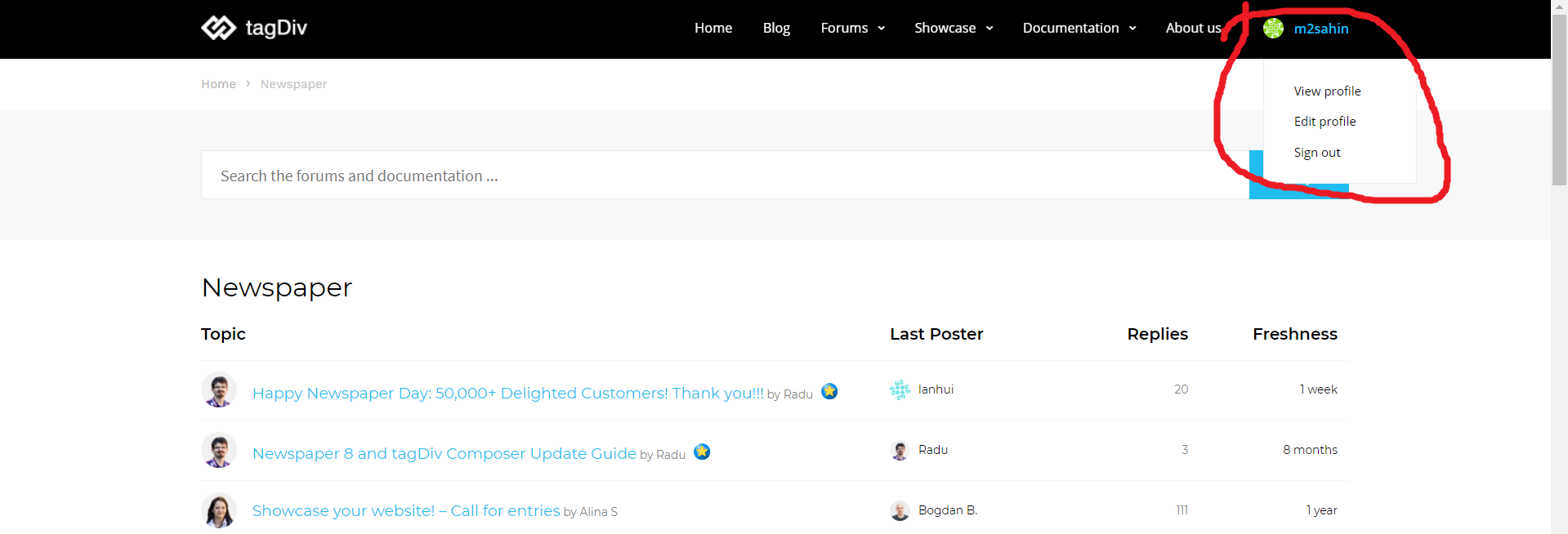
 m2sahin
 https://i.hizliresim.com/XP4y2R.png
It is possible to make a drop-down menu like link?
Does the update about it come in?
 That’s My Entertainment
Jetpack had an update in January and now it now no longer seems to be working with newspaper 8.5 can you please help
 julien101
Hello ,
When i post an article i can’t use any editor in Visual mode , after click Submit or Update it show 404 Error

But when i post it as a text without any edit everything is ok . So please help me out
Thanks
notageek4uI sent in an email with login credentials already, but my TagDivi isn’t fully functional.
Some parts work, but others don’t for when creating a landing page and using those elements.
Example: I can put in the Hero Image element, but it doesn’t give me a spot to change any text at all.
It’s the same for almost all elements.
I’ve included a screen shot so you can see.
It started acting wonky today when I updated to newest version of 8.5
 Yago88
Hi!
First sorry for my english.
I have been using this theme for a while and no problems, but now (Don’t know if since a host change or a update of theme) the “hide on devices” feature in “Settings-> responsive options” doesn’t work, and many blocks that I had hide in mobile devices and tablets now shows up in all devices.
For example, the sidebar, I only show it on deskopt, but now it appears in all devices even if I have checked the “hide box”.
I need to fix, I tried the mobile plugin but its limited, so I need this. Thanks in advance!
 Catalin
 Hello,
I have reinspected your website and I saw that your sidebar for post pages are not displayed on mobile devices. It’s strange! Please try to update the theme via FTP way, clear all the caches and remove all of the untested plugins and check the results.
Hope this helps and let us know how it goes!
Thanks for the message!
Bogdan B. Hello,
Please make sure you update your child theme as if you are still feeding old files from your child theme such errors can happen. Also please do not change the theme name or the child theme name from their original name.
Thank you!
Catalin Hello Stinus V,
Notice that any type of changes you have made using the CSS code, after an update, it will be lost. You can try using the child theme because the main theme will overwrite the whole code of the theme.
Thanks for the message!
 Simion C.
 Hi,
Now that is an unusual issue you are having. So the social counter is not present neither as a composer element or widget
– https://www.screencast.com/t/f4Ll3FBe4iJG
There was no issue similar to this brought to our attention before, the social counter works properly in the theme. So the problem would be specific to your case.
If this element is not present in the composer you are using (seems to be an older version of Visual composer) and the widgets section, than there is a problem.
Either the theme is not installed properly, modifications have been made or maybe there is a plugin conflict.
You could start by deactivating all plugins except theme plugins, update the Visual composer you are using with the one in the theme package you downloaded (seems you have 8.5).
Ultimately try a theme re-install by FTP (either same version you currently, or download the latest version)
– https://forum.tagdiv.com/how-to-update-the-theme-2/
Let us know the results.
Thanks
Simion C. Hi,
These are all good suggestions, thank you for mentioning them. I will add the search and menu suggestion on the list, auto-loading post template is already present.
There are many recommendations and suggestions, we try to include some of them in every theme update. It is hard to decide what gets implemented first and what gets delayed however.
Thank you!
 failmuch
Hi,
The latest update has provided no solution for a problem I’ve had for months with my site. The social media counter widget has vanished. I can’t select it as a widget because it’s not there. http://www.burrardstreetjournal.com
Has anyone else had this problem? I see another Newspaper site has there’s working correctly so I know it there must be some way I can fix it? http://babylonbee.com
Thanks in advance for any advice anyone has.
Simion C. Glad you could sort things as you wanted. A different menu on mobile is possible, with the mobile theme, by default. Other than this, it would only be possible with theme file modifications.
I could try to give you a solution to load a different menu on mobile when the mobile theme is not activated, but it should be noted that the modifications will be lost after an update. Some of the theme files cannot be modified through a child theme.
The mobile theme is meant to be used if you want to display a lighter and different version of the website for mobile devices. Each page has to be created once for desktop, and once for mobile, through the mobile editor
– https://forum.tagdiv.com/the-mobile-theme/
It has predefined templates for category pages, posts etc regardless of what it’s set for desktop. Also it does not have many settings, at the moment.
Please let me know if I missed something.
Thanks
Simion C. Hi,
That would not be the right thumbnail size, block 4 uses this thumbnail size
– https://www.screencast.com/t/oGtKzIVTN
This is how it looks like – https://demo.tagdiv.com/newspaper/block-4/
If you want a bigger thumbnail in height, you could use block 5 for example
– https://demo.tagdiv.com/newspaper/block-5/
If you want to modify the thumbnails, you can do that like this
– https://forum.tagdiv.com/api-thumbnail-introduction/
– https://forum.tagdiv.com/td_api_thumbupdate/
Thanks
Bogdan B. Hello,
Sorry but that is the old implementation of the social icons. That design is no longer available in the current version as the social icons were updated and the new design is available now. We have not yet updated the live demo though.
Sorry for the inconvenience.