
- Apitd_api_top_bar_template::update_key
- Apitd_api_top_bar_template::update
- Apitd_api_single_template::update_key
- Apitd_api_single_template::update
- Apitd_api_footer_template::update_key
- Apitd_api_footer_template::update
- Apitd_api_smart_list::update_key
- Apitd_api_smart_list::update
- Apitd_api_thumb::update_key
- Apitd_api_thumb::update
- Apitd_api_category_top_posts_style::update_key
- Apitd_api_category_top_posts_style::update
- Apitd_api_category_template::update_key
- Apitd_api_category_template::update
- Apitd_api_module::update_key
- Apitd_api_module::update
- Apitd_api_block::update_key
- Apitd_api_block::update
- Apitd_api_header_style::update_key
- Apitd_api_header_style::update
 junaiddar
 Update: Deactivating Yoast Seo makes the responsive mobile theme to work fine. But Yoast Seo is supposed to be compatible with Newspaper theme.
 simchris
 Correct. Proper method to update anything in WP is to *delete* old folder and upload new one — never “overwrite” or merge folders.
 Simion C.
 Hi,
At the moment there are no options to remove or add more sharing options for the post page. The easiest way of removing the Google and Pinterest sharing would be to hide them with CSS like this
– https://www.screencast.com/t/LZYoApRiM4
– https://www.screencast.com/t/UtMh6TaAvk
.td-default-sharing .td-social-google,

.td-default-sharing .td-social-pinterest {

display: none;

}
The code must be entered in Theme panel->Custom CSS section.
This could also be done by modifying the theme file where the post sharing is defined, here are some similar topics
– https://forum.tagdiv.com/topic/add-email-sharing-button-2/
Something as simple as a link with a Font awesome mail icon can be sufficient
– https://www.screencast.com/t/kN5YBf56WY6P
The with some CSS to style it, the result is like this
– https://www.screencast.com/t/x9IXuNL1VV9
Or maybe you can try sharing plugins that have more options. The theme might also add this possibility in a future update, but I cannot say for sure when this will happen.
Thanks
 ds.ellis
 I’ve one more question, hopefully this is just as easy for you knowledgeable guys!
Is it possible to extend the bottom of the Featured Image in Post Style 7? It looks brilliant, but it’d be nice if it could have a ‘full screen’ option.
For example, my post currently looks like this. Would it be possible to drag the bottom of it down to get an effect like The Verge has created here?
If not, I highly suggest this as an option for future updates. It’s a great design idea. 🙂
 orrorea33giri
 Quick update: I removed all the ads code in the theme panel but i see now an ad at the vere bottom of the site just below the footer. What is that thing? I don;t even know how it appeared and I dont know how to get rid of it. Any help please?
 Bogdan B.
 Hi,
As a temporary solution until we update the theme, please comment out or delete this part of the code:
https://www.screencast.com/t/CivdsolWPp
Thank you!
Simion C. Hi,
Please update the theme using this guide
– https://forum.tagdiv.com/how-to-update-the-theme-2/
The FTP method is the most recommended way of updating. Note that custom code you might have used in the previous version, might not work properly in this one. Some elements have been subject to change. Update the theme and remove any custom code from theme panel temporarily, do not modify the theme files after the update.
If you use a child theme, switch to the main theme. Code in this might need adjustments for the new version. Use the child theme provided in the new theme package.
Also in version 8 the tagDiv composer was introduced, this plugin is activated automatically when the theme is updated or installed
– https://forum.tagdiv.com/tagdiv-composer-tutorial/
Deactivate the tagDiv composer plugin as this might affect some Visual composer elements on pages.
Thanks
simchris WP UPDATE 9.19.17
Summary
From the WordPress 4.8.2 release post: WordPress versions 4.8.1 and earlier are affected by nine security issues:
$wpdb->prepare() can create unexpected and unsafe queries leading to potential SQL injection (SQLi). WordPress core is not directly vulnerable to this issue, but we’ve added hardening to prevent plugins and themes from accidentally causing a vulnerability. Reported by Slavco.
A cross-site scripting (XSS) vulnerability was discovered in the oEmbed discovery. Reported by xknown of the WordPress Security Team.
A cross-site scripting (XSS) vulnerability was discovered in the visual editor. Reported by Rodolfo Assis (@brutelogic) of Sucuri Security.
A path traversal vulnerability was discovered in the file unzipping code. Reported by Alex Chapman (noxrnet).
A cross-site scripting (XSS) vulnerability was discovered in the plugin editor. Reported by 陈瑞琦 (Chen Ruiqi).
An open redirect was discovered on the user and term edit screens. Reported by Yasin Soliman (ysx).
A path traversal vulnerability was discovered in the customizer. Reported by Weston Ruter of the WordPress Security Team.
A cross-site scripting (XSS) vulnerability was discovered in template names. Reported by Luka (sikic).
A cross-site scripting (XSS) vulnerability was discovered in the link modal. Reported by Anas Roubi (qasuar).
In addition to the security issues above, WordPress 4.8.2 contains six maintenance fixes to the 4.8 release series.
 Fidel de Rooy
Hi there! I’ve been working with Newspaper Theme for several months now. It’s wonderful and it keeps improving with every update. Thanks for that!
I need a tiny modification for my website. I wanted to add a clickable image to the top bar; namely the institutional logo to which the site belongs to (see this image for more detail).
Any tips on how to achieve that? Thanks a lot!
Fidel
 argiacyber
Hello, I need your help. After I update the Newspaper Theme, from version 6 to version 8, my website looks messy :
Before update theme : http://prntscr.com/gn48g2 and http://prntscr.com/gn48yc
After I update theme : http://prntscr.com/gn49k1 and http://prntscr.com/gn49xh or you can check this : http://inipasti.com/. You can see there, in logo, after I update the theme in the background of logo appear a word : “Inipasti.com” : http://prntscr.com/gn4bg9 which should not appear because of this css code : http://prntscr.com/gn4d9x
What should I do to resolve this problem ?
Thanks…
Simion C. Hi,
Both parent theme and child theme have to be displayed in the theme selection screen. I have tested and this is the result
– https://www.screencast.com/t/PCiSzJaEhd
That meta information you mention does not interfere with the child theme (the template name is impportant), this is fully functional and can be used accordingly. We will update that information in the future update. This is a guide about using the child theme provided in the theme package
– https://forum.tagdiv.com/the-child-theme-support-tutorial/
Please try and cretae the child theme again, do not modify anything within the child theme, then having the parent theme active, activate the child theme and see if it is working as it should.
Thanks
 techpaced
 I thought i figured this out but it didn’t work the next day. It’s now showing the published date and not the updated date. I don’t know what to do next.
Bogdan B. Hello,
Sorry about that. It seems we missed the child theme logo. We will fix it in the next theme update. It will not influence the proper functionality of the child theme though.
Thank you for your understanding.
 Demir
Demir Hi Edward,
I opened a content randomly. There were links to other content in this content.
https://www.arthenos.com/wp-content/uploads/2017/09/Screen-Shot-1-19.09.2017.png
I pressed the “Update” button without making any changes. There are 2 entries in the “Comments” section of the admin panel.
https://www.arthenos.com/wp-content/uploads/2017/09/Screen-Shot-2-19.09.2017.png
At the same time, my e-mail address came to 2 e-mails.
https://www.arthenos.com/wp-content/uploads/2017/09/Screen-Shot-3-19.09.2017.png
It looks like this when I open one of those e-mails.
https://www.arthenos.com/wp-content/uploads/2017/09/Screen-Shot-4-19.09.2017.png
This entry appears in the “Comments” section at the bottom of the relevant content.
https://www.arthenos.com/wp-content/uploads/2017/09/Screen-Shot-5-19.09.2017.png
I always have to delete them.
Regards.
 Edward
 Yes, TagDiv forgot updated logo into the child theme ver. 8.1.
wp-content/themes/Newspaper-child/screenshot.png
simchris Do fresh install; delete old folders, re-upload theme and plugin; resave permalinks, etc.
Double check your htaccess file is updated and removed any old caching or path setups. (Try resaving permalinks first.)
 NextdMedia
 Hello, @Bogdan B.
Thanks for the reply
Both the theme and plugin are both updated, clear cache etc. – Still seems to not be working/
NextdMedia
https://www.screencast.com/t/lFZAcz8B
-
This reply was modified 9 years by
NextdMedia.
 Scott
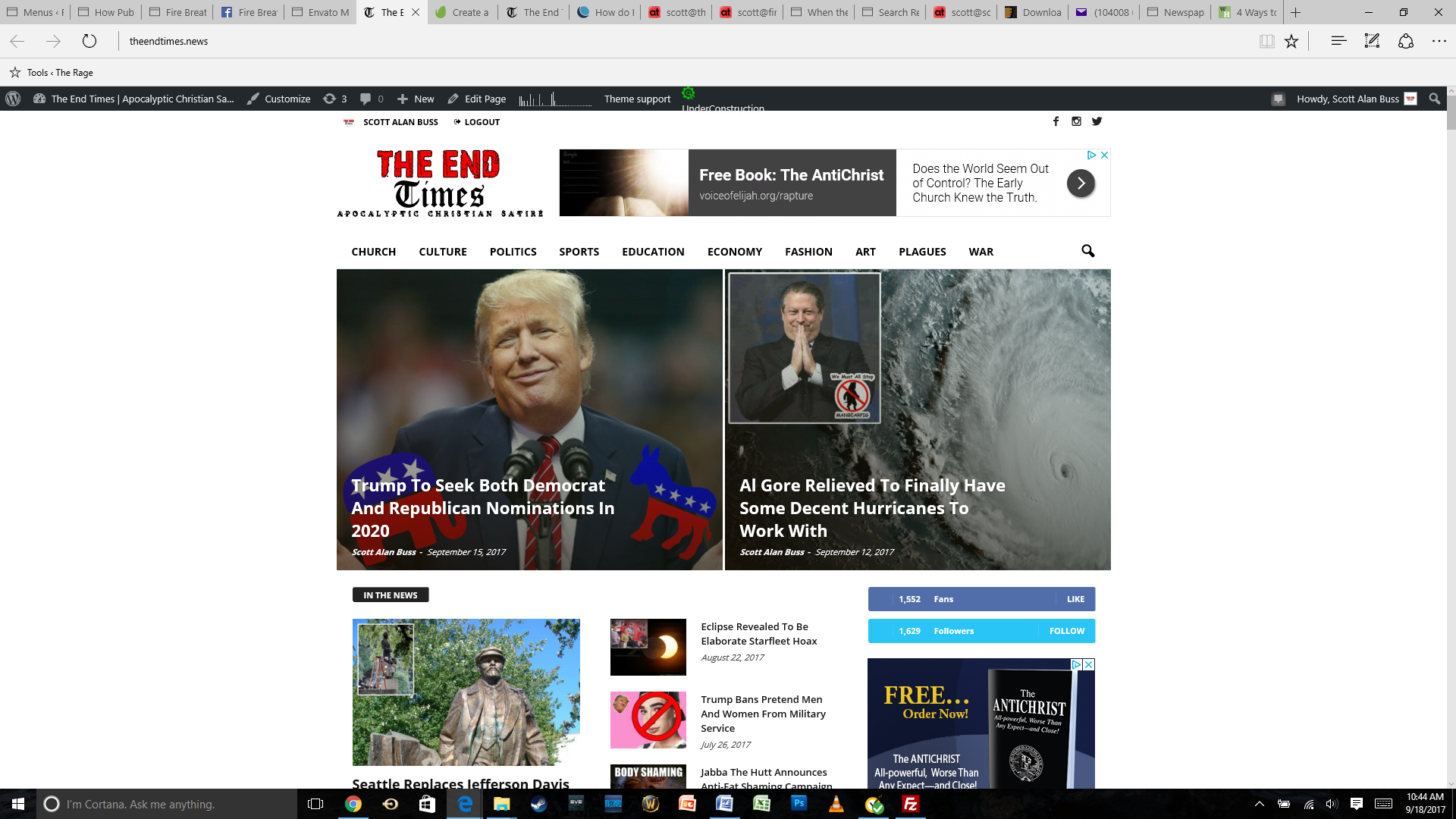
Scott Here’s the site’s home page before the update:
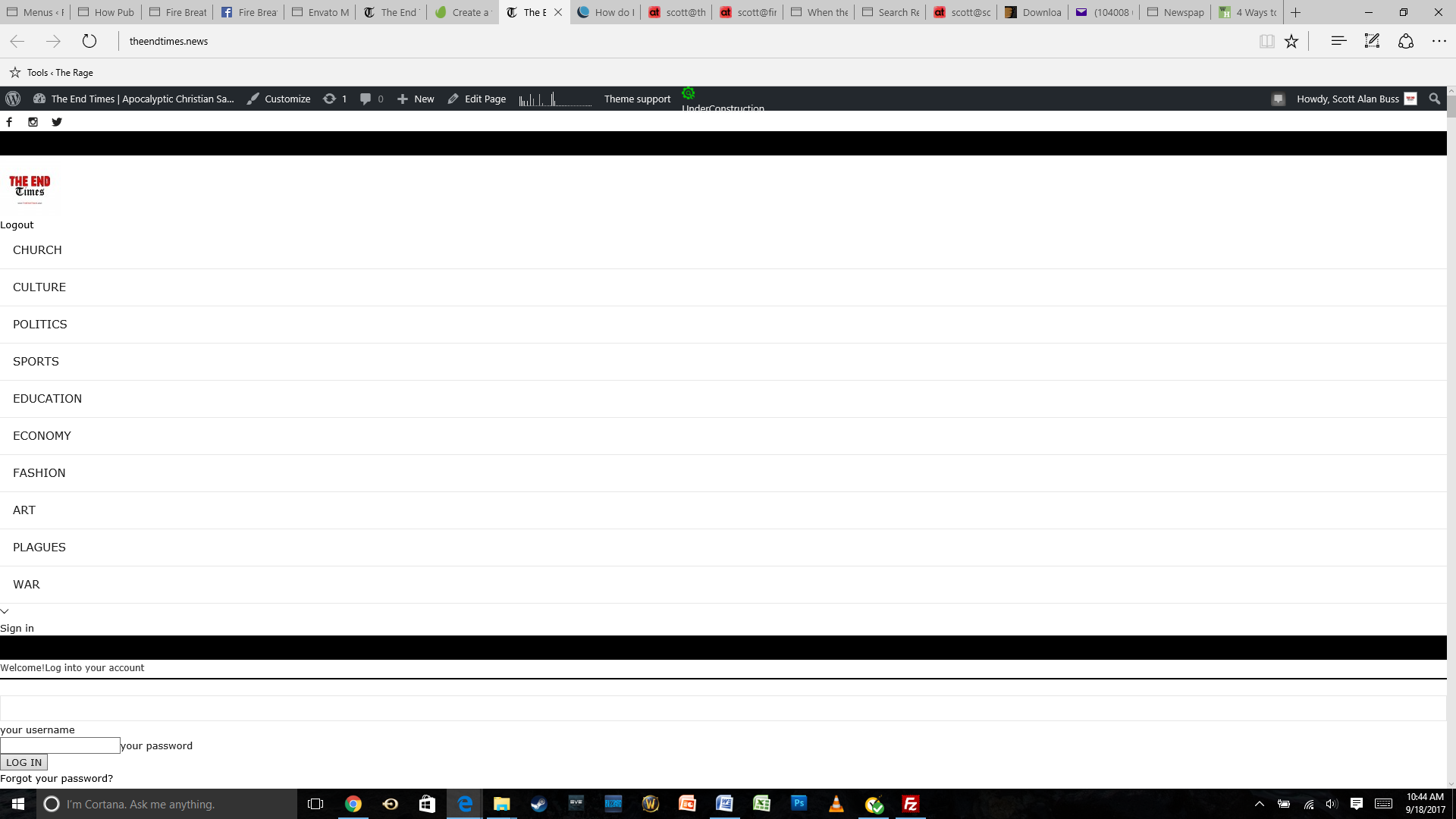
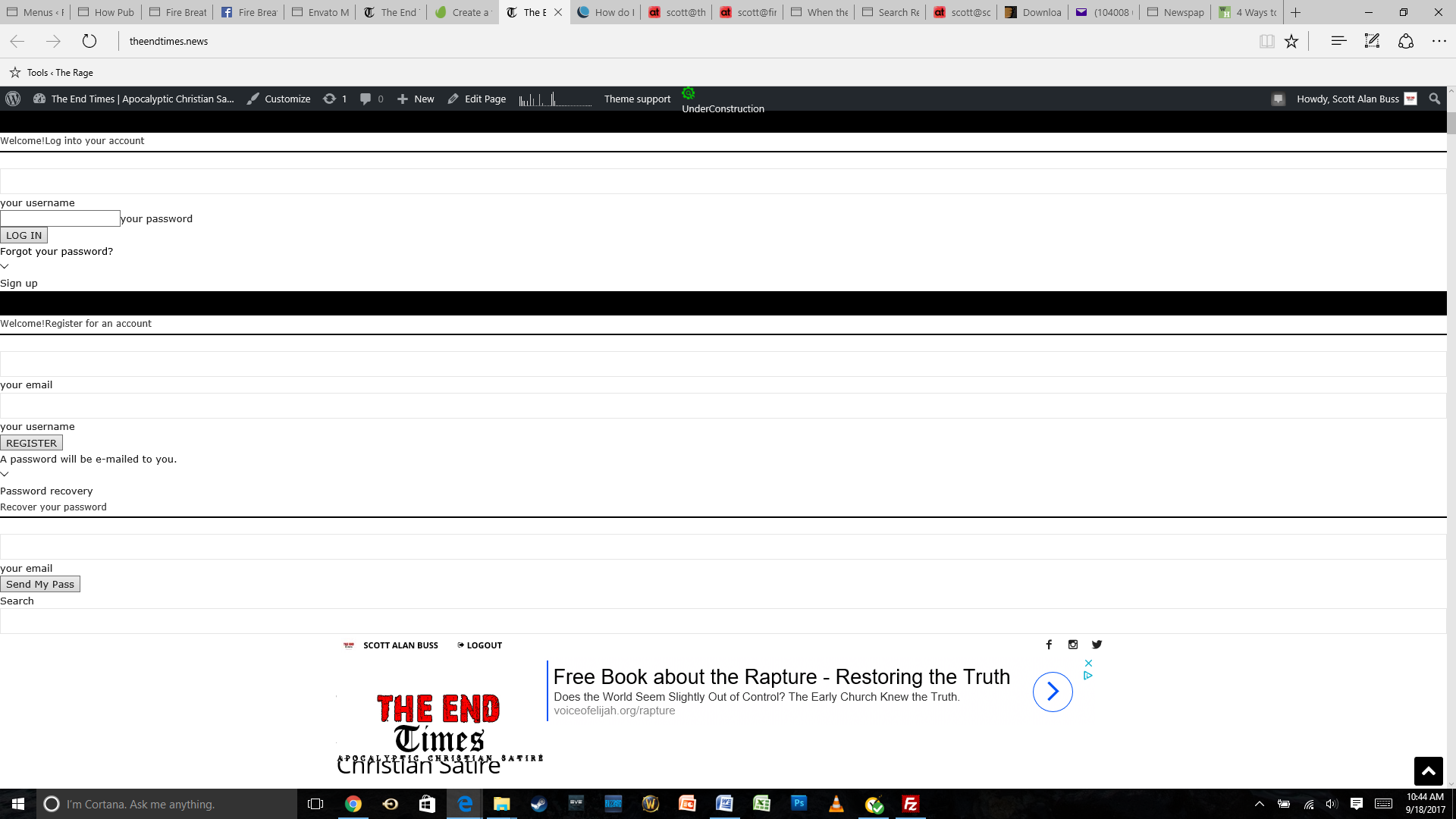
And here’s a series of screenshots capturing the same page after the update (with the first screenshot being the top):
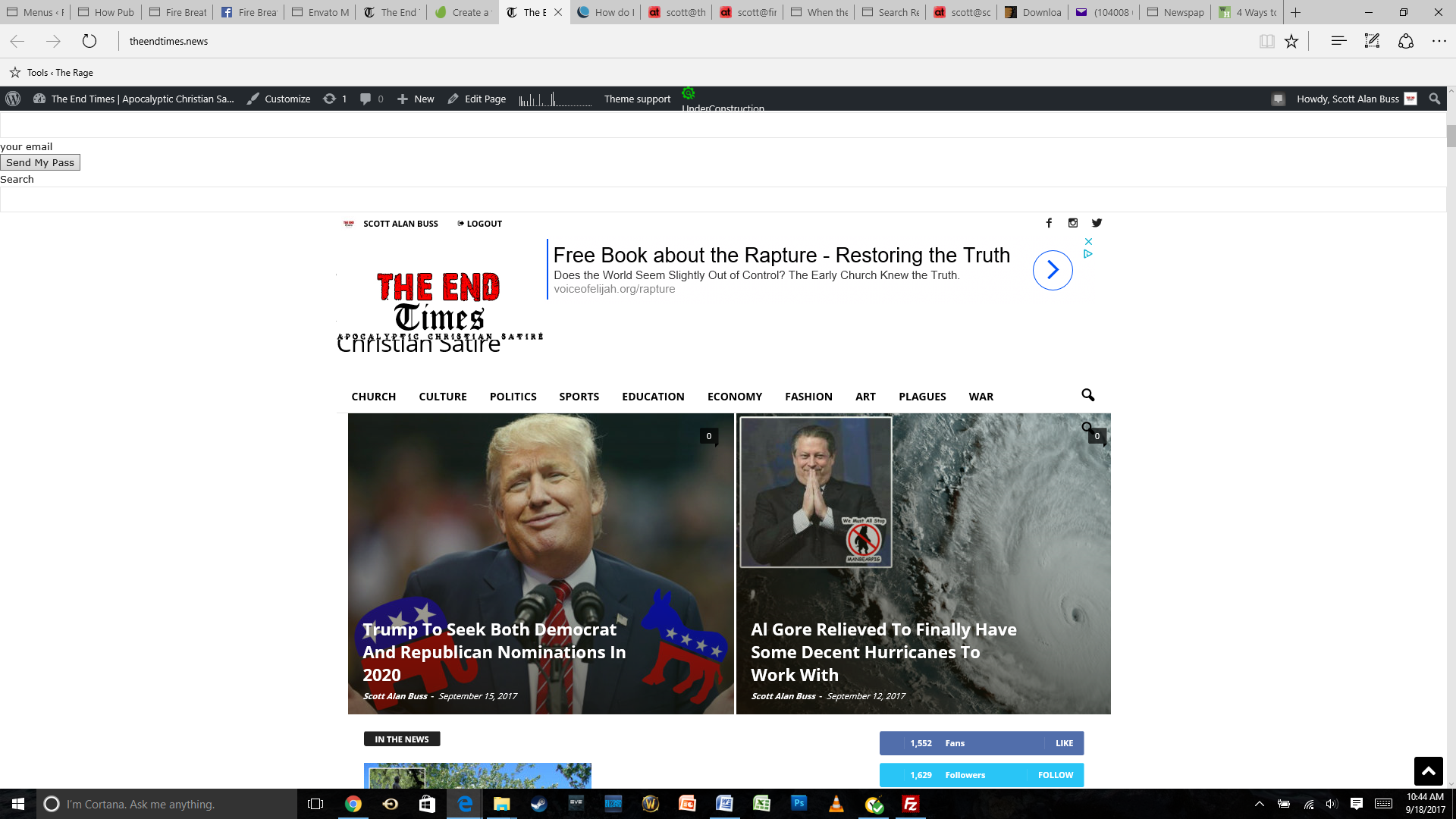
ScottHello and thank you for taking the time to look into this.
I just updated Newsmag to 4.0 using the Envato Market plugin and, after updating, I am getting weird menus and empty spaces taking up a lot of space at the top of my home page.
I will try to add screenshots in a reply momentarily, since I don’t see an option to do so in this initial post.
Thanks for your help!
Best,
Scott
 cantonjester
I found the child theme in the code folder, zipped it up and then uploaded it to the site via the Themes page. However, the logo it is using says it’s for ‘Newspaper 7’. Is this just a technical issue where TagDiv forgot to map an updated logo into the child theme: meaning, is it safe to ignore?
 c0b3r
c0b3rHello,
After updating theme and all the plugins, i can’t edit content with TagDivComposer.
Moreover i moved website from http to https.
In console i see these errors (even if a i desable VisualComposer):
Failed to load resource: the server responded with a status of 403 ()
So WP editor doesn’t load, could you help me to solve this problem?
 bwebb
bwebbHello,
Quite urgent. Since we updated the website to the latest version of the theme we have lost about 80% of traffic to the website. All of our articles are receiving more hits than views. For example 120 hits to 10 views. It just doesn’t seem normal.
Could you please take a look for me please and figure out what is going on? Website is http://www.crowdink.com
Thank you.
Bogdan B. Hello,
Since it is not tested, no matter the popularity, it still has a change of not working properly. Sorry but testing a plugin and marking it as tested and approved, means we have to make proper implementations for the theme on each of the respective plugin updates. We do not have any feedback on Envira. Sorry. We only tested the ones on that list.
Thanks.
Edward Your site is hacked.
Read carefully these sections of the forum:
https://forum.tagdiv.com/topic/traffictrade-malware-newspaper-8-1-all-updated/
https://forum.tagdiv.com/topic/when-the-theme-is-activated-redirecting-to-other-sites-from-the-home/
https://forum.tagdiv.com/topic/tutorial-good-basic-security-practices/
Also:
http://securepress.org/tutorial-how-to-remove-malware.php
https://wordpress.org/support/topic/malware-removal
https://www.wordfence.com/docs/how-to-clean-a-hacked-wordpress-site-using-wordfence/
Bogdan B. @NextdMedia Pleas eupdate your theme and social counter plugin. (plugins do not update automaticaly)
@andresgsm Please use this guide: https://forum.tagdiv.com/tagdiv-social-counter-tutorial-2/
Thank you!



