
 Snowwhite7
 This is from my host:
The issue appeared to have been within the database and not the files.The changes you appeared to have made earlier changed something in the database which caused the theme issue. The database had to be restored from backup to fix the theme issue.
I clicked the update of the theme and re-activated your plug ins.That’s it!
-
This reply was modified 6 years by
Snowwhite7.
Snowwhite7Hi,
Every time I try to do an update, I have issues with it. This is the 3rd time and again, I will have to ask my host to back up my site to this morning. It shouldn’t be this difficult to do.
 msmacofmass
 Update, Figured it out.
 FLUSSO
“Edit whit TD composer” does not work. I have already tried to uninstall the plugins to exclude any conflicts but I have not solved. It’s a problem I’ve been having since the last theme update.
The site is also very slow
 Amari
Amari Awesome! I’ve been trying to optimize the best I can, including cutting down my plugin usage, and while I know the higher PHP levels mean speed and security, considering the latest WordPress update messed up the theme’s features, I was worried another notable update would cause more issues.
AmariI just got an e-mail that Kinsta, my hosting provider, is discontinuing PHP 7.2 support and will upgrade everyone to 7.3. Taking note the theme is due for an update to fix the smartlist issue, will it also be modified so that 7.3, or higher, will be optimized?
 Duraiswami Lokesh
hello my website http://www.localnewspaper.in not working after trying to update . please help me to fix it very urgent.even iam unable to login wordpress dashboard.
 bonfire
I moved the site from the staging site to the live site and I even deleted the key but it won’t let me install plugins or update.
 blicnews
 Thanks,
Hope this will be available in next theme updates.
Best regards,
Emir
 Simion C.
 Hi,
From what I know at the moment there aren’t such vulnerabilities in the theme that we have identified or where reported.
The last fix was in update 10.3.6 https://tagdiv.com/newspaper/ -> https://prnt.sc/ubg8zf
Are you using the latest theme version? If you do, please let us know some more details about it if possible. With what tool are you scanning that identifies an issue with the theme, and what it detects exactly.
Let me know.
Thank you!
 manornk
Hi,
On every page I have post views counter and it works, but on special post type I don’t see it.
https://stomatologija.me/spisak/listing/llolla-dent-ulcinj/
For example here it works: https://stomatologija.me/blog/statistika-kaze-da-jednim-pranjem-mozemo-da-ocistimo-oko-60-zuba-ako-to-pravilno-radimo-u-trajanju-od-dva-do-tri-minuta/
I am using directories pro plugin, and it used to work initially, and then, without any update of plugin, it just stopped.
 shaunwray
Hi all,
I have done a straight forward installation with WordPress as I would any other them, I activate it, and as soon as I try install/update the plug ins I get an Ajax error and then everything else bombs out. The only thing I can do it go to cpanel and uninstall WordPress… any suggestions?
 GregH
GregH Thank you, it’s better but it doesn’t change the height like its supposed to. I hope in a future update the width and height can be set in CSS and it works across the board so-to-speak.
 asiandrama
 I have numerous huge (3000 to 5000 posts) websites built with your themes and the WPBakery Page Builder plugin and have purchased items that work with WPBakery Page Builder, so switching to your page builder will not work. I need to have the updates to WPBakery Page Builder when they come out for the security of my numerous websites. I cannot purchase the WPBakery Page Builder plugin and update that way because you have to test it before we can use it. When will we have the update to WPBakery Page Builder 6.3.0?
 Ranpajac
Since I updated my Newspaper Theme, it doesn’t save any changes. I need Ur help.
 notenoughtech
Hi team
Out of blue (no new plugins) I cannot edit templates any more. I tried to duplicate the ones I have for my page but when I try to edit it – it says it has not been created with tag div. (it was). The edit page just stuck loading constantly.
Chrome console reports:
Uncaught TypeError: jQuery(...).live is not a function
    at post.php?post_id=15779&td_action=tdc&tdbTemplateType=single&prev_url=%2F%2Fnotenoughtech.com%2Fwp-admin%2Fedit.php%3Fpost_type%3Dtdb_templates:4643
    at post.php?post_id=15779&td_action=tdc&tdbTemplateType=single&prev_url=%2F%2Fnotenoughtech.com%2Fwp-admin%2Fedit.php%3Fpost_type%3Dtdb_templates:4730
jquery.js?ver=1.12.4-wp:2 Uncaught Error: Syntax error, unrecognized expression: undefined<div class="tdc-sidebar-separator tdc-sidebar-text-separator"><span>Inner Row</span></div><div class="tdc-sidebar-element tdc-element-inner-row-temp"  data-shortcode-name="vc_row_inner"   data-template-content="W3ZjX3Jvd19pbm5.....

.....mtsTWtNd0xqZ3hOVGMxTXpNek9DVXlNRU0wTlM0M01UQTBORE14SlRKRE1DNDRNVFUzTlRNek16Z2xNakEwTUM0eE1EZ3pPREU1SlRKRE5TNDJNVEF6T0RVeUpUSXjquery.js?ver=1.12.4-wp:2)
    at ea.tokenize (jquery.js?ver=1.12.4-wp:2)
    at ea.select (jquery.js?ver=1.12.4-wp:2)
    at Function.ea [as find] (jquery.js?ver=1.12.4-wp:2)
    at n.fn.init.find (jquery.js?ver=1.12.4-wp:2)
    at new n.fn.init (jquery.js?ver=1.12.4-wp:2)
    at n (jquery.js?ver=1.12.4-wp:2)
    at Object.updateSavedShortcodes (js_files_for_wrapper.min.js?ver=058c65363929cf0cde351ecde706eead:619)
    at Object.init (js_files_for_wrapper.min.js?ver=058c65363929cf0cde351ecde706eead:586)
    at js_files_for_wrapper.min.js?ver=058c65363929cf0cde351ecde706eead:632
Any ideas? I tried rolling back the theme as well to a previous version – no luck, the panel also hangs when I’m trying to start a new theme – please advise?
Sample template: https://notenoughtech.com/giveaway/switchbot-giveaway/
 maiyak
Hi! After big update from 9 to 10 theme version we have all site working OK on 5.5 WordPress, exept TD Composer. When we try to edit any existing page or create new we have error
“Error at zones: 6(models) : 2(dom). The model does not match the content Current state has involved an issue. You could try an UNDO operation (CTRL+Z / CTRL+SHIFT+Z)”
We tried to delete and install plugin, clear cache, nothing helps.
Please help!!
 Vlad S
 Hello !
Unfortunately at the moment there is an issue with this templates and they will be fixed in the future update !
Thank you for your understanding !
 tpepe
tpepe Hi Vlad,
I apologize, here is a link to the website:
https://underwritingupdates.usli.com
Please let me know if the following images load properly.
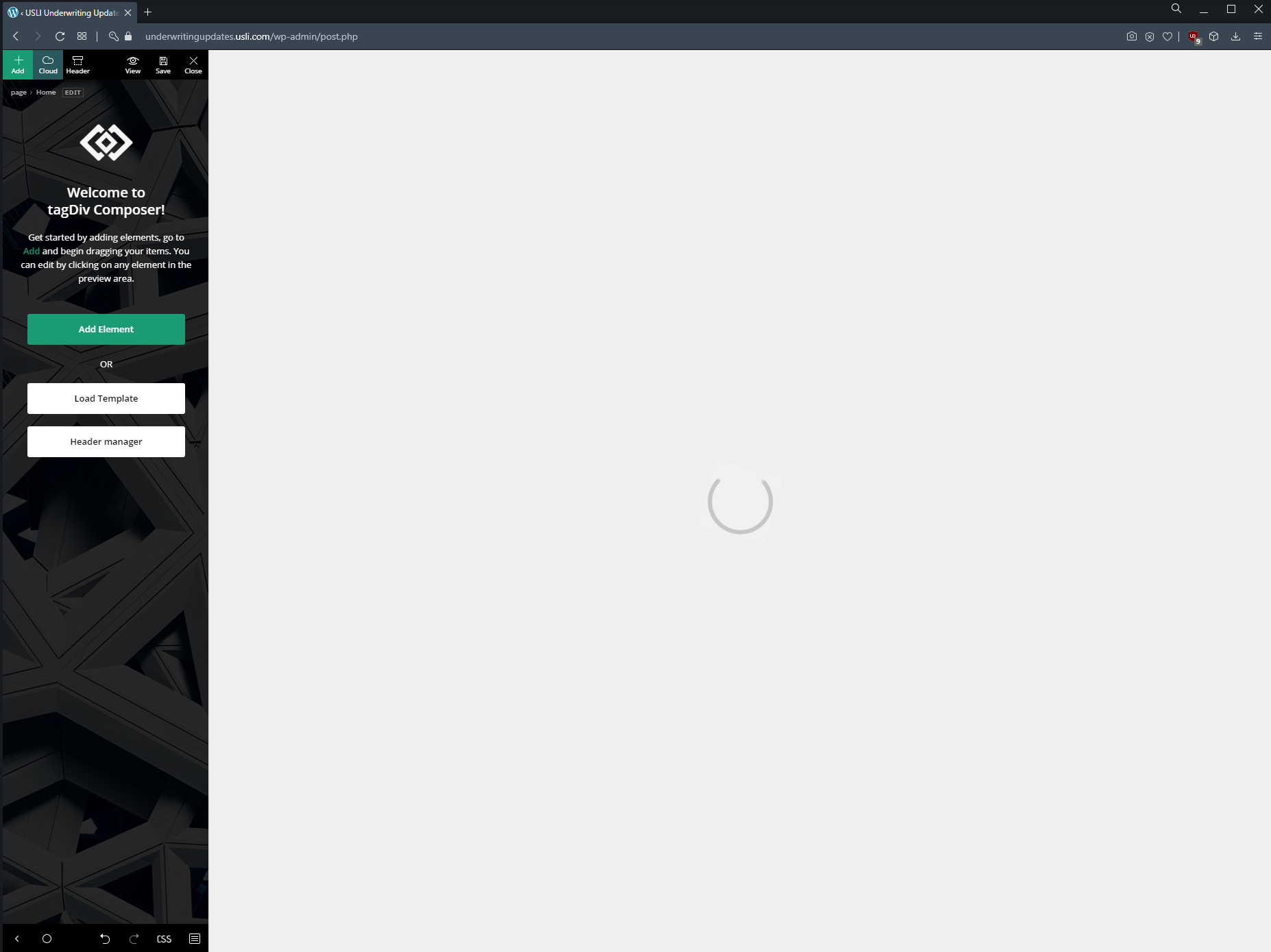
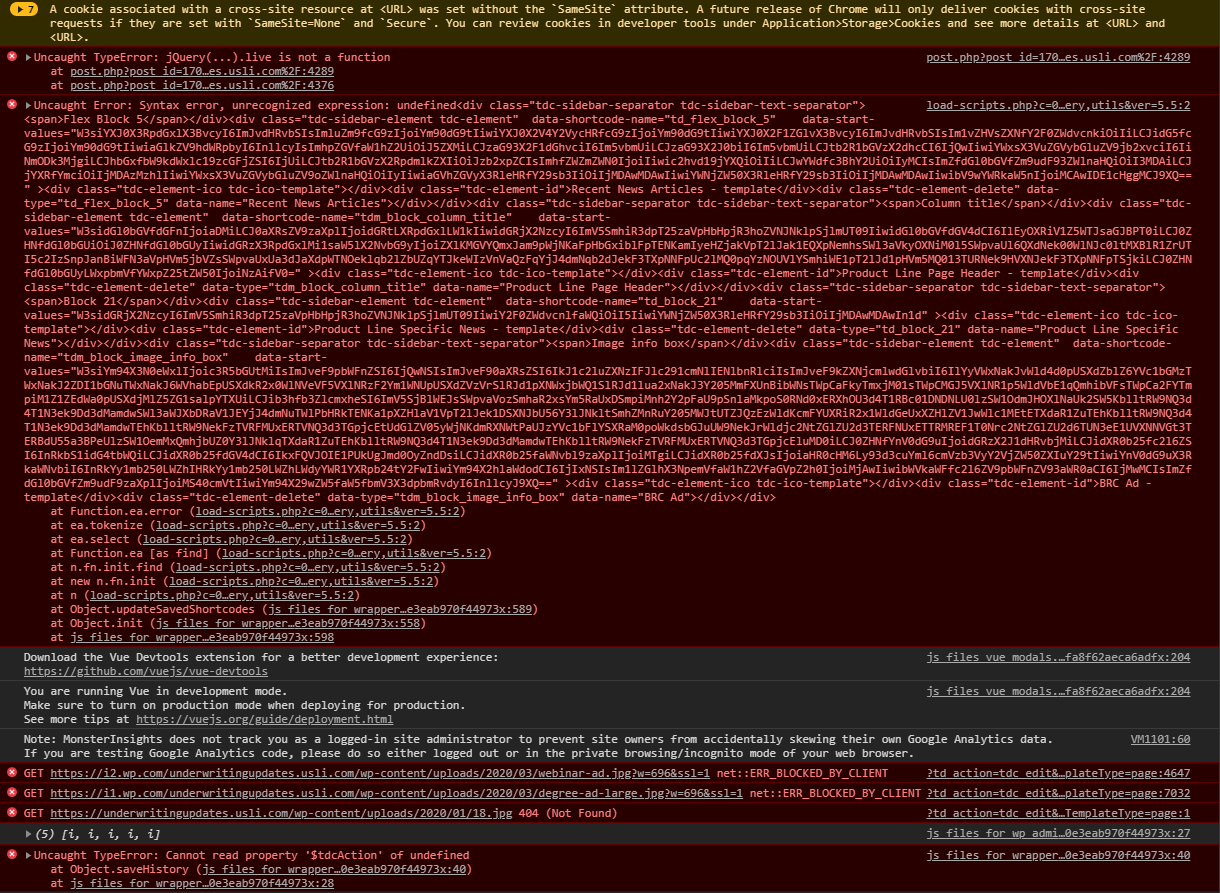
-
This reply was modified 6 years by
tpepe. Reason: Edited the source for each image
 Miach
MiachI am still trying to make this work. No pictures shown in instagram footer, only icons. If i click the icons, the pictures open in a new window in Instagram – so the link works. After new update of NEWSMAG theme, deleting cache everywhere, and removing instagram account from wordpress/theme, and reinstalling, deleting cache again. Nothing works. Still don’t see any pictures in the “fixed” instagram feed above the footer in the NEWSMAG theme. Any suggestions?
Vlad S Hello !
I have spoken to my colleagues and we will proceed with doing the update ourselves but only with your permission. My colleague has asked all the details via e-mail. Please reply there.
Thank you !
 Financhaser
 Hi Simion,
Thank you for your support. I updated the standard pack plugin and it is done.
 tom_ot
Hey,
I’ve been using your template for a few years now, and it was out of date. It started to give us 503 errors, so i paid for your theme again, to update it. However it still causes the 503 issue, which has been 90% confirmed by by me and our hoster (siteground). When the theme is disabled the issue does not occur when load testing etc. The error still happens when LL plugins are disabled. Other templates work fine, just not yours. Siteground said it looks most likely to be self referring script in our template.
I need a fix on this please. You’re template is unusable as it currently stands as the cloud theme template maker doesn’t work either (that’s another problem which still needs to be addressed at a later date). I’ve disabled all plugins and the error still has occurred so its not a plugin conflict as far as i can tell.
Need urgent help as its damaging my business.
Best,
Mark
 salsero72
Hi I get this error after update.
What can I do?
PHP Fatal error: Uncaught Error: Class 'td_util' not found in /.../public_html/wp-content/themes/Newspaper/functions.php:52
I also am prompted this js error
wp-content/themes/Newspaper/includes/wp-booster/wp-admin/js/tagdiv-theme-plugins-setup.js:234:16: jQuery.fn.load() is deprecated
Vlad S Hello !
You can try this quick fix:
1. Try to use Enable jQuery Migrate Helper and check if tagDiv Composer is working again or not.
2. Add a fix in theme files, for this you need to go on wp-content/themes/Newspaper/includes/wp-booster/wp-admin/js/tagdiv-theme-plugins-setup.js and replace the jQuery(window).load(function () { from line 234 -> https://i.imgur.com/agaEJWA.png with jQuery(window).on(“load”, function () { -> https://i.imgur.com/zBFX5Ye.png also you need to do the same on this file wp-content/plugins/td-composer/assets/js/js_files_for_wp_admin.min.js but since this file is minify you can replace the code inside it with this one ->https://pastebin.com/YTiYVfU4
These warnings will be fix for the coming updates!
Let me know the results!
Thank you!


