- NewspaperFacebook Share
- NewsmagSharing buttons
 Bettina
 Hello!
Check the structure for WhatsApp here: https://faq.whatsapp.com/5913398998672934
What exactly do you want to achieve?
Thank you!
 newspatron
 This one is working perfectly “{cf_paxpnr_booking}”, many thanks.
Kindly show some light on how to configure the phone number, or whatsapp…!
Instead of the below
tel:{cf_tdcf_phone_number}
Bettina Hello!
Unfortunately, there is no option to add WhatsApp to that shortcode. With the help of the tagdiv Composer elements, you can create and customize a line for WhatsApp and add a link there, too. The counter should be written manually, too. For example, you can add a simple button with a link, and you can add text and an icon.
Thank you!
 jrvalle
Hello,
We have a WhatsApp channel with more than 200 followers currently and we would like to be able to include it in the social media counter. How could we include it like the ones we already have and that can be seen to the right of the URL we indicate below?
If we cannot add it like this, how could we build a similar structure for colora below this plugin?
https://www.duerodeporte.com/
 accursi
 Good morning!
I managed to fine-tune the header and the logo with the skin… using custom css.
Some header-related issues remain:
– the topbar no longer allows connection to social icons, but the skin covers the URLs (very strange because the WhatsApp subscription on the left works)
– the svg logo in the footer inherits the .td-retina-data of the logo in the header (this is bad because as you can see the white background and the top-bottom padding make it wrong. What solution can we follow?
Many thanks
Michele
–
 Anamaria
 Hi,
This issue has been discussed already here, please check: https://forum.tagdiv.com/topic/featured-image-not-showing-in-whatsapp-share/
https://wordpress.org/support/topic/featured-image-is-not-showing-when-shared-via-whatsapp/
https://wordpress.org/support/topic/featured-image-not-showing-up-on-whatsapp/
https://theme.co/forum/t/whatsapp-share-thumbnail-not-showing/52140/5
Thank you!
 ponhonhoi
1. Image (thumbnail) of the news is not appearing when sharing on WhatsApp
 Presstart
https://drive.google.com/file/d/1by5lBt0T5TB5clW9APfAFLpYBWiIEQCb/view?usp=drive_link
My WhatsApp: +5511989863178
 danna
danna Hello,
So, it’s an ad, and I have placements in the content area as well as in the sidebar. The rotation of the same ad works when I insert it into the content area of a post, but not in the sidebar. Here are the screenshots:


All the best, Daniel
 E K
E K I think we should be able to disable the Whatsapp sharing button from the theme, how do we do that?
https://ibb.co/d46bd4T
 Castu
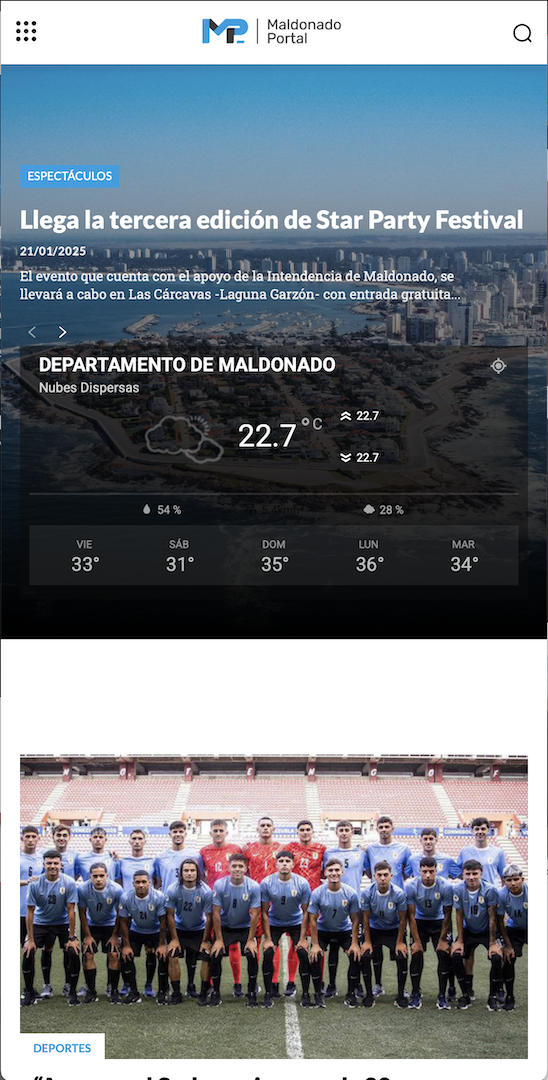
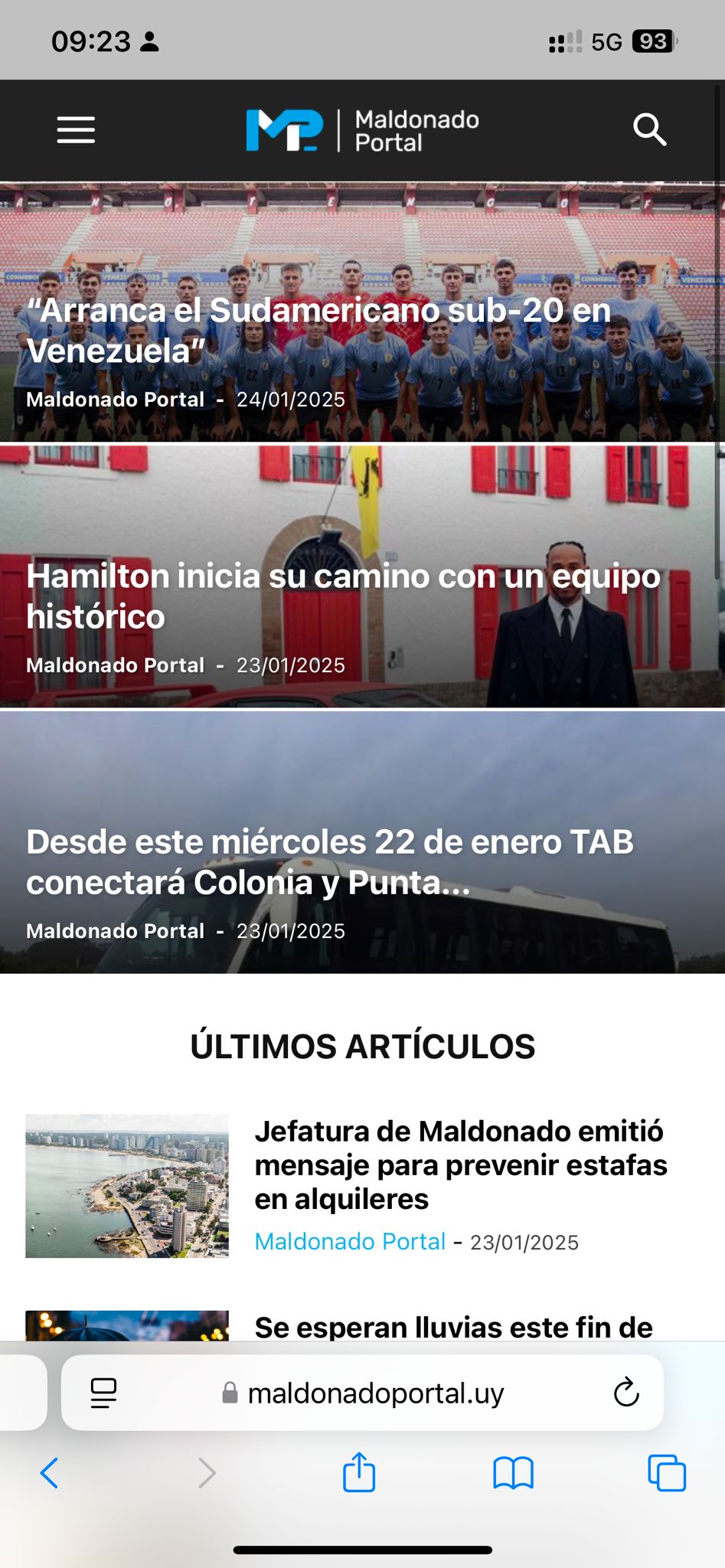
CastuHi, I went live with my website yesterday and the homepage on mobile looked beautiful, then out of nowhere the style changed.
This is how it looked yesterday and how it should look now:
https://maldonadoportal.uy/wp-content/uploads/2025/01/Captura-de-pantalla-2025-01-24-a-las-09.29.51.png
and this is how it actually looks:
https://maldonadoportal.uy/wp-content/uploads/2025/01/WhatsApp-Image-2025-01-24-at-09.23.51.jpeg
If you could assist me with this please.
 ikiweb
 On this page, for example, in the sidebar the images are jpeg but there are corresponding webp ones.
https://www.mrw.it/whatsapp-business-numero-di-telefono-fisso/
Example:
https://www.mrw.it/wp-content/uploads/2024/12/emoticon-natalizie-300×300.jpg ==> https://www.mrw.it/wp-content/uploads/2024/12/emoticon-natalizie-300×300.webp
Why?
 Hamet
HametHi, I’m getting a display error when I try to edit a page with the visual editor. As soon as I click on an element, I get a modal window that displays an error. The problem is on Mac.
E KIt looks like every page creates an external link to the WhatsApp API page. Can you please advise on removing or blocking the Whatsapp share button from doing this?
 charles123
Please help me how to add a small icon with the link near the share button Like Koimoi. I have attached a link for reference – https://prnt.sc/ZUByWOX8bp29
the same like this I want to add in my article, please let me know the procedure
https://www.southmoviez.com/photos/game-changer-teaser-launch/
HametHello, the elements on my site don’t stretch on a 1600px screen. How can I make the whole site look 100% on large screens (see image below)
https://www.dropbox.com/scl/fi/mqpwek7pf10zcbznjtylm/WhatsApp-Image-2024-11-26-at-15.09.30.jpeg?rlkey=9jz5tau4e8bei1fmtod8aiuhl&st=35qkk1dt&dl=0
 wmcoettc
When we send a link to a news item from our website, a few lines and the photo are not reproduced.
When we do the same from any other website, the news is reproduced a bit. And this is more professional.
how can this be improved?
 tojoalex1
 UdayJaman
Hello there,
I am facing a problem right now. All of the icons (like Facebook, Instagram, WhatsApp, comments icon, views icon) not showing.
My site: https://www.econhorizon.com/
If you are aware about a solution, please let me know.
 ingeniomontescreativo@gmail.com
 Hola, saludos.
1. Ahora necesito colocar unos elementos tipo “card” pero al momento de crear el elemento me aparece en todas las pestañas, pero necesito que solo me aparezca en la pagina que lo estoy colocando. ( Link evidencia )
2. Como puedo hacer que al momento de publicar un nuevo post, aparezca en la ventana de inicio, por ejemplo; la sección que te mostraré en la imagen desaparecerá, la idea es que allí aparezca las miniatura de los post que se estén creando. ( Link evidencia ).
3. Como puedo hacer un formulario que al momento de presionar en ingresar, lo redireccione a nuestro WhatsApp con los datos que llenó del formulario y al mismo tiempo que llegue al correo de la empresa.
Recurso:
link de la pagina: (mi sitio)
Muchisimas gracias.
 giriraj
Hello Team,
Google has allowed AVIF file format in the Google search recently. AVIF format is smaller size, hence I started replacing WebP to AVIF.
Its all good and performance has been improved, but the problem is AVIF file article thumbnail is not showing on Facebook, WhatsApp etc.
AVIF format is not showing in Open Graph options but WebP is showing.
Can you help me to fix this?
https://www.giriblog.com/what-is-stock-market/ (AVIF)
https://www.giriblog.com/what-is-android-tv/ (WebP)
Thanks
Giri
 prostir
Hello. On my website https://mistosontsia.com.ua I use the latest licensed version of your theme.
This is the problem. When I insert news url from my website, for example this news: https://mistosontsia.com.ua/u-hersoni-prezentuvaly-knygu-ya_volonter/ in Viber, WhatsApp, Telegram or Facebook Messenger, then it displays only one link, without the name of the site, the featured image of the post (except for Viber, there is at least a favicon from the site and the name of the site is added) Here is a screenshot of how it looks: social networks news display I am also sending a screenshot of the installed and active plugins of my site: installed plugins I do not use SEO plugins such as Yoast SEO or Math Rank SEO. Post settings screen: post and image settings and social share settings in the Newspaper topic panel: social share settings
I have read other similar topics here on the forum and as far as I can see there is no normal solution to this problem. Can you help me with this? Do I need to install any third-party plugin if your theme settings can’t fix the problem?
 imtk
imtkHi,
below every post I have the tdb_single_post_share element allowing for Facebook/Twitter/WhatsApp/Viber link sharing.
Can you please let me know if there is a way to track number of shares directly?
Is it possible within Newspaper theme dashboard or perhaps a third-party plugin (if so can you please be so kind to suggest one)?
Thank you.
 Adi
Adi Hi,
I am using newspaper Tech News PRO prebuilt template. here is the site link.
I want to reduce this space after header: https://share.zight.com/X6uvwjqy
I want to reduce this space before first paragraph: https://share.zight.com/BluvlPjJ
I want to reduce the space between paragraphs: https://share.zight.com/L1ub1EGj
I want to reduce both side space in mobile view: https://share.zight.com/DOuEO1Aw
Please help me to fix that issues.
 urishtaujjain
If anyone knows, please tell me where is this social icon option for Google News and WhatsApp channel. I could not find it.