
- NewspaperFacebook Share
- NewsmagSharing buttons
 Michael Smart
I have two custom post types (cpt_business and cpt_deal) on my website, each with its own set of custom fields managed by Advanced Custom Fields (ACF):
cpt_business: Managed by the “Business Information” ACF group.
cpt_deal: Managed by the “Deals Information” ACF group.
In the “Deals Information” ACF group, I have added a relationship field named related_business which links to posts of type cpt_business. This allows me to associate each cpt_deal post with a cpt_business post.
Objective
I aim to create a front-end form using tagDiv Composer that allows users to create or edit cpt_deal posts. This form should include the related_business relationship field so that users can select the associated cpt_business post when submitting or editing a deal.
Requirements
Front-End Form Integration: I need guidance on how to configure the front-end form in tagDiv Composer to include and handle the related_business ACF relationship field for cpt_deal posts.
Data Retrieval and Display: Additionally, I have a shortcode that needs to retrieve and display the contact information (country code and WhatsApp number) from the associated cpt_business post on the front-end, based on the related_business field.
Example Shortcode
Here is the shortcode I am using to display the WhatsApp link:
function smart_whatsapp_link_with_acf_shortcode($atts) {
$attributes = shortcode_atts(array(‘urlencode’ => ‘true’), $atts);
if (is_singular(array(‘cpt_business’, ‘cpt_deal’))) {
$page_url = get_permalink();
if (!validate_url($page_url) || !is_safe_protocol($page_url)) return ‘Invalid URL’;
$country_code = ”;
$phone_number = ”;
if (get_post_type() == ‘cpt_deal’) {
$related_business = get_field(‘related_business’);
if ($related_business) {
$country_code = get_field(‘country_code’, $related_business->ID);
$phone_number = get_field(‘whatsapp_number’, $related_business->ID);
}
} else {
$country_code = get_field(‘country_code’);
$phone_number = get_field(‘whatsapp_number’);
}
if (!$country_code || !$phone_number) return ‘Missing WhatsApp contact information’;
$phone_number = preg_replace(‘/[^0-9]/’, ”, $phone_number);
$message = “Hello! I’m interested in this deal listed on Shockvibes:\n\n”;
$encoded_message = ($attributes[‘urlencode’] === ‘true’) ? urlencode($message) . rawurlencode($page_url) : $message . $page_url;
$whatsapp_link = ‘https://wa.me/’ . $country_code . $phone_number . ‘?text=’ . $encoded_message;
return $whatsapp_link;
} else {
return ‘No WhatsApp link available’;
}
}
add_shortcode(‘smart_whatsapp_link_with_acf’, ‘smart_whatsapp_link_with_acf_shortcode’);
 malayalam_news
I have created my website with this theme, but when sharing individual posts to WhatsApp, etc, that directly opens the mobile theme, how to disable that?
 ISAAC LAMA
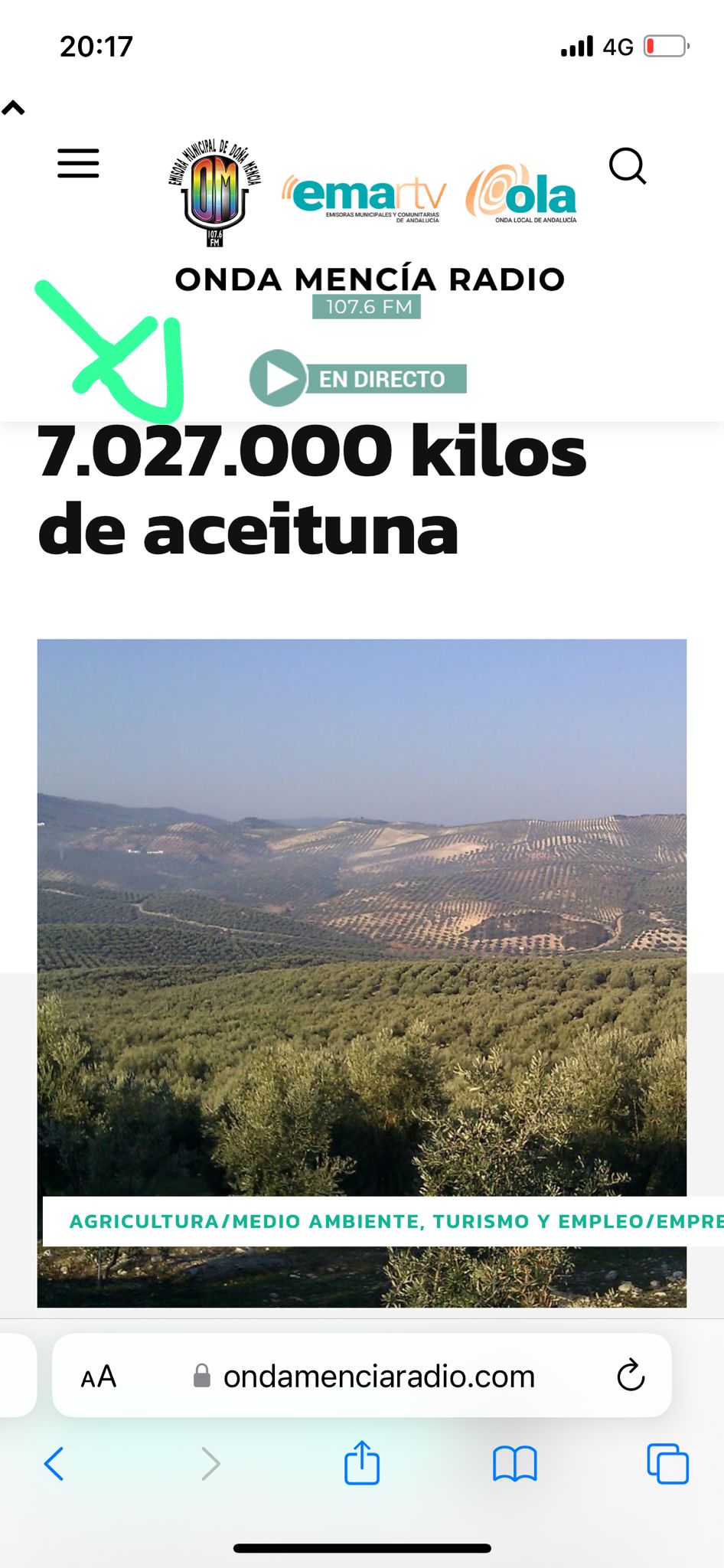
This is the url https://www.ondamenciaradio.com
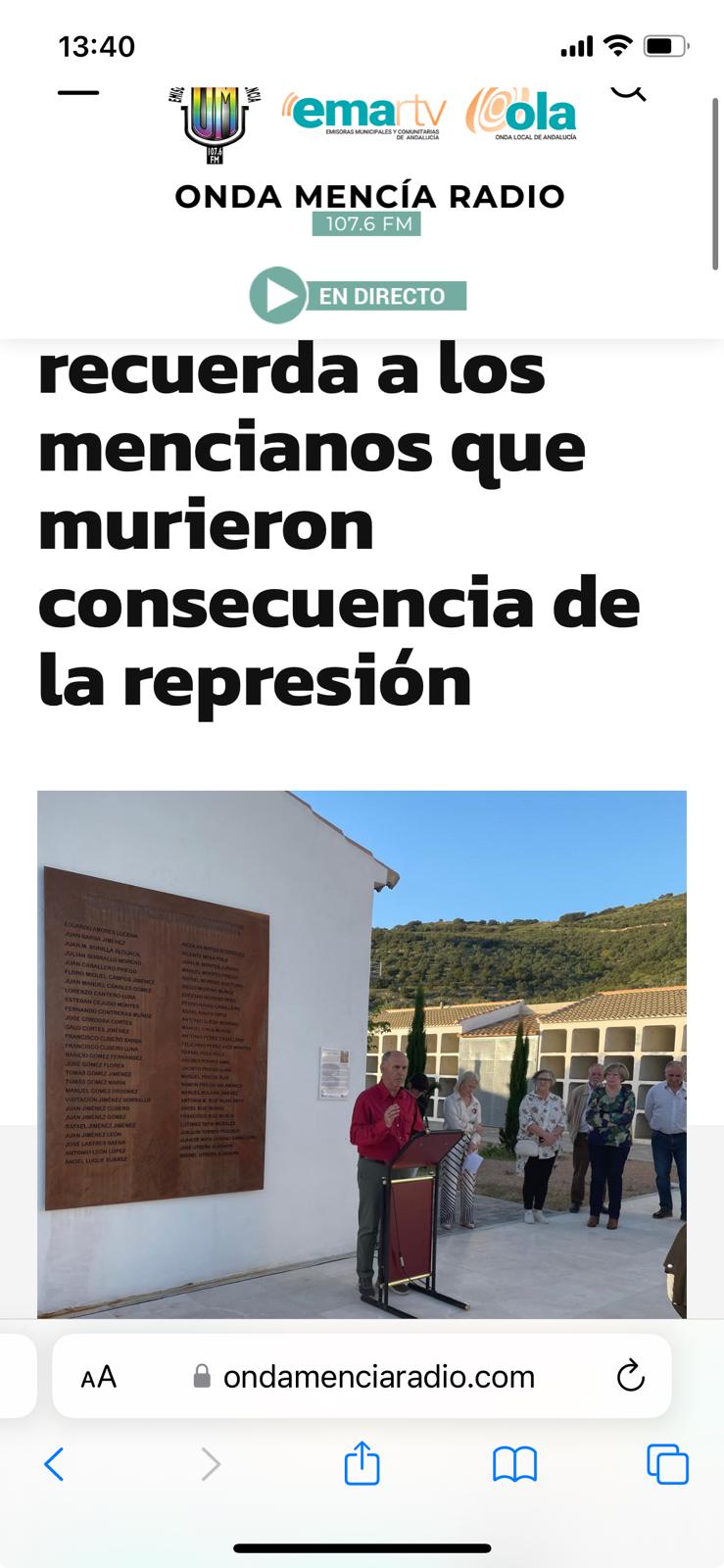
The main titles of the Posts or entries do not look good in the mobile version and are cut off. Could you tell me where I can modify that?
I am looking forward to your response
thank you
 antony212
Hello, I have an issue with sharing links on Facebook or whatsapp: the cover photo of the post does not appear, the logo of the site appear instead
 Assadujaman
Hi,
I am Assadujaman from Nagorik Television. It is a satellite television of Bangladesh. We are using the Newspaper theme.
We got the litespeed cache plugin with hosting. Our Page Performance score was up to 97 when using the litespeed cache. But we were having some loading or Broken issues. Then we stopped using the litespeed cache and started using your recommended WP Super Cache. But performance score is showing 85.
If you use WP Super Cache settings, you will get a very good performance score or if you use a light-sized case, if you use these settings, there will be no problem.
Thank You
Assadujaman Chowdhury
Nagorik Television
Whatsapp: +8801519807060
 xenia.arg
 @Anamaria thank you for your answer.
But all my articles can’t load the image in facebook. (not whatsapp).
Also before 1 month all my articles could load normally the image.
The only thing i change is update.
Thank you for you time.
 Anamaria
 Hi,
This issue has been discussed already here, please check: https://forum.tagdiv.com/topic/featured-image-not-showing-in-whatsapp-share/
https://wordpress.org/support/topic/featured-image-is-not-showing-when-shared-via-whatsapp/
https://wordpress.org/support/topic/featured-image-not-showing-up-on-whatsapp/
https://theme.co/forum/t/whatsapp-share-thumbnail-not-showing/52140/5
Thank you!
 newspatron
Hello
Please refer to the video.
There is no problem with widget in configuring in the sidebar.
however when the posts are visited by clicking post url, the posts are not able to display widget.
Now magine situation where the post was found in web search or if i have forwarded the url to someone by email or whatsapp.
Now for example if person lands on a post straightaway, using a post url, they cannot view the post in their own language on mobile posts. however the pages are able to display translator.
I am querrying if the individual posts when viewed in mobile can load the widget just like the way it is displayed on PC Tab and web version.
Currently i have tried everything.
please suggest if there is a way to this.
The link to video.
https://app.screencast.com/511O49gQ6LZ1K
 Innovative Gyan
hii can anyone tell me how i remove arrow which show after numbers in my pagination and add some text see this image 
 elalaoui.myzakaria
Je suis un utilisateur de votre thème Newspaper, acheté sur ThemeForest, et je rencontre un problème avec l’ouverture des articles partagés sur Facebook et WhatsApp. Lorsque les visiteurs cliquent sur les liens directs vers mon site web http://www.directpressmaghreb.com à partir de ces plateformes, les articles ne s’ouvrent pas correctement.
J’ai parcouru la documentation du thème et effectué des recherches en ligne, mais je n’ai pas trouvé de solution à ce problème. Je m’assure également que mon thème est à jour.
Serait-il possible d’obtenir de l’aide pour résoudre ce problème ? Il est crucial pour moi de garantir une expérience utilisateur fluide, surtout lorsqu’il s’agit de partager du contenu sur les réseaux sociaux.
Je vous remercie par avance pour votre assistance et vos conseils sur la manière de résoudre cette situation.
Cordialement,
 Thomas
Hello
We just realize that the cool homepage we design is in fact only show for us as connect! 🙁

In fact for the other they see the Blog page:

We think there is a problem with the customize page beacause the 2 pages are different but in fact the connect see the first, homepage, and the non connected the second, here my account in this example but on the site, Blog :

 leonardovalle
Hello.
I have a simple question. Where can I change the website description that appears when I share the home’s link on WhatsApp
Best regards,
Leo
 simchris
 opengraph tags for image in the header of each post should work with whatsapp. not theme specific. maybe post image of your opengraph image header for post not sharing to whatsapp on mobile? if using different templates for mobile, opengraph tags need to be in that template header also. theme does not control whether whatsapp can share image properly.
i dont work here.
 thalesbrandao
 I don’t use Yoast SEO. our opengraphs registrations are held in head/robots.txt.
I need guidance so that the format does not change for WhatsApp since on other social networks content sharing normally occurs with all content aligned.
thanks
simchris If you looked at your page source and don’t have opengraph tags, you can add them with plugin or by using Yoast SEO.
Doesn’t matter what other sites do; if you don’t have opengraph tags setup, whatsapp may not work for you how you expect.
thalesbrandao Another detail I noticed is that before sharing on WhatsApp, a kind of bug related to pixelyoursite appears.
thalesbrandao thanks for the help.
Could you give me more details on how to resolve it? in all other shares, the images are aggregated with the title, subtitle and link. Only on WhatsApp I don’t have satisfactory results. thanks
simchris Check your page source for post and ensure you have working OPEN GRAPH tags in place for the image, which is required by Whatsapp.
thalesbrandao on all social networks the image always appears embedded in the article – on WhatsApp I’m having difficulty making this happen.
thalesbrandaohello goodnight.
I need help.
When I share our articles on WhatsApp – the image that appears is of our website icon. I need the main image of the article to appear. how to solve? thanks
Anamaria Hi,
This issue has been discussed already here, please check: https://forum.tagdiv.com/topic/featured-image-not-showing-in-whatsapp-share/
https://wordpress.org/support/topic/featured-image-is-not-showing-when-shared-via-whatsapp/
https://wordpress.org/support/topic/featured-image-not-showing-up-on-whatsapp/
https://theme.co/forum/t/whatsapp-share-thumbnail-not-showing/52140/5
Thank you!
 janmanchtvddn
Please solve this issue when i share my post in whatapp freature image not appear
 jtoney
 @sp1 I’d rather not publish my website. I’ve been unable to use it for well over 1 month. They are very slow getting back to me and refuse to do any communications like whatsapp or Skype since they are in Romania.
 URBANFEAT
Hi Team,
I have three which are listed below:
1: Domain Not Associated in Admin Panel
2: Post Category and Feature Image Option not showing.
3: Remove Unnecessary Modules and Plugins from my site, it is just news updating portal.
Note: Please do the check the screenshot for the same in URL.
URL: https://docs.google.com/document/d/11EipXQDrhBVj30HCh-QFtOHH3lQWWzkeORQrm5gfYTg/edit?usp=sharing
Regards
Aslam
WhatsApp or Call +91-7236001002
 news9
news9Hi, I am using Newsmag default prebuilt website. Now I want create follow button (for ex. follow on WhatsApp, follow on Telegram) for single post. I want to place this buttons below headings or below image on every posts. How can I do the same? Please help me in this.
Thank you
