Respected Sir/Mam,
I am a developer at Mallemaala Entertainments, located in Hyderabad. We have a few requirements for our movie review website, 123telugu.com. I am hereby mentioning our requirements
The URL has to be the same for both PC and mobile versions. In the current format, the URL is different for both PC and mobile versions.
2. Also, could you brief us on how to implement web stories through shortcode
Thanking you,
Regards,
Narendra.

Dear Sir,
In our live website old theme only there, newspaper theme is not implemented in live site.
We are working Newspaer theme on our localhost, everything goes well then we will implement it on live site.
For your reference we are sending screenshots for the same
Here are the links, working on our localhost, sending screenshot of each URL
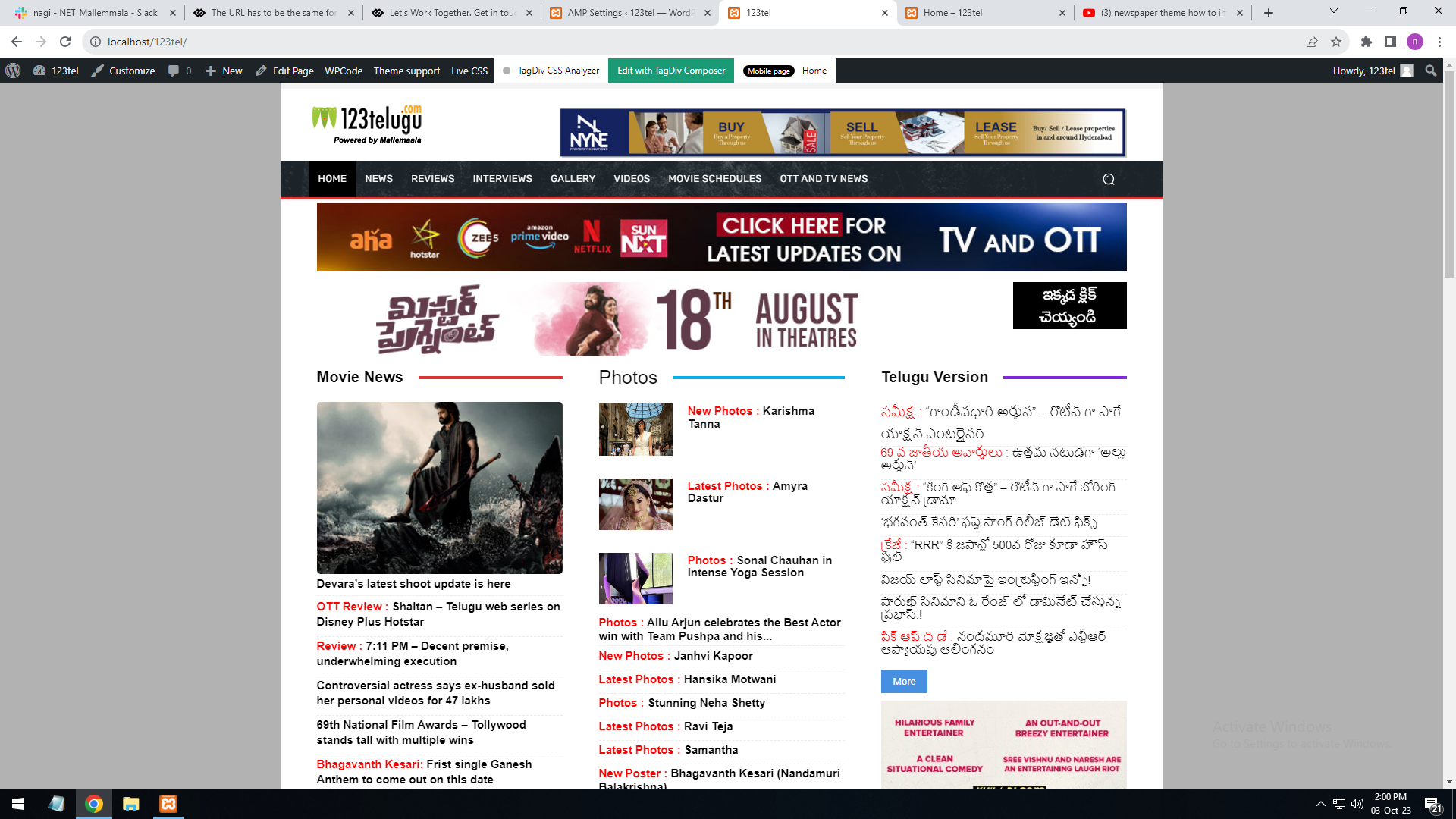
Website desktop url
———-
http://localhost/123tel/
Screenshot URL : https://gallery.123telugu.com/images/theme_test/Desktop.png
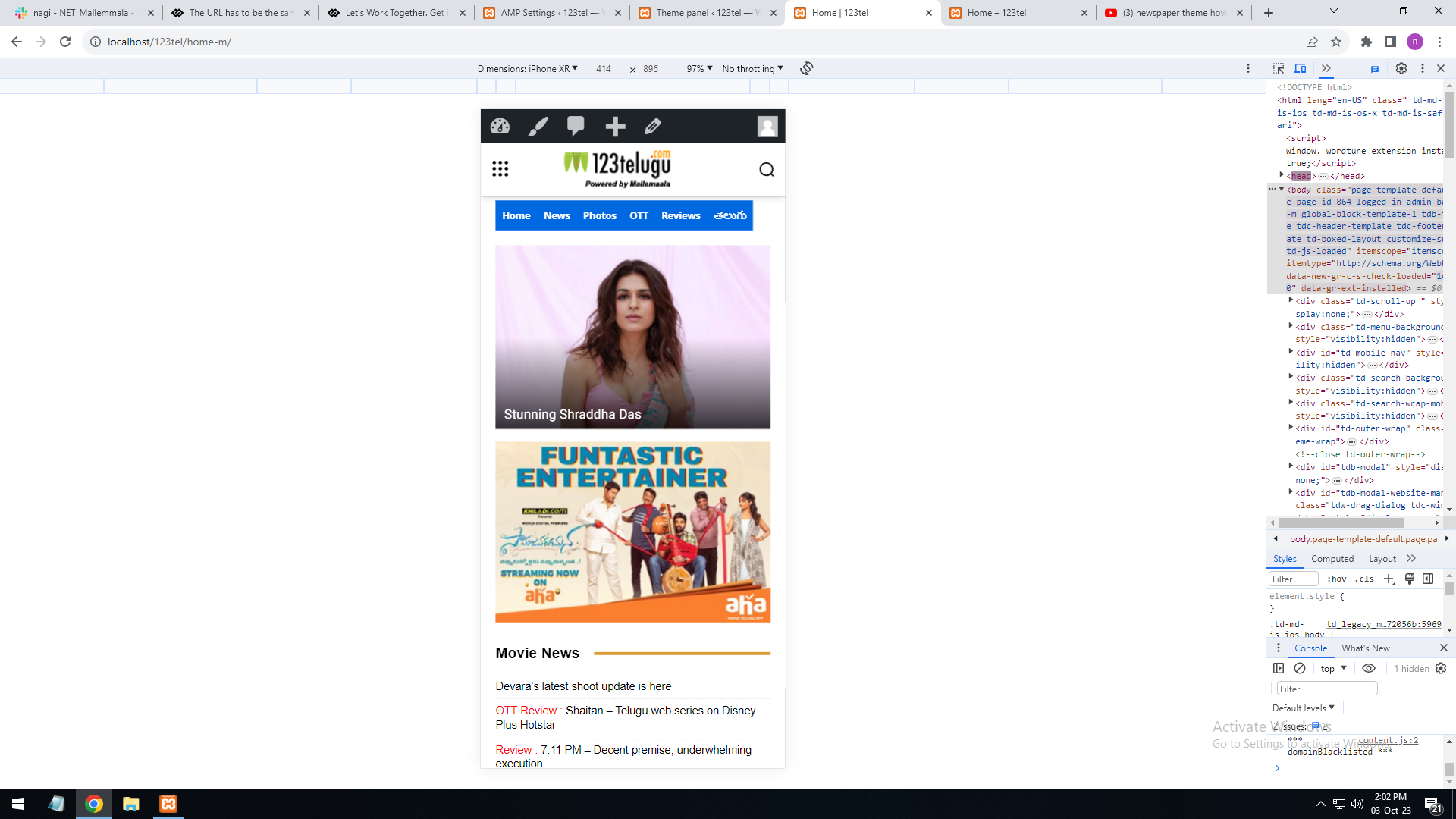
Mobile URL
———-
http://localhost/123tel/home-m/
Screenshot URL : https://gallery.123telugu.com/images/theme_test/Mobile.png
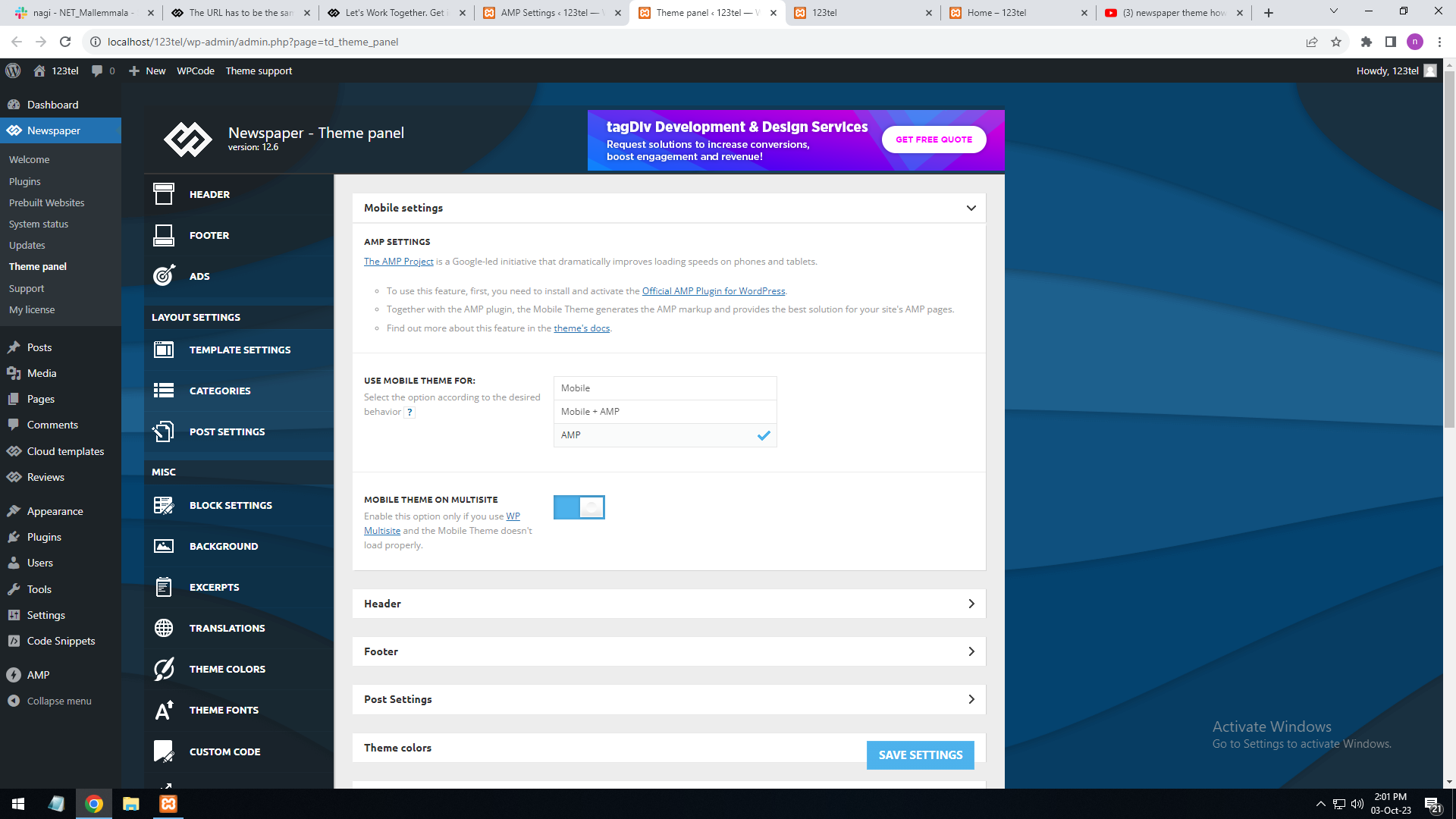
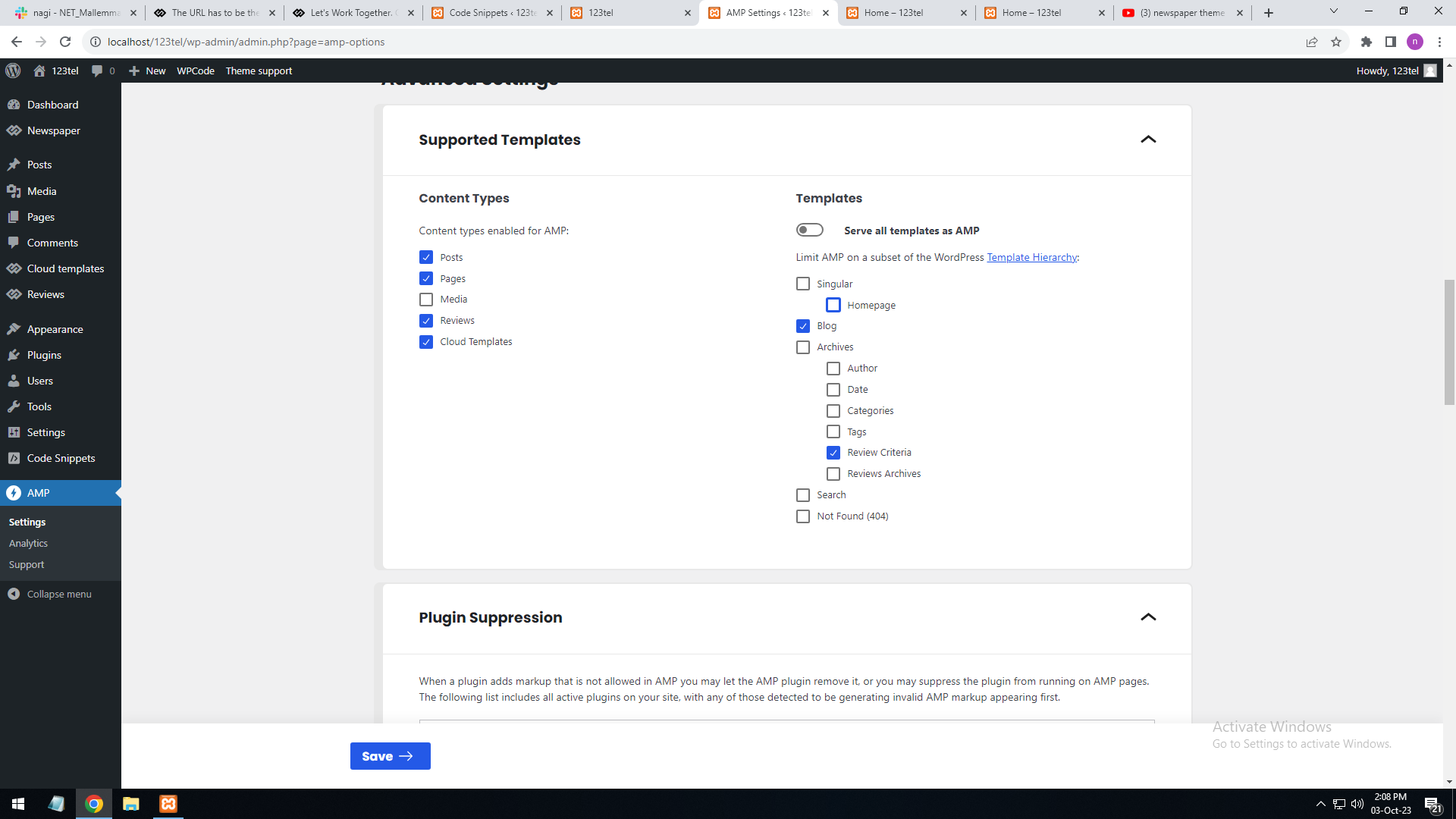
Amp page
———–
http://localhost/123tel/amp=1
Screenshot URL : https://gallery.123telugu.com/images/theme_test/Amp_setting.png
https://gallery.123telugu.com/images/theme_test/Amp_setting2.png
Also suggest a documentation to design AMP pages
Hello Narendra!
You use a mobile page with that name, so of course the URL will display another name (of the template).
Unfortunately, AMP is not working with the cloud templates because the AMP’s layout is not fully customized.
The AMP version works best with default templates and not cloud templates. That’s why we integrated it with the Mobile theme plugin.
The feedback from our clients about AMP was negative and it is not used anymore, that’s why we didn’t add more customization options.
Please see: https://forum.tagdiv.com/the-mobile-theme/, https://forum.tagdiv.com/mobile-theme-introduction/ and https://forum.tagdiv.com/tagdiv-amp-plugin-tutorial/ for more information.
Thank you!