Abder Fath
 Too bad, thanks anyway
Have a great day
Abder Fath Finally some greaaat news, thank you!
Abder Fath It’s almost 2022 and they still didn’t add that option, weird !
Abder Fath Hello,
Yes of course. So the problem was coming from the mega menu of the header. The mega menu was generating h3 tags even when it’s on ‘No preloading’.
For the solution, it depends whether a person want to change the title tag from the tagdiv composer from default – h3 to another tag. For me, I kept it like it was on default (https://i.ibb.co/dL3sXVr/Mega-menu.png).
Have a great day!
Abder Fath Hello,
Thanks for your help, I just found the solution.
Have a great day!
Abder Fath Here is another page : https://digitaloutloud.com/a-propos-de-nous/ , this one is made using tagdiv composer and also has h3 tags that I didn’t add. So it must be a theme error
Abder Fath Here is the link of the page : https://digitaloutloud.com/test/
Abder Fath Hello,
I think it’s a theme bug. I just created a page using wordpress default gutenberg (https://i.ibb.co/cgKwBKG/XX.png) and I didn’t add anything but the title (test) and paragraph (test) so how come I have h3 tags https://i.ibb.co/5KLjDfV/X.png ?
Thank you!
Abder Fath On this page https://digitaloutloud.com/rejoindre-lequipe, I added 2 h tags which are h1 and h2 and that’s it! (h1 is : Rejoindre l’équipe, h2 is : Formulaire de contact).
So I don’t understand where the h3 tag is coming from.
Abder Fath Hello,
Did you at least check the pages like https://digitaloutloud.com/rejoindre-lequipe ? I didn’t use use tagdiv composer, and I didn’t use h3 tag on that page for sure. Also, I didn’t hide that h3 tag element using css. So how come I have an h3 tag on my page?
Thank you!
Abder Fath Ok thank you
Abder Fath Ok thank you!
Abder Fath Hello,
No I don’t use those data on my website
Abder Fath Hello,
I totally forgot that option. Thank you so much, the issue is solved now
Abder Fath Hello,
Thank you for your assistance, the theme-color works now!
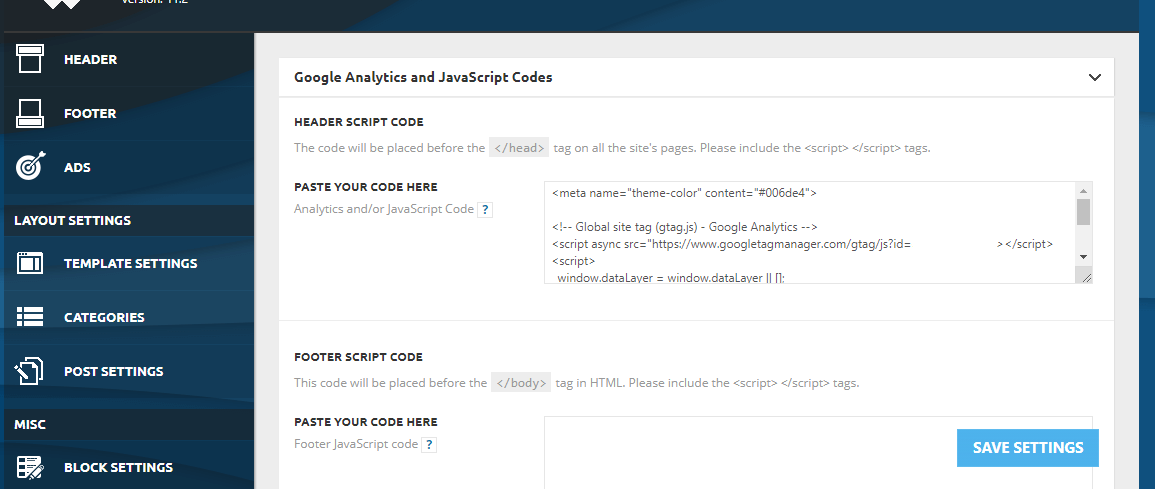
All I had to do is keep an empty line between the google analytics code and the theme-color code like you see in the screen : https://i.ibb.co/kg9cS69/Meta-color.png
Abder Fath Hello,
Thank you for your quick response.
I just added the code here (https://i.ibb.co/SJzwZfS/1.png) and I cleared all the cache but still nothing as you can see (https://i.ibb.co/tZST693/Screenshot-20210810-142452-Chrome.jpg)
-
This reply was modified 5 years by
Abder Fath.
-
This reply was modified 5 years by
Abder Fath Hello,
Mobile theme? I guess that’s what I’m doing wrong, I don’t have TagDiv Mobile Theme unstalled. So should I add the meta code elsewhere?
Abder Fath Yes of course. I put the code here public_html/wp-content/plugins/td-composer/mobile/header.php
Screenshot’s link : https://i.ibb.co/Yj3VFtn/1.png
Abder Fath Ah true, Open Graph only supports image/jpeg, image/gif, or image/png (https://developers.facebook.com/docs/sharing/webmasters/#images)
Abder Fath Hello,
I always keep the theme and plugins up to date.
I didn’t install Standard pack plugin, I just use Cloud library
Abder Fath Hello,
I didn’t install a prebuilt website, I just made my own using tagdiv composer and tagdiv cloud library
Abder Fath It’s tag template 1
Abder Fath Hello,
I don’t have a caching plugin yet, and yes I did clear all the cache on my browser, but still nothing. The date appears on mobile like it should be, but on desktop it doesn’t show on live search only like it’s shown in the screen.
Ps: Time ago is disabled
-
This reply was modified 5 years by
Abder Fath Thank you so much!
Abder Fath Ok thank you!