

 Bikul
Bikul Hi Bettina,
sorry for the confusion.
Apparently it had something to do with the row I had already created. I created a new one and now it works.
Thank you for your fast and enduring support!
Bikul Hi Bettina!
That is exactly what I tried before, but it does not work.
Problem. there is huge space below the picture, which gets even bigger when i make the responsive browserwindow smaller. Also the image does not stay in the row.
https://datagrafik.de/download/backgroundimage1.jpg
https://datagrafik.de/download/backgroundimage2.jpg
https://datagrafik.de/download/backgroundimage3.jpg
https://datagrafik.de/download/backgroundimage4.jpg
https://datagrafik.de/download/backgroundimage5.jpg
Bikul Hi Bettina, I do not understand. How do I get the picture in the Row? Which Module to use?
Thanks
Bernd
Bikul Hello,
you were right: it is the members plugin
Thank you
Bikul Hi Bettina,
what I want is simple: a picture should be in a row and fill this row horizontally 100 % and keep its aspect ratio.
How to do that?
Bikul Hello,
is the described problem the only one with the Members-Plugin or are there other problems?
As my client has a lot of plugins in his WordPress-Installatin: do you have lists with which Plugins Newspaper works and with which not?
Thanks for Feedback
Bernd
Bikul It is this one:
https://de.wordpress.org/plugins/members/
Bikul Hello,
Me and my programmer found the problem! It has to do with the roles of the users and eventually with the Members-Plugin.
The bug is that (with the tagDiv Cloud Plugin activated) in the grid view, the roles or rights are obviously not processed correctly and instead of using the role with the highest rights, it probably just uses the first one it finds. Then it prevents all media elements that are not owned by the user from loading in the grid media view, when the user has e.g. the subscriber and the administrator role.
Bikul Hello,
I found that the tagDiv Cloud Library Plugin causes the problem!
What can we do here, as I want to use something from it?
Thanks for Feedback!
Bikul Hello,
I deactivated all plugins except tagDiv ones; also I switched from child theme to original theme.
Same problem…
Thanks for Feedback!
Bikul Hello Anamaria,
this Test-Site ist not visible for the public at the moment:
https://test.ibiza-heute.de
https://datagrafik.de/download/Mediathek.jpg
https://datagrafik.de/download/Mediathek-2.jpg
Can I give you Login credentials somehow and you see for yourself?
Thanks for Feedback
Bernd
Bikul Same here! I tried to update two websites from 12.6.3 to 12.6.4.
Had a nice evening to install the backups again, because nothing worked anymore: 504-Gateway-Timeout!
WTF
Bikul Hi,
thank you, but when I looked at the site after updating Newspaper to 12.6.3, it was working!
Although there is still the message Social/APIs: Personal Account Token has expired.
Very strange…
Bikul Hi,
as I said before: even if I am not logged in at Facebook and Instagram the Remove-Button does not work.
I have sent you an Email with Login credentials and FTP-access.
Bikul Hello,
I do not know what you are talking about.
When I am not logged in at instagram, I should be able to remove it in Social/APIs?
That does not work…
What do you mean to connect with a different browser? In Social/APIs? it says:
“You already have a connected account. To connect to another, please remove the current one.”
How to do that?
In Instagram I already removed the connection.
Bikul Yes, I disconnected from instagram and reconnected again: still the same failure message.
I used the Element from the TagDiv Composer and defined the page as the footer.
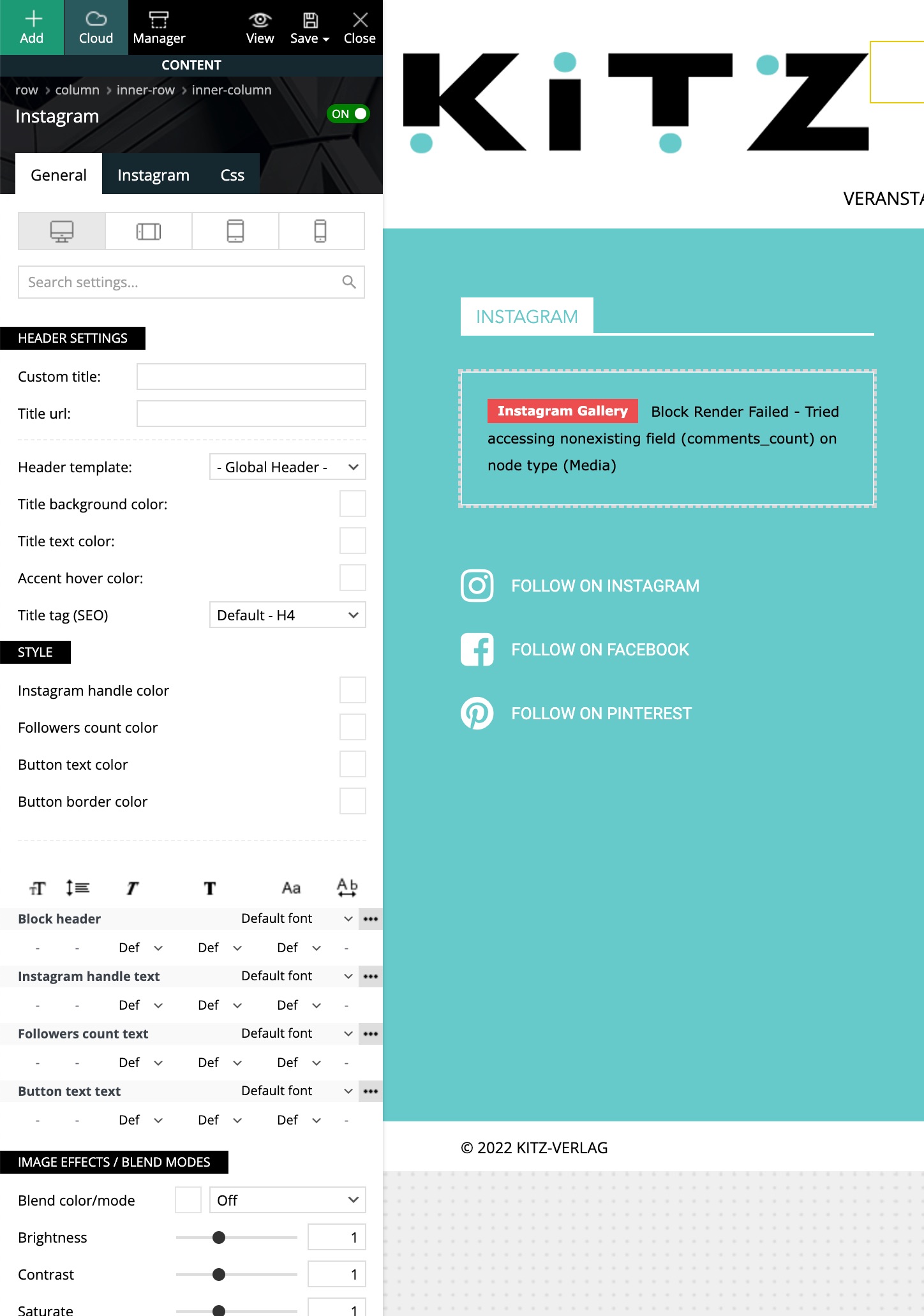
Bikul Hello,
same issue here:
https://kitz-magazin.de/
What can I do?
Happy about feedback
Bernd
Bikul As the page is not visible to the public yet, how can I give you Login credentials to see it?



