Brain916
 I had to remove it so you are looking at the default one on the homepage
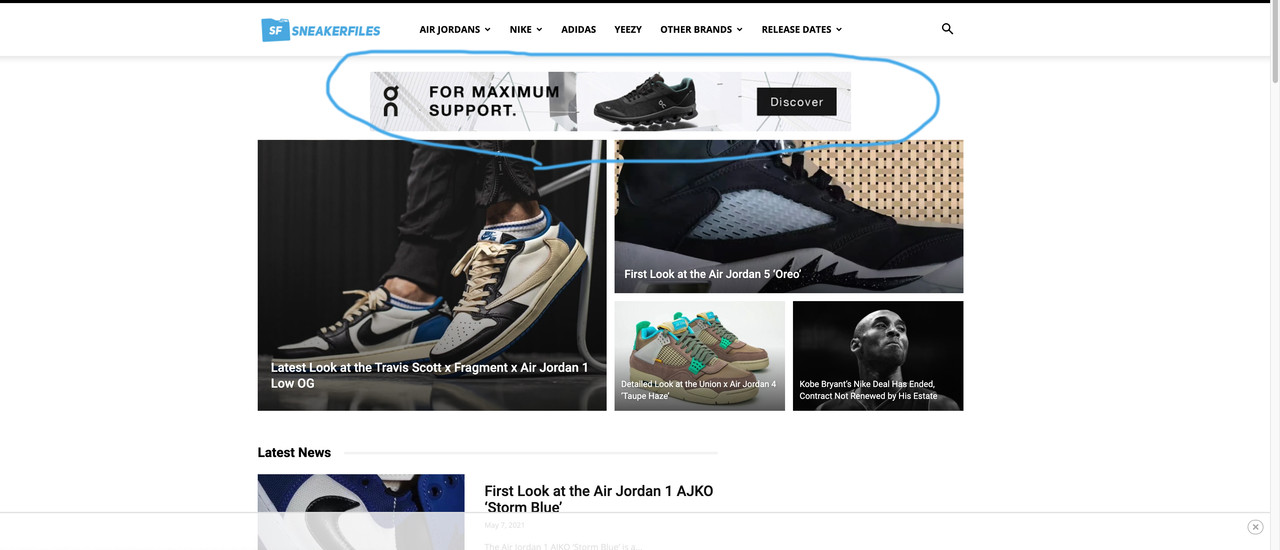
Brain916 Brain916 It’s the header adsense spot:
Brain916 I am having the same problem. I think instead of emailing, this should be a public topic as others are having the same problem.
Brain916 Update?
Brain916 Ok. I see. But is there a way to make the block stay the same on desktop (image left, title, excerpt) but on mobile it will be image and below title?
I think the category pages you saw using NewsMag is on the active website and not the demo (some of the links in the navibar will take you there
Brain916 Hmm that is weird because I didn’t mess with the child theme. Only thing I plan on doing is adding the CSS to it.
Is there a way to fix the two? If I made the sidebar inline, could that of done it?
Brain916 Also I don’t think you understand. I want to have an ad show up between blog posts. Would like this ad to show up under let’s say every 7 posts. How would I be able todo this?
Brain916 Yes that is it. How can I change the height?
Brain916 But is there a way to add them in with other blog posts? for example here: https://www.sneakerfiles.com/test/ you will see posts with thumbnail on the left, title on the right and excerpt. Is there a way to display within this?
Brain916 Here is the link
Brain916 That works! thank you.
Is there a way to remove tag in the breadcrumb?
Brain916 Is it possible to copy the tag php file from the main theme into the child?
Brain916 Works perfectly.
Now how can I add buttons (with links) on tag and category pages?
Brain916 Ok. What happens when I update the template? Will it override it?
Brain916 Buttons in other posts I would have and need the same behavior. I have 5 unique single page templates using the code, and just want it to display as a button but not a URL.
Brain916 I understand. Guess I can remove it for now. If I update this, it won’t remove what I have created, correct? I am also using the blank page template and the title tag is linking to the post through the breadcrumb.
Brain916 Awesome. One last thing, how can I make the “Load More” button and the arrow that points down bigger.
Brain916 Oh ok that makes sense. Do you happen to know a time frame or a fix I can do? I created a bunch of single templates based off of it and need to go live with the site soon
Brain916 Thanks for the reply. So everything looks great…however is it possible to make the bar larger in height?
Brain916 I see what you mean but I would need to customize this per post…the overall template will be the same but the image, text and link will change. I would also need to have multiple fields like this…just depends on how many locations the shoes are available at…Hope this makes sense.
BTW, does Tagdiv offer custom fields?
Brain916 Couple things I noticed with this:
1. Is it possible to make it 3 columns? 1 for image, 2 for text info and 3 for link/Button
2. I copied the code to place in a blog post and the fields that show the image, button and link are just numbers. Can I just replace it with the actual URL?
3. There is a huge space below the frame. How can I reduce this or even edit with the size?
Brain916 So if I wanted to change the image, text and have a button that reads “Link” with an outbound link, this can be done?
Is there a tutorial on how to do this?
Brain916 Thanks for the update but how can I do this per post with multiple links?
Brain916 Hello, I noticed with the latest update that the option to hide is not available anymore. Will this be coming back?