danna
danna Okay, thanks!
All the best,
Daniel
danna That moment i think i found the problem. I keep you up to date!
danna Hello,
some people have JavaScript deactivated in their browsers. I tried that out and found out, that if I deactivate Javascript, my Main Menu isn’t working anymore (it doesn’t show the submenu if I hover on f. ex. “Tourenberichte”.)
I also read that for SEO it’s good, that the main functionality of a website (like the menu) should work without JavaScript.
Do you know what I mean?
All the best and thanks,
Daniel
danna Hello! Thanks for that, it worked.
Another question: If javascript is deactivated, the menu (drop down) doesn’t work. Is there a way to fix that? Or should i start antother thread for that? 🙂
All the best,
Daniel
danna Hi,
that’s sad to here but thanks for getting back.
All the best, Daniel
danna Hey Calin,
still not working, i tried these combinations:
/* Exclude certain css class from wp-rocket lazy load

 */
function rocket_lazyload_exclude_class( $attributes ) {
$attributes[] = 'class=".td-post-featured-image .entry-thumb"';
$attributes[] = 'class="td-post-featured-image .entry-thumb"';
$attributes[] = 'class="td-post-featured-image.entry-thumb"';
$attributes[] = 'class=".td-post-featured-image.entry-thumb"';
$attributes[] = 'class="td-post-featured-image entry-thumb"';
return $attributes;
}
add_filter( 'rocket_lazyload_excluded_attributes', 'rocket_lazyload_exclude_class' );
Is the right one in it?
All the best,
Daniel
danna Hey,
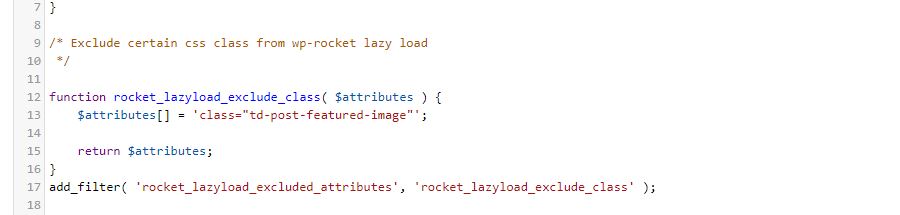
thanks for getting back. I tried it but sadly it didn’t work (as you can see on the screenshot below. Just to be sure (doesn’t know if that made any sense 😀 ) i tried the following combinations as well:
$attributes[] = 'class="td-post-featured-image img"';

    $attributes[] = 'class="td-post-featured-image.img"';

    $attributes[] = 'class="img.td-post-featured-image"';

    $attributes[] = 'class="td-post-featured-image"';

    $attributes[] = 'class=".td-post-featured-image img"';
The only one that worked was – as mentioned above – the class “entry-thumb”. But as i wrote: that excluded the thumbnails as well. Any other idea what i could try?
All the best and thanks,
Daniel
danna Hi,
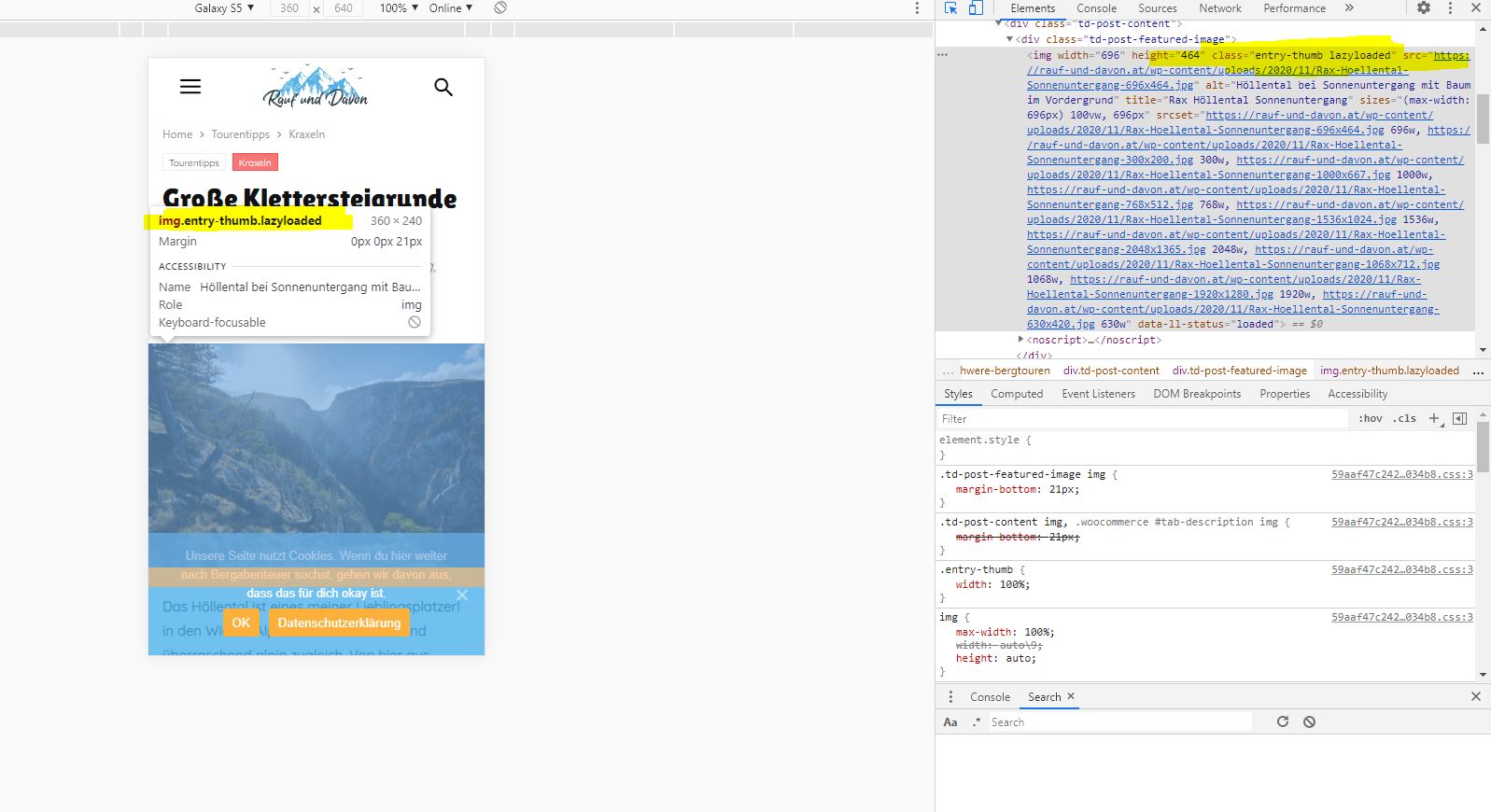
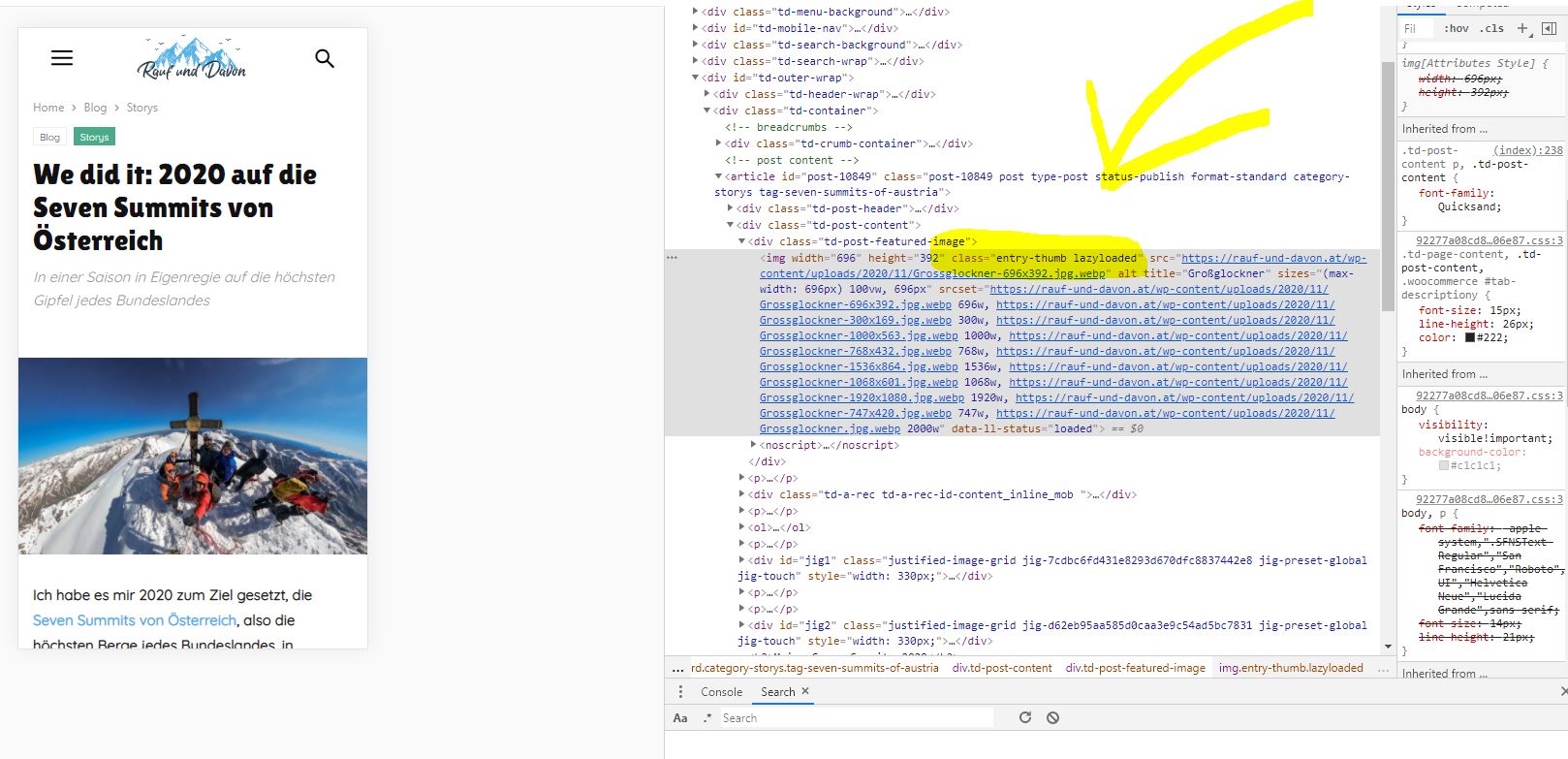
thanks for getting back. Sadly excluding the class “td-post-featured-image” doesn’t exclude the featured image from beeing lazy loaded. The class “entry-thumb” is still lazy loaded (as you can see on the screenshots). Do you maybe have any idea how to fix that without excluding the class “entry-thumb” (because that would exlude the thumbnails as well)?
All the best,
Daniel
danna btw: i already tried “td-post-featured-image” – sadly that one didn’t work 🙁
danna Just to be sure: with post image i mean the featured post image. The Image that appears above the post 🙂
danna Hey!
Thank you as far as i checked it worked now 🙂 If i’d have any problems i’ll get back to you!
All the best and thanks,
Daniel
danna Okay just found out (because i also aligned the text centered) that this code affects the complete mobile theme (my complete posts f. ex.). Is there a code that just affects the tag page entry content in the mobile theme that please?
All the best and thanks,
Daniel
danna Hello!
that worked, thanks!
All the best,
Daniel
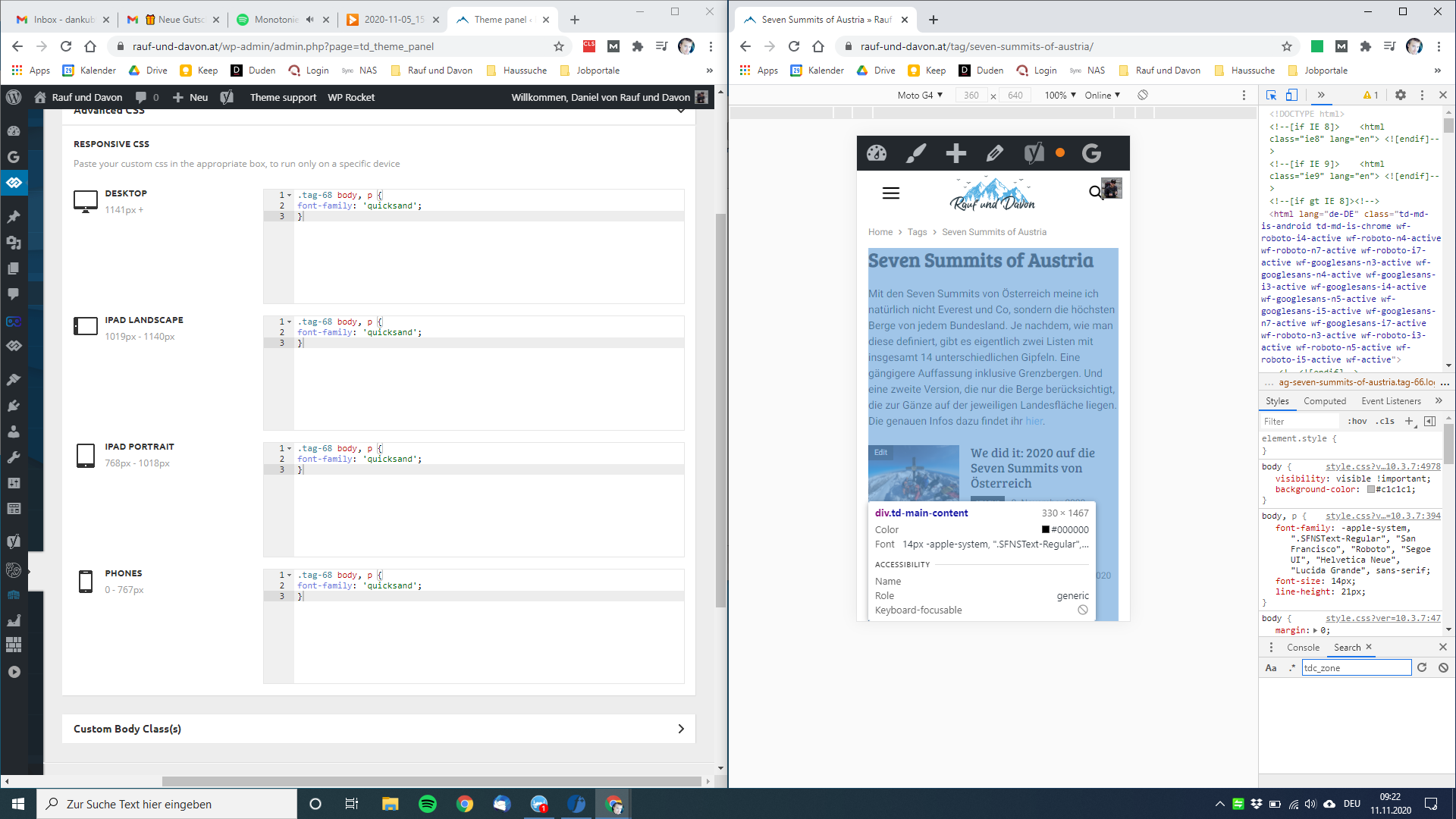
danna Just to be sure: I am talking about the font in the mobile theme.
danna Hey,
thanks for getting back, but it didn’t work as you can see on the screenshot.
Still have the wrong font on the mobile tag page.
Did i do something wrong?
All the best,
Daniel
danna Thanks, just wrote the mail.
All the best,
Daniel
danna Thanks that worked fine for us.
One last different question: Do you maybe have a code to display the image captions in gallerys in the mobile theme? Because we use stock photos and we have to display them by contract.
All the best,
Daniel
danna Hello Simon,
unfortunately there is no solving in our problem until nearly 2 weeks!?
danna Hi Simion,
okay I hope this will be fixed soon as our support runs out in a few days…
danna Hey Simion,
worked out fine, thx! There’s only one problem with the layout on certain Mobile Devices (like here on the Galaxy S6) – do you maybe have a CSS Code to fix that?
http://www.hello-planet.at/wp-content/uploads/2017/10/187bf660-4deb-492a-95be-17c5488396f8.jpg
Link to the Article is: http://www.hello-planet.at/2017/10/05/destination-post-mit-smartlist/
All the best and thanks,
Daniel
danna The Plugin Support solved the issue 🙂