

 danna
danna Hello Anamaria,
Thanks for that! And one more question: Is there an option to implement the Table of Contents into the mobile theme? That would also be awesome!
All the best,
Daniel
danna Actually two questions 🙂
Is there a block for the gutenberg editor?
Is is possible to inject it via tagdiv composer but after the first paragraph?
All the best,
Daniel
danna Thanks for this great feature!
Is there a way to implement the shortcode into the text. So that for example is appears after the first paragraph (intro). That would be awesome!
All the best,
Daniel
-
This reply was modified 3 years by
danna.
danna Hello,
sadly that’s not possible, as i built the sidebar via the backend (Backend -> Design -> Widgets).
All the best,
Daniel
danna And also in the mobile theme the <h4 class=”td-related-title”> 🙂
danna Hello! Sorry for getting back so late.
It worked for a while but since the last update i have the same problem again.
Same Page. Your access should still work 🙂
All the best,
Daniel
danna Hello,
i think that ain’t the problem because in the Desktop Version the language is right. It’s just in the mobile version.
All the best,
Daniel
danna Okay suddenly found a workaround by chosing the color and setting the opacity directly there..
danna Hello!
Is this fixed with the new update?
All the best,
Daniel
danna Hello!
Is this fixed with the update from today?
All the best,
Daniel
-
This reply was modified 4 years by
danna Yes please! No CLS would be a great thing!
All the best,
Daniel
danna Hello,
this fixed the issue in deed: https://forum.tagdiv.com/topic/to-high-cumulative-layout-shift-in-mobile-theme/
Is it possible you integrate the solution in a Newspaper update? Because i don’t want to edit the code after every update manually. Aand no CLS in the mobile theme should also be a thing you like to have, right?
All the best,
Daniel
danna Hello!
I actually don’t think that i did something wrong. I just tried it out and deleted all the Custom Code and deactivated all Plug-Ins … still this Layoutshift in the Mobile Theme occured …
All the best,
Daniel
danna It appeares according to the developer tools in the div.td-container everytime you start so scroll on a page.
danna Hey!
The CLS happens only in the mobile version (and only on mobile devices) and not on the desktop and has nothing to do with ads.
All the best,
Daniel
-
This reply was modified 4 years by
danna Are all of you having this notice? Because we have just a black window and a symbol that is linked to Newspaper theme.
danna Hello,
the website isn’t online yet, i can send you the login data. Which mailadress?
All the best,
Daniel
danna Hello,
i get this Error, maybe that helps:
“load-scripts.php?c=0&load[chunk_0]=jquery-core,jquery-migrate,utils&ver=5.7.2:2 GET https://www.isa-academy.eu/wp-content/plugins/td-composer/includes/wpeditor.php?wp_path=/home/isaacebv/www.isa-academy.eu/ 403”
All the best,
Daniel
danna I have the same problem. Can you please share the solution if you have one?
All the best,
Daniel
danna Hello,
thanks for getting back. I’m talking about these yellow marked lines:
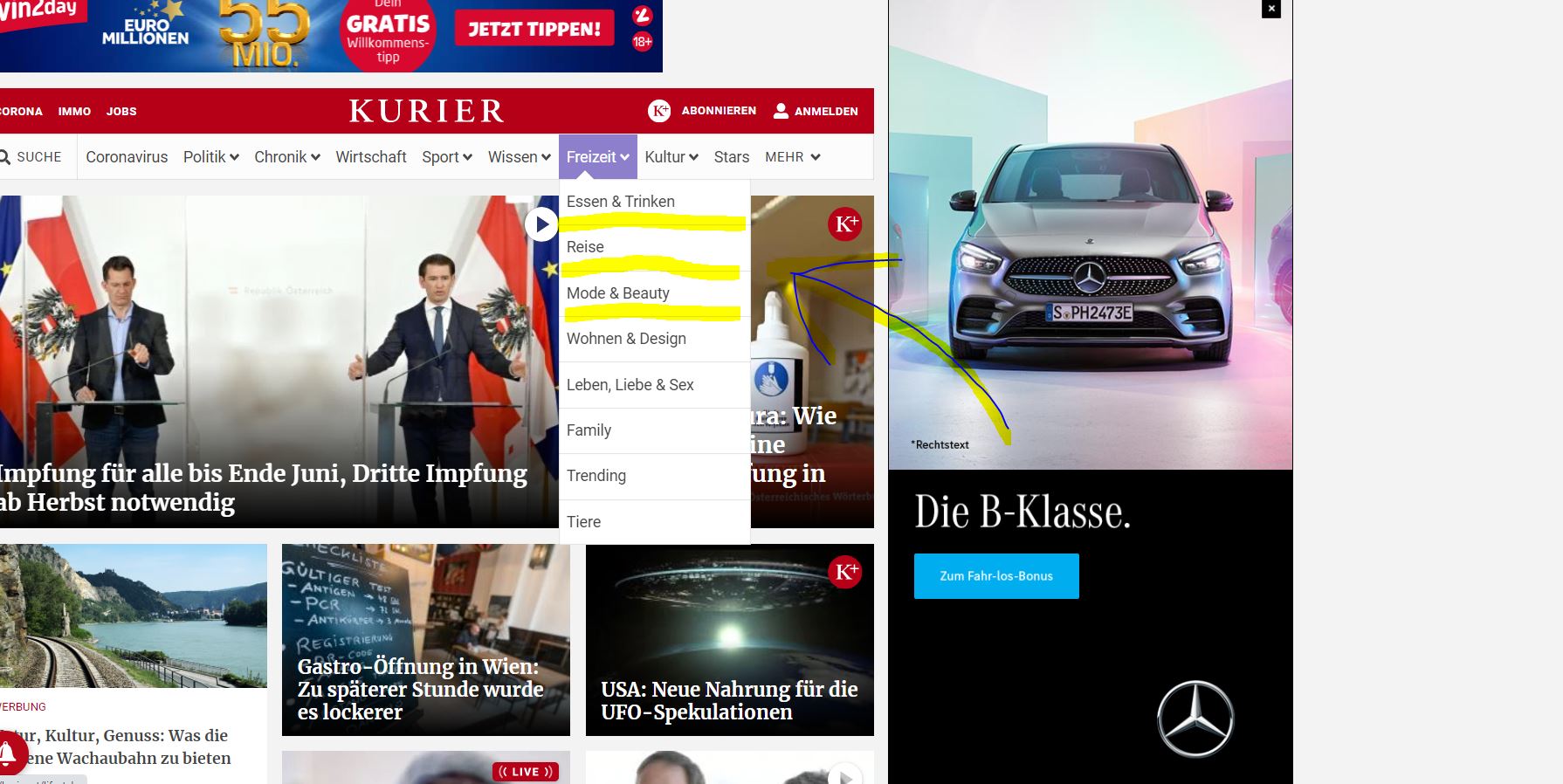
All the best and thanks,
Daniel
danna Hello,
the problem is still there.
1) Open Chrome DevTools
2) Switch to Mobile View
3) Go to the Performance Tab
4) Hit record
5) Load any Post
6) Scroll a few times (that’s important because it only happens when you scroll)
7) Hit Stop
8) Check Results
You should find a marker in the Web Vitals Section and in the Experience Section telling you (as you can see on the screenshot):
Score 0.1136
Cumulative Score 0.1434
Had recent inputNo
Moved fromLocation: [0,0], Size: [454×726]
Moved toLocation: [0,0], Size: [454×726]
Related Nodediv.td-container
All the best,
Daniel
danna Hello,
thanks for getting back and the information.
All the best,
Daniel
danna Hello Bettina,
thank you so very much, it worked!
All the best,
Daniel
-
This reply was modified 5 years by
danna Hello!
I use the default post templates of the newspaper theme. Here is an example link: https://www.hello-planet.at/wo-ist-das-andere-ende-der-welt/
So i don’t want the “Daniel” at the top and the “Hello Planet” at the bottom to be linked.
All the best and thanks,
Daniel
danna Thanks everything worked out!
All the best,
Daniel
