

 danna
danna Found the problem, thanks!
danna Hi,
thanks for getting back. As i wrote: The lightbox is disabled for all images. The issue also occurs with old articles where everything used to work fine. It’s actually a site-wide problem.
Thank you for your help.
danna Thank you it worked!
All the best,
Daniel
danna Actually it would be interesting to know, where and how i can decide which image is loaded, when i upload it as a large image to a post. In die Media Settings large images have 696 width and height.
danna Sorry Number 5 is also a sharp webP
danna Thanks for getting back: And how can i deliver webP-Images in the block “Single Post Bg Featured Image” you offer?
All the best,
Daniel
danna Hey Calin,
thanks for getting back! I use one of these plugins. I just saw except from the tdb-featured-image-bg also the images in the sidebar (Flex Block) are not loaded as webP. I use Performance Lab and EWWW Image Optimizer. The normal images in the posts are loaded as webP. Is there something i have to activate in the theme panel in order to deliver webP?
All the best,
Daniel
-
This reply was modified 3 years by
danna.
danna Hello,
that’s exactly what i was looking for! Thanks 🙂
All the best,
Daniel
danna danna Here is the link: https://app.screencast.com/IbGgRatpnuyV8
You see: I start with the shop base which includes all products. Here I chose “Buttons” for the categories. But when I click at a category, it doesn’t stay at the shop base, the link goes to the category template.
When I choose “multi” for the buttons: it DOES stay at the shop page, but when I want to see the products of another category, it INCLUDES both categories. It shows all products for both categories, but I just want to see the one that I clicked on.
So either it shows all the categories (filters) that I clicked on, which is a bit mixed up here – OR it jumps to the category template, but I don’t want that…
danna danna Here is the Link to the Search.
All the best,
Daniel
danna Hi,
thanks for getting back. The first two posts in the link are drafts:
Testbeitrag für Werbeintegration ohne DAV
Testbeitrag für Werbeintegration mit DAV
If you click on them you get a 404.
All the best,
Daniel
danna Hi Bettina,
there was no error, but I updated everything again and – funny – works now again. Which is really funny because this problem occured very often since I started with Newspaper theme (three years ago?)
But thank you, I will let you know if it comes back.
danna That fixed it! Thank you so much!!!
All the best,
Daniel
danna I just deactivated all Plugins but the pages were still there.
But i think i know now, where these pages come from. When i deactivated the Tagdiv Composer, the Category page turned to this: And there you can see this 9 pages: 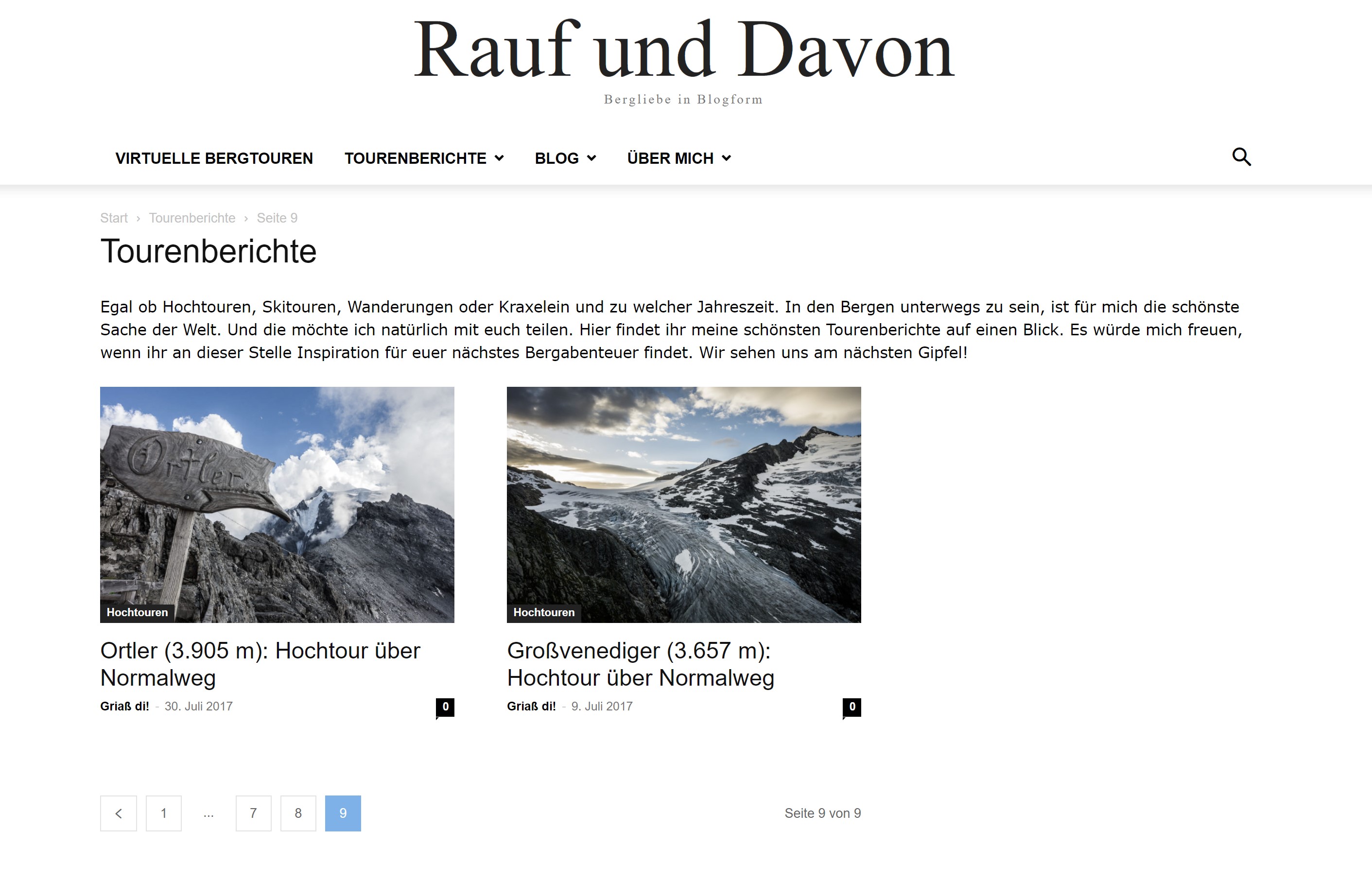
So does this help to get rid of them? 😀
All the best,
Daniel
danna Hello Bettina,
ah, you mean these restricts. Of course i know these settings. Actually i want to index my category and tag pages. The problem is, that the theme somehow creates this subpages that all have the exact same content. I use Newspaper from the first second so i guess the theme did it?
I Just want the https://rauf-und-davon.at/tourenberichte with the load more button and no /page/2/, /page/3/ and so on … Because these are all pages with duplicate content. You know what i mean?
danna And how can i delete the existing ones? 🙂
Thanks!
danna Hello Bettina,
thank you for getting back:
How can i restrict these pages with yoast? And how can i reindex if afterwards?
Thanks and all the best,
Daniel
danna Hello,
just wanted to let you know i fixed the issue.
All the best,
Daniel
danna Hello,
i guess it’s not a problem with the plugin but a problem with the mobile theme.
All the best,
Daniel
danna Hello,
i didn’t ad the code in the TagDiv Composer, i added it directly into the Post (Gutenberg):

After that the ad is displayed in Desktop and in the mobile theme. Everything works perfect. But on Desktop i don’t want the ad to be displayed in the post, because i have it in the sidebar. So i use a filter from advanced ads to just display it on mobile devices:
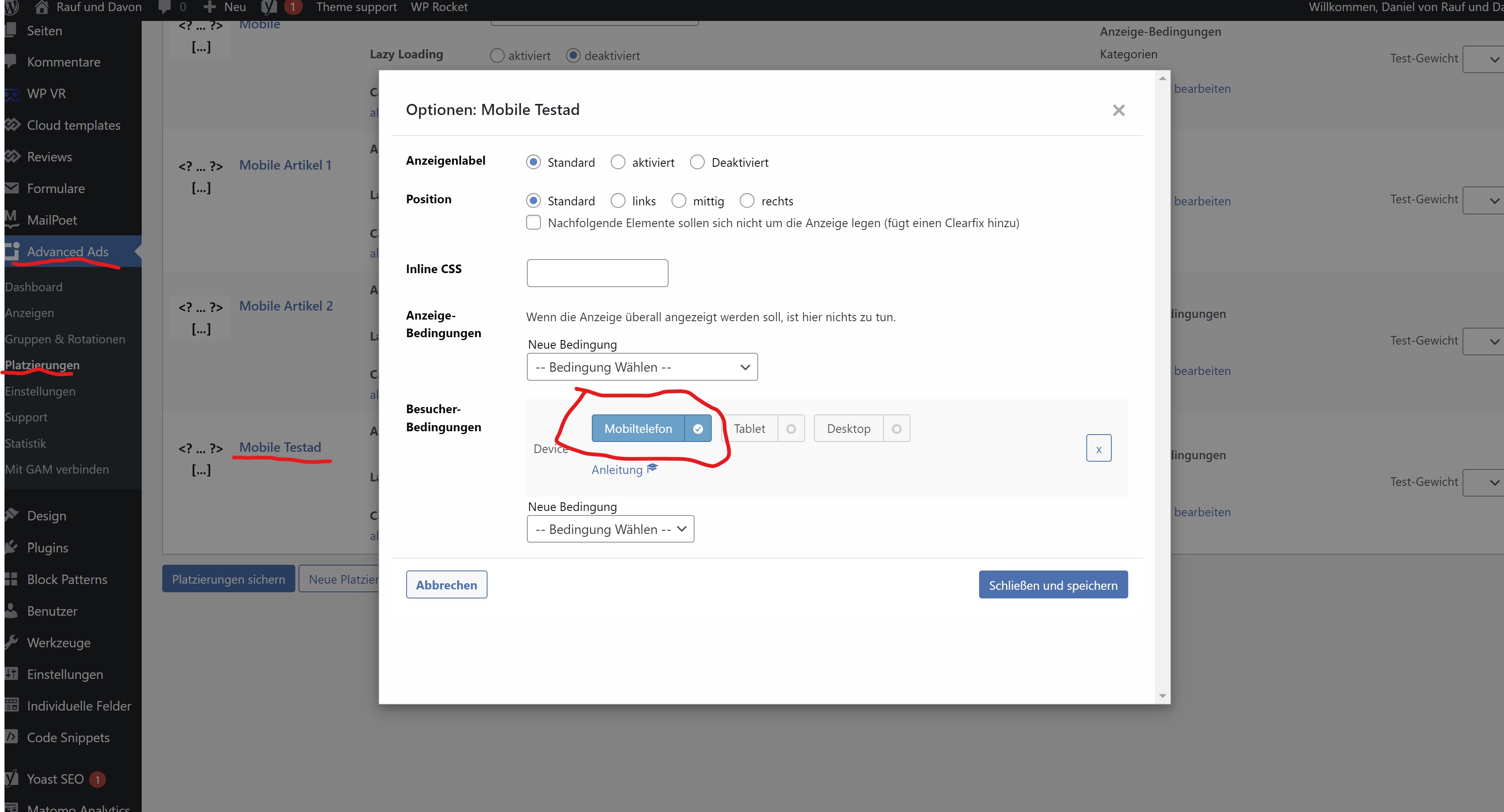
After the filter is applyed, the ad is still displayed in the DevTools (there i can load the mobile theme):
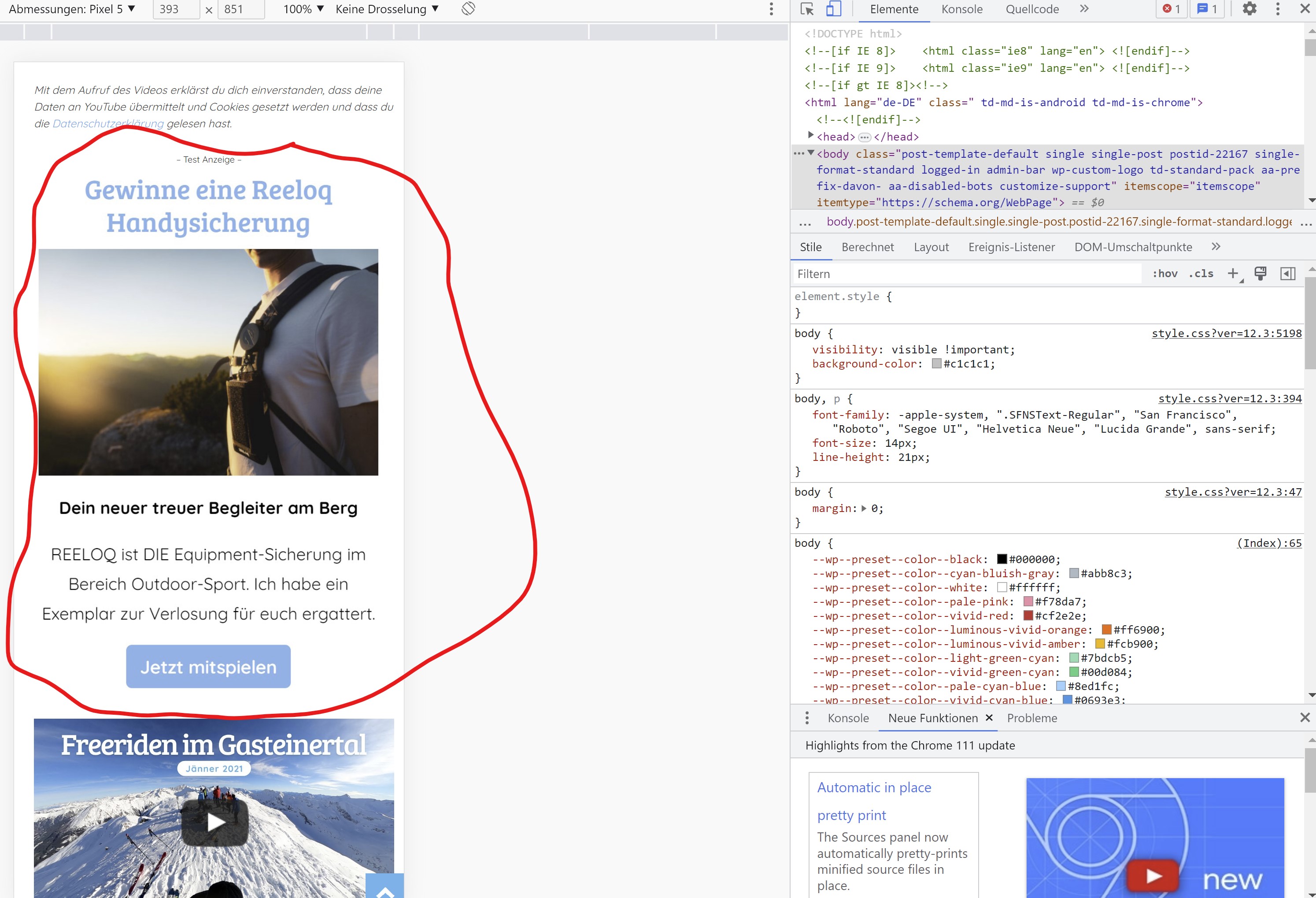
So it is displayed in the mobile theme but for some reason it’s not displayed on a real mobile device.
You can check it our here: https://rauf-und-davon.at/freeriden-gasteinertal-2023/ – the ad should appear between the two Vidoes.
All the best,
Daniel
-
This reply was modified 3 years by
danna Hello,
as i said, i need to show ads on a custom place. I manually inserted the placement-adcode in every single post on a different spot. As long as i don’t use a filter in advanced ads, the ads are displayed on the desktop version AND in the mobile theme. If i activate the advanced ads filter, to only display them on mobile, the ads are not diplayed al all – neither desktop nor mobile.
So generally it works and ads are displayed in the mobile theme. But as soon as i apply an advanced ads filter, the ads are not shown in the mobile theme anymore.
All the best,
Daniel
danna Hello,
I don’t want to customize the ads, I just want them do be shown just in the mobile theme. There has to be some solution (at least with some extra code). I mean I put the adcode directly in the posts, so the have to be loaded in the mobile theme, right? And as I said, they are shown in the DevTools (the mobile theme gets loaded there), why aren’t they shown on mobile devices? This feature is really really important for me and my clients (I already bought 8 Newspaper Themes an more to come).
All the best and thanks for the help,
Daniel
danna Hello,
thanks for getting back. I know this option but as i want to show the ads on exact spots (there where i put the code into the posts) this doesn’t work for me.
How can i solve the issue with the placement filters from advanced ads as written above? The funny thing is, the ad is shown if i load the mobile theme via Chrome DevTools but not displayed on mobile phones itself.
F. ex. here, the ad between the videos: https://rauf-und-davon.at/freeriden-gasteinertal-2023/
All the best,
Daniel
