

 Frédéric Bénot
 Before you ask me to do so… I have already deactivated all my plugins (except Tag Div ones).
Same result.
F.
Frédéric Bénot Hi !
I’ve already have done this several times. I have WP Rocket installed.
My Config :
-
Wordpres Version 6.4.3
No CDN
No Child theme
Server Linux 5.15.80-ovh-vps-grsec-zfs-classid x86_64
Serveur web Apache
Version de PHP 8.1.23 (64 bits)
PHP SAPI fpm-fcgi
Version de cURL 7.64.0 OpenSSL/1.1.1n
Extension mysqli
Version du serveur 5.7.42-log
Version du client mysqlnd 8.1.23
Located to OVH in France
Thank You
Frédéric Bénot Yes. This is what I already have !
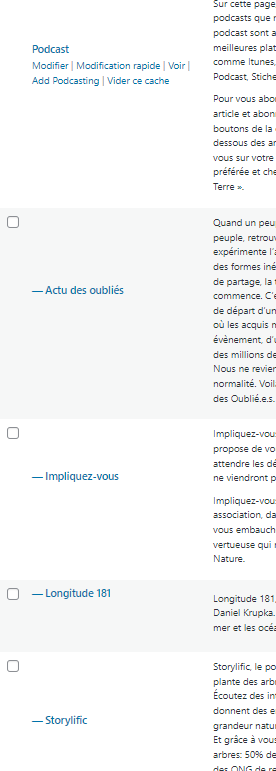
Frédéric Bénot Hello Anamaria,
Thank you for your response, but I had already read this page before contacting you and I think I have respected the instructions indicated there.
This is my category and its subcategories
. Podcast
. show 1
. Show 2
…
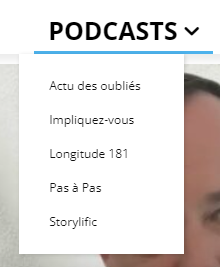
If I isolate my Podcast category alone in the menu to make it one big menu,
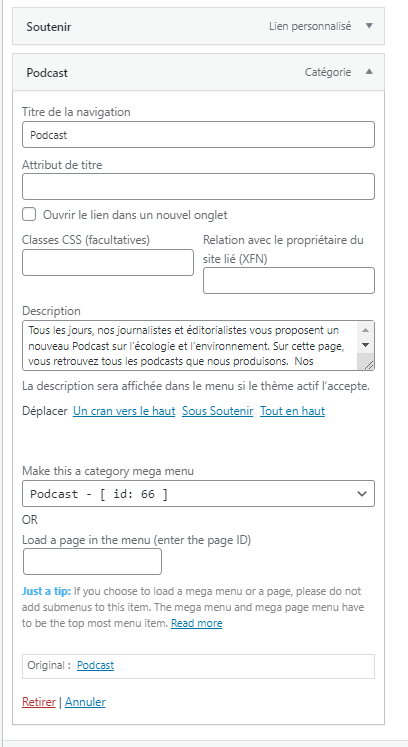
I no longer see the subcategories. I don’t see a list to the left of the images.

I even have trouble understanding how the results that appear in the big menu are classified.
Address of my site:
I’m leaving the two live “podcast” menus active on the site while waiting to read your response.
THANKS
-
This reply was modified 2 years by
Frédéric Bénot.
Frédéric Bénot Hello. Thank you for your answer. I did already did this.
My problem (nearly solved) is that I am owning a “multi author” website and my authors don’t like the new editor (Gutenberg) so I use the old one.
But ! “Featured audio” box is not displaying with the old editor. Maybe you can fix this ?
Thank you.
Frédéric Bénot OK.
I’ve investigated more.
the “Aggregate JS-files” function of Autoptimize is not compatible with “Ajax post view count”. It must be deactivated. …
If it can help people having the same issue.
FB
Frédéric Bénot Hi,
OK, I’ve done all this and… it has worked !!
Thank you.
Fred
Frédéric Bénot Hi Calin,
And thank you for your answer.
My problem is not on front end, but in back office.
The blockquote is “big” and taking a lot of place when you’re writting a post.
I’d like the blockquote appearence in the wordpress editor look the same as my css front end.
This is what I use as a custom css for front end display :
blockquote {
background:#f9f9f9;
border-left:10px solid #ccc;
margin:1.5em 10px;
padding:.5em 10px;
quotes:”\201C””\201D””\2018″”\2019″;
text-align: justify !important;
}
blockquote:before {
color:#ccc;
content:open-quote;
font-size:4em;
line-height:.1em;
margin-right:.25em;
vertical-align:-.4em;
}
blockquote p {
display:inline;
}
Thank you.
Fred
Frédéric Bénot Hi !
My 404 page template is going away 🙁 I keep putting it on from the template editing in the theme panel editor… But it’s not staying.
-
This reply was modified 7 years by
Frédéric Bénot Same problem.
I had to deactivate my plugins to make my tag div composer save … Unfortunaltely, I must use all of my plugins.
