jlgraber
 Not sure how they fixed it. But I let our rep. know, and their tech team went in and rolled out a fix for us.
jlgraber Hi all, we had the same issue. Turns out it was the ezoic ad platform that was causing this. They made a fix and all is well on this.
jlgraber We are having the same issue. When we try to make changes on the theme panel (ie: fonts), it just spins and spins.
jlgraber Hi Mike,
Thanks for sharing the findings. Yes, this is a problem for us as well. We cannot set every post to include the feature image, so unfortunately can’t use post templates 3 and 4 it seems.
Catalin, perhaps this is something you could address in a future update with Newspaper. It would be really nice to be able to use ALL the post templates, regardless of whether or not we choose to display the feature image in the post.
Thanks all!
Janna
jlgraber Hi Mike,
Sorry I’ve been traveling so haven’t yet been able to contact Catalin with our login regarding this issue. If you do figure out what’s going on with this problem, please let me know. I’d really appreciate it! 🙂 Thanks! – Janna
jlgraber Hi Catalin,
Thanks for your email. We definitely have the featured image set. Here’s an example of what we’re talking about. In this recent post, we have the post template set to Style 7 and it looks great! https://www.goworldtravel.com/travel-solomon-islands/ (Style 6 also looks fine)
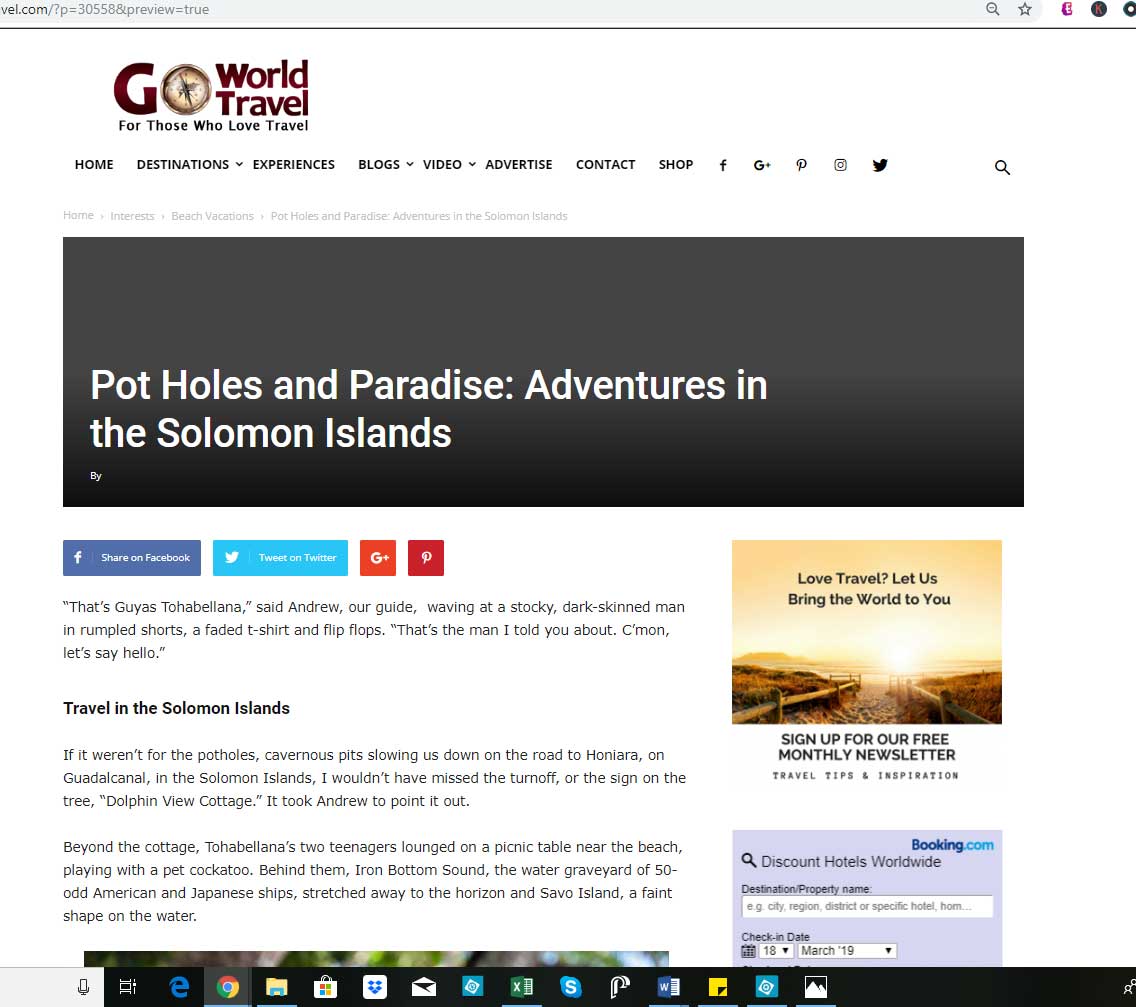
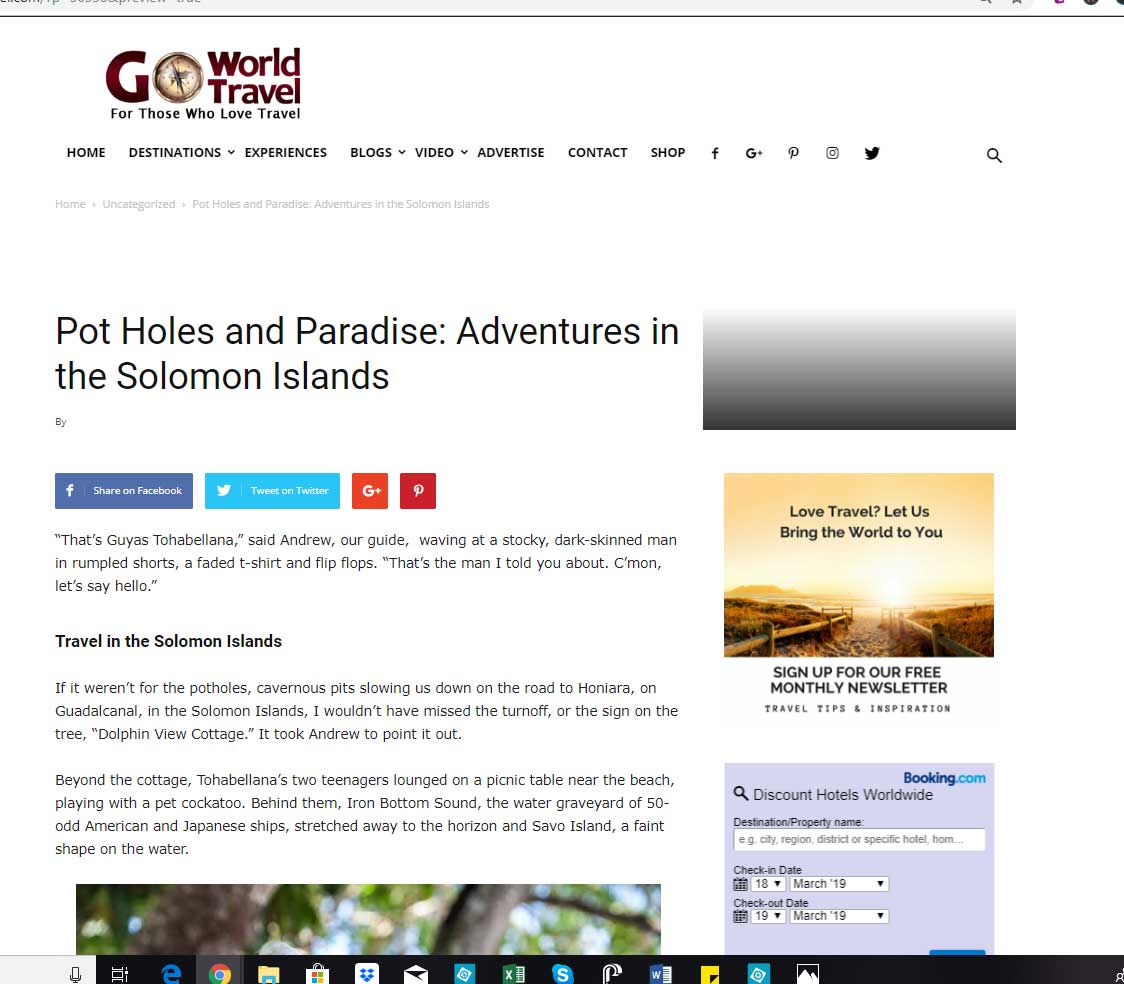
But if we set the post template to style 3 or style 4 for same post, this is what happens:
https://www.goworldtravel.com/wp-content/uploads/2019/03/newspaper-theme-error-style-3.jpg
https://www.goworldtravel.com/wp-content/uploads/2019/03/newspaper-theme-error-style-4.jpg
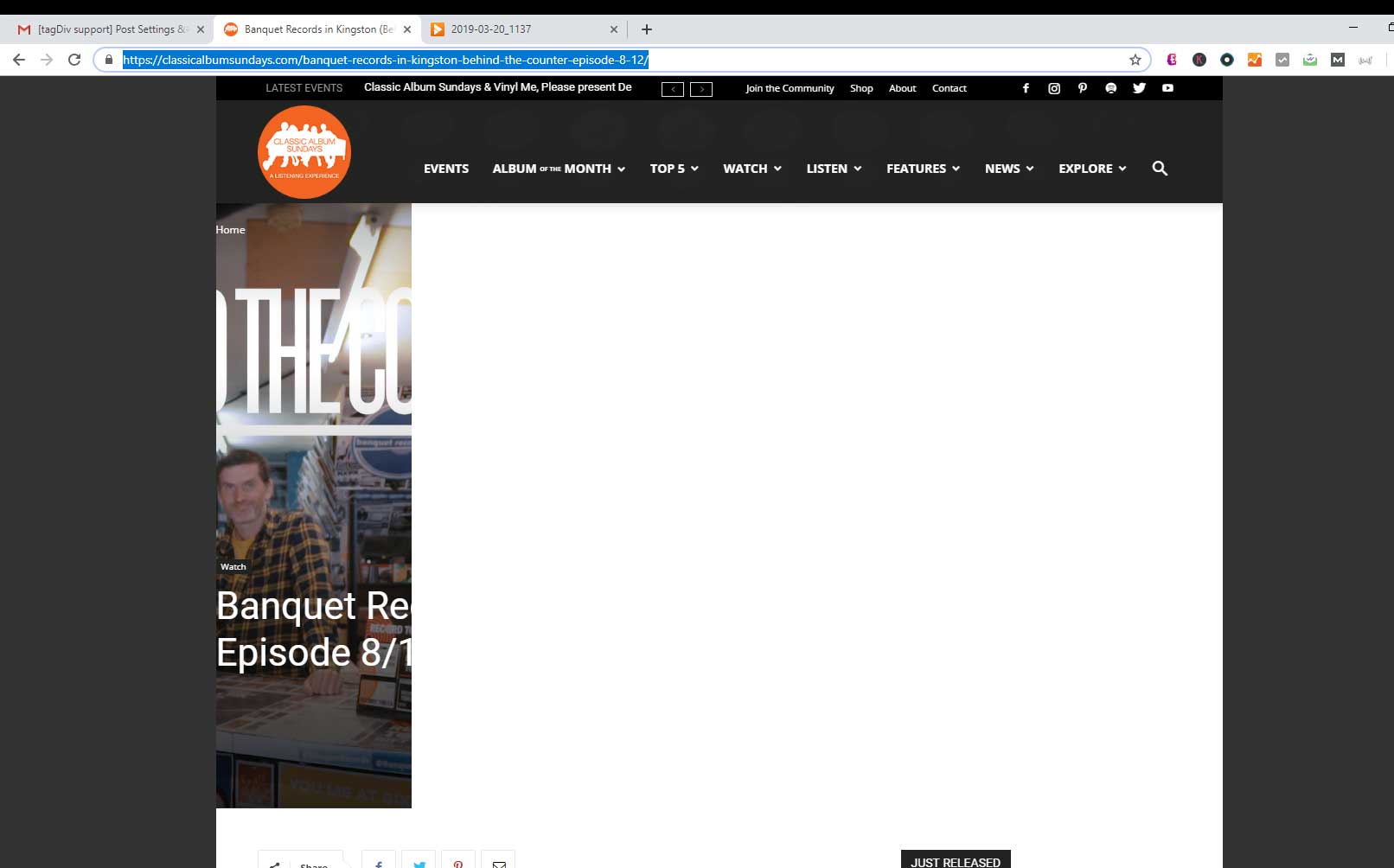
Also, FYI, this is what I see on the link you sent from classicalalbumsunday.com
https://www.goworldtravel.com/wp-content/uploads/2019/03/screenshot-classical-album-sundays.jpg Checked it from several different PCs on chrome
Any ideas on what may be causing Post template 3 and 4 to have these problems?
Thank you!
jlgraber Hi Catalin,
Thanks for your example link, but strangely on Chrome, I only see the left half of your lead image. On IE, I see your whole image just fine.
Janna
jlgraber Hello, We are having the exact same problem. Post templates 3 and 4 display NO IMAGE. Post template 4 doesn’t even show the whole space.
Screen shots here: https://www.goworldtravel.com/wp-content/uploads/2019/03/newspaper-theme-error-style-3.jpg
https://www.goworldtravel.com/wp-content/uploads/2019/03/newspaper-theme-error-style-4.jpg
Post templates 6 and 7 work fine, as seen here:
https://www.goworldtravel.com/winter-quebec/
jlgraber This happen after the WordPress update, Can you please check why theme Panel Save just keep of loading and loading with that icon saving it’s saving but never save
Logins are
url: http://www.goworldtravel.com/wp-admin
-
This reply was modified 9 years by
 Simion C..
jlgraber Hello,
I tried all plugins and disable and clear caching installed but its not working.
jlgraber That worked perfectly. Thank you!
jlgraber Thanks for your reply. I was able to make the buttons transparent, http://www.goworldtravel.com/best-dude-ranch/, but I’d really like to make the buttons a color (maybe light gray) so they are more noticeable. How can I do that? Thanks!
-
This reply was modified 9 years by
jlgraber.
jlgraber Hi, I’m trying to change the black background of the Previous and Next buttons on smart list too. I added the code you provided in Theme Panel/Custom Code/Custom CSS, and then changed the color of the black to something else….but nothing changed. See http://www.goworldtravel.com/best-dude-ranch/
Can you please let me know if I need to do something else? Thanks!