

 msakande
 Hi
the problem is from a plugin.
I disable all non TAGDIV plugins and it work now.
Thanks
msakande Dear,
since this morning the plugin tagDiv Cloud Library AUTO DISABLED
When I try to enable it I get the error Plugin Error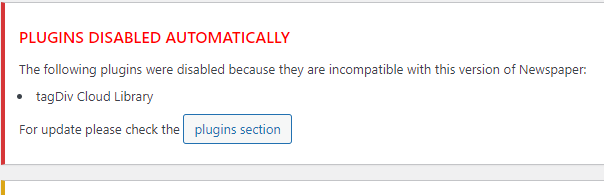 .
.
I delete the plugin and install it again, but I cannot activate it.
The Theme is up to date 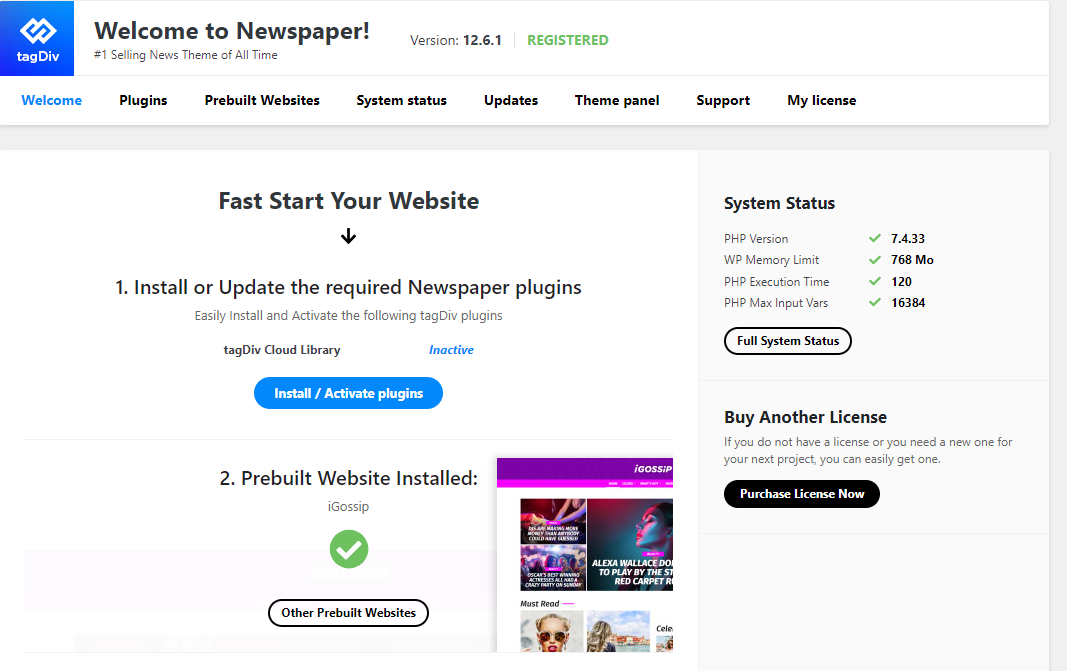
msakande Hello,
I want the quote with a vertical line on the left blue
Please see the image, the quote model in red image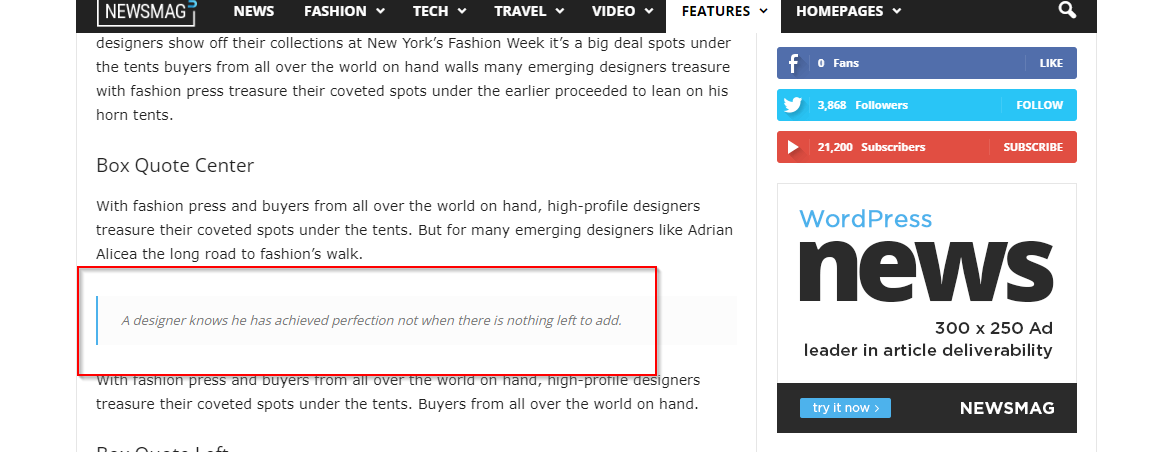
msakande Dear,
I would like to add Box Quote Center as show in this link TAGDIV Blocks
an image caputure
msakande it’s working perfect.
I will disable all plugin and test
msakande Hi Bettina,
thanks for your availability.
1- for single template its works properly as you can see the capture
Single template Phone viewport
2- for the homepage, even I click on Phone Viewport the display is still desktop view
msakande Dear,
I have some difficult with TD Composer
For the Homepage, when I click on PHONE VIEWPORT, it’s not working.
the display is still on DESKTOP VIEWPORT.
I can select object, delete, add.
NO VIEW for landscape, portrait or Phone.
For single template or category, there are no problem, I can get PHONE VIEW
msakande Hi,
I have the Mobile footer template.
But when I choose it, the mobile view is correct.
But the desktop version use the same footer (of mobile)
msakande Dear,
can you help me for footer?
I decide to create mobile page for each section (homepage, post, category, search, tag, date,…)
For all these, it’s simply, just create a copy of desktop version and modify it.
My problem is about HEADER and FOOTER.
As you know, it’s not possible to create a copy of these section like another page as post or category.
I go to CLOUD Template and duplicate header and footer, modify them like want I want.
The problem is how to call these section.
When I go to Website Manager and try to use the modified files, the desktop version is also changed.
How to resolv the problem?
msakande Hello.
I disable it (Jetpack) and it ok now.
Thanks for your assistance
msakande Hello
sorry, but the section is not display in Tagdiv composer. So I cannot delete it.
See Not display in TAGDIV Composer
But it display in POST
see Display in POST
msakande Hello,
I disable Wordfence and it work fine now
Please can you tell me how to hide this section of post?
post post sample
image of what we want to delete hide section
msakande Hello,
yes I use WordFence.
I disable it and the changes has been applied.
Thanks
msakande Hello,
I did it but when I click on Save Setting, the information I put disapear and the string is still not translated.
msakande Hi,
My website is in FRENCH, all the others words are in French.
But comment box is still in ENGLISH.
Can you help me to change the information in FRENCH Language?
-
This reply was modified 4 years by
msakande.
msakande Dear,
I have serious problem with my website about the mobile version.
I create mobile version of homepage, single, category,…
But when I browse the website in a mobile device I get another version, not the good mobile version I created.
– Good version of mobile I create
https://www.owonews.info/wp-content/uploads/2022/04/mobile-page.png
https://www.owonews.info/wp-content/uploads/2022/04/mobile-page-ok.png
– Bad mobile version I get when I browse the website with mobile device
https://www.owonews.info/wp-content/uploads/2022/04/bad-mobile-version.png
– Theme panel mobile setting
https://www.owonews.info/wp-content/uploads/2022/04/Mobile-selected.png
Note: I don’t want AMP, just the mobile version I created.
msakande Hi Bettina,
I just send you the email with the requested information
msakande Hello Bettina
I don’t have this options in my AMP setting
https://owonews.info/wp-content/uploads/2022/02/amp1.png
https://owonews.info/wp-content/uploads/2022/02/amp2.png
msakande Dear all,
the problem is solved.
Thanks for your assistance
msakande Hi Bettina
I follow all your recommendations, but the mobile version didn’t show the correct page I create, and map
When I browse with mobile I didn’t get the correct display
As you can see in these pictures, the setup are correct
https://owonews.info/wp-content/uploads/2022/02/mobile-home-page.png
https://owonews.info/wp-content/uploads/2022/02/mobile-single-footer.png
https://owonews.info/wp-content/uploads/2022/02/mobile-single-header.png
https://owonews.info/wp-content/uploads/2022/02/mobile-single-page.png
msakande Hi Calin,
Thanks for your assistance.
I create a mobile header and footer and it work well as you can see it here https://owonews.info/
The problem is now for the following template: Single, Category, Tag, Search, Date
I can create them but how to design them as mobile template to use.
Note: For the PC view, I just go the the panel and index the correct template.
For the mobile header and footer , I dit it using Manager
Please help
msakande Dear Bettina,
Thanks for your support.
It’s ok.
You can mark the ticket as close
msakande Hello
I understand that your theme doesn’t have smtp server.
I wrote you because when I disable your theme. Email notification works properly.
That’s why I hope you have already solve this type of problem
msakande Dear Bettina,
thanks for your support.
for your information, the plugin AMP is installed and actived.
The problem is that the AMP is not listed in Dashboard menu.
So you cannot config it.
This is my problem.
Note: I desinstall and reinstall many time but the problem is still on
msakande Hello,
the problem is solved.
Thanks!



