msakande
 ok I will do it
msakande Hi
in all post, comment are activated
https://www.evenement-bf.net/wp-content/uploads/2021/09/commentOK.png
msakande Hello Bettina
I want in my Menu a menu called “Archives”
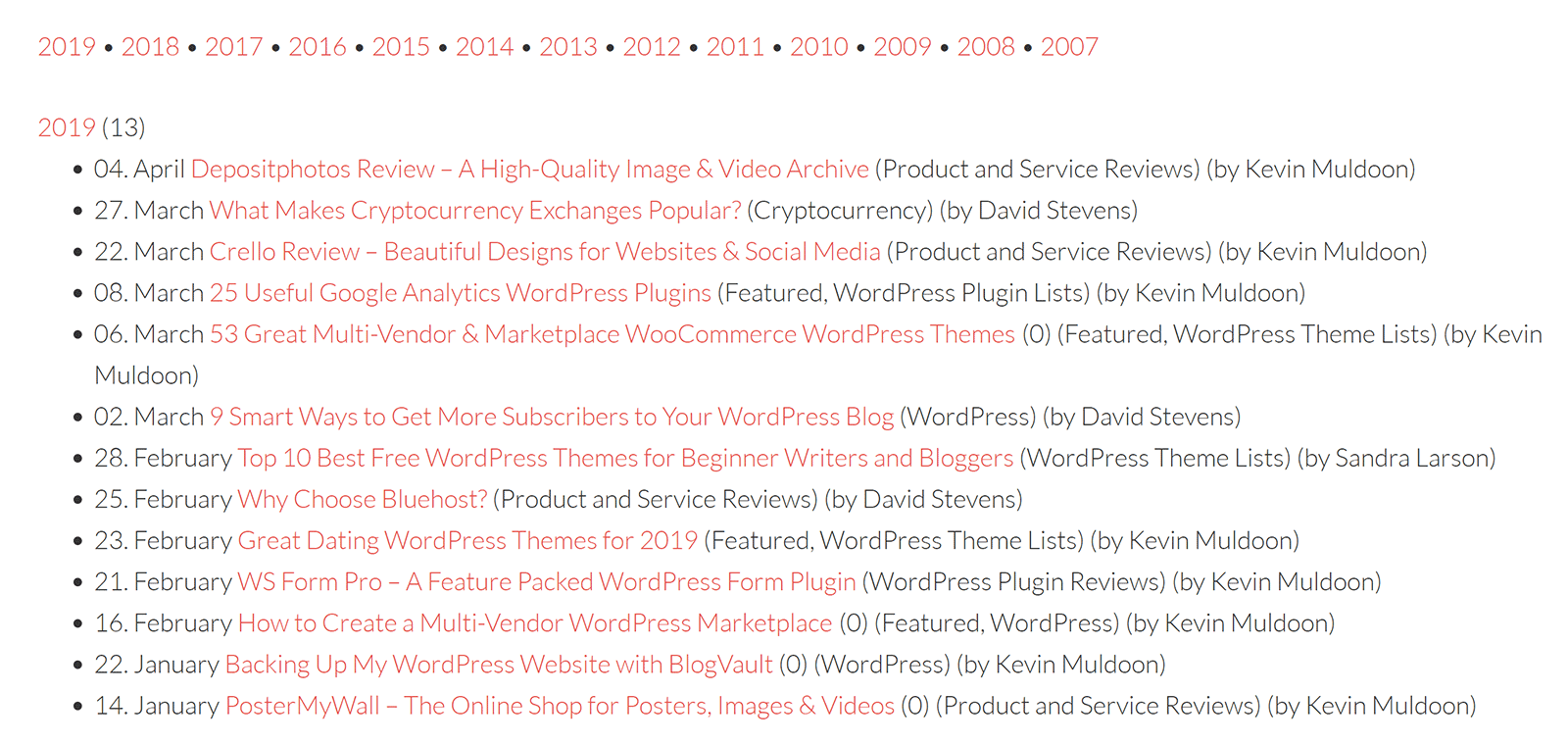
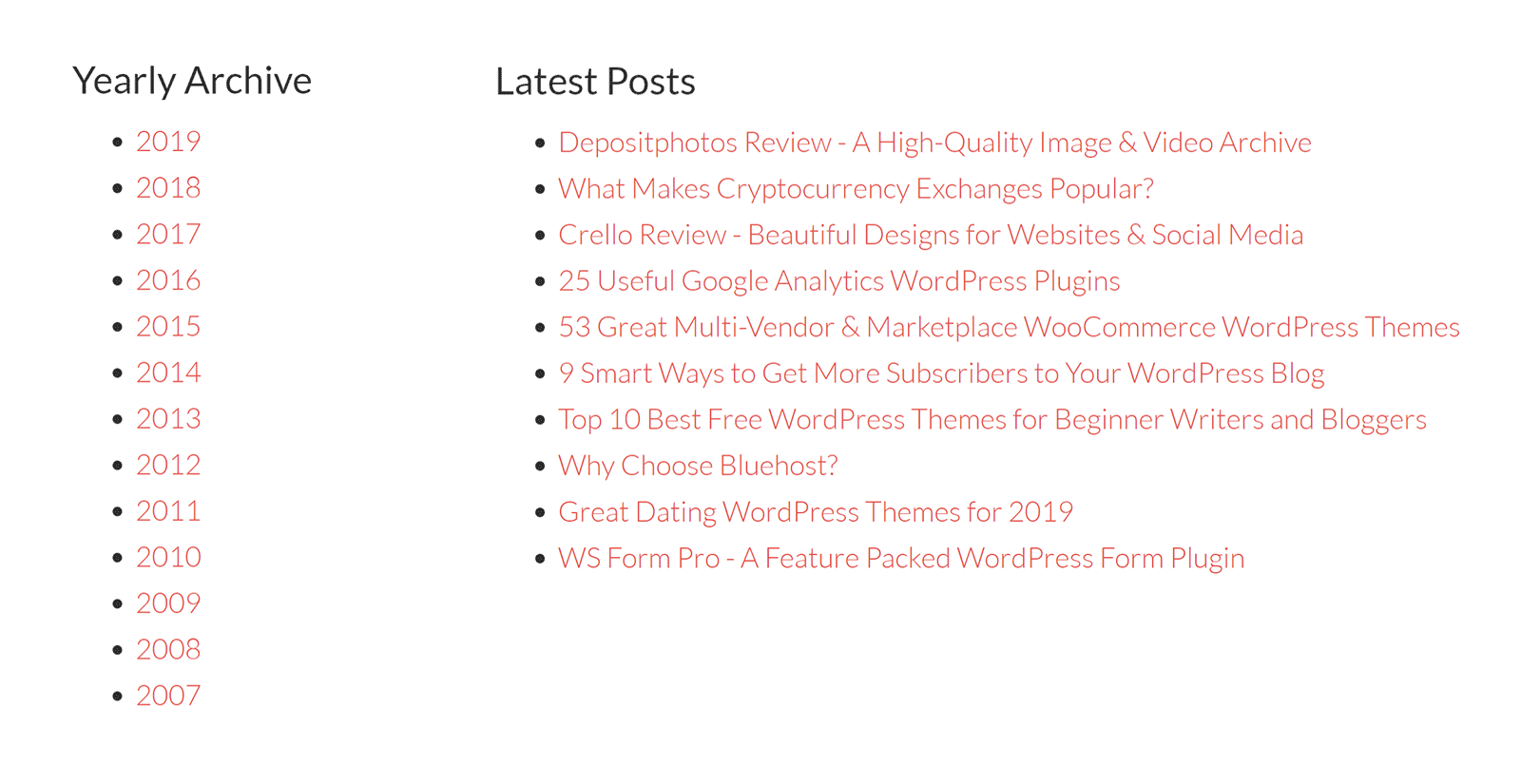
I want, when the user go to this link, He can see the Archive listed by year, month…
like these one
https://winningwp.com/wp-content/uploads/2019/05/simple-yearly-archive-example.png
https://winningwp.com/wp-content/uploads/2019/05/archive-page-example.png
msakande Hello Bettina,
Thanks for your assistance.
it’s work when I use the date (i.e 2012)
But if I want to display all the archive by date.
I want, when the users go to Archives page, he see all the archives listed by year
msakande Hello Anamaria,
thanks for your assistance.
it’s not an element which can been delete.
I resolve the problem by changing the page template option.
msakande Dear,
I solved the problem by resetting my website.
You can close the ticket.
Thanks for your asistance.
msakande Hello
When I use Google Chrome development tools, I can see this error
https://iev.wju.mybluehost.me/wp-content/uploads/2021/08/java-error.png
msakande I just get this message from hosting support
Hello Mahamadi,
Thank you for contacting Support. I am Deepak looking into case #34425762 regarding not being able to edit the website. I understand how important it is to get this resolved at the earliest. I’m happy to assist you with this.
From the case details, I understand that you are unable to edit the pages using the tagDiv Composer editor.
I have checked the installation http://www.iev.wju.mybluehost.me/ and I was able to replicate the issue. The editor keeps on spinning. As suggested by the plugin vendor, I checked for the firewall block, but could not locate any. Currently, you are using the latest version of WordPress and PHP. It appears that the current version of the plugin is not compatible with the latest version of WordPress or PHP.
We have tried our best to troubleshoot the error, but could not fix it on our end. We are not trained web developers, so we do not have the working knowledge to address all website concerns and errors that may occur. The best option is to check this with the plugin vendor/developer as they would have the most experience working with their products. If they/you need any help, let us know and we can assist with anything on our server-side.
Please feel free to reply to this email if you have additional questions or concrens. We are happy to assist you.
Regards,
Deepak A
Escalated Support
msakande Ok.
I just send you the email.
it’s come from msakande@aie-burkina.com
msakande Hello,
I follow your recommendations and contact my hosting service support.
They ask me to give you this message
” Normally tickets are answered the same day, usually within a few hours. Tickets are addressed in the order they are received, so please wait patiently and you should have a response shortly.
The maximum time being 24-72 hours, this is the maximum time
You can also contact plugin vendor and give them error message: /home4/ievwjumy/public_html/wp-content/plugins/td-composer/legacy/common/wp_booster/td_util.php on line 644 “
msakande Hello Anamaria,
thanks for your support.
This problem is solved.
But Now, I have another problem.
When I launch TagDiv Composer, it show white page https://iev.wju.mybluehost.me/wp-content/uploads/2021/08/Tag-Composer-white-page.jpg
the system Status is good https://iev.wju.mybluehost.me/wp-content/uploads/2021/08/system-global-status.png
all the plugin are activated https://iev.wju.mybluehost.me/wp-content/uploads/2021/08/plugins-actived.jpg
can you please help me to solve the problem?
msakande Please close the ticket. the problem is solved.
msakande ok. well noted.
I follow your advise and back for update.
msakande Hi Anamaria,
thanks for your assistance.
When I refresh a lot of time, I can get the cloud templates.
But sometime the problem happen.
I have another problem with tag composer
As you can see in this picture
https://iev.wju.mybluehost.me/wp-content/uploads/2021/08/tag-composer-Error.png
I cannot Edit with TagDiv Composer
Can you advise please?
msakande Hello Bettina,
it’s ok.
Thanks for your assistance!
msakande Yes,
That why I would like to use the same custom code in my website.
Where can I apply this one in the website?
msakande Dear Bettira,
maybe my question is not clear
in this post Post with text justify you can see that the tex is correctly align is left and right.
msakande Dear,
it’s ok.
I remove the old version and install a new one and it’s OK.
Thansk for your support!
msakande Dear Anamaria,
Thanks you for your support.
It’s ok now.
You can close the ticket.
msakande Dear Calin,
Thanks for your support.
It’s ok.
You can close the ticket
msakande Hi Vlad S
It’s ok.
I follow your recommendations and it’s OK.
msakande Hi
I recharge the system status pictures.
http://infoh24.info/system-status-2
http://infoh24.info/system-status-1
Note: TD Composer was working fine.
The problem is recent.
Maybe due to the new update.
msakande Hi,
All the requirements are ok.
I use the TD composer since before and it work well.
System Status
http://infoh24.info/wp-content/uploads/2020/09/System-status-1.png
http://infoh24.info/wp-content/uploads/2020/09/System-status-2.png
-
This reply was modified 6 years by
msakande.
msakande Hi,
I resolved the problem.
I use the block ” News Sticker”
Thanks!
msakande No,
please see in the picture, I I have surrounded the part with a rectangle in black
just below the MENU
http://infoh24.info/wp-content/uploads/2020/09/scrolling-info-1.png
website https://minute.bf/