

 nachtwache
 Nobody knows?
nachtwache Sorry, but this link does not work anymore and I am about to install WP Super Cache Plugin
https://forum.tagdiv.com/cache-plugin-install-and-configure/
nachtwache IT WORKS!!!
Thank you!
nachtwache Hello Anamaria,
I needed some time to cath up with this… but after trying I think it doesn´t work as requested.
We have “mobile menu horizontally” already on our mobile version and when I add another category it just ads another menu-line instead of scrolling as seen on https://www.berliner-zeitung.de
nachtwache Hello Bettina, we already stripped down many features and find the “slow backend” problem has been growing over the last updates.
We are now at a point, where even a radical solution (bye bye tagdiv) seems to be the best solution for us. We love your theme and the support – but speed is crucial, and this is a problem that grows faster than our user base or the numbers of articles we have published.
nachtwache SOLVED: I installed a Authors page from the cloud – this was editable
nachtwache This is an urgent issue – we have a strong userbase on FB (like many other theme users)
nachtwache same here
nachtwache OK. Do you agree, that the standard of “no cache” is a significant troublemaker on highly requested websites?
nachtwache OK, helped myself… you must scroll down e.g. “Flex Block 1” in “General” settings to “Cache” … there you can activate 30minutes, 1hour etc.
But there is no cache-option for “Big grid flex” or “Big grid full” – or do I just don’t find it?
nachtwache Hello Anamaria, sometimes we have news wit a longer impact for our readers.
E.g. when there are new local regulations or opening hours for a local fair.
These articles should be featured on the mobile page. Not in first position, but still on the frontpage.
In the desktop version this is easy to handle, by placing an element just for these occasions, but the mobile template does not allow this as far as I understand. The only tweak is to change the date of the article over and over again, so it keeps on the frontpage.
nachtwache I re-inserted the CSS and pls see results on our server:
Here in a posting the regular image caption is now white (on white background though it´s invisible now):
https://www.hasepost.de/ueberraschung-leysieffer-zieht-ab-juli-zurueck-ins-ehemalige-stammhaus-351089/
And here is the gallery still available (you have to push the “Weiterlesen” button to “read more”) to come to the end of the article:
https://www.hasepost.de/ueberraschung-leysieffer-zieht-ab-juli-zurueck-ins-ehemalige-stammhaus-351089/
The gallery caption is (and was before) white – when you switch to the mobile page it´s still dark grey on black background – no change after inserting the CSS snipplet.
nachtwache OK, I saved the suggested code – but no effect on the Tag Div Slide Gallery in the mobile(!!!) page.
But it has changed on the regular caption for regular inserted pictures in the postings.
Maybe I need a different CSS for the mobile gallery?
Pls see screenshot above.
nachtwache Hello @Bettina,
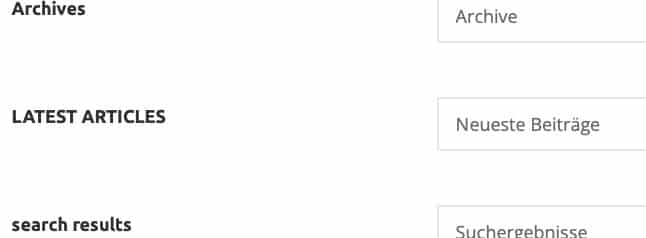
I already made the translation in the theme panel, but it does not show in the mobile version.
nachtwache Bettina, how to add this CSS?
I tried copy&paste in the Panel –> Custom Code –> Custom CSS
No result and a warning sign in the editor – pls see screenshot
<img src=”
https://www.hasepost.de/wp-content/uploads/2023/02/css-tagdiv.jpg” alt=”css in panel” />
nachtwache it worked – thank you!
nachtwache I don’t think that your answer reflects the question of this topic?
nachtwache Thank you Vlad,
is it possible – as a dirty workaround – to fool the system by renaming a duplicate of our new favorite template incl. all settings to the name of the old template that was used before?
nachtwache “template” not “Temple” 😉
nachtwache Perfect – worked!
nachtwache One thing leads to another.
I found out, that for German cities (even the bigger ones) there is no Max/Min data availabel (or shown?); see picture.
Is it possible to switch off the Max/Min display in a similar way?
Cheers, Heiko

nachtwache Problem solved within 30s!
Super helpful! Thank you!
nachtwache OK, sended you login data
Cheers, Heiko
nachtwache Followed your instructions – but I think with no effect.
Even new articles with new pictures are looking kind of dark.
Can you take a look?
nachtwache No success 🙁
I ve checked the fixed sizes for the thumbnails, please find screenshot attached.
Are these the correct sizes?


