pavel@earnware.com
 Where?
pavel@earnware.com Hey, @rvt @Catalin – so if there’s a blank tagdiv composer editor, then this is what it caused in my case: 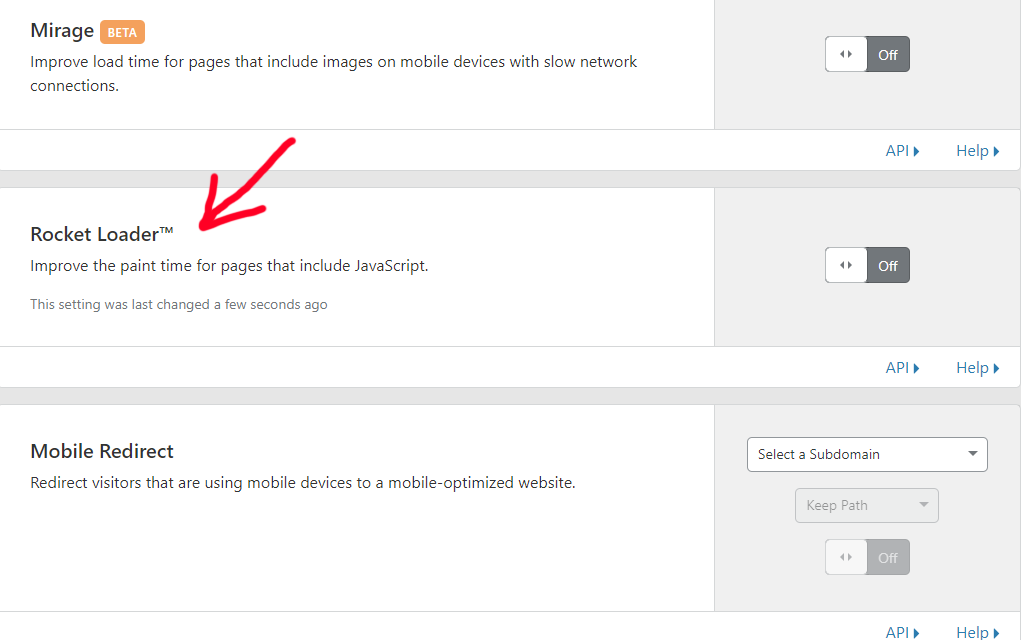 – this is a setting in cloudflare – in the speed tab. If it’s on, tagdiv composer editor is blank.
I hope this helps and you will include a fix for it @Catalin.
-
This reply was modified 7 years by
pavel@earnware.com.
-
This reply was modified 7 years by
pavel@earnware.com Your fix worked – please release it – as we basically stay alive with these plugins and our editors need to be able to edit them freely.
pavel@earnware.com Tried it with our own shortcode plugin and also “Insert HTML Snippet” by XYZ plugin.
pavel@earnware.com Thank you! Finally! When is the update coming up?
pavel@earnware.com When you edit inside the tagdiv composer, in the TEXT not VISUAL – and use single quotes – then save it and open it again – those single quotes become double quotes – when you type in for html elements, here: 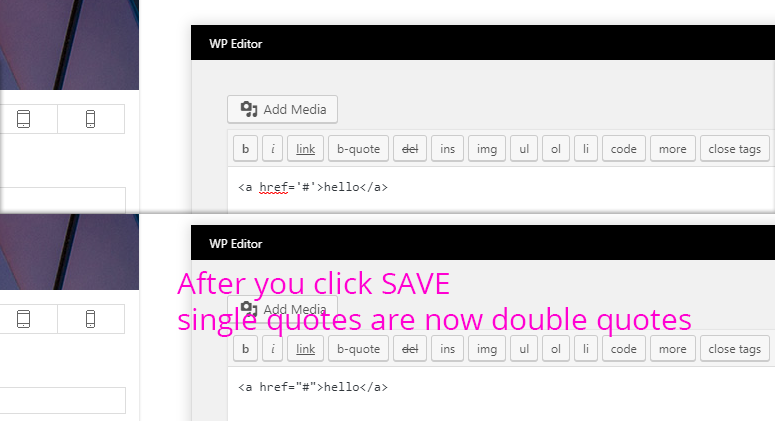
*Note that the WordPress regular Editor doesn’t do this..
pavel@earnware.com Sorry but even your editor here doesn’t support single quotes ‘ ‘ !
pavel@earnware.com This specific website, WellnessPursuits.com was updated and added the plugin on March 1 and still it shows an error.
Did you updated it on March 2?
Thanks!
pavel@earnware.com Also the html editor strips down code like this in chrome:
Thank%20you%21%0D%0A%0D%0A%0D%0A%0D%0A%0D%0A%0D%0A%0D%0A%0D%0A%0D%0A%0D%0A%0D%0A%0D%0A%0D%0A%0D%0A%0D%0A%0D%0A%0D%0A%0D%0A%0D%0A%0D%0A%0D%0A%0D%0A%0D%0A%0D%0A%0D%0A%0D%0A%0D%0A%0D%0A%0D%0A%0D%0A%0D%0A%0D%0A%0D%0A%0D%0A%0D%0A%0D%0A%0D%0A%0D%0A%0D%0A%0D%0A%0D%0A%0D%0A%0D%0A%0D%0A%0D%0A%0D%0A%0D%0A%0D%0A%0D%0A%0D%0A%0D%0A
pavel@earnware.com My Chrome doesn’t have any extensions, nothing.
pavel@earnware.com THIS IS ALL HAPPENING IN CHROME ONLY! IN FIREFOX WORKING GOOD! PFFFFFFFFFFFFFFFFFFFFFFFFFFF
pavel@earnware.com I also uploaded the newest tagdiv composer, and deleted it 3 times to update it – Nothing works!
pavel@earnware.com What’s the email?
pavel@earnware.com Solved the problem – had to delete manually tagdiv composer folder and re-install it. It wouldn’t update with the update from 8 to 8.1 🙁
pavel@earnware.com Got it – that’s bad! It’s tagdiv editor, the themepanel should cover that editor as well.
Also the CSS for each page doesn’t always work for me. Even if I create a new page, it’s very buggy – I am trying to save my progress and it doesn’t want me to. I even tried very simple stuff like .hide {display:none;} <- just one line of css, doesn’t want to save!
Thanks!
pavel@earnware.com I even tried to modify the overall BODY FONT-SIZE, the last choice in the dashboard, that doesn’t work as well. Please help!
pavel@earnware.com Hey,
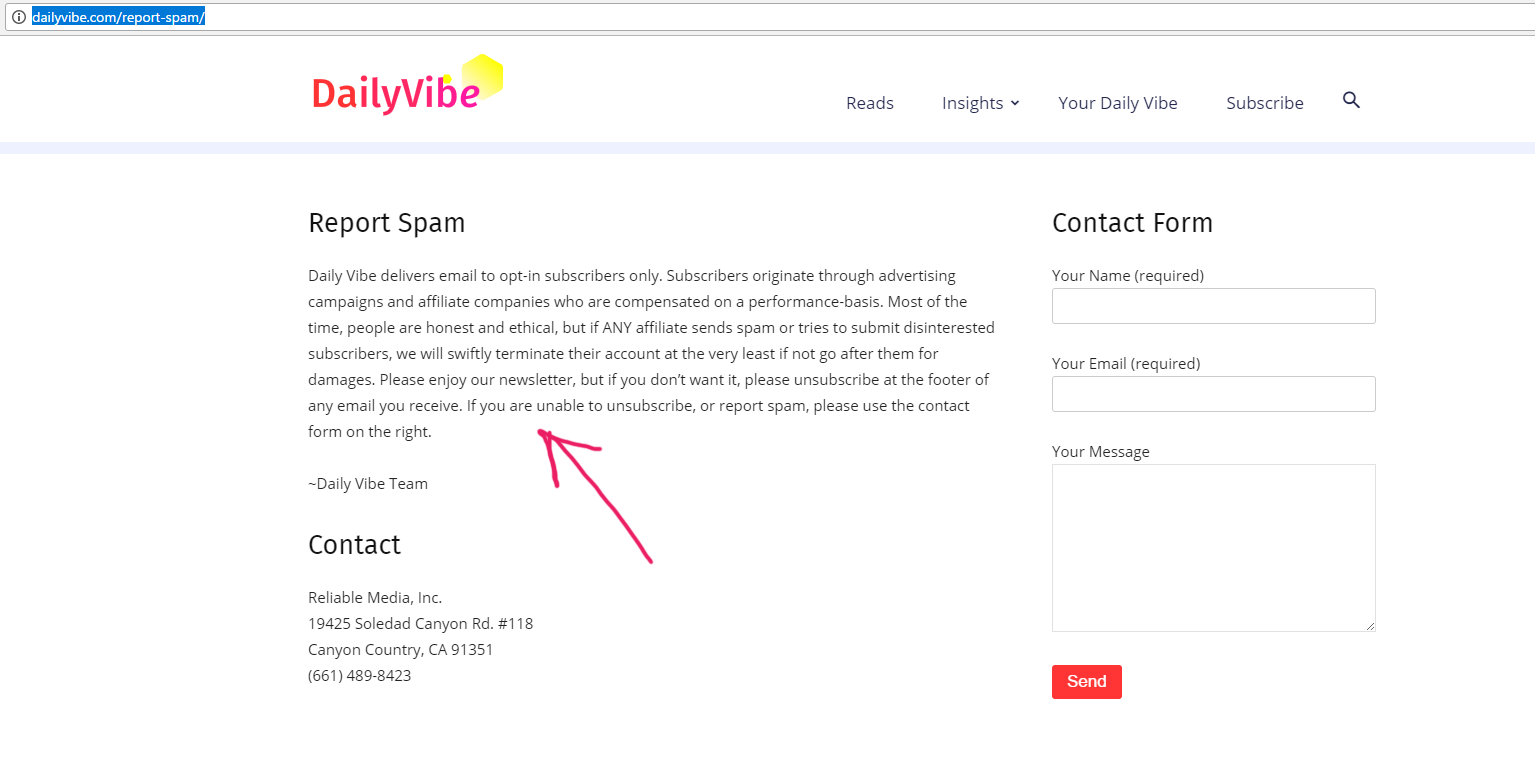
Here is the page: http://dailyvibe.com/report-spam/
So front end screenshot: Here
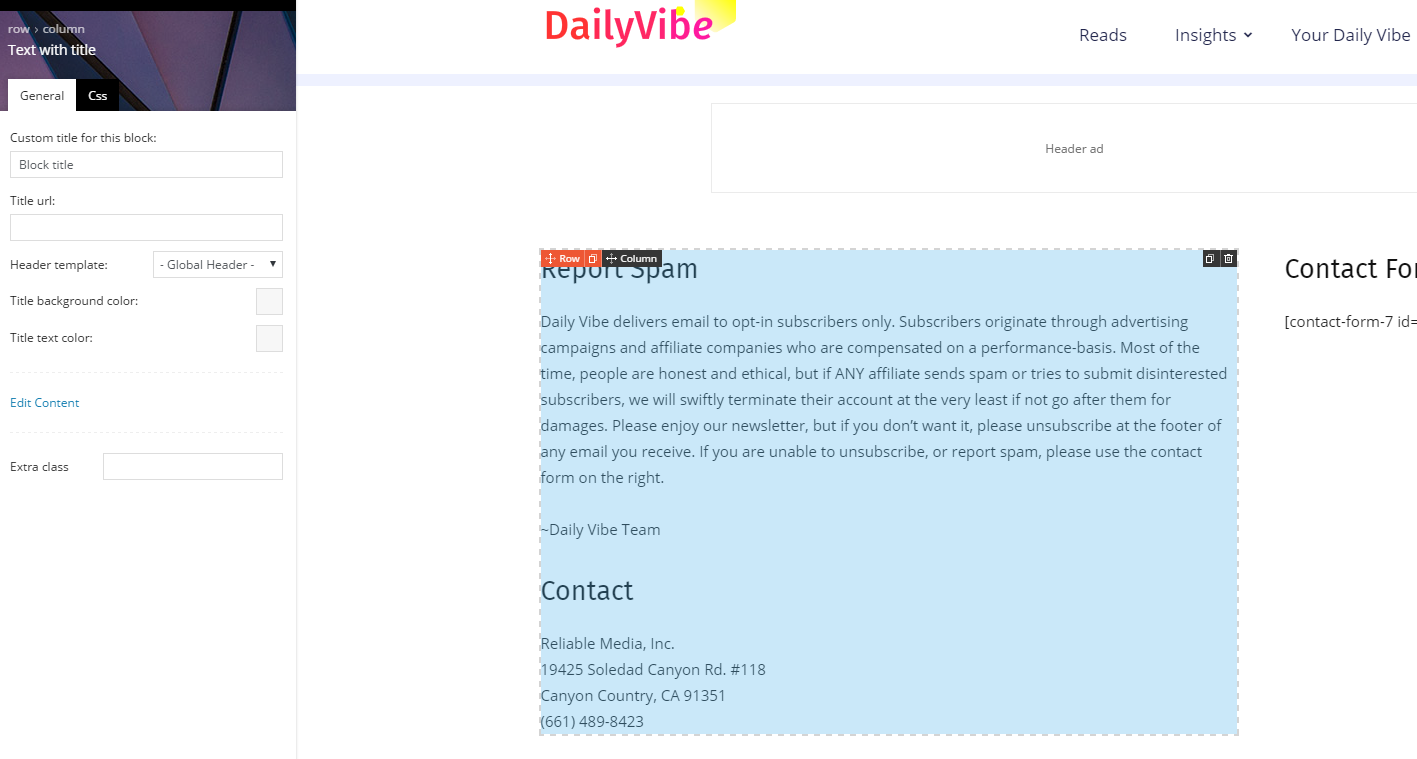
Backend of the page (So I used Text with title to put that text in there): Here
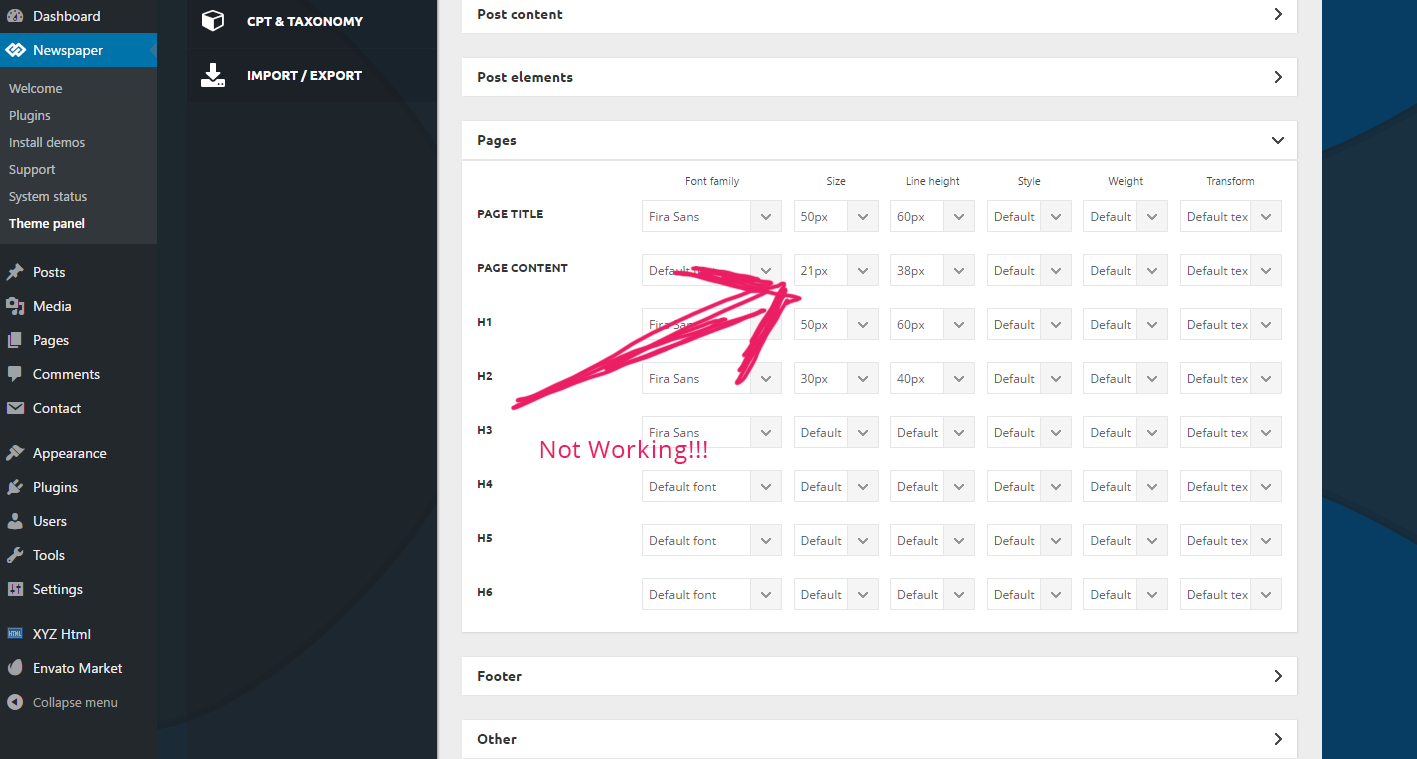
And the Dashboard of the font-size not working: Here
See I used 21px for page content, and it’s not working. Please fix it in the next release!
I am not using html, or some weird stuff, but your text+title block. Not working! On another site I had to manually add css to modify this text size – it’s ok for me, but the clients are angry that they cannot do it with their backend. I had to modify these classes to make it work:
.td-page-content p, .td-post-content p, .wpb_text_column p, .td_block_text_with_title p, .woocommerce #tab-description p, .mce-content-body p, .td-page-content li, .td-post-content li, .wpb_text_column li, .td_block_text_with_title li, .woocommerce #tab-description li, .mce-content-body li {
font-size: 19px!important;
line-height: 1.9em!important;
}
But we need it to work via BACKEND!
pavel@earnware.com Yup I added it through Text Editor, the text has NOT been added with the HTML editor. Still the overall font doesn’t change…..
pavel@earnware.com Please make this happen!
pavel@earnware.com Anyone there to help?
pavel@earnware.com Sorry bogdan but this doesn’t make sense. It’s 50% and 50% column layout. We have needs on our websites for such layouts!
pavel@earnware.com Hey Bogdan,
I meant Half Column 1/2 + 1/2 – does it makes sense? Like we used to have in VISUAL COMPOSER. Like here: https://vc.wpbakery.com/video-academy/add-row-column-visual-composer-wordpress/
Thanks
pavel@earnware.com Found the problem why the WP Editor doesn’t open – it doesn’t work with the SHORTCODER plugin that we use on all our sites: https://wordpress.org/plugins/shortcoder/
Is there anything you can do about it?
pavel@earnware.com Catalin I also emailed support with screenshots, please take a look. Thanks
pavel@earnware.com Hey, I tried all the settings, all the System Status measurements are green now for us – but it still doesn’t work for us. The WP Editor still keeps preloading.
Need your help!
Pavel