Toni
Toni Hi again, thank you so much! As soon as I have a minute I will try to do the update as you say, and will come back to say it worked, I´m sure!
Toni Hi Simion C., and many thanks for the help…
I tried updating the theme fom 6.7.2 to 8.1… (I have it purchased and download from envato-themeforest site) and got the same issue:
The post pages are too wide for the screen, the text goes out of the screen in desktop and also in tablet, mobile…
The pages are displaying ok, but the posts are not readable…. so I had to go back to my old version with a backup.
I tried importing the settings from the newspaper panel, but didn´t help.
With this version I have some problems, so I would need to update the theme version…
 Toni
Toni Hi Catalin,
Sorry for my late reply and a million thanks for your reply,
Yes, after writing my post Y reinstalled the whole worpress, that I had previously backed up by Ftp.
I think the problem came for the following reason:
After upgrading Worpress version, and upgrading Newspaper theme, I disconnected and reinstalled the Visual Composer plugin, and was running therefore latest version.
Afterwards I read the post advising Not to upgrade (a bit too late),
and I installed a previous version of VC,
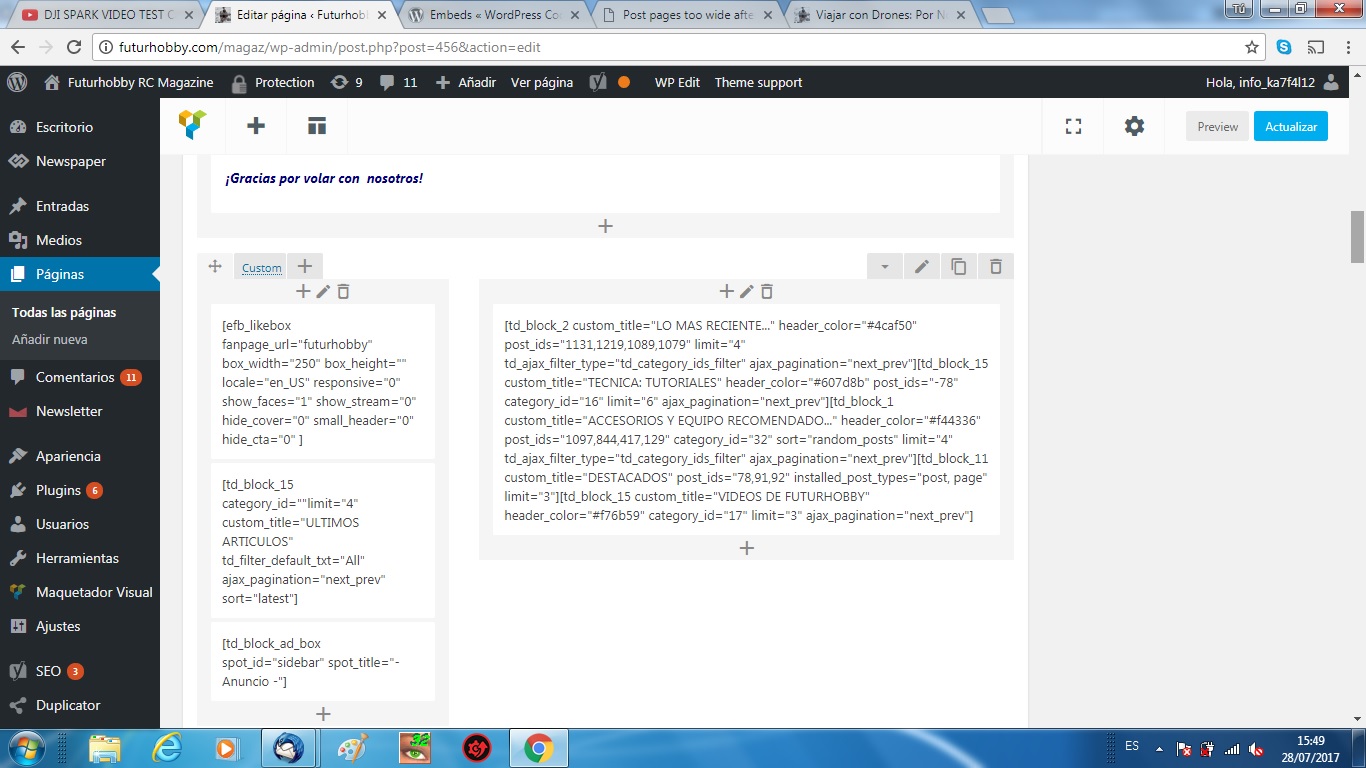
Now I cannot control the settings on pages, only code not so newbie-friendly:
PrintScreen VC
Shall I wait for a new version of VC to be released, or is there any thing I could do to get this working?
Many thanks for the time!
Toni Hi Catalin,
Thanks a lot for the reply, my Newspaper version is 6.7.2 (I updated it 2 days ago, and didi not know there was a 7).
Problem: Facebook counter does not count. Youtube counter works OK.
Steps I have done:
– Deacivate and delete Social Counter plugin
– Delete cache
– Deactivate Newspaper theme, installed version 6.7.2, and activated it
– Installed again Social Counter (3.2)
– Updated Visual Composer to 4.11.2
but still Social counter does not work with FB.
Here es the site: http://futurhobby.com/magaz/
Any other things I could try, please?
Thanks again for the support,
Toni Please, where can I find the 4.0 version of the Social Counter? I try to update from panel and all I get is the version 3.2…
so my facebook counter only shows 0:
http://futurhobby.com/magaz/
I have updated theme, plugins, deleted cache… what am I missing, please?
Thank you!
Toni Hi,
sorry, please can somebody confirm which is the lastest version of the Social counter Plugin?
I have just updated Theme and Social counter, my theme version now is 6.7.2,
and Social Counter version is 3.2
is that the latest?
Toni Update: Yep, I got it done!
Following your instructions I:
– Cloned the homepage (with a plugin for that) and worked on the clone to try
– Move the contents of all parts of the sidebar to the main (left) column
– Changed layout to single row
– Created a left sidebar, and changed again layout to 1/3, 2/3 (custom settings)
– Dragged the previous contents of the main column to the right column,
done, and working perfect now,
Again, a million thanks!
Toni Thank you very much for the prompt reply and help,
As I am not very expert I guess the best is to move the contents of the sidebar to the main column, then following your steps adding them again after creating a new left sidebar…
Best Regards and Thanks again!
Toni Sorry to get in the middle of the post… I am also trying to get my sidebar on the left, and I can do it in every post, but sidebar position in homepages and frontpage still is right…
I have changed it in every place you mention there,
I am using one of the demos (the default one) and building over it.
Please is there any other place wher I have to change the sidebar position to get a left sidebar in homepage?
Thank you,
Toni Hi again,
Bogdan B., Thanks a million for the reply and I am sorry for not replying before, I just had time during weekends for this, until now.
Yes, I have read now the documentation, I had Visual Composer also in a previous WP site, so I was a little surprised that it did not work here in “FrontPage” mode, as this is how I usually build my pages.
I was propmted by the plugings panel to purchase it again, so I did it, but it made no difference…
Is there any way in which I can have the Visual Composer working in FrontPage mode with this templates?
Anyway, I got the point and now I am editing the superb template of the demo, as it offers a high number of variations to show the posts, and full featured with all kind of plugins, so I will soon have a brand new magazine with a fantastic look and fully responsive (mobile friendly test always perfect of course).
Thanks for the help and support,