

 Tuudi
Tuudi Hi @Calin,
I assumed that after update this issue should be fixed. Now I can’t see this part of code in file: https://www.screencast.com/t/OMyytajh
However I still see that meta date is doubled: https://imgur.com/a/iOO4His
Tuudi @Simion C., your solution works perfectly fine! Thanks a lot 🙂
Tuudi If you have the same issue, please let me know when you revolve it 🙂
Tuudi Yep, “Column text”. But for me looks like temporary solution. For example CSS doesn’t work well in this case:

Tuudi @Simion C., I handled it with creating new template in cloud and add shortcode. Thanks for suggestion!
However MKJ is right, without child theme option editing current theme is almost impossible and at least very frustrating…
Tuudi Thanks Simion C, it seems that cloud post template could be an option. So, how and in which place I can edit default templates:
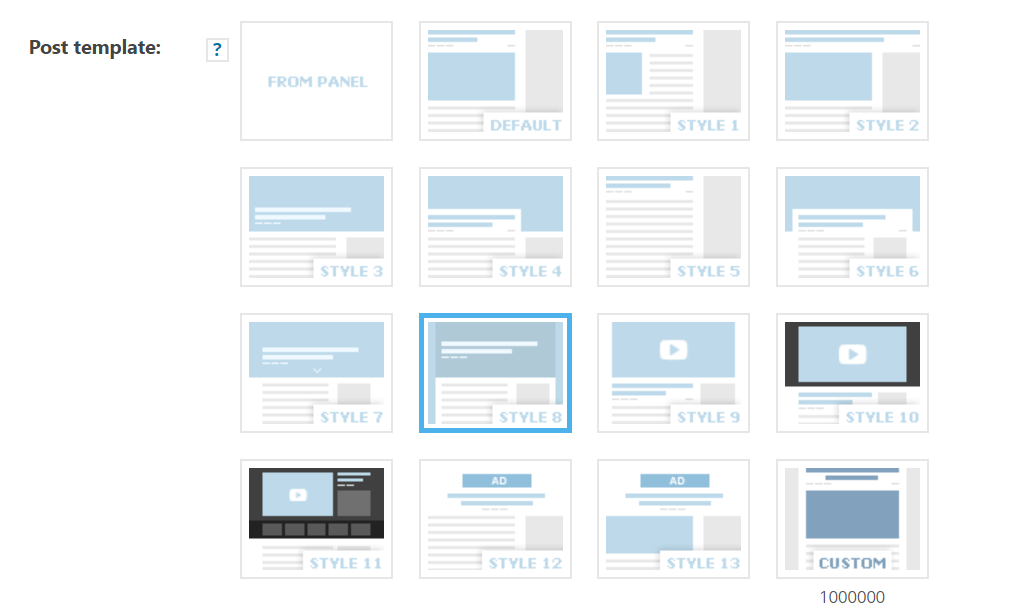
Tuudi Thanks for the answer! I read the documentation however I still don’t know where I can edit default posts. Eg: https://imgur.com/a/rd010FW
In Cloud Templates i see only this one created by myself.
Tuudi Hi! I already found the reason – CDN cache on OVH server. I needed to delete all cache on OVH server.
Thanks for quick help!
Tuudi Hi!
I didn’t want to open new topic, I see this is very similar. I have problem with displaying thumbnails on sidebar: https://imgur.com/a/E4gcMBj
What I did so far:
* disable Smush plugin
* regenerate thumbnails two times (two different plugins)
What can I do more?
Tuudi Hi Catalin,
Thanks for you answer. Problem is solved right now. My previous plugin Fastest Cache generated various of queries into database. That’s weird because I using this plugin since 2 years. WP Super Cache fixed a problem. Thanks!
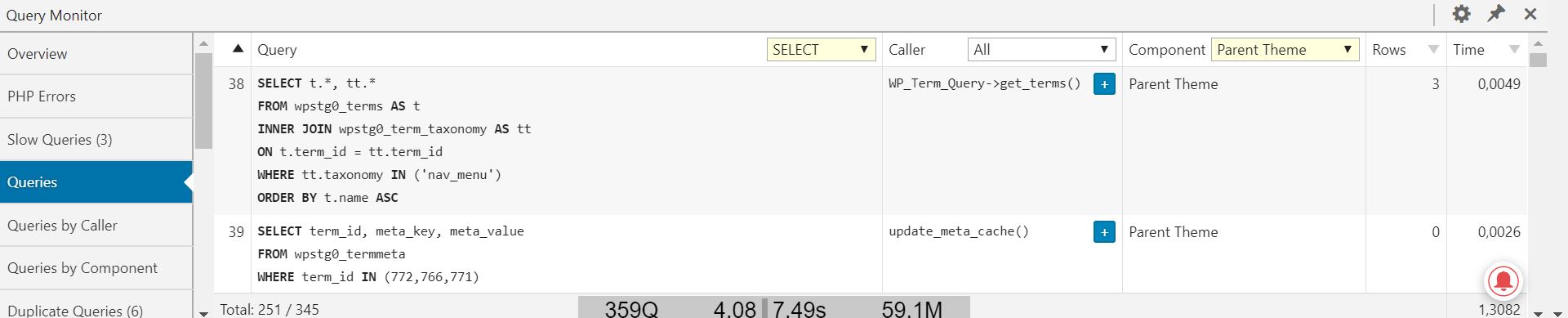
Tuudi Now I see that majority of queries are generated by parent theme 251/345. Is it normal situation?
PS. I uploaded my question to wrong category, my theme is Newspaper not Newsmag. Sorry.
-
This reply was modified 7 years by
Tuudi.
Tuudi Hi Callin!
Thanks for your answer. I received error “One of the images failed to upload” when I want to load some of templates. Interesting fact is that I can load smaller templates but it’s impossible with bigger one.
I increased the WP_MEMORY_LIMIT to 512M
Tuudi Hi Guys!
I also have a problem mentioned above. Please check my configuration:
https://ibb.co/bUCfs0
What can I do more?
Thanks!
Tuudi Thanks for your answer! You are right. I already fixed issue:
code:
if ( ! isset( $content_width ) ) {

    $content_width = 1950;

}
must be add to function.php file
Tuudi It works! Thanks for your help!
