
No search results were found in Documentation!
 pavel@earnware.com
 Updated the theme, did all the steps in the CDN, still the image doesn’t show up, here is the screenshot 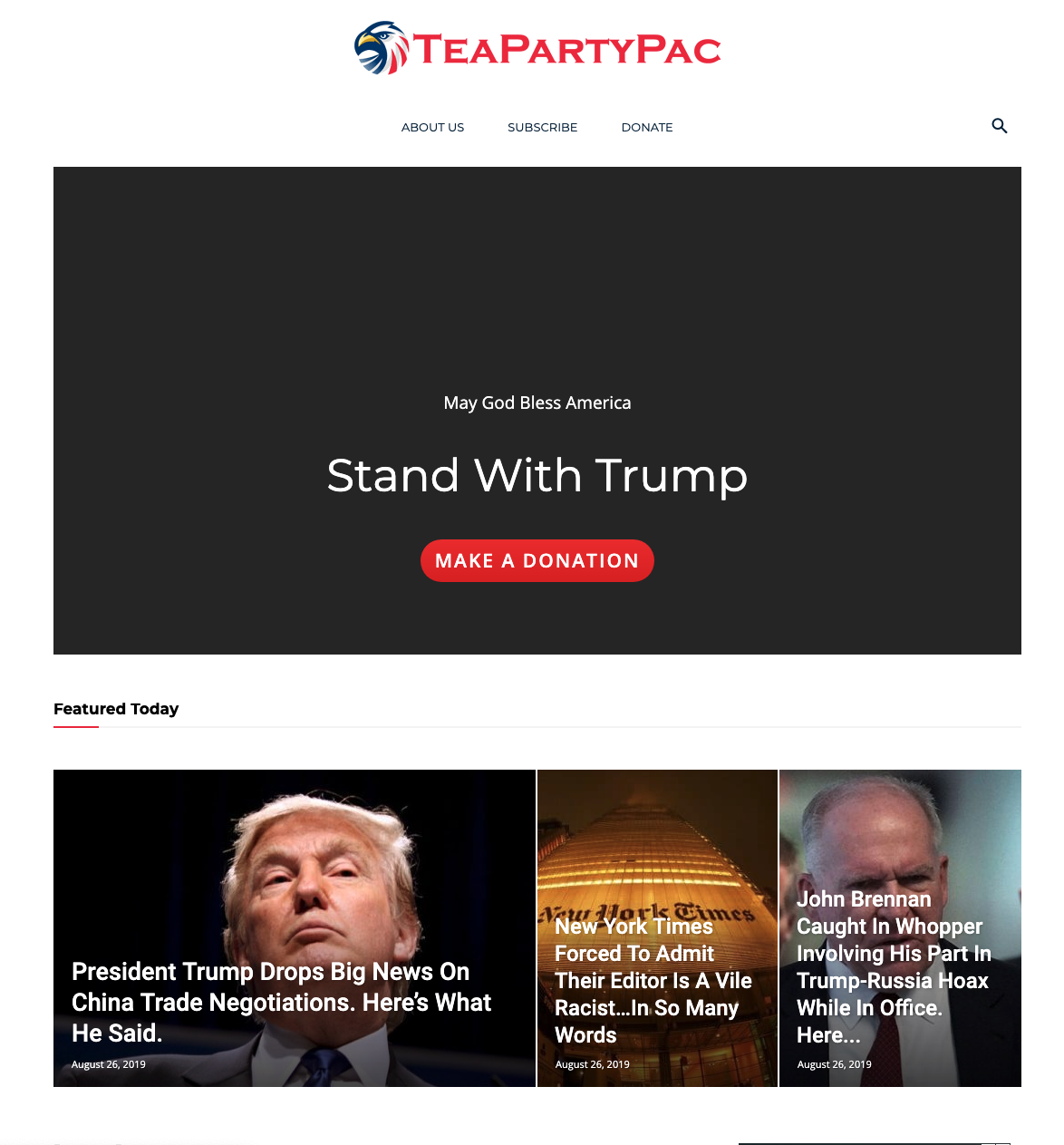 , need help! The conflict appears to a specific user, targeted in US, in specific sessions as you can see. We need the image to load before the ad, as the conflic appears, and it never ends and due to this the image loads last.
This is the page, https://teapartypac.org/
pavel@earnware.comHello,
There is a problem regarding the backgrounds for rows/columns any kind of backgrounds. These backgrounds load last on any page, and they may not even appear if.. there is a problem with the Google Ads.
Here is an example, on this page here: https://teapartypac.org/
The background image and background color won’t appear if there is a conflict like this one, here are 2 screenshots, with Google Ads:

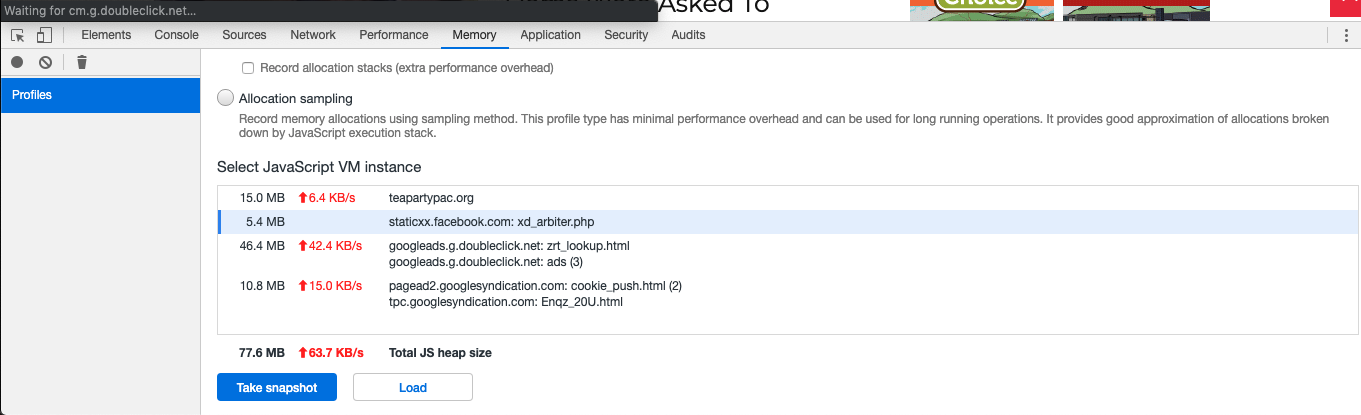
The solution would be to somehow make it a priority – for the page to load all it’s backgrounds, and Google ads afterwards, since when it is loading the background the last, and there is a conflict – these rows/columns look white and it is a real problem!
If you got another solution – please let me know,
Thank you!
 urbandigital
Hey, for some reason when I add this Mailchimp Element to my posts, it doesn’t show the field for the name entry (although it is set as required). When you click on “Anmelden” (sign up) it shows an error because it then requires the name – why cant I fill it in on the posts page in the first place?
Thanks!
screenshot: https://ibb.co/0f26Pd9
post: https://urban-digital.de/digitale-bauleitplanung/
copy & pasted code from mailchimp:
<!– Begin Mailchimp Signup Form –>
<link href=”//cdn-images.mailchimp.com/embedcode/classic-10_7.css” rel=”stylesheet” type=”text/css”>
<style type=”text/css”>
#mc_embed_signup{background:#fff; clear:left; font:14px Helvetica,Arial,sans-serif; }
/* Add your own Mailchimp form style overrides in your site stylesheet or in this style block.
We recommend moving this block and the preceding CSS link to the HEAD of your HTML file. */
</style>
<style type=”text/css”>
#mc-embedded-subscribe-form input[type=checkbox]{display: inline; width: auto;margin-right: 10px;}
#mergeRow-gdpr {margin-top: 20px;}
#mergeRow-gdpr fieldset label {font-weight: normal;}
#mc-embedded-subscribe-form .mc_fieldset{border:none;min-height: 0px;padding-bottom:0px;}
</style>
<div id=”mc_embed_signup”>
<form action=”https://urban-digital.us16.list-manage.com/subscribe/post?u=f359bb2cb644c6453246edfc7&id=db56a5727b” method=”post” id=”mc-embedded-subscribe-form” name=”mc-embedded-subscribe-form” class=”validate” target=”_blank” novalidate>
<div id=”mc_embed_signup_scroll”>
<h2>Subscribe</h2>
<div class=”indicates-required”><span class=”asterisk”>*</span> indicates required</div>
<div class=”mc-field-group”>
<label for=”mce-EMAIL”>E-Mail Addresse <span class=”asterisk”>*</span>
</label>
<input type=”email” value=”” name=”EMAIL” class=”required email” id=”mce-EMAIL”>
</div>
<div class=”mc-field-group”>
<label for=”mce-FNAME”>Vor- und Zuname <span class=”asterisk”>*</span>
</label>
<input type=”text” value=”” name=”FNAME” class=”required” id=”mce-FNAME”>
</div>
<div id=”mergeRow-gdpr” class=”mergeRow gdpr-mergeRow content__gdprBlock mc-field-group”>
<div class=”content__gdpr”>
<label>Erlaubnis gemäß DSGVO</label>
<p>Urban Digital wird die Informationen, die Sie in diesem Formular angeben, dazu verwenden, mit Ihnen in Kontakt zu bleiben. Bestätigen Sie bitte auf welchem Wege dieser Kontakt erfolgen darf:</p>
<fieldset class=”mc_fieldset gdprRequired mc-field-group” name=”interestgroup_field”>
<label class=”checkbox subfield” for=”gdpr_2377″><input type=”checkbox” id=”gdpr_2377″ name=”gdpr[2377]” value=”Y” class=”av-checkbox “><span>E-Mail</span> </label>
</fieldset>
<p>Sie können Ihre Meinung jederzeit ändern, indem Sie auf den Abbestellungs-Link klicken, den Sie in der Fußzeile jeder E-Mail, die Sie von uns erhalten, finden können, oder indem Sie uns unter info@urban-digital.de kontaktieren. Wir werden Ihre Informationen mit Sorgfalt und Respekt behandeln. Weitere Informationen zu unseren Datenschutzpraktiken finden Sie auf unserer Website. Indem Sie unten klicken, erklären Sie sich damit einverstanden, dass wir Ihre Informationen in Übereinstimmung mit diesen Bedingungen verarbeiten dürfen.</p>
</div>
<div class=”content__gdprLegal”>
<p>We use Mailchimp as our marketing platform. By clicking below to subscribe, you acknowledge that your information will be transferred to Mailchimp for processing. Learn more about Mailchimp’s privacy practices here.</p>
</div>
</div>
<div id=”mce-responses” class=”clear”>
<div class=”response” id=”mce-error-response” style=”display:none”></div>
<div class=”response” id=”mce-success-response” style=”display:none”></div>
</div> <!– real people should not fill this in and expect good things – do not remove this or risk form bot signups–>
<div style=”position: absolute; left: -5000px;” aria-hidden=”true”><input type=”text” name=”b_f359bb2cb644c6453246edfc7_db56a5727b” tabindex=”-1″ value=””></div>
<div class=”clear”><input type=”submit” value=”Subscribe” name=”subscribe” id=”mc-embedded-subscribe” class=”button”></div>
</div>
</form>
</div>
<script type=’text/javascript’ src=’//s3.amazonaws.com/downloads.mailchimp.com/js/mc-validate.js’></script><script type=’text/javascript’>(function($) {window.fnames = new Array(); window.ftypes = new Array();fnames[0]=’EMAIL’;ftypes[0]=’email’;fnames[1]=’FNAME’;ftypes[1]=’text’; /*
* Translated default messages for the $ validation plugin.
* Locale: DE
*/
$.extend($.validator.messages, {
required: “Dieses Feld ist ein Pflichtfeld.”,
maxlength: $.validator.format(“Geben Sie bitte maximal {0} Zeichen ein.”),
minlength: $.validator.format(“Geben Sie bitte mindestens {0} Zeichen ein.”),
rangelength: $.validator.format(“Geben Sie bitte mindestens {0} und maximal {1} Zeichen ein.”),
email: “Geben Sie bitte eine gültige E-Mail Adresse ein.”,
url: “Geben Sie bitte eine gültige URL ein.”,
date: “Bitte geben Sie ein gültiges Datum ein.”,
number: “Geben Sie bitte eine Nummer ein.”,
digits: “Geben Sie bitte nur Ziffern ein.”,
equalTo: “Bitte denselben Wert wiederholen.”,
range: $.validator.format(“Geben Sie bitten einen Wert zwischen {0} und {1}.”),
max: $.validator.format(“Geben Sie bitte einen Wert kleiner oder gleich {0} ein.”),
min: $.validator.format(“Geben Sie bitte einen Wert größer oder gleich {0} ein.”),
creditcard: “Geben Sie bitte ein gültige Kreditkarten-Nummer ein.”
});}(jQuery));var $mcj = jQuery.noConflict(true);</script>
<!–End mc_embed_signup–>
 Vlad S
 Hello !
Please take a look at this topic in order to insert the Amazon ads: https://en.support.wordpress.com/adding-amazon-com-affiliate-links-to-your-wordpress-com-site/
Let me know how this works !
Thank you !
 boogieboa
 I contacted you because I’ve followed your documentation and nothing is working for Native Shopping Ads from Amazon:
<div class=”td-all-devices”>
<div id=”amzn-assoc-ad-50078639-0e4f-4890-8708-87fc8e28ae1c”></div><script async src=”//z-na.amazon-adsystem.com/widgets/onejs?MarketPlace=US&adInstanceId=50078639-0e4f-4890-8708-87fc8e28ae1c”></script>
</div>
Nor Mobile-Enhanced Smart Links from eBay:
<script>window._epn = {campaign:5338952738};</script>
<script src=”https://epnt.ebay.com/static/epn-smart-tools.js”></script>
According to other users, this is not a new issue with the Newspaper theme. Do you have a solution?
boogieboaHello there,
I’m trying to display responsive Amazon and eBay ads on my site using your Newspaper theme but can’t get it to work. I’ve seen in the archives that others have had the same problem with this theme over two years ago. I haven’t found a solution mentioned anywhere. Has this issue been fixed? Google is not the only gig in town.
Looking forward to a positive response on this.
Many thanks.
 GurjyotSandhu
 Hi, catlin I am using the default theme only but the ads are not working. Amazon native ads are getting popular so it would be beneficial for newspaper theme to let us add it on our site.
 Catalin
 Hi,
Unfortunately, we do not have any other js for that case because, as I tell you above, all of those ads are not tested with the theme and that’s why we cannot say for sure if it will work or not as expected. You can try to follow the topic from here -> https://en.support.wordpress.com/adding-amazon-com-affiliate-links-to-your-wordpress-com-site/ Also, you can switch to a default theme and check if the ads are working or not.
Thank you!
GurjyotSandhu The advertisement consisting of javascript does not work in this theme. I have tried every thing but they don’t work. Please allow to include external javascript code in the pages so that people who are affiliated to Amazon can use to show the ads.
Catalin Hi,
Unfortunately, the Amazon Ads has not been tested with our theme and therefore, we cannot say for sure if it will work or not as expected with the theme, sorry! Try to find such online solution in this case -> https://advertising.amazon.com/about-api -> https://affiliate-program.amazon.com/help/topic/t402 for their implementation.
Thanks for your understanding!
GurjyotSandhuThe amazon native ads are not working on my website. When I paste the code on the post it shows in the preview but after updating the post the ad is nowhere to be seen. Please check!
 YagnikAcharya
 nieuwsopbeeld
Hi TagDiv,
Instead of Google Adsense, I want to load codes from an external provider. However, they also load the Google Ads externally when they cannot deliver it themselves. It works fine on the Homepage, but it goes wrong on the homepage in the Banner. The advertisement is not always visible.
When I enter the codes between the articles, they will not be displayed either. I deliberately disabled the Mobile Theme plugin.
When I want to place an advertisement in the article line, I use the following for example. However, the advertisement does not show. Or sometimes very small. When I add your code <div class = “td-all-devices”> nothing still happens.
What do I have to do to make it work?
HEAD
<script type = “text / javascript” src = “// s3-eu-west-1.amazonaws.com/nextdaymedia-ads/videoblaster/nieuwsopbeeld.js”> </script>
BODY
<! – START Next Day Media – VIDEO BLASTER – news coverage ->
<div id = “ndm_nieuwsopbeeld_videoblaster”> <script type = “text / javascript”> VIDEOBLASTER.showTag (‘ndm_nieuwsopbeeld_videoblaster’); </script> </div>
<! – END Next Day Media – VIDEO BLASTER – news coverage ->
 bguthleben
 Hi Calin,
An update to this..
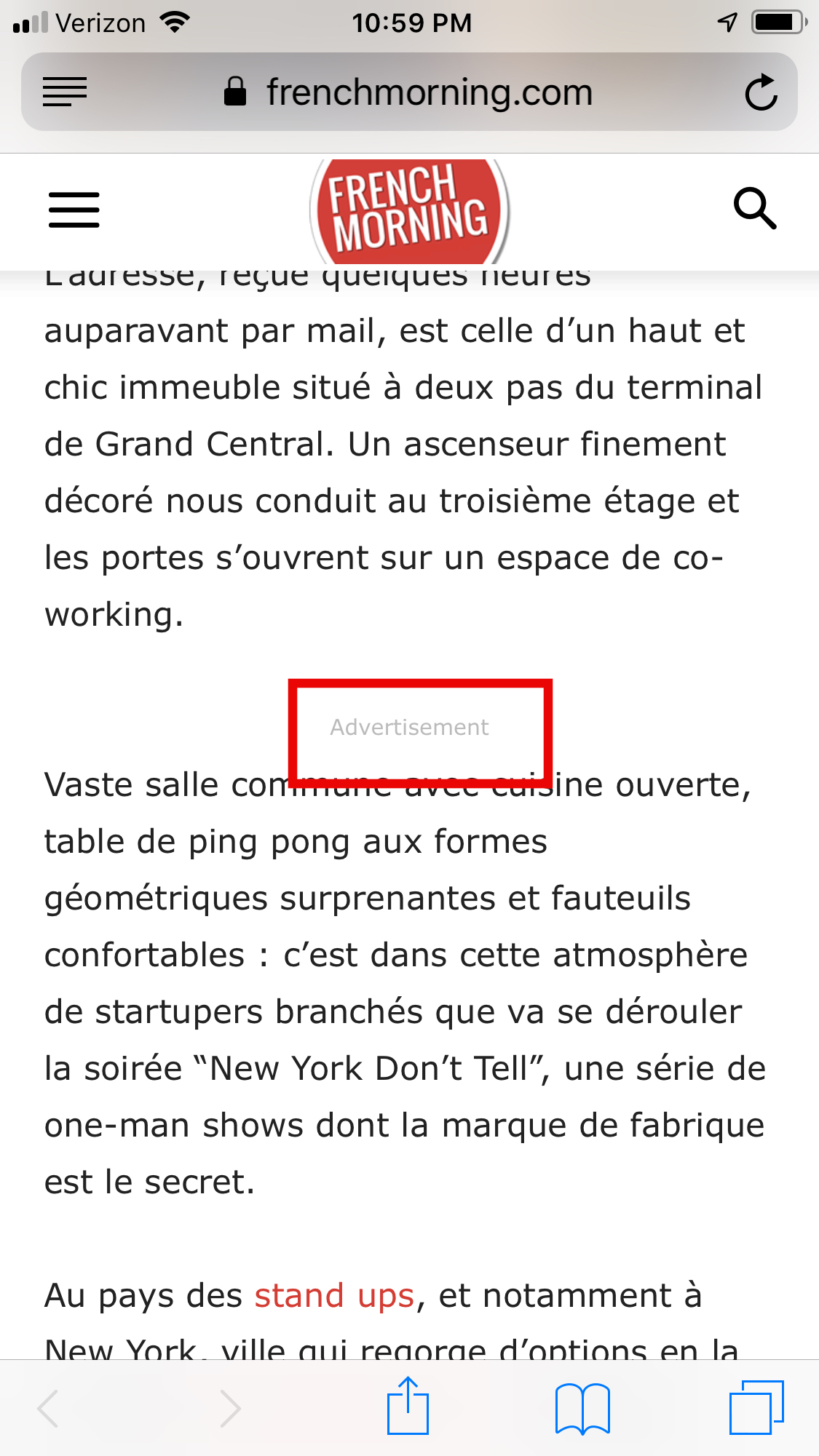
Nothing we put in the Article inline ad mobile on one site will show.
The ads we are testing will show in all the other sites in the multisite and all other ad sections on sites.
We are using shortcodes from Advanced ads but also just pasting Google Ad code directly into the Article Inline ad.
It seems that the codes are not making it to the article posts. Just the header if we put one.
-
This reply was modified 7 years by
bguthleben.
-
This reply was modified 7 years by
 Calin
Calin Hi,
Please check our documentation for ads and make sure that you set the ads/banners like in our examples -> https://www.screencast.com/t/tXYKp6Isni -> https://forum.tagdiv.com/ads-adsense-overview/
If you have created new ads, is possible to take some time until google will approve your new Adsense code.
Waiting time for a fully activated AdSense account -> https://support.google.com/adsense/answer/76228?hl=en
Creative Delivery Lead Times on Amazon -> https://advertising.amazon.com/resources/ad-policy/en/production-timelines
Thank you!
 ySV
ySV Thanks for reply, my ads not is a google adsense ads, but an amazon ads.
 trendyseekers
Look at this https://10techy.com/best-nanny-cams/
I want a product image with view on amazon button look like this http://prntscr.com/n3x74s
I tried to match it with my site but it does not work.
Look at my post https://trendyseekers.com/best-shaving-kits-for-men/
Can you help make such a button to place under the product image?
This is the default code I tried to use but not align well at all
<table style="height: 206px;" width="519" align="right">
<tbody>
<tr>
<td style="width: 272px;" align="right"> </td>
</td>
<td style="width: 380px;">[su_button url="https://www.amazon.com/dp/B00JPCV62U/?tag=10techy0e-20" target="blank" background="#fa5738" size="5" center="yes" rel="nofollow"]<b>View on Amazon</b>[/su_button]</td>
</tr>
</tbody>
</table>
 activeJR
 Just been doing some more testing and the AMP error panel is saying the following is causing the issues
tagDiv Composer
tagDiv Cloud Library
Inline Related Posts
Jetpack by WordPress.com
Advanced Ads Pro
Akismet Anti-Spam
Advanced Ads
GDPR Cookie Consent
Advanced Ads – Slider
Advanced Ads – Responsive Ads
Advanced Ads – PopUp and Layer Ads
Google Analytics Dashboard for WP (GADWP)
WooCommerce
Let’s Review
Advanced Ads – Sticky Ads
Amazon Affiliate for WordPress
Advanced Ads – Ad Tracking
Theme – Newspaper
Just to be CLEAR, Once again. The errors have only come about since installing the TD mobile plugin and using the AMP integration. I have had a AMP plugin working fine before
Calin Hi,
Unfortunately we are not aware of the Amazon Mobile Popover implementation. You should follow the instructions provided for this ad regarding wordpress implementation if there is an. I cannot provide any insight as we have not tested this type of ads. Our theme was built to work with all ads but in special cases, a custom implementation is needed beyond the theme panel options. I can;t say for sure what it is though. The ad provider should be able to provide more details.
Thank you!
 Arafat
Hi, I want to use Amazon Mobile Popover on newspaper mobile theme and AMP version. But how to set up this?
 kirykr
It doesn’t show on mobile

but it is show on desktop browser

 mparlevliet
 I would love to use the Mobile Theme/AMP functionality as I think it looks and works great, but those mobile pages will not load ads from Amazon, Taboola, and Insticator. I’ve only been able to get Google AdSense to load on those pages since the Mobile Theme and AMP were combined. Unless there’s something I’m missing.
 teknotel
I am trying to add some differnt ads to the site, chitika and amazon affiliate links.
I am pasting the code in the ad panels in the theme bit of my wordpress backend. Nothing shows up anywhere.
Also I tried pasting the code directly into a hmtl block within an actual blog post itself.
Nothing shows up. Is there something I am missing? Any help would be amazing.
Calin Hi,
Please make sure that the ads you set are working.
This is obvious that is not working:
https://www.screencast.com/t/e33k39esody
Working one https://www.screencast.com/t/JCTpBqVgJlJ
Also please read this topic:
-> https://forum.tagdiv.com/topic/how-put-amazon-ads-at-the-amp-ads/
Thank you for your understanding.
 teacherofsci
Hi,
I recently put Amazon associate ads (text and image) in some of my posts but they don’t show up when anyone views the pages. I copied the code from amazon associates (as instructed) into the text section of wordpress. I was fine before i switched to newspaper9 (from a free theme) but all I get now is a space where they should be. Amazon associates are next to useless at getting it sorted so I turn to you guys, please help. It is an amazon.co.uk associates account if that matters.
Thanks
