
- NewspaperWP Rocket and Newspaper Theme: Optimization Guide
- TutorialsFrom WPBakery to tagDiv Composer
- TutorialsOffset Feature
- TutorialsWhat is Ajax preloading?
 cloverjim
 Hi,
1. Is this search tool only for WooCommerce products? If yes, is there a search tool for the entire site content? Or are there separate search tools for articles and for the shop?
2. How can I rotate the search button like in the image?
https://s34.picofile.com/file/8486559426/Screenshot_2025_08_21_182855.png
3. For widgets/tools that are left-aligned but I want to use their right-aligned version, what CSS code can I use? I mean, is there a universal CSS code that can make all left-aligned widgets right-aligned on the site?
Also, which is better to use: the rtl.css file I sent, or to use short custom CSS snippets like the ones you suggested, for example:
body .tdw-block-inner .tdw-wml-wrap .tdw-wml-menu {
text-align: right;
}
or
body .tdw-search-form .tdw-search-form-inner .wpb_button {
position: absolute;
}
Thank you.
 Calin
Calin Hi,
Ok, so the first step is to have an RTL language selected on wordpress, for example, I will select Arabic – https://i.imgur.com/90vPjA9.png, then go to Cloud templates and click on + on Header templates – https://i.imgur.com/XguMYXz.png, then search for “makeup” https://i.imgur.com/GW3D4L2.png open the template in tagDiv Composer – https://i.imgur.com/Kuk7maO.png, then it should look like this https://i.imgur.com/gpGfdsC.png then just drag and elements in the palce you want (change logo) …. for example drag the left column with the menu in the right – https://i.imgur.com/TK0k9vI.png https://i.imgur.com/AM5hv6u.png the menu elements to be display from ltr to rtl use this custom css :
.rtl .tdb_header_menu .tdb-menu {

       flex-direction: row-reverse;

}
I hope this will help you!
Calin Hi,
There are a few recommendations:
I will recommend using a good cache plugin, if you have the possibility WP Rocket will be the best, if not, Litespeed is one of the free cache plugins that provide the best results in the free version. Also, we recommend using Cloudflare (CDN), which will help you prevent attackers from getting on your website and also has options to improve the speed. The free version can be used; there is no need for a premium account.
For accessibility, you should check the H elements to be in order on your website, for example, there are 3 H1 and no H2 – https://i.imgur.com/co6Twat.png H1, is usually coming from logo and if you have the logo on the header, footer and mobile header, for the start there are 3 H1, what can be done is tu use tagDiv Composer, select the footer logo and also the mobile logo and make sure taht the option to disable H1 is checked – https://i.imgur.com/8yxrxU9.png – https://i.imgur.com/c7c0DPU.png
Thank you!
 Giport
 Calin,
2. The tagDiv Mobile Theme plugin has been enabled, you may have seen a cached version of the Forum. Please refresh the page. After updating F5, it becomes like this: https://skr.sh/sXCnVhprM3Z
The question was how, with the tagDiv Mobile Theme plugin enabled, to make a separate site category with a Forum. https://dev.giport.ru/forum did you use the adaptive version of the site, not the mobile “tagDiv Mobile Theme”?
But the news categories https://dev.giport.ru/news and articles https://dev.giport.ru/sovet We continued to work through the tagDiv Mobile Theme.
I am not including the AMP version.
=====================
2. Плагин tagDiv Mobile Theme был подключен, возможно, вы увидели кэшированную версию Форума. Пожалуйста, обновите страницу. У меня после обновления F5 становится так: https://skr.sh/sXCnVhprM3Z
Вопрос был в том, как при включенном плагине tagDiv Mobile Theme сделать так, чтобы отдельная категория сайта с Форумом https://dev.giport.ru/forum использовала адаптивную версию сайта, а не мобильную “tagDiv Mobile Theme”?
А категории с новостями https://dev.giport.ru/news и статьями https://dev.giport.ru/sovet продолжали работать через “tagDiv Mobile Theme”.
AMP-версию я не включаю.
Giport Hi, Calin
Thank you for the quick reply!
1. Of course, the tagDiv Mobile plugin and the amp plugin have been disabled and even removed. I wrote about this in the first message. I’ve already dealt with the problem myself. I think this will be useful to many, because I have encountered similar problems with people after removing the tagDiv Mobile plugin.
You need to delete the “Mobile Template” in this place. https://skr.sh/sXC1bg0kOan which is unclear when it was created there. )
2. On this point, you did not understand my question. I understand that the dfi plugin tagDiv Mobile is not supported by a third-party Forum plugin from WpForo. Although it’s strange, this is also one of the best forum plugins, can you adapt your plugin to their forum?
But I was asking how to make the Forum directory now. https://dev.giport.ru/forum didn’t use the tagDiv Mobile plugin, but used the adaptive version of the site? There must be some kind of hook in this regard, and you should have foreseen it. Your tagDiv Mobile plugin cannot support third-party plugins for themes, product catalogs, forums, etc
. There may be other catalogs on other sites that are better displayed through the regular adaptive version of the site.
3. A strange argument for such wonderful developers of the best WordPress theme.)
1 GB of disk is enough for 2000 screenshots if you limit the upload of files weighing no more than 500 KB.
If screenshots are not deleted, people will not post the same problems less, because screenshots can help you understand the essence of the problem and their solutions. But OK, I get it.)
Thank you for your efforts and the best theme for WP!
=======================
Привет, Калин
Благодарю за быстрый ответ!
1. Разумеется, плагин tagDiv Mobile и плагин amp были отключены и даже удалены. Я об этом писал в первом сообщении. С проблемой разобрался уже сам. Думаю многим будет это полезно, т.к. встречал похожие проблемы у людей после удаления плагина tagDiv Mobile.
Нужно удалить шаблон “Mobile Template” в этом месте https://skr.sh/sXC1bg0kOan который непонятно когда там создался. )
2. По этому пункту вы не поняли мой вопрос. Я понимаю, что dfi плагин tagDiv Mobile сторонний плагин Форума от WpForo не поддерживает. Хотя и странно, это тоже один из лучших плагинов для форума, может вы адаптируете свой плагин под их форум?
Но я спрашивал, как сделать сейчас, чтобы каталог Форума https://dev.giport.ru/forum не использовал плагин tagDiv Mobile, а использовал адаптивную версию сайта? Должен ведь быть какой-то хук на этот счет и вы должны были это предусмотреть. Ваш плагин tagDiv Mobile не может поддерживать сторонние плагин тем, каталогов товаров, форумов и т.д.
На других сайтах могут быть и другие каталоги, которые лучше отображать через обычную адаптивную версию сайта.
3. Странный аргумент для таких замечательных разработчиков лучшей темы для WordPress. )
1гб диска хватит на 2000 скриншотов, если сделаете ограничение на загрузку файлов весом не более 500кб.
Если скриншоты не будут удаляться – люди не будут меньше размещать одинаковые проблемы, т.к. по скриншотам можно понять суть проблемы и их решения. Но ок, вас понял. )
Благодарю вас за труды и лучшую тему для WP!
Calin Hello,
1. To have the responsive version, please make sure that the tagDiv Mobile theme plugins are disabled and removed, also the amp plugin if you are using.
2. The form will not work with the mobile theme plugin, you should use the responsive version.
3. Unfortunately, we have to use external platforms to provide screenshots so that our server is not overloaded in a short time.
Thank you!
GiportHello, Simion!
1. Tell me, please, after disabling and even deleting the tagDiv Mobile Theme plugin, my website on mobile devices continues to show the title from the mobile theme, and sidebar blocks appear instead of the content. https://prnt.sc/Ekgttv5v4YeH
All caching plugins are disabled, and the plugin for the mobile theme has been removed. How can I return the site to its normal display?
Sample page: https://dev.giport.ru/news/society-news/lq-111-letnyaya-yaponka-katalas-na-velosipede-do-glubokoj-starosti
2. When the mobile theme is enabled, the forum is not displayed.: https://prnt.sc/x50-QgWRSGp1
How to make some categories https://dev.giport.ru/forum was it displayed on mobile devices in the regular version?
Maybe in a child theme in a file functions.php can I add some kind of hook?
3. Could you upload screenshots to your server on the forum? After a few months, the screenshots on prnt.sc they become unavailable. And you very often show solutions to problems there.
==================
1. Подскажите, пожалуйста, после отключения и даже удаления плагина “tagDiv Mobile Theme” мой сайт на мобильных устройствах продолжает показывать заголовок из мобильной темы, а вместо содержимого появляются блоки боковой панели https://prnt.sc/Ekgttv5v4YeH
Все плагины для кэширования отключены, а плагин для мобильной темы удален. Как я могу вернуть сайт к нормальному отображению?
Пример страницы: https://dev.giport.ru/news/society-news/lq-111-letnyaya-yaponka-katalas-na-velosipede-do-glubokoj-starosti
2. При включенной мобильной теме форум не отображается: https://prnt.sc/x50-QgWRSGp1
Как сделать, чтобы некоторые категории https://dev.giport.ru/forum отображалась на мобильных устройствах в обычной версии?
Может в дочернюю тему в файле functions.php можно добавить какой-то хук?
3. Не могли бы вы сделать на форуме загрузку скриншотов на ваш сервер? По прошествию нескольких месяцев скриншоты на prnt.sc становятся недоступными. А вы там очень часто показываете решения проблем.
Calin Hi,
Do you have an example of how you’d like it to be? This will help me understand the functionality and I will let you know how it can be done.
Thanks
Calin Hi,
The /amp/ URLs aren’t generated by the Newspaper theme itself. They usually come from an AMP plugin (like the official AMP plugin or AMP for WP) or a leftover AMP setup.
Check your plugins and remove/disable any AMP-related ones if you don’t want AMP.
If /amp/ pages are indexed, Google will drop them after re-crawling. To speed it up, you can add redirects from /amp/ to the main URL or request removals in Search Console.
Thanks
 MOHAMMAD SHAHBAZ
Dear Team, I am encountering a issue on my theme panel. I am not able to save theme panel setting. i am getting a error failed to load resource: the server responded with a status of 403 https://todaymyindia.com/en/wp-admin/admin-ajax.php?td_theme_name=Newspaper&v=12.7.1 Can you help me please to resolve this issue.
 nitin sethi
Hello,
I have started seeing this URL [https://glamsham.com/url/to/amp/document.html] in my search engine console [https://ibb.co/bgG5pNVH] lately. Is it related to the tagDiv mobile theme. What can be done about this. Kindly guide.
Than You
Nitin
 Rase.Admin
 Hi @Calin, may I join the queue? 🙂
My messages are referring to Newsmag and healt-check – see below.
Are there any updates for me?
BTW, everything seems to work fine, I would just like to get rid of those messages cluttering my debug.log 🙂
Thanks!
[14-Aug-2025 20:38:54 UTC] PHP Notice: Function _load_textdomain_just_in_time was called incorrectly. Translation loading for the Newsmag domain was triggered too early. This is usually an indicator for some code in the plugin or theme running too early. Translations should be loaded at the init action or later. Please see Debugging in WordPress for more information. (This message was added in version 6.7.0.) in /var/www/vhosts/h093596.server63.campusspeicher.de/rasejanje.info/wp-includes/functions.php on line 6121
[14-Aug-2025 20:38:54 UTC] PHP Notice: Function _load_textdomain_just_in_time was called incorrectly. Translation loading for the health-check domain was triggered too early. This is usually an indicator for some code in the plugin or theme running too early. Translations should be loaded at the init action or later. Please see Debugging in WordPress for more information. (This message was added in version 6.7.0.) in /var/www/vhosts/h093596.server63.campusspeicher.de/rasejanje.info/wp-includes/functions.php on line 6121
 Simion C.
 Hi,
The theme displays the publication date. Scheduled posts when they are published should display the publication date. I made a quick test on my test install and it works correctly. But we will check on your website as well. Please send us an email at contact@tagdiv.com and provide a link to the website and admin login, and an example of the issue if possible.
Thank you!
 evropea
Hello,
I am writing to ask for help with configuring post timestamps on my website. Currently, when I create scheduled posts, the displayed time shows the date I created the draft rather than the actual publication date.
The Issue:
* I work with scheduled content that is created in advance
* Posts are set to publish at future dates via cron jobs
* However, the timestamp displays the draft creation date instead of the scheduled publication date
* This creates confusion for readers about when content was actually published
What I Need:
I would like example code to modify the tagdiv block so that it displays the publication date/time instead of the creation date for scheduled posts. While I can implement custom code on my website, I believe this should be a standard dropdown option in the theme settings or the block element itself.
Could someone please provide guidance or sample code for this modification?
Thank you for your assistance.
Best regards,
evropea
 kalacosolutions
I have the header set to mobile view so I can create my own mobile header. The Header Logo is not displaying the logo image I have set for it. I have the logo and tagline text entered; however, the logo does not display, regardless of whether the logo and tagline text are there or not. Please advise how to resolve the situation for the logo on the mobile view to display. Site is BYLocalNews.com
View screenshot: https://www.dropbox.com/scl/fi/qoi1ds3m04hbx2wxtm7is/Screenshot-2025-08-13-121216.png?rlkey=q91666dvxnf4r236rr2lgm9mv&st=yufdtu67&dl=0
 Lamb
LambDear Team,
I have desactivated the form of the checkout form because it was a lot of information..
But now the botton go to payment is not aligned with the other elements at the right which gives a bad design impression.
Is it something I can customize myself in the Tagdiv edit.. I didn’t find a way to move the bouton
Also I couldn’t find a way to change the color of the go to payment botton or the stripe bulletpoint -> is it possible to change the color in the tagdiv edit or does’t require code customization pls?
If the link doesn’t work, you can chose a paid plan: https://www.captainforest.com/subscription-plans/
 Smartesider
 We ran into a reproducible issue with the Newsmag theme (tagDiv Composer) when importing a demo on PHP 8.2.
Symptoms:
tagDiv Importer stops with error:

Fatal error: Uncaught TypeError: Cannot access offset of type string on string in td_demo_util.php
Log also shows Undefined variable $sidebars_widgets and Automatic conversion of false to array is deprecated.
Root cause:
In td_demo_widgets::add_widget_to_sidebar(), the code uses $sidebars_widgets before it’s retrieved from get_option(‘sidebars_widgets’) and normalised.
PHP 8.x is stricter about this than PHP 7.x — in PHP 7 it silently converted null/false to array; in PHP 8 it throws a fatal error.
Workaround:
Patch the function to fetch and normalise $sidebars_widgets before using it. Here’s a minimal fix:
static function add_widget_to_sidebar($sidebar_id, $widget_name, $atts) {
$tmp_sidebars = td_options::get_array('sidebars');
if (empty($tmp_sidebars)) {
$tmp_sidebars = array();
}
if (!in_array('td-' . $sidebar_id, self::$hard_coded_sidebars) &&
!in_array($sidebar_id, $tmp_sidebars)
) {
self::kill(__CLASS__, __FUNCTION__,
'No sidebar with the name provided! - td-' . $sidebar_id,
array_merge(self::$hard_coded_sidebars, $tmp_sidebars)
);
}
// Normalise $atts
if (!is_array($atts)) {
if (is_string($atts)) {
$tmp = json_decode($atts, true);
$atts = is_array($tmp) ? $tmp : array();
} else {
$atts = array();
}
}
// FIX: Get and normalise $sidebars_widgets BEFORE using
$sidebars_widgets = get_option('sidebars_widgets');
if (!is_array($sidebars_widgets)) {
$sidebars_widgets = array();
}
$sb_key = 'td-' . td_util::sidebar_name_to_id($sidebar_id);
if (!isset($sidebars_widgets[$sb_key]) || !is_array($sidebars_widgets[$sb_key])) {
$sidebars_widgets[$sb_key] = array();
}
// Normalise widget instances
$opt_key = 'widget_' . $widget_name;
$widget_instances = get_option($opt_key);
if (!is_array($widget_instances)) {
$widget_instances = array();
}
// Add instance
$widget_instances[self::$last_widget_instance] = $atts;
update_option($opt_key, $widget_instances);
// Assign widget to sidebar
$sidebars_widgets[$sb_key][self::$last_sidebar_widget_position] =
$widget_name . '-' . self::$last_widget_instance;
update_option('sidebars_widgets', $sidebars_widgets);
self::$last_sidebar_widget_position++;
self::$last_widget_instance++;
}
Notes:
Tested on PHP 8.2.29 with Plesk Obsidian and Newsmag 5.4.3.3.
This patch allows the demo importer to complete successfully without downgrading PHP.
The EXIF warnings you may see in logs during import are unrelated and non-fatal.
If tagDiv devs see this — moving the $sidebars_widgets = get_option(‘sidebars_widgets’) block up in the function would resolve this for all PHP 8+ users.
 clover
Hello,
I recently purchased the Newspaper 12 theme from ThemeForest.
When I download the “All files & documentation” package (about 90 MB) and unzip it, the newspaper.zip file inside is only about 3 MB.
From what I understand, the full Newspaper theme should be much larger (around 50–70 MB) and contain all the necessary CSS, JS, and other assets, but my file seems incomplete.
I have tried:
Downloading both the “All files & documentation” and “Installable WordPress file only” options.
Unzipping the package and checking the folders carefully.
Downloading again from a different browser.
The problem persists — the theme file is always about 3 MB. Could you please advise me on how to get the full installable theme?
Thank you for your help.
Best regards,
If you want, I can also prepare a screenshot + folder structure to send with this email so they can see the 3 MB file and confirm the issue faster. That usually speeds up their reply.
Do you want me to make that for you?
 juanantonio
 After some investigation, it appears that certain elements available in the previous version I was using are no longer present in the latest release.
For example, in the earlier version, there was an element called “Big Grid 12”, which I can’t find in the new version. Instead, I see a similar element named “Big Grid Flex 4”.
As a result, when I open the webpage, instead of the element rendering correctly, I only see the shortcode because the template no longer recognizes the old element.
Example:
[td_block_big_grid_12 category_id=»55473″ sort=»»]

[td_block_2 category_id=»» limit=»6″ header_color=»#000000″ td_ajax_filter_ids=»» td_filter_default_txt=»All» ajax_pagination=»next_prev» td_ajax_filter_type=»» custom_title=»ÚLTIMAS NOTICIAS» custom_url=»últimas_noticias» post_ids=»-65255,-21788, -61097, -101029, -56563″][td_block_1 limit=»5″ custom_title=»RECUPERACIÓN» td_ajax_filter_type=»» td_ajax_filter_ids=»» td_filter_default_txt=»» ajax_pagination=»next_prev» sort=»modified_date» header_color=»#000000″ category_id=»1232″ custom_url=»recuperacion»]
Is there a way to continue using these previous elements, or is the only option to rebuild my website using the new ones?
Thank you.
-
This reply was modified 1 year by
juanantonio.
Calin Hi,
Thank you for your message and your continued support,we really appreciate your feedback!
We’re currently estimating a theme update toward the end of the month, which will include fixes and performance improvements.
Many of the features you mentioned are already available in our theme and can be implemented using the tagDiv Opt-in Builder:
Pricing table with payment options
Examples:
https://demo.tagdiv.com/newspaper_coaching_pro/pricing/
https://demo.tagdiv.com/newspaper_downtown_pro/tds-switching-plans-wizard/
https://demo.tagdiv.com/select_demo/newspaper-prebuilt-websites/?demo-type=membership
Paywall for exclusive content (supports direct bank transfer, PayPal, and Stripe):
https://forum.tagdiv.com/subscriptions/
Frontend guest and sponsored post submission management with payment:
https://forum.tagdiv.com/create-frontend-submission-form/
As for dark mode, you’re right, this isn’t currently built into the theme. However, there are several compatible third-party plugins you can use to implement this feature, and we’re keeping modern design trends like this in mind for future updates.
If you need help setting up any of the above or have specific requirements, feel free to reach out, we’d be happy to assist you along the way.
Thanks again for your valuable input!
 bluedot
Hello,
I am creating a page that will require several modal popups (for various newsletter signups). However, when I add the modal popup button to a page with a header, it either does not “click” or does not “click” consistently. Sometimes if I hover near the button I get a tooltip reading “Please fill out this form field.”
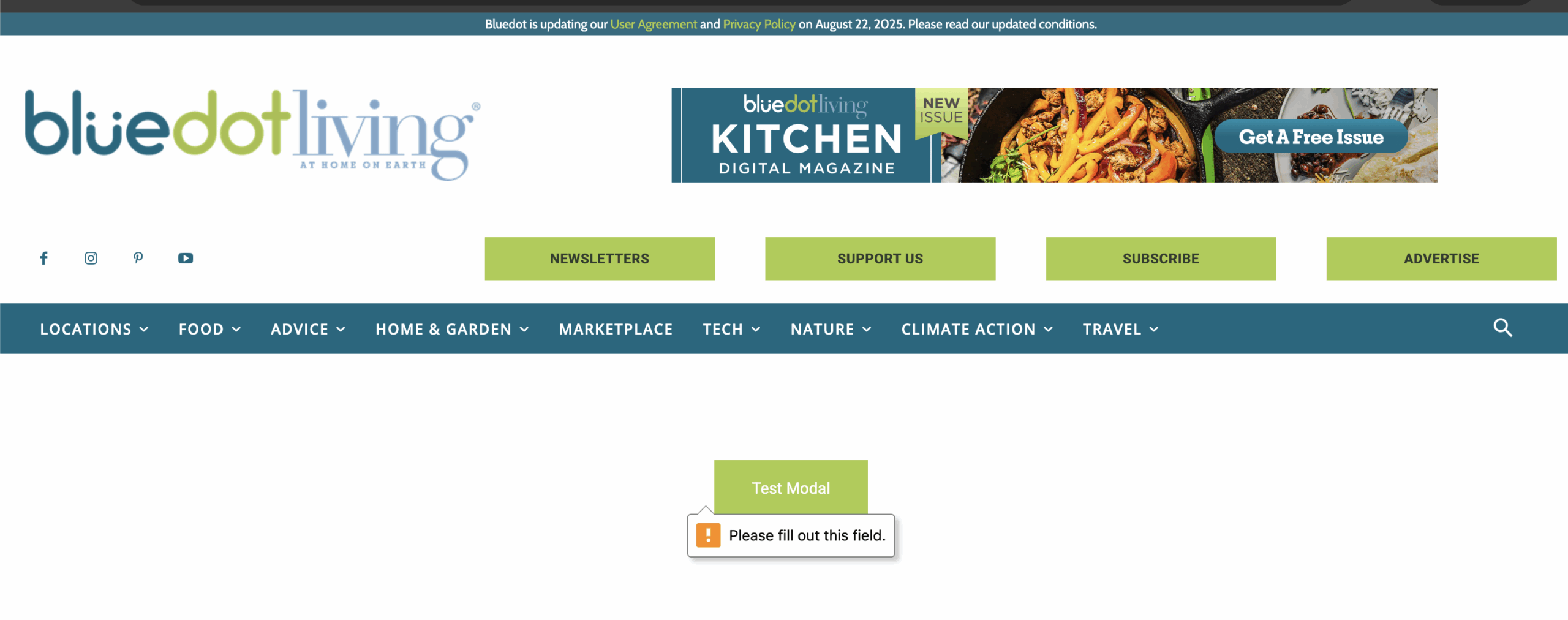
When I remove the header from the page, the button/modal popup seem to work fine. But ultimately this page will need a header. Is there anything else I can try?
Sample Page: https://bluedotliving.com/modal-test-page/
Password: modal
Thanks,
Kelsey at BluedotLiving.com
Calin Hi,
There is a difference when the AMP version is used. Also, we usually recommend to use the responsive version and the tagDiv Mobile theme plugin should be used as a template for AMP in case this is desired to be used (choose option AMP only) and make sure that the amp is set only for articles and the redirect option is disabled from it – https://i.imgur.com/IiPreFk.png https://i.imgur.com/6XNP9tX.png
Thank you!
Thank you!
Calin Hi Mike, when you set a link, make sure this is respecting the link structure and it is starting with https://… for example, setting a link to Google will look like this https://www.google.com/ if it is set like this http://www.google.com or this google.com won’t work.
Thank you!
 Faccin
The default mobile theme menu doesn’t display content (links and social icons) on the post page when the Mobile + AMP option is selected. Only the overlay background appears. On all other pages, the menu works normally. There appears to be some incompatibility with AMP, as when I switch to the Mobile-only option, the menu works correctly.
 bonkermann
Hello All
i Have the newspaper theme.(using kattmar) but same problem on another theme as well
When adding a URL in Tag Div Composer ,it does not save it.as an example in Flex Box 3
It only allows url within the site,which is followed by post/page :example: postname/
Has anyone had an issue like this and the solution
I have going crazy with trying to resolve this issue
I deactivated all plugins,including browser extensions with no luck
Thank You all for reading this and possibly finding a solution for me..
Mike



