- ApiPractical example – How to add a new Block and Module
- Apitd_api_top_bar_template::delete
- Apitd_api_top_bar_template::update_key
- Apitd_api_top_bar_template::update
- Apitd_api_top_bar_template::add
- Apitd_api_single_template::delete
- Apitd_api_single_template::update_key
- Apitd_api_single_template::update
- Apitd_api_single_template::add
- Apitd_api_footer_template::delete
- Apitd_api_footer_template::update_key
- Apitd_api_footer_template::update
- Apitd_api_footer_template::add
- Apitd_api_smart_list::delete
- Apitd_api_smart_list::update_key
- Apitd_api_smart_list::update
- Apitd_api_smart_list::add
- Apitd_api_thumb::delete
- Apitd_api_thumb::update_key
- Apitd_api_thumb::update
 mathew
I had a little bit of bugs after the 10.4 updates, like the amp button not showing in dash console.
I deactivated and reinstalled amp plugin and mobile page amp of tag div.
The amp settings are Available under the mobile theme panel, but missing from dash console which is okay all controls still there.
I was having a hard time getting my speed up on Gt metrics for the site,
Here is what worked….PHP memory limit increase and the following,
Reducing the length of the Home page,
I have it hosted n a litespeed server.
It did not work well with the litespeed cache word press plugin, But speed improved on using a cdn.
There is no cache installed on site other than from server side which is Memcached and redis enabled.
Now the site has a Gt metrics score of 92 and Grade A.
Hope this helps others
<img src=“https://imgur.com/gallery/QM5fPyJ” alt=”Gtmetrics score” />
 vorilask
Hello. I would like to display post tags under the basic content of each post. I managed to display them in AMP version of website (https://www.bet3.gr/), but I cannot find the particular setting for the desktop version. I run Newspaper X (child) theme for 1 month more or less, after a major update on my website and server and I am still trying to figure out things. I would be grateful if somebody could help. 🙂
Thank you very much in advance for your time and help.
 Mark Gilbert
Any idea why my subscriber-only category tags (the yellow lozenges) are appearing here – https://jazzjournal.co.uk/category/news/ and here – https://jazzjournal.co.uk/category/features/
…but not, for example, here?
https://jazzjournal.co.uk/category/columns/ and https://jazzjournal.co.uk/category/columns/alt-takes/
I know about Theme Panel/Categories/HIDE CATEGORY ON POST AND ON CATEGORY PAGES but don’t want to disable on posts.
Perhaps I have forgotten some control somewhere in WordPress panel dashboard.
Thanks
MG
 Anamaria
 Hello,
I think you referring to edit thehttps://forum.tagdiv.com/footer-manager/”> footer with tagDiv Composer if you go to a page where it is assigned (from Cloud Library) and edit that page with tagDiv Composer, and then you will have access to the footer also. For example, edit your homepage with tagDiv Composer, scroll till footer, click on footer zone and you can edit it.
If it is not what you mean, then please provide me with an example or maybe a screenshot with exactly what you need to achieve.
Thank you!
mathew Hello,
AMP SETTINGS NOT AVAILABLE IN THEME PANEL AND DASHBOARD CONSOLE.
This has happened after theme update to 10.4
Amp menu also not working on mobile site ,
I tried installing an alternative for amp by automatic however, amp menu still not visible on site,
Site url theworldnews.live
amp: https://theworldnews.live/amp/
Now it is using ampforwp plugin however even with the amp official amp menu does not work
amp settings are completely absent from Wp dashboard console and even Theme panel
The update seems to have caused this issue , was working fine before
Kindly check
Mathew
 hmirza88
 It doesn’t look okay because the image is cropped. This image is fine because I had to edit it 5 times to get it to not look too bad but there have been other instances where I couldn’t use an image at all because it cut half a word out. Also when it features a square image in category section it cuts half this image out! why isn’t it resizing&cropping instead of just cropping?
Also, what Tagdiv claims the image will look like on desktop vs what actually happens when I check my phone are very different.
mathew Hello,
Amp settings not available in theme panel and Dasboard console.
This has happened after theme update to 10.4
Amp menu also not working on mobile site ,
I tried installing an alternative for amp by automatic however, amp menustill not visible on site,
Site url theworldnews.live
amp: https://theworldnews.live/amp/
Now it is using ampforwp plugin however even with the amp official amp menu does not work
amp settings are completely absent from Wp dashboard console and even Theme panel
The update seems to have caused this issue , was working fine before
Kindly check
Mathew
 Playground Lda.
 when updating my AMP option on the side panel is gone. Also my Mobile option on the page is gone. My mobile page is not working / Need urgent help.
 Vlad S
 Hello !
Can you show us your AMP Settings ? It looks like AMP is not properly set on your page.
Thank you !
 azulweb
Problems with the search results.
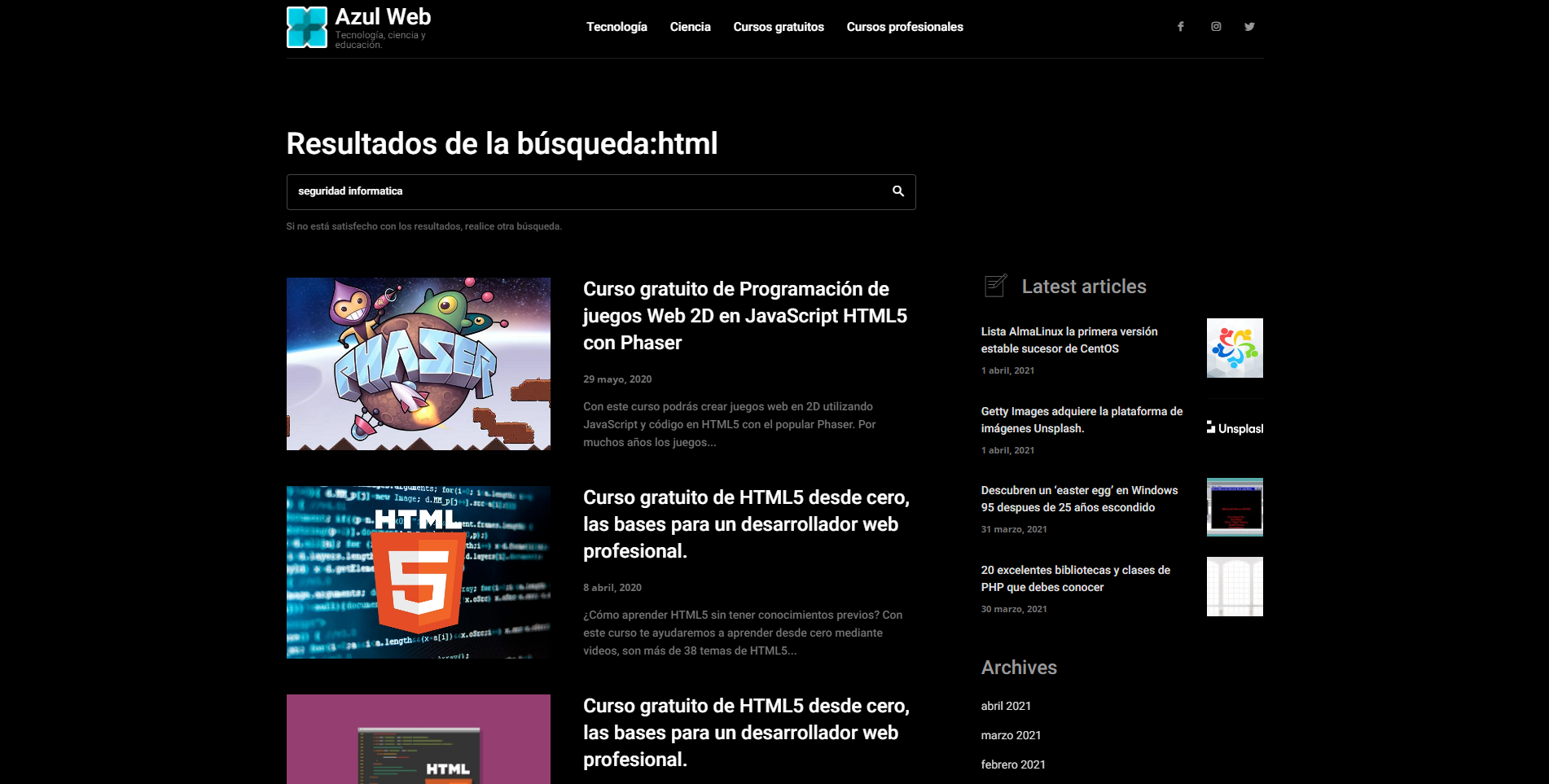
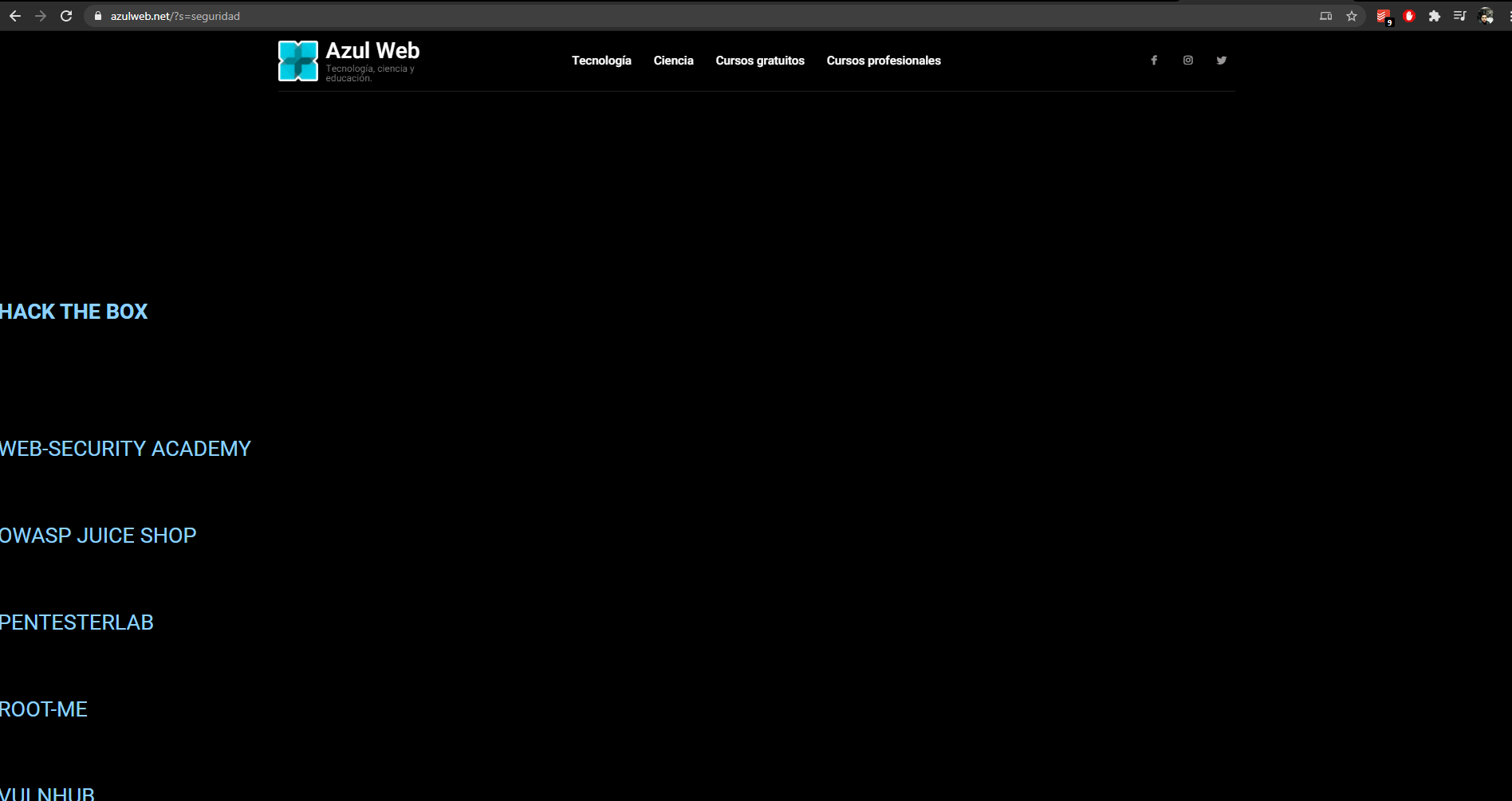
When I do a search, for example: https://www.azulweb.net/?s=html everything comes out correctly. But sometimes when I search, I get a plain article instead of the search result. Example of the “error”: https://www.azulweb.net/?s=seguridad
Image:
Search fine: https://www.azulweb.net/wp-content/uploads/2021/04/2.png
Search with error: https://www.azulweb.net/wp-content/uploads/2021/04/1.png
How can I solve this problem?
 achmadsya
 Hello tagdiv team, I am having a similar issue with the header when AMP plugin is on but Mobile Theme plugin is deactivated.
THe description is really not helpful for non-developer but abit aware on how blogging works. This should be updated with definition on each terminologies. Which one should I select if I want only amp mode displayed (not mobile theme, or responsive dekstop theme) when people google my site from their smartphone?
“Mobile – Displays content using the Mobile Theme on small screen devices (no AMP)
Mobile+Amp – Displays content using the Mobile Theme on both mobiles and AMP
AMP – Uses the responsive version of the theme on small screen devices and Mobile Theme only on AMP.”
 EXB
EXB Good evening Bettina,
Sure thing. For example on the homepage here : link
If you check the title of each article, they use an h3 tag, like <h3>article title</h3>. I would like to change them into <h2>article title</h2> in order to structure the page better.
Is it doable using the theme settings?
Thanks
 Anonymous
 Hi, Vlad!
Any news about this? The update has been released, but the problems (unused javascript and duplicate js in AMP) are still there:
https://paste.pics/C2TN7
Thanks!
 Cubansephiroth
I am experiencing a problem with the AMP view from the desktop pc. I don’t understand why the AMP version loads me when I browse from the desktop pc. From the mobile it works well for me.
 Pukacza
Hi,
My website using default mobile theme redirect google desktop results to mobile theme, which is very big bug and I need to fix it as soon as I can.
For example below google redirection link, whenever I’m using desktop, redirect desktop visitors to mobile page
https://www.google.com/url?sa=t&rct=j&q=&esrc=s&source=web&cd=&ved=2ahUKEwj4-N2N0t3vAhWpl4sKHYWtCREQFjACegQIBRAD&url=https%3A%2F%2F911electronic.com%2Fbest-professional-pcb-design-software-altium-vs-eagle%2F&usg=AOvVaw3e-B8CC0Np_sVFDwqH8r0o
Please advise, what can I do.
And no, this is no plugins.
As admin with caches saved I have proper results but as new visitor I have mobile page on desktop.
Page url for example: https://911electronic.com/best-professional-pcb-design-software-altium-vs-eagle/
The same issue happening for every other subpage even homepage.
To reproduce:
1. Turn private mode in browser
2. Just pust URL for my website for example: https://911electronic.com/best-professional-pcb-design-software-altium-vs-eagle/
3. Enter…
4. We can see that desktop have mobile theme instead of desktop layout.
 gm07
gm07I have a problem, my homepage broken.
terazbiznes.pl
I did the update to 10.4, activated mobile plugin and apm, then found the homepage not working.
I turned the amp off, it didn’t help.
I did downgrade to 10.3.9.1, it didn’t help.
where could the problem be?
I sent login to ftp and database to tagdiv support
Regards
 pharmastate
I have installed the theme but its not showing the entry point for license & thats why other plugins are not getting updated.
 zarpe77
I have a variety of pages and within those pages I put a flex box. In the flex box I change the categorie that is appropriate for that page.
However everytime I change the catergorie in the flexbox (under filter) it changes on every page.
For example on this page
https://ticotimes.5e.cr/categories/travel-news/costa-rica-travel
I changed the category to travel and news.. and then I go to the fishing page
https://ticotimes.5e.cr/categories/fishing-2
and change it to the fishing category..
However when I do that .. it changes every page to the fishing category.
Can you tell me why this happens?
 Adam Muiz
I have problem my Menu still broken only when I install Header and Category Template meet at same page
For Example my Menu Normal With Header Template here :
https://adammuiz.com/sains/
But When I apply Header and Category Template it will make Menu Broken :
https://adammuiz.com/sains/biologi/
Anonymous Hi, Vlad!
All mobile versions of our sites have this warning in PSI:
https://paste.pics/C2PRB
In your new optimized demo, this message does not appear (in fact, it is labeled as passed audits):
https://paste.pics/C2PRV
As this was not a CSS problem, I highly doubt the new tool (CSS analyzer) did the trick. So, the deve team must have implemented a fix (but didn’t share with us in the update..).
About the TD Composer, already did that (deleting and reinstalling it). It solved the AMP sharing buttons issue, but not this one..
 SvijetS
 There is a system and way to clean Google amp cache, Like I already sayd this is payid premium support, you can give more than this because this is not a answer that holds premium help.
thx
 Bettina
 Hello!
For all these missing parts you need to install Standard Pack plugin. But, for example if you don’t need or use default templates, then you don’t need this plugin.
Thank you!
Vlad S Hello !
Please provide an example and some screenshots of the steps you take in order to test this on our side.
Thank you !
Bettina Hello!
After an automatic run, you have the possibility to do it manually.
“This custom tool performs an automatic test to find missing CSS rules applied by user interaction. Moreover, you can manually interact with a chosen section/component from the page while the tool records all the involved CSS. It will generate the final CSS file for this page and also will split the rules in Critical CSS to be loaded in the website’s header.” ( https://tagdiv.com/whats-new-in-the-newspaper-theme-10-4-update/ )
Our tool is running only on normal pages and not for posts or categories for example.
Check our video for more information about how to use it: https://www.youtube.com/watch?v=tnkVapqhIHc&ab_channel=tagDiv
Thank you!
 FiekeB
 https://www.develdhovenaar.nl/28/03/2021/karin-jonkers-en-haar-honden-helpen-kinderen-vooruit/ –> an example page on which the cut-off LIKE button can be seen