- ApiPractical example – How to add a new Block and Module
- Apitd_api_top_bar_template::delete
- Apitd_api_top_bar_template::update_key
- Apitd_api_top_bar_template::update
- Apitd_api_top_bar_template::add
- Apitd_api_single_template::delete
- Apitd_api_single_template::update_key
- Apitd_api_single_template::update
- Apitd_api_single_template::add
- Apitd_api_footer_template::delete
- Apitd_api_footer_template::update_key
- Apitd_api_footer_template::update
- Apitd_api_footer_template::add
- Apitd_api_smart_list::delete
- Apitd_api_smart_list::update_key
- Apitd_api_smart_list::update
- Apitd_api_smart_list::add
- Apitd_api_thumb::delete
- Apitd_api_thumb::update_key
- Apitd_api_thumb::update
 ashokudhayan
 Hih Team,
Here is the sample URL of my site.
https://autechtips.com/create-folder-name-starting-with-a-dot-in-windows/1996/
Regards
Ashok
 enead
eneadHi!
I have just installed AMP and tagdiv mobile theme. Unfortunatelly, homepage is blank. What should I do? which widgets are optimized for AMP?
 gunhanunal
 We changed our theme to tag/div recently, hoping that we would have a top notch theme with great and well thought out upgrades and support. Needless to say we are disappointed in knee jerk changes (getting rid of built in amp support and relying on mobile theme and wp amp) and this latest upgrade is unacceptable. Our site simply does not work and gives this td-api error and the site itself is code 500).
Al we can tell from you – is sorry you are on your own. I would say this is the beginning of the end for you company if you don’t change you attitude.
 Catalin
 Hi,
Unfortunately, the empty page template has been removed but you can remove the header per page, using the header manager. An option will be added for the footer. If you require it, you can download it from here – http://cdn.tagdiv.com/wp-content/uploads/2019/02/page-empty.zip
Place it in the main theme folder, upload it by FTP for example
– http://prntscr.com/mo17zp
Then select it for the pages you want. The footer will be removed and the header can be disabled
– http://prntscr.com/mo17bw
Thank you!
Catalin Hi,
Please provide your website URL and some exact links with your problem so I can identify them and investigate it. Also, you can provide more details about this and some useful screenshots because your example screen does not help me.
Thank you!
 DanielSage96
Hi,
I updated to the latest Newspaper theme, I followed all the steps and works fine apart from the fact that https://holbyonline.com/characters/holby-city/ & https://holbyonline.com/characters/casualty/ do not appear on mobiles they just appear as blank pages – you can see from the PC/iPad that there is content on the page. Please help!
Catalin Hi,
@RWSyk, please notice that when you are using the AMP+Mobile theme, your mobile layout will be displayed like on Mobile Theme. Please check the plugin’s documentation from here -> https://forum.tagdiv.com/the-mobile-theme/
Also, we have released a new theme update where was fixed some of the issues like Sharing buttons and we recommend to update it. Please give more details about the issues you have so we can investigate them.
Thank you!
 maumbury
Hi
I have updated to 9.7.1 on a staging site and have turned on mobile theme and AMP.
However, I only see the AMP option in the WordPress menu if I disable my Child Theme. Reading through other comments here, it seems that this is common / required in order to use AMP menu settings. I have disabled all non Newspaper plugins and still the same.
Am I right in thinking that I cannot use a Child Theme and AMP together?
Thanks
Mike
 Devankur shakya
 http://prntscr.com/nf7scz
this type of error on webmaster tool.amp does not index
 GiacomoLaw
 Should I do it with the TagDiv plugins enabled, and amp enabled? Or should I uninstall amp and then reinstall after those steps?
Thanks!
 Amit
Amit Hello @themesic
Try this-
1. Disable Child theme
2. Enable default theme (Twenty Nineteen) or any other.
3. Now enable Newspaper theme (not a child theme).
4. AMP will work now.
If you see More article block at the end of the AMP page then you need to disable More article box option from theme panel. Refer: http://prntscr.com/nf7d64
Hope this will help you. All the best!
Amit Hello @giacomolaw
Try this-
1. Disable Child theme
2. Enable default theme (Twenty Nineteen) or any other.
3. Now enable Newspaper theme (not a child theme).
4. AMP will work now.
If you see More article block at the end of the AMP page then you need to disable More article box option from theme panel. Refer: http://prntscr.com/nf7d64
Hope this will help you. All the best!
 Bogdan B.
 Hi,
Please provide a link to your site and provide an example of which ads are not working so we can check why this happens. The major change in newspaper 9.6 was the amp implementation so maybe this is the cause of the ads problem. You probably did not make the adjustment or the amp template.
Thank you!
 Calin
Calin Hi,
Unfortunately the theme do not have an option to can change the image like that, you can achieve this using custom code.
Or you can achieve something similar if you are using Flex blocks, those have more options.
Also your example is more like a RTL language.
Thank you for your understanding!
Catalin Hi,
Please check the plugins folder from your Theme Packet from here -> https://www.screencast.com/t/ZJ3Jwpq1l The AMP plugin is there.
Thank you!
Calin Hi,
Using mobile+amp you’ll have the same layout for mobile posts/pages and amp, but you’ll need to make a new content in mobile editor for pages and amp.
Using Amp you’ll have the same layout on mobile like on desktop, but the speed will be lower, and you’ll still need to make content for pages in mobile editor, if you want to have amp on theme.
Thank you!
Bogdan B. Hello,
Please use this guide to learn how to implement amp into our theme: https://tagdiv.com/amp-newspaper-theme/
Thank you!
Calin Hi,
I’ll take a look in amp plugin files and I’ll provide you the place path you need to set the code in order to work.
Thank you!
 therion250
 Espero puedas traducirlo, si deseas modificar el AMP, tienes que hacerlo manualmente, tú mismo.
 InsideTennis
Where do I get to control the gap between the elements?
1. Gap with Top elements & Bottom elements
2. as well as the width of ‘Sky-blue image Box – example’ i have put on the front page : http://www.insidetennis.com.au
 thopham
Hello,
I wanted to change the tab header and specify some tab could be shown in this header.
Can you please tell me how to do this?
Please see the screenshot: https://drive.google.com/file/d/193s1lZdWXyajjwxA7rlNsXvIItsbbGxp/view
Thanks & With regards,
T.P
 vluciani
 Thank you! Installation with FTP was successful. I am now wondering what can I do with the content of themeforest-9512331-newsmag-news-magazine-newspaper.zip, which contain Newsmag-tf (inside you have a folder plugin for example).
I have uploaded the content from themeforest-9512331-newsmag-news-magazine-newspaper-wordpress-theme, but I don’t have all the plugins now (missing official AMP for WP)
GiacomoLaw I’ve done that. However the amp plugin doesn’t appear in the sidebar: https://user-images.githubusercontent.com/9038673/56297973-432bad00-6129-11e9-8e5a-c41895167903.png
And amp authentication doesn’t pick up any amp links in the standard site after a cache clear.
 be2name
 Hi GiacomoLaw,
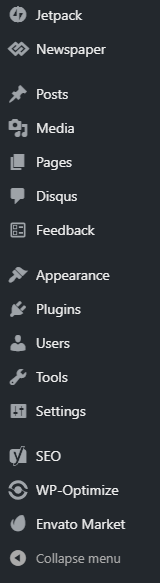
what do you mean with “AMP not appearing”? Since version 9.6 of Newspaper AMP is not anymore a part of the Newspaper-Theme and there is no AMP-menu inside the theme-settings anymore. You have to install the official AMP-Plugin of WordPress and do your configurations there. As soon as you have installed the offical AMP-Plugin there is a menu-entry (but not inside Newspaper anymore).
https://de.wordpress.org/plugins/amp/
-
This reply was modified 7 years by
be2name.
GiacomoLaw Got this too, and amp is disappearing too. Pity everything breaks on theme update.