- ApiPractical example – How to add a new Block and Module
- Apitd_api_block::delete
- Apitd_api_block::update_key
- Apitd_api_block::update
- Apitd_api_block::add
- ApiAPI – Blocks – Introduction
- Apitd_api_thumb::update_key
- Apitd_api_thumb::update
- Apitd_api_thumb::add
- ApiAPI – Thumbnail – Introduction
- Apitd_api_category_top_posts_style::update_key
- Apitd_api_category_top_posts_style::update
- Apitd_api_category_top_posts_style::add
- ApiAPI – Category top section style – Introduction
- Apitd_api_module::update_key
- Apitd_api_module::update
- Apitd_api_module::add
- ApiAPI – Modules – Introduction
- ApiUsing the Theme API in plugins
- ApiThe Theme API
 Calin
Calin Hi,
This is the design of the flex block 2 made by our designers, this is the only flex that will be bigger than the set width, if this is a problem for you, then you can choose other flex block , using flex block 1 you should be able to reproduce almost all flex blocks.
Thank you for your understanding!
Calin Hi,
Please make sure that all them plugins are installed ->https://i.imgur.com/54PRtkT.png in this way you’ll have access to all demos. If the plugins can not be installed make sure that you do not have a plugin conflict, if you use a security plugin, please ask your host about this, maybe you have a security module which blocks this.
If you use a plugin like Wordfence please set it in learning mode.
Let me know the results!
Thank you!
Calin Hi,
If you want to preload some posts you can use the tagDiv Composer and make this settings on the flex blocks -> https://i.imgur.com/hrA0ZKm.png
Also the theme support is not covering the Google PageSpeed -> https://forum.tagdiv.com/support-policy-2/ if you want help with Google PageSpeed you can cehck our services from here -> https://tagdiv.com/premium-customization-services/
Thank you for your understanding!
Calin Hi,
So you need to edit the page using tagDiv Composer, click on the block you want to have specific categories an posts, after that check the filter tab -> https://i.imgur.com/TfuCWc9.png -> https://i.imgur.com/N1ugNBd.png -> https://i.imgur.com/pHPOQpl.png
The post id can be get by hovering the post title in WordPress -> https://i.imgur.com/JAup5CC.png
Thank you!
Calin Hi,
If I’m right, then you want to set on your homepage a new block, if yes, then you can add some new blocks using the tagDiv Composer.
Homepage – How to build and set it -> https://forum.tagdiv.com/newsmag-homepage-how-to-build-and-set-it/
Hope this will help you!
Thank you!
 aneejian
I have a custom developed quiz on my webpage. The last list item is misalligned because of the style
`.tagdiv-type ul li:not(.blocks-gallery-item):last-child, .tagdiv-type ol li:not(.blocks-gallery-item):last-child {
margin-bottom: 0;
}`
Issue pages: https://aneejian.com/angularjs-quiz-1/ and https://aneejian.com/angularjs-quiz-2/
The issue occurs with all newspaper templates. For other themes it is ok.

 lands
lands https://www.roulettephysics.com
All blocks except the very bottom one don’t have the option for pagination with page numbers. So the problem is I guess the bottom block with latest articles from all categories.
For now I changed the pagination type to one that works. But when I use pagination with page numbers, the page looks like this: https://www.roulettephysics.com/page/2/
 TonyAks
Hi
I have installed the Default Pro demo (without demo content). The desktop viewport is correctly reflected in the ‘published view’. However the mobile viewport is not reflected, when I visit the mobile sites using my mobile. Only the Logo shows, and most of the rest of the screen is blank. It doesn’t show the other blocks/layout.
This is a new install with the recommended plugins activated.
Could you please advise me how to resolve this urgently?
Thanks,
TonyAks
 cyrus
cyrus Hi Calin,
1.How do I make a Block that shows articles, may be mix articles from posts, and video’s from video page? Blocks and Grids only show posts, I’d like to create a block in homepage that shows Recent Posts and at least 1 Video that leads to the Video Page
2.And how do I create one video image or video Colum Text on Home Page below Block articles so that it leads to all the video pages?
Thank you,
Cyrus
 Innova
Hello, I decided to buy the template even though the environment I am using it in is a non-connected Intranet.
For the most part – the theme works very well. I am wondering if there are some smaller cosmetic things that can be brought over to my offline environment.
The setting I started with is the one called “News Magazine” (https://demo.tagdiv.com/newspaper_magazine/).
I did install the theme on a test server that is connected to the internet so I could test settings in a non-production environment. Site and theme work perfectly.
In my intranet environment, there are some subtle differences. It is probably due to importing a template, which I could not do directly on my intranet server.
i.e. The Main Menu – the green stripe does not appear below the main menu (even though the General Theme Color has the Theme Accent Color set accordingly).
The hover effect on the main menu (menu item background turns black), happens in a little strip below the menu item (where you would expect the green stripe to be present)
The titles in the “Block 1” item are using the accent color specified above, whereas on the demo content it is just white background.
Just small subtle differences like that – but the overall functioning works fine.
If the missing settings are stored in the database, or as a template somewhere, can it be exported from my test site and then imported into my intranet site?
 mattinodiverona
How can I add a second block, on the side, where there is the block of the red one.
I need in parallel to other box.
Thank you
 Travelshep
 Hi,
This is so frustrating. I feel like a two year old that can’t make himself understood. I tried your last suggestion with two problems: One, it is not as attractive as the normal elements with photos and descriptions and two, I couldn’t get the element to link to the page.
Please see my home page at https://www.parosparadise.com/new/ Down aways under Places is the Image block with one photo labeled Sifnos. The link for that page is https://www.parosparadise.com/new/collection-of-quaint-villages/ (currently empty). I put that link in the Custom URL box for image one. not only does it not link but it is not there when I go back to the element after saving.
So my question is: In your previous answers why did you not differentiate between pages and posts? Are you saying there is no way to make an element like Flex Block One display featured images and links for pages?
Thanks for your multiple responses.
Michael
Calin Hi,
You can edit the homepage with tagDiv Composer, check the mobile display, click on flex block and in css tab set a margin bottom -> https://i.imgur.com/nZM8pU4.png
Or you can use a custom css like this one -> https://i.imgur.com/shXLYuW.png
.page .td_block_big_grid_flex_1{

    margin-bottom: 2px !important;

}
Thank you!
 miwiley
 Insert Raw HTML in a block on page. — Adjust accordingly to your social network. I used https://simplesharebuttons.com to generate images – but there are others. That addresses one of your problems – you listed a few. The Youtube thing is getting fixed (known issue). covid19data.com – you can see how I used Social & Video

 Vlad S
 Hello !
Please use this CSS Code: .td-scroll-up, .td-scroll-up-visible{
display: block;
}
The code must be inserted in here: https://www.screencast.com/t/s61BcemS2eW
Thank you !
Calin Hi,
Creating new blocks is a custom work, this is for the users that have the proper skills, that’s way we recommend to use flex blocks. Any new implementation that you want to make in the theme can be achieve only with custom work and this is not covered buy the support theme -> https://forum.tagdiv.com/support-policy-2/
Thank you for your understanding!
Calin Hi,
1. This can be achieve with a custom css -> https://i.imgur.com/HKiIWrE.png
footer .td-pb-padding-side::before {

    content: "Continue Reading";

    padding: 6px 0;

    display: block;

}
The code need to be set in theme panel> custom code> custom css.
2. For this you can use this custom css ->
body[class*="paged"] .tdb_single_featured_image{

  display: none;

}
Hope this will help you!
Thank you!
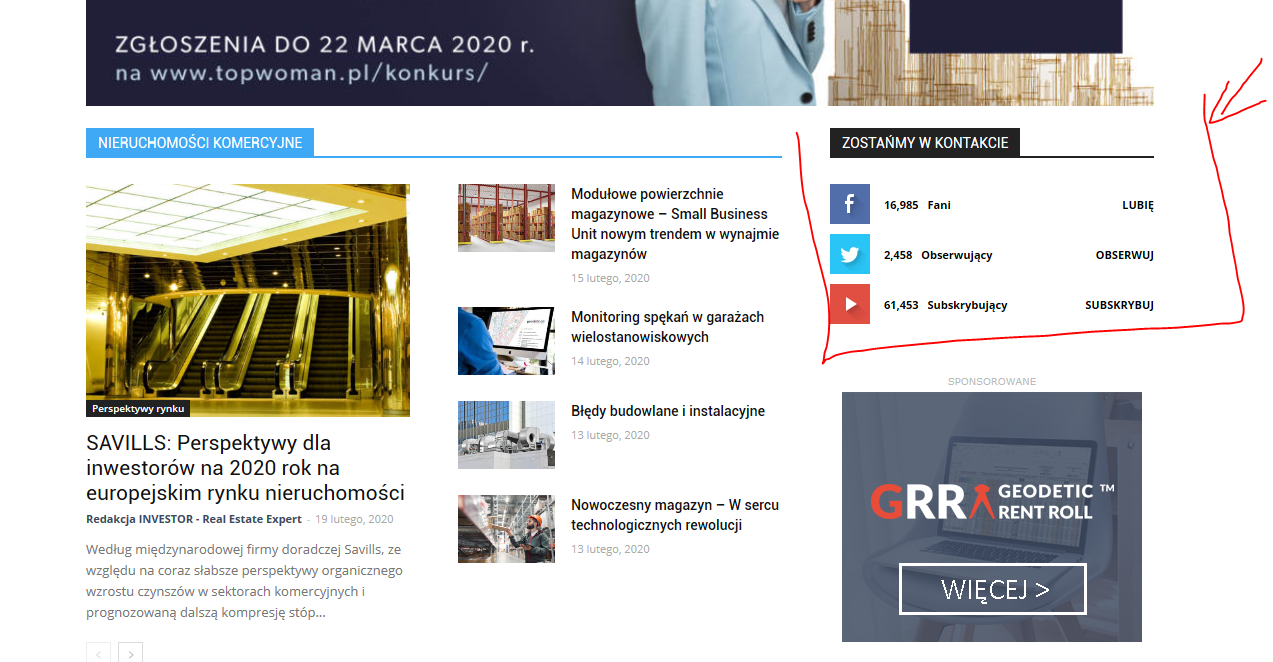
 INVESTOR
Hi, I have the Newspaper theme on my site, I want to update my social networks on the home page but after changing all links that I need in the theme panel – nothing changes. I still can see icons that I don’t want to be active (for example I don’t want Twitter, but want LinkedIn instead) and links which are visible don’t work properly, for example YouTube doesn’l link to my chanel .
How can I edit this block anyway? I can’t even change the area where this is placed on my homepage. Can’t find the way to edit this part.
My site homepage is: https://investorrealestateexpert.co/
What I’m talking about is:
https://investorrealestateexpert.co/wp-content/uploads/2020/02/investor-wycinek.png
thanks in advance for your help
Vlad S Hello !
Installing a new demo with content is not recommended because it will overwrite a lot of your actual settings. You can use the tagDiv composer and set your layout colors as you wish. Colors can be edited on blocks using the Style tab as you can see here: https://www.screencast.com/t/j6Eu39N7Xih
Thank you !
Calin Hi,
All these are not errors are shortcodes from blocks and grids that are part from standard pack plugin, you’ll need to replace theme with flex blocks and flex grids.
Please make sure that you do not have a plugin conflict with untested plugins, please deactivate all non theme/tested plugins, also if you are using child theme, clear all cache and try again.
Also make sure that you have the latest version of Newspaper 10.3
Thank you!
 NMI
NMIHi!
Hope you can help with some issues we are having. I can send pictures and access to back end if needed
1. we don’t understand why the H1-H6 info from the theme settings are not being applied.
In the theme settings I have changed all possible fonts with H1-H6 title to the font we want. But it doesnt apply
https://fm.lujong.org/what-is-lu-jong/ (it should look like in the Homepage, but Homepage was done overriding, so manually in each block) This is not ideal, therefore my question to do it from the Theme Panel and that it works.
2. I dont know how to work with the mobile version. In other themes I had the option to set a block to be visible only to Desktop and other just visible for mobile/tablet. This affects to pictures, slides that we would change depending on the size of the screen, etc.
3. How can I do animations of elements, like fade in…I didn’t find it so far.
4. Would there be a way to do with you TD composer a Biography structure similar to this one?
https://www.leadershipfromwithin.org/tulku-lobsang/
 um74
um74I can easily change the Social Counter style when using Tagdiv composer on blocks but I can’t find any option regarding the style when I use the Social Counter Widget on the Default sidebar.
How can I change the style here?
Is it possible to change the default widget style?
Thanks in advance
Kornel
Calin Hi,
These are the latest version of the plugins -> https://i.imgur.com/yZe3JTk.png
Please verify the console for error while saving the settings on the Theme Panel, usually it displays a 403 or 404 error, if you have these errors, you will have to contact your host and let them know that your admin-ajax.php is blocked either by firewall or the security settings.
If you don’t use a security plugin, please ask your host about this, maybe you have a security module which blocks this.
If you use a plugin like Wordfence please set it in learning mode.
Let me know the results!
Thank you!
 abn
abnvideo block in this url is not working http://dietkhabar.com/
landsOn my website I want to always have the same articles appear in each category/block on the home page.
But I ALSO want visitors to use pagination to see the rest of the articles in each category.
For example, I want posts id 1,2,3,4,5 to always show first. Then the rest of the post can be displayed with pagination in any other order.
How can I achieve this, without a hack like making the posts oldest and ordering them from oldest to newest?