
- NewsmagRequirements for Newsmag
 Anamaria
 Hello,
You can edit the category template with tagDiv Composer -> https://forum.tagdiv.com/cloud-library-category-templates/. You can design it as you want.
Also, I saw you have another menu set in the category template and another on the homepage -> https://i.imgur.com/vL2mgI6.png, so please check if you have the same menu.
Thank you!
Anamaria Hello,
You can simply use a Single Post Template from tagDiv Cloud Library https://forum.tagdiv.com/design-post-pages-using-cloud-library-templates/
Unfortunately, the tagDiv Standard Pack became deprecated.
Thank you!
 Calin
Calin Hello,
As a first step you could try the suggestions from this topic
– https://forum.tagdiv.com/topic/invalid-reply-at-server-endpoint-trying-to-get-to-cloud-library/
If there is no need for modifications as the requirements guide suggests, we can take a closer look at it. Send us an email at the address contact@tagdiv.com. Please also include a link to this topic in the email.
Let us know.
Calin Hi,
This can be possible only if you do a staging or you use a subdomain where you can test all of those. Another possibility are to duplicate all the pages and cloud templates that comes with the pre-build website you have now, or instead to install another pre-build website, install only the cloud templates from it (use tagDiv cloud library).
-> https://forum.tagdiv.com/installing-demos/
Thank you!
Anamaria Hello,
You need to set the ads in Single Post Template from tagDiv Cloud Library and you can set top ad, 3 inline ads set after x paragraphs and bottom ad, please check this article -> https://forum.tagdiv.com/article-ads/ and video https://www.youtube.com/watch?v=biTpVVlr8j8
Thank you!
 christopherkevil8838
Hi again,
I’m having some trouble creating a mobile theme with the Cloud Library as previously instructed by Bettina. When I click on the only available mobile theme there, the error message says the Envato key is missing or invalid. Any ideas how to solve this?
 yvandeuren
Hello,
We’re trying to update one of our client’s website but when we proceed to the update of the Newspaper theme (so including the tagDiv plugins), we got an ajax error on all tagDiv plugins.
The error message doesn’t give any further information about the issue.
The theme is registered correctly.
Would you be able to help us on that please ?
Here’s the website URL : https://tribumedias.be/
And the WordPress status following.
Note that we restored a recent backup because trying to update breaks the site design etc.
Thanks and have a great day.
—————————-
### wp-core ###

version: 6.0.2
site_language: fr_FR
user_language: fr_FR
timezone: Europe/Paris
permalink: /%year%/%monthnum%/%day%/%postname%/
https_status: true
multisite: false
user_registration: 0
blog_public: 1
default_comment_status: undefined
environment_type: production
user_count: 12
dotorg_communication: true

### wp-paths-sizes ###

wordpress_path: /home/customer/www/tribumedias.be/public_html
wordpress_size: 566,09 Mo (593592890 bytes)
uploads_path: /home/customer/www/tribumedias.be/public_html/wp-content/uploads
uploads_size: 164,16 Mo (172130998 bytes)
themes_path: /home/customer/www/tribumedias.be/public_html/wp-content/themes
themes_size: 15,90 Mo (16672888 bytes)
plugins_path: /home/customer/www/tribumedias.be/public_html/wp-content/plugins
plugins_size: 148,27 Mo (155475098 bytes)
database_size: 25,61 Mo (26853376 bytes)
total_size: 920,03 Mo (964725250 bytes)

### wp-dropins (1) ###

object-cache.php: true

### wp-active-theme ###

name: Newspaper Child (Newspaper-child)
version: 10.3.9.1.1625672265
author: tagDiv
author_website: http://themeforest.net/user/tagDiv/portfolio
parent_theme: Newspaper (Newspaper)
theme_features: core-block-patterns, post-formats, post-thumbnails, automatic-feed-links, html5, woocommerce, bbpress, align-wide, align-full, editor-font-sizes, widgets-block-editor, editor-style, menus, title-tag, widgets
theme_path: /home/customer/www/tribumedias.be/public_html/wp-content/themes/Newspaper-child
auto_update: Désactivé

### wp-parent-theme ###

name: Newspaper (Newspaper)
version: 11.4.2 (latest version: 11.5.1)
author: tagDiv
author_website: http://themeforest.net/user/tagDiv/portfolio
theme_path: /home/customer/www/tribumedias.be/public_html/wp-content/themes/Newspaper
auto_update: Désactivé

### wp-themes-inactive (4) ###

Twenty Nineteen: version: 2.2, author: L’équipe WordPress (latest version: 2.3), Mises à jour auto désactivées
Twenty Twenty: version: 1.9, author: L’équipe WordPress (latest version: 2.0), Mises à jour auto désactivées
Twenty Twenty-One: version: 1.5, author: L’équipe WordPress (latest version: 1.6), Mises à jour auto désactivées
Twenty Twenty-Two: version: 1.1, author: the WordPress team (latest version: 1.2), Mises à jour auto désactivées

### wp-plugins-active (20) ###

Advanced Custom Fields: version: 5.12.3, author: Delicious Brains, Mises à jour auto désactivées
Child Theme Configurator: version: 2.5.9, author: Lilaea Media, Mises à jour auto désactivées
Duplicate Page: version: 4.4.9, author: mndpsingh287, Mises à jour auto désactivées
GDPR Cookie Consent: version: 2.1.2, author: WebToffee, Mises à jour auto désactivées
Ninja Forms: version: 3.6.13, author: Saturday Drive (latest version: 3.6.14), Mises à jour auto désactivées
Regenerate Thumbnails: version: 3.1.5, author: Alex Mills (Viper007Bond), Mises à jour auto désactivées
Revive Old Posts: version: 9.0.10, author: revive.social, Mises à jour auto désactivées
Revive Old Posts Pro Add-on: version: 3.0.7, author: revive.social, Mises à jour auto désactivées
RSS Featured Image: version: 1.0.5, author: Jordy Meow, Mises à jour auto désactivées
SEOPress: version: 5.9.0.3, author: SEOPress, Mises à jour auto désactivées
SiteGround Central: version: 2.0.8, author: SiteGround, Mises à jour auto désactivées
SiteGround Optimizer: version: 7.2.1, author: SiteGround, Mises à jour auto désactivées
tagDiv Cloud Library: version: 2.1 | built on 10.03.2022 11:40, author: tagDiv, Mises à jour auto désactivées
tagDiv Composer: version: 3.2 | built on 10.03.2022 11:40, author: tagDiv, Mises à jour auto désactivées
tagDiv Newsletter: version: 1.7 | built on 11.04.2022 7:46, author: tagDiv, Mises à jour auto désactivées
tagDiv Social Counter: version: 5 | built on 10.03.2022 11:40, author: tagDiv, Mises à jour auto désactivées
tagDiv Standard Pack: version: 1.3 | built on 10.03.2022 11:40, author: tagDiv, Mises à jour auto désactivées
Ultimate Blocks: version: 2.5.2, author: Ultimate Blocks, Mises à jour auto désactivées
UpdraftPlus - Backup/Restore: version: 1.22.19, author: UpdraftPlus.Com, DavidAnderson (latest version: 1.22.22), Mises à jour auto désactivées
WPCode - Insert Headers, Footers, and Code Snippets: version: 2.0.2, author: WPCode, Mises à jour auto désactivées

### wp-plugins-inactive (2) ###

Microblog Poster: version: 2.1.6, author: Efficient Scripts, Mises à jour auto désactivées
SiteGround Security: version: 1.3.0, author: SiteGround (latest version: 1.3.1), Mises à jour auto désactivées

### wp-media ###

image_editor: WP_Image_Editor_GD
imagick_module_version: Non disponible
imagemagick_version: Non disponible
imagick_version: Non disponible
file_uploads: File uploads is turned off
post_max_size: 256M
upload_max_filesize: 256M
max_effective_size: 256 Mo
max_file_uploads: 20
gd_version: 2.2.5
gd_formats: GIF, JPEG, PNG, WebP, BMP, XPM
ghostscript_version: 9.27

### wp-server ###

server_architecture: Linux 3.12.18-clouder0 x86_64
httpd_software: Apache
php_version: 7.4.30 64bit
php_sapi: cgi-fcgi
max_input_variables: 3000
time_limit: 120
memory_limit: 768M
max_input_time: 120
upload_max_filesize: 256M
php_post_max_size: 256M
curl_version: 7.66.0 OpenSSL/1.1.1q-fips
suhosin: false
imagick_availability: false
pretty_permalinks: true
htaccess_extra_rules: true

### wp-database ###

extension: mysqli
server_version: 5.7.39-42-log
client_version: mysqlnd 7.4.30
max_allowed_packet: 33554432
max_connections: 500

### wp-constants ###

WP_HOME: undefined
WP_SITEURL: undefined
WP_CONTENT_DIR: /home/customer/www/tribumedias.be/public_html/wp-content
WP_PLUGIN_DIR: /home/customer/www/tribumedias.be/public_html/wp-content/plugins
WP_MEMORY_LIMIT: 256M
WP_MAX_MEMORY_LIMIT: 768M
WP_DEBUG: false
WP_DEBUG_DISPLAY: true
WP_DEBUG_LOG: false
SCRIPT_DEBUG: false
WP_CACHE: false
CONCATENATE_SCRIPTS: undefined
COMPRESS_SCRIPTS: undefined
COMPRESS_CSS: undefined
WP_ENVIRONMENT_TYPE: Indéfini
DB_CHARSET: utf8mb4
DB_COLLATE: undefined

### wp-filesystem ###

wordpress: writable
wp-content: writable
uploads: writable
plugins: writable
themes: writable
Hello,
If you use a Single template you can find the source and via these paths ->
wp-content/plugins/td-cloud-library/shortcodes/single/tdb_single_via.php
-> wp-content/plugins/td-cloud-library/shortcodes/single/tdb_single_source.php -> https://i.imgur.com/o2bKz80.png
Thank you!
 cashflow270
 fixed it. somehow the cloud library plugin got disabled. thanks
 ersandrino
Hello everybody,
it has been some time since I realized that in the error_log file of my wordpress, I continuously receive error messages regarding this path: wp-content / plugins / td-cloud-library / state / single / tdb_state_single.php on line 285
I hope to solve it with an immediate solution since the problem always does it and as a new template.
Thank you
 kus-info
Hi
I have a question and a request at the same time 😉
Is there a possibility that you can use the function
Post Cloud Library Template
Set a Cloud Library post template for posts in this category.
which is completed in the theme panel under the individual categories in such a way that it is also used if you select a template in the respective category?
So first of all, this function is used to check which template is there and then what you select in the individual posts is used?
That would make the job a lot easier 😉
Calin Hello FrankG,
This problem is still persisting when you try only with tagDiv Composer, tagDiv Standard pack and tagDiv Cloud library activated (no other theme plugin)?
We need to do some investigations and see from where is coming this delay. Since you can not share the website link here on forum, maybe you can contact us via email at contact@tagdiv.com there will be a private conversation and we can check the website to see from where the problem is coming from.
Thank you!
Anamaria Hello Matt,
You can import a cloud template as you want from tagDiv Cloud Library -> https://forum.tagdiv.com/cloud-library-category-templates/ -> https://cloud.tagdiv.com/#/load/Category -> https://cloud.tagdiv.com/#/single/category/Category/887 -> https://cloud.tagdiv.com/#/single/category/Category/568 you can design it as you want with tagDiv Composer.
Thank you!
Anamaria Hello @eCronik,
If you use a Single template you can find the source and via these paths ->
wp-content/plugins/td-cloud-library/shortcodes/single/tdb_single_via.php
-> wp-content/plugins/td-cloud-library/shortcodes/single/tdb_single_source.php -> https://i.imgur.com/o2bKz80.png
Thank you!
Calin Hi,
Indeed, after reading your details, I agree with you, for the moment you should use one cloud category template for each category, and if the number of categories is large, many cloud category templates will be needed.
As soon as there will be an update to the theme (now the update is in test), I will check if in the next version the ACF works properly for cloud category templates. The update should take place this month (most likely in about a week).
Thank you!
Anamaria Hello,
Please try to reupdate the theme https://forum.tagdiv.com/topic/unable-to-make-changes-in-content/
Also, you can try to delete the tagDiv Composer and tagDiv Cloud Library and reinstall them from Newspaper -> Plugins.
Thank you!
 Bettina
 Hello @bdsangbad!
Please note that you need to use cloud templates, in order to edit them with the TagDiv Composer. We recommend to use cloud/PRO templates in order to have the possibility to edit them with the TagDiv Composer which contains a lot of functions and features, please check our tutorial here: https://forum.tagdiv.com/tagdiv-composer-tutorial/
Documentation here:
– https://forum.tagdiv.com/cloud-library-templates/
– https://forum.tagdiv.com/design-post-pages-using-cloud-library-templates/
– https://forum.tagdiv.com/cloud-library-category-templates/
Thank you!
Bettina Hello @obit8!
You don’t need an extra plugin if you use cloud templates. Every element from the tagdiv Composer has a setting to hide it and delete it. This setting can be seen in the CSS tab of every element: [Display: HIDDEN]. We recommend to use cloud/PRO templates in order to have the possibility to edit them with the TagDiv Composer which contains a lot of functions and features, please check our tutorial here: https://forum.tagdiv.com/tagdiv-composer-tutorial/
Documentation here:
– https://forum.tagdiv.com/cloud-library-templates/
– https://forum.tagdiv.com/design-post-pages-using-cloud-library-templates/
– https://forum.tagdiv.com/cloud-library-category-templates/
Thank you!
 Abraham Duarte
Hi, yesterday I started to see this code bloc when I build a new single or when open “all post” I deactivate the plugin “tagDiv Cloud Library” and it disapear but the plugin is necessary to the page
https://mega.nz/file/2RwwUS6D#XAgAV-l9ooZltbzSVl2aBr7V3LED-J6qS422UDpOeso
https://mega.nz/file/DUgCTbhZ#DOg9U11VY3TH3dl1UfPiVNpPI6kTkUZxL19tpMnB2Hg
What can I do ?
Bettina Hello Mauri!
This page uses a standard or default template which can’t be edited with the TagDiv Composer. Only if you assign a cloud template, which you will import from the Cloud Templates library.
Thank you!
 Maurafarah
Hi, whenever I try to show the categories, I get the following error:
Warning: Undefined array key “tdb_templates” in /home/customer/www/games.barcelona/public_html/wp-content/plugins/td-cloud-library/includes/tdb_functions.php on line 518
One sample url its: https://www.games.barcelona/category/games/electronic/
Can you help please?
Thanks in advance
Bettina Hello @AuroraCattery!
Install the tagdiv shop and Woocommerce plugin.
You can change the demo with one dedicated for shops: https://prnt.sc/8cYnsH3JBho4 or just import the shop templates from the Cloud Library: https://prnt.sc/9zOXPfe4hZfi
You can import any cloud templates from any demos you like from the Cloud Templates and assign it on your website, or you can build them from scratch by importing a blank template(in order to make it editable with the Composer).
I recommend you to try to use the staging plugin, so you won’t ruin your website, check also this article from here and give it a try: https://themeisle.com/blog/wordpress-staging-site/
Thank you!
 nwnuyhs
 The front end of the website can open the tagDiv Cloud Library, but the template cannot be imported. When importing the template, the following error message appears: One of the images failed to upload.
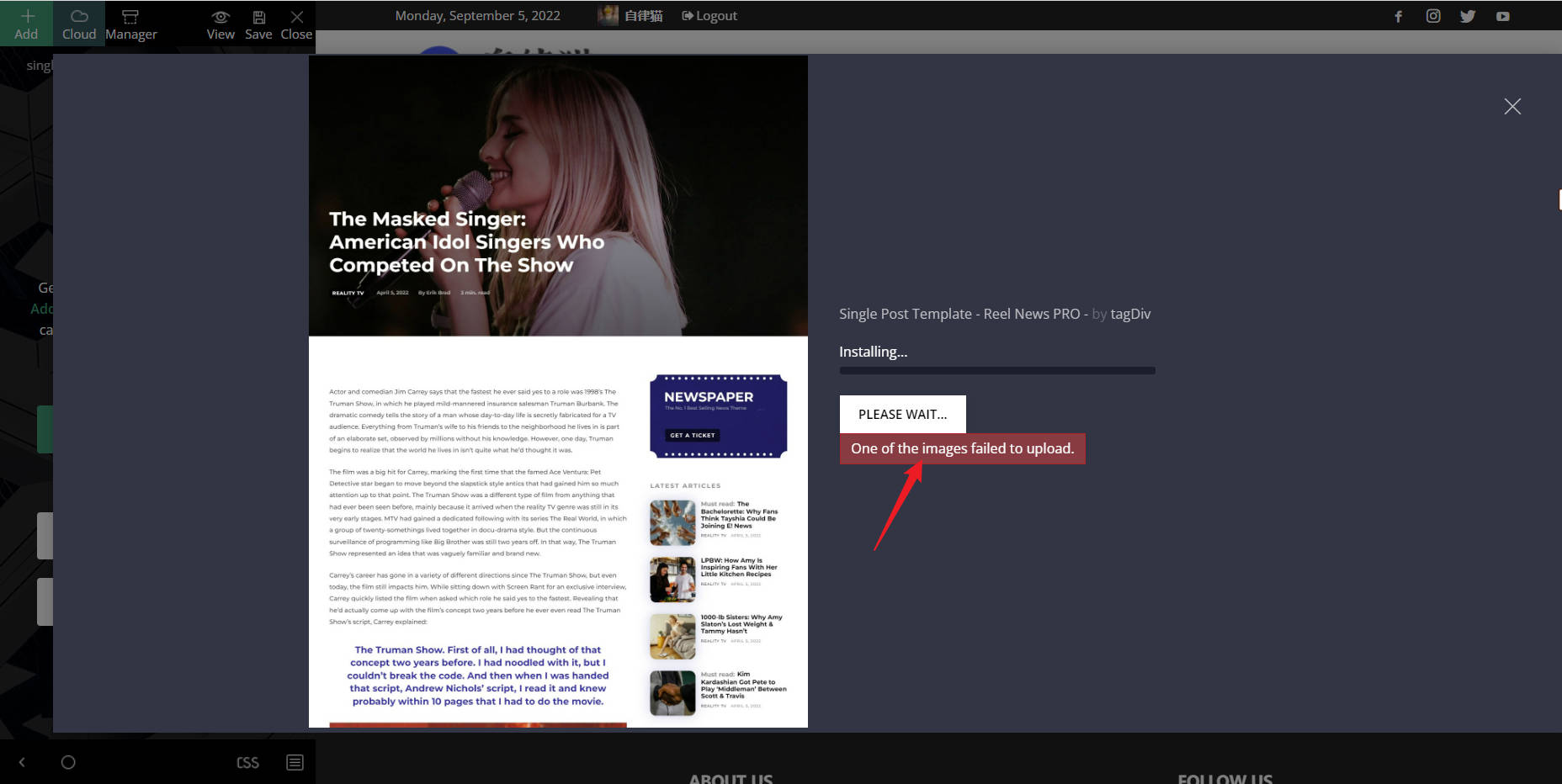
nwnuyhsHi,
I Can’t import template from tagDiv Cloud Library,hope to fix it as soon as possible.
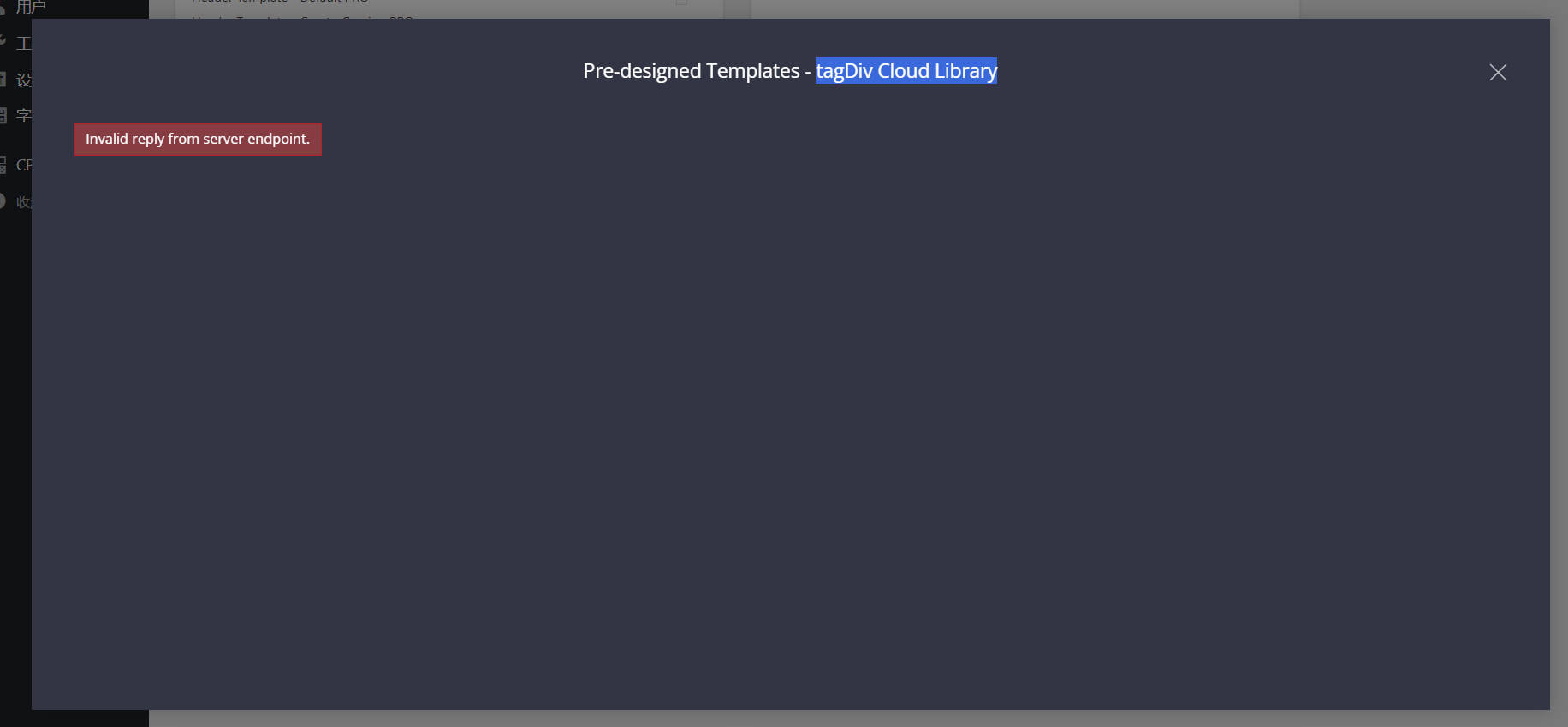
 Edanur

