- NewsmagRequirements for Newsmag
- NewsmagtagDiv Social Counter tutorial
 Ankush Das
 I had encountered this problem while using Cloudflare. Maybe you can resolve it by disabling the Auto Minify option, Rocket Loader, these are unnecessary when you use a fast optimized theme like Newspaper. It worked for me back then (nearly 5 months ago )
If that doesn’t help, then wait for the TagDiv team 🙂
 nf_prt
 then I’m out of ideas, sorry I was of no help :/ tagDiv staff will probably need acess to your site, if so they’ll ask you to send them an email.
googling for newspaper and some of the categories in your picture I think I found your site and it was missing some pictures and cloudflare displaying error 521 on https so I thought could be because of that. Anyways, you can check in cloudflare, in the Crypto icon and see if SSL if Off.
 feliceguerriero
 I connect it through cloudflare … something I have to disable in the configuration?
Thanks
nf_prt Hi
are you connecting through https provided by cloudflare? might be some miss configuration, or is it like that with http already?
Cheers!
 dwarkapuria
Hello
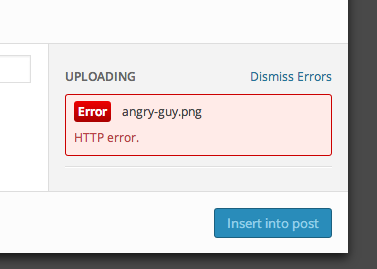
WHEN I UPLOAD IMAGES OF LARGER PIXEL SIZE OR WHEN I TRY TO UPLOAD IMAGE VIA FEATURED IMAGE OPTION , ITS GIVING HTTP ERROR :
i talked to my hosting on godaddy , they said your theme may be causing problem .
Please help
 simchris
 Make sure you cleared all your cache, CDN cache, cloudflare, etc.
Make sure you fully clear your browser cache.
Try turning off all plugins except Visual Composer to see if conflict with an oddball plugin.
Make sure you previously increased the default memory for your site from 40MB to at least 96MB in the wp-config.php file (mandatory!) – -128MB if your account supports it; 256MB if allowed.
It does work 🙂
 mp_batera
 nice ! it worked now. Two questions:
I dont have any cache plugin in my website but i use cloudflare. Should i enable the ajax view count?
I enable the 7 days post view but in the blocks its showing very old ones. Is there a way to reset the counts so i can start to see the most popular of the week ?
 DVD
DVD Hi, I have the same problem. CSS does not work.
https://cloud.mail.ru/public/3BSdkeVvVVCW/newspaper_menu.png
http://47oporalo.ru/
 Peter
Peter Hi Chris,
Thank you. The site is now running on the new setup. Love all the great new features in version 6.
So, if you are running through CloudFlare, or any other CDN optimisation service, purge all cache, suspend the account then clear all your browser caches before you begin the upgrade. After your new site is up make sure all is working exactly as expected then turn the cache back on.
Regards
Peter
 Ing Geek
 LOL xD Too many ram
I think your website has about 10,000-15,000 visitors per day and just need 2gb ram 😛
try to disable w3, install WP-FFPC an configure.
I dont know where is located your server but location has alot guilty for responses times. To avoid them register on CLOUDFLARE and setup your site on free acount (dont need premium cloudflare). This will help you alot
-
This reply was modified 11 years by
Ing Geek.
 Mosamlife
 Hello @inkGeek Thanks for your reply can you please tell me my website url is https://www.movzio.com i am using ssl certificate with google spdy protocol and using Microsoft azure cloud server but somehow the site is now speedy can you please check whats the issue ? 🙂 Thanks in advance 🙂
-Mosam
simchris Most often issue with Cloudflare — you can find lots of comments about such issues in the forum. You should have all caching OFF and cleared before doing any updates, upgrades, migrations, etc. — otherwise you have weird mix of old/new and hence crashing of doom.
I forgot to turn off mod_pagespeed one time doing upgrade and it was a “dog’s breakfast” as my dad used to say!
PeterI have upgraded version 4 to version 6 on my local server which mostly went well using the upgrade documentation.
After edits and cleaning up I then went through the steps of deleting the old v4 theme, then adding the new v6 theme. Deleting the old plugins and adding the new ones. Activating the theme and running the migration script.
Looked at the site and it was smashed. I then deleted the site, migrated the local site using BackupBuddy (1.3GB) which is working and setup on the live server with a new database and all. The site is again smashed when I reviewed it?
This link shows how it looks on the live server and from the local server: https://dl.dropboxusercontent.com/u/268903/Site-Upgrade-Failure.pdf
I noticed the visual composer is not showing on the admin pages or posts. The code is also not translating on the site. I can only use the themes built in templates.
I then restored some function by going back to v4 and the old Visual Composer 4.4.4 which still doesn’t show on the admin side?
Could this be a server and or Cloudflare caching issue?
How am I going to get the site working on this account?
Regards
Peter
 bgo
bgo Hi,
thnx the date/author can be found a bit lower on the page  . I dont have any other plugin’s running on this site as on my others.
regarding the errors, for sure i will take a look at it. Compression is mostly done by cloudflare. Why am I doing this? My score wassent good enough at google pagespeed. But again, i wil take a closer look at this.
 Lucian
 Hi,
@bgo I’ve also checked your site and didn’t found the author and date under post’s title so using panel’s settings seem to have done it. Make sure that you also empty all caches (browser’s also), purge files if you use cloudflare’s cdn host then check again.
Let us know if you experience any other issues and as Chris also pointed you should take care of those console errors and for that make sure that you use just theme’s plugins and no other js/css/html compression then check again.
Thanks
-
This reply was modified 11 years by Lucian.
 SkyFist
 Hi Alin, thanks for getting back to me.
I’ve tried both methods of trying to create the sidebar and neither is working for me.
I went to Template Settings > Blog and posts Template and in the sidebar dropdown box I created a Custom Sidebar,previously I had it set on defaut. The demo categories are not listed on mine because I haven’t installed the demo.
I then went to Appearance > Widgets.
I clicked on the Custom Side box I created and added widgets including Tag Cloud and Calendar. However nothing appears on the sidebars in post pages.
I then went to Appearance > Widgets clicked on Block 1 and added it to my Custom Sidebar and tried to customise it and add widgets but still it doesn’t appear on post pages.
I also tried the custom sidebar method but still nothing. Your instructions are what I had originally tried to do.
By no means am I an experienced web developer, but for the past few years I have been installing and setting up WordPress themes just by following the instructions. I’m so frustrated as I have spent many hours on this and can’t resolve it!
Please help me get the sidebar working.
Ing Geek  securerr
 Hello,
Thank you!
I managed to change tag cloud widget headline color. The page is:
https://www.securerr.com/huge-magento-vulnerability/
But I still can’t change the color of this element:
When you hover over it, it becomes black. And there’s black border I need to remove.
Please advice on how to do that. Thanks!
 Nick
NickHello,
I have updated theme on one of my blogs (I was purchased 2 times for 2 different blogs) and I not with new version my titles started to appear on black color instead of this one #0798ed which was on version 4 of the theme.
How to change this color in the new theme?
Tags cloud also was with this color #0798ed, and now it is black… I also would like to change it to previous one.
Please help me with this.
Looking forward to hearing from you.
Kind regards,
Nick
simchris Did you
a) turn off all plugins except visual composer
b) clear all your server caching if using that
c) reset your CDN if using that / cloudflare, etc.
Make sure you delete old TD plugins, old theme folder; upload NEW theme folder, new plugins (don’t ‘over write’).
Then go to your “page” for your home page and preview to see if works; if not, then try making new simple page with just list of stories, preview see if works.
Just thoughts on debugging your particular setup.
 Jens H.
 I run this theme on a site with much traffic. I run CloudFlare + Varnish in front of it. It performs very well.
 Branstone
 Sorry! it’s OK…
I had to clear the cache on CloudFlare!
Thanks!
 Alin [tagDiv]
 Hi,
The Rocket Loader may need may need manual configuration(I suppose that you use auto) because it could cause some conflicts(error) – https://support.cloudflare.com/hc/en-us/articles/200168056-What-does-Rocket-Loader-do- I cannot tell you how important is for your site as we did not tested it, but if you cannot manage to set it, I suggest to not use it.
Thanks!
Alin [tagDiv] Hi,
Please test this also with a default theme and see if it works.
Also when you check this with our theme please make sure that you disable cloudFlare, rocket loader and disable all css/js minification.
Thanks!
 yajones
 Hi,
I just replied to your email, so I await help on that issue.
Regarding this issue, I’ve already tested the embed with all plugins deactivated. Will disable Cloudflare’s rocket loader to see if that helps.
Thanks.