Vlad S
 Hello !
You can edit the ROW and stretch it as you can see here: https://www.screencast.com/t/dgqjL0EKzwo5 More editing will require css coding. After editing it in the Composer, provide us a link and we will take a look into it.
Thank you !
 Sibi Paul
Sir,
I am using Newspaper Theme for My Website https://www.fastunlocker.com
My Server is Litespeed Enterprise Hosted in AWS
CDN Enabled
Optimized Using Litespeed Cashe
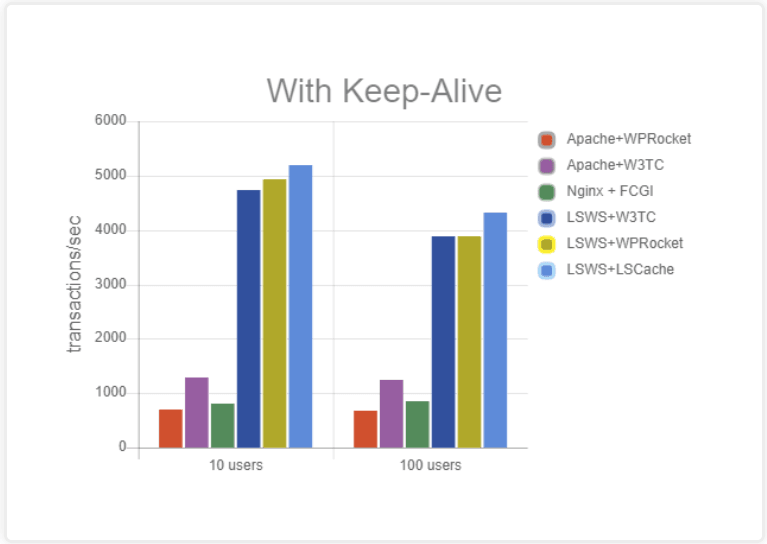
Refer this Page – https://blog.litespeedtech.com/2019/05/20/litespeed-cache-vs-wp-rocket/
Also, Check this Image – https://blog.litespeedtech.com/wp-content/uploads/2019/05/LSCWP-vs-WP-Rocket-a.png
Sir, I am almost happy with Everything in Newspaper Theme.
But,
Some Filesize is very huge in the Newspaper Theme.
When Compared to My Other Providers.
I have Subscription in Mythemeshop, GeneratePress… etc
When I Test Page speed after activating those themes,
Page size is around 60KB to 100KB
But, Newspaper Theme Page Size is 360+ KB
So, I would Like to Mention Two Test results
1 – https://gtmetrix.com/reports/www.fastunlocker.com/wa68Rx4a
2 – https://gtmetrix.com/reports/www.fastunlocker.com/PhPoslVb
The second one is the Newspaper Theme’s
I Really Appreciate its Facilities, When Compared to Other Themes… Newspaper is Fully Loaded.
I need a Small Help to Reduce the Size of Some Files.
site.com/wp-content/themes/Newspaper/images/icons/newspaper.woff?16
site.com/min/e7ce4.css
site.com/min/fe6e6.js
Kindly Help me on this…
The page is Optimized Great, But Size is High…
 jaydeedaley1
 Hi
I figured it out; increase the margin in the CSS template header.
🙂
 lalancuras
 acarter960
 Hi, I reinstalled newspaper 9 “City News” due to this issue and 1 other issue, NO Plugins what-so-ever.
1. Logged-in users get my “custom” color(#174970 blue), users NOT logged-in(revert to default RED color) so please don’t blame it on plugins.
2. I Cannot change color in the header, Desktop changes but mobile does not. Also, the “home page” stays at default RED color on mobile, however when you click on an article color changes to the customer color I picked(#174970 blue).
3. I have read some of the posts here on the forum, your support reps state that is mostly “custom” Demos, does that mean that a normal user with reasonable WordPress skills cannot reproduce the page unless they are a web developer? .css ninja?
Respectfully waiting on a response. Thank you
 imkimc
 You’ll probably have to do minimize and combine your css to unblock the page rendering… I’ve used Fast Velocity Minify and WP-Rocket Cache to accomplish this. There are many alternatives (such as Clearfy which does many other things).
 ivandal
Hi!
i need to change subtitle order, just above the title but i dont find the php file to edit the code.. where is???
no css solution please.
<header class=”td-post-title”>
<h1 class=”entry-title”>text title</h1>
<p class=”td-post-sub-title”>text subtitle
</header>
to
<header class=”td-post-title”>
<p class=”td-post-sub-title”>text subtitle
<h1 class=”entry-title”>text title</h1>
</header>
thanks
 Calin
Calin Hi,
If you want to remove/hide the sticky menu, you need to edit the header template with tagDiv Composer, click on the sticky menu, click on the css tab -> https://www.screencast.com/t/T3TJ2hvJlD and check the display option, set it on hidden -> https://www.screencast.com/t/D57O79FFainD save the template and clear all cache.
If you are not using a cloud header make sure that these option are set on disable -> http://prntscr.com/p44m35
Hope this will help you!
Thanks.
Vlad S Hello !
Please use this css code: .td-gadgets .td_module_8 .entry-title a:before {
background-color: blue;
}
The code must be inserted here: https://www.screencast.com/t/J1Nxw5s5
Thank you !
Calin Hello,
So you are using the a demo like Nature Love demo, you’ll need to edit the homepage with tagDiv Composer -> http://prntscr.com/p3sucr click on the image and look in the css tab -> http://prntscr.com/p3suqd
Hope this will help you!
Thank you!
Vlad S Hello !
That can be achieved using css: .td-social-colored .td_social_instagram .td-sp {
Background-color: red;
}
Let me know if this was helpfull !
Thank you !
Calin Hello,
Unfortunately there are no settings for the mobile menu, this can be achieve only with custom css.
Please provide me a link where I can check those arrows, in this way I will be able to provide you a better answer.
Thank you!
Vlad S Hello !
Demos or any Cloud Library template are fully editable using the tagDiv Composer. If you want to edit your background color on your homepage you can do it by going into Theme Panel – Background and by editing the background color as you can see here, i have clicked on the highlited zone and then edited the background color in CSS tab: https://www.screencast.com/t/jOrkp6gS
Also if your theme panel is not fully functioning, Please make sure that you do not have a plugin conflict, please deactivate ALL plugins except tagDiv Composer, also if you are using child theme or cache plugin, deactivate them, clear all cache and try again.
Thank you !
Calin Hello @Gbugmenot,
Please provide me a link to your website, in this way I will be able to provide you the right css that will apply correctly.
Thank you for your understanding!
Calin Hello,
You can try this custom css for smaller devices -> http://prntscr.com/p3m7bv
.td-week .td-header-style-10 ul.sf-menu > .td-menu-item > a {

    font-size: 15px;

}

.td-header-style-10 .td-header-main-menu {

    padding-left: 0px;

}

.td-main-page-wrap {

    padding-top: 0px;

}
You need to set this custom css in Theme panel> Custom code> Advance css
-> http://prntscr.com/p3m8aq
Hope this will help you!
Thank you!
 smehr
smehrWe have an issue where users have complained that it is not easy to see that there are drop down menu items when viewing on mobile. Is it possible to use a different arrow / chevron “>” that is more bold and easier to see? I saw there was css code that seems to be able to specify the arrow in the mobile menu
.td-mobile-content .td-icon-menu-right {

display: inline-block;

}
Is there a different option we can switch the td-icon-men-right to?
 rsteele6
Hi there.
I’m trying to add some custom CSS to enable me to change the page background color on the homepage, but it looks like the all the custom code fields are disabled since I cannot paste anything into them or interact with them at all. I am a WordPress noob though, so is it possible that I need to enable this functionality somewhere else and I’m just not aware?
Or, better yet, is it possible to accomplish what I’m trying to do WITHOUT adding custom CSS?
 Yahtzee_Wikilord
Ever since it was created my Cloud Template (Header Style 4) has been rendering less efficiently than the default Header Style 4. It takes a good while for the font to appear and the box will often expand before assuming its correct size. It is also highly sensitive to an optimization function called “also aggregate inline CSS”. The same function causes my Cloud Template – Big Flex Box 5 to experience font problems. Without “also aggregate inline CSS” I get poor scores on gtmetrix.com/ and developers.google.com/speed/pagespeed/insights, with it my header breaks.
My website is: https://www.medievilfaq.com/
 chiuaua
 No caching plugins are enabled, we use WPML which is compatible with your tagDiv Composser.
Listen closely. Any header elements alignment change does not reflect in your editor. Sometimes we also get a message saying that this content was not created by tagDiv Composser, even though it was imported from the cloud library.

Now please, tell me how to move this search icon to be floating right like it’s on this picture:

You can inspect the code with dev-tools and share the CSS i need to, please. With editor it doesnt work!!
Calin Hello,
What you can do is to check the settings from that plugin, also the only thing that I can do to help you is to provide you a custom css to hide the ads on footer, but for this will need a link where I can inspect those ads that appear in footer.
Thank you!
Vlad S Hello !
Please try this css code: .td-post-template-3 .td-post-header-holder{
background-image: linear-gradient(red, yellow);
}
Let me know if this was helpfull !
Thank you !
Calin Hello,
So you want to have the background color on the whole website, for that you can try this custom css -> http://prntscr.com/p21j4e
body .td-theme-wrap > *, body .td-container-wrap {

  background-color: gray!important;

}
Hope this will help you!
Thank you!
Vlad S Hello !
Please add this css code: .td-scroll-up {
display: block;
}
The code must be inserted here: https://www.screencast.com/t/J1Nxw5s5
Thank you !
Calin Hello,
So if I understand correctly you want to hide the feature image on mobile theme on those post that have the tag=gallery and on desktop have set the post style 5, if is so please provide me a link to one of your post that you want to hide the featured image, in this way I will be able to provide a custom css for you.
Thank you!
 AdValueMk
Hi
We had a client who wanted all colors of the theme modified before launch so we changed them.
Now, he wants the theme reverted to the default black&white version with which the theme comes as an option.
The question follows: is there a way we can simply revert the themes colors, .css files (some things were changed in the .css files along with changes in the WP admin panel) to the default black&white without the site suffering downtime will this is carried out (as well as make sure that some things change and others don’t and the site starts to look buggy)?
Also, if it is possible to get this service from your side for a certain fee – please let me know.
Best regards,
AdValue