Simion C.
 Hi,
That should be possible with some CSS, please post a link to the website so I can try and create a code for it. It will be more accurate if you can provide a link, or maybe specify the header template used. Let me know.
Thanks
 valerioagolino
 Hi Everybody,
I also have a problem with the grid in 1400px, I was using a BigGrid3 and when i switch to 1400px it was unformatted, then i tried many other untill i found flex grid :=)
then I had to change the margin because my client absolutly want them 20px and the grid is not matching anymore.
i tried with css but I found no way to adjust it.
advise?
thanks a lot
Valerio
PS: http://fabridea-test.de.fc-host61.de/entrepreneurs-club —Grid on top :=)
-
This reply was modified 7 years by
valerioagolino.
 nycinsider
 OK. So it seems at the point I would not really be using the TDC, I’d be using custom CSS which I’d rather have in my custom CSS (child theme) so it’s portable to another theme (given how incompatible NP has become the last 6 months with the rest of WP). So what would the entire CSS look like if I wanted to save all the custom code to my css file?
Simion C. Hi,
Something is not quite right there, what you are trying to do should work correctly, I tested it on my end. Does it work if you set a different post template?
I believe it is a design problem with the cloud template used, which one did you import so I can test it on my end. Try importing it again and set it to a post, without making any CSS modifications to it. Check if the same happens, could also be some CSS modifications you made to it.
The link HTML is valid and should work but it cannot be clicked because another container is on top of it. Let me know.
Thanks
 Catalin
 Hi,
Unfortunately, this case has not been treated, sorry! I have checked the default demo on iPhone X in landscape mode and the results are looking well. If you want to customize your theme in that way, you need to use the media queries and target your desired width. Please check here -> https://www.w3schools.com/css/css_rwd_mediaqueries.asp
Thank you!
 Vlad S
 Hello !
In order to get your fonts to work I suggest getting them from google fonts since they offer you the complete css code. For MULI you can see here the code google fonts gives you: https://www.screencast.com/t/mlySZ3qrRk
font-family: 'Muli', sans-serif;
Thank you !
 Calin
Calin Hi,
Please replace the custom css with this one ->
.single .td-more-articles-box{

  display: none;

}
please make sure that you clear all cache after you set the code in theme panel.
Thanks.
Calin Hello,
Most of the theme files were moved into the tagdiv composer plugin as per the requirements of envato: https://help.author.envato.com/hc/en-us/articles/360000472383-WordPress-Theme-Requirements.
We wrote an article on the subject here: https://tagdiv.com/updating-the-core-of-tagdiv-themes/
Moving forward with such requirements, a child theme will only work with functions.php, and style.css as there are very few files left in the main theme as envato requires all functionality to be added through plugins.
Sorry for the inconvenience and thank you for understanding.
Calin Hi,
Please try this custom css
-> https://www.screencast.com/t/fVFE2aPJ4MM
div.wpforms-container .wpforms-form div.wpforms-field-container .wpforms-field input, div.wpforms-container .wpforms-form div.wpforms-field-container .wpforms-field textarea {

    font-family: 'Open Sans', arial, sans-serif;

    border-color: #ccc;

    border-width: 1px;

    border-radius: 1px;

    padding-right: 6px;

    padding-left: 6px;

}
Set the code in theme panel>Custom code>Custom css.
Hope this will help you!
Thanks.
 meri
meri Hi,
It still does not work, I even tried to change the value to 100.
The ToTop arrow is still behind the Shareaholic bar and not above.
You can check on https://www.mondeoz.com/insolite-voyage/street-art/ for example, on a mobile phone obviously.
I’ve left your CSS (the last code).
Thanks
Catalin Hi,
Sorry for the delay, there were a few days of due to celebrating Easter, as you can see our top banner information.
Regarding your request, notice that our theme does not have any such an option for it, sorry! In order to achieve as you wish, you need to make some changes over that section and if you are not aware of the steps which are needed to take in this case, please consider hiring a freelancer/developer to help you because we cannot provide additional customizations. As a hint, if you want to target desktop and mobile width, you need to use the media queries, like this -> https://www.w3schools.com/css/css_rwd_mediaqueries.asp Also, you need to use the Inspector browser tool, like this -> https://forum.tagdiv.com/create-custom-code-using-the-browsers-inspector/
Thank you!
Simion C. Hi,
Sorry for the delay. Please try not to bump the post or reply multiple times in it, this will only delay the response on our part as it will refresh the topic date. We reply from oldest to newest.
1. Big grids have some styles you could check out
– https://demo.tagdiv.com/newspaper/big-grid-1/
The gradients purpose in big grids and other elements is to make the post meta more visible. For example here is the difference with and without it in a case
– https://prnt.sc/nimb5m – https://prnt.sc/nimbae
It could be removed if needed for normal grids, with some CSS. Mention the grid you are using and I will give you a code for it. Let me know.
Or you could use a flex grid, and remove/change the default gradient in it’s settings
– http://prntscr.com/nje3ye – http://prntscr.com/nje45m
2. Bigger than the required thumbnail size would be better in most cases, the theme will create thumbnails from it, so the original image can be bigger
– https://forum.tagdiv.com/thumbnails-vs-featured-image-size/
3. I could take a look at it, please post a link to where I can see it. The smaller thumbnail looks quite bad in that screenshot.
4. You can use the format you want and think best. Here are some topics about it
– https://codex.wordpress.org/Image_Size_and_Quality
– https://www.a2hosting.com/blog/pngs-vs-jpegs/
– https://www.labnol.org/software/tutorials/jpeg-vs-png-image-quality-or-bandwidth/5385/
– https://undsgn.com/jpg-vs-png/
– https://blog.shortpixel.com/png-jpeg-dilemma/
Let me know.
Thanks
Simion C. Seems I missed that, sorry for the inconvenience. After you get to the result from above you could use some CSS to further style it – http://prntscr.com/njdyin
For the text with title I used these settings – http://prntscr.com/njdzc6
The CSS code is here
.td_block_text_with_title .td-pulldown-size {

border-bottom: 3px solid black;

border-radius: 5px 5px 0 0;

width:100%;

}

.td_block_text_with_title .block-title {

border-bottom: none;

}
Let me know if you have more questions.
Calin Hi,
Please make sure that you do not have set and custom css on :before with content: “0”;
-> https://www.screencast.com/t/yfbol4ud
.elementor-element h1:not(.site-title):before {

    display: none;

}
You can use the above custom css, set it in Newspaper theme panel>Custom code>Custom css
Thanks.
Simion C. Hi,
By default the subtitle is a paragraph. I tried to change it to a h2 by editing the post template file the post is using in my case (template 1)- http://prntscr.com/njdf0q
The design seems to remain the same – http://prntscr.com/njdfcy because the CSS applies to the class not the HTML tag.
This can’t be done by a theme setting, only by modifying the post template files. After the 9.7 update they are located in the tagDiv composer plugin – http://prntscr.com/njdg2j
Only the default post template remained in the theme folder – http://prntscr.com/njdgjw
So depending on the post template used, you could modify the files and make the subtitle be a h2 instead of a paragraph.
Let me know if you have more questions.
Thanks
Calin Hi,
If that sidebar is made with widgets you can check our documentation for custom css -> https://tagdiv.com/how-to-create-custom-code-in-newspaper-theme/
Here is an example of code
.td-pb-span4 .td_block_1 {
margin-bottom: 10px;
}
If that sidebar is in one page and is make with tagDiv Composer you can edit it and change with tagDiv Composer.
Thank you!
Calin Hi,
To hide a category siblings you’ll need to use a custom css, if you need help with this please provide me a link were I can inspect this category siblings which you want to hide.
Create custom code with the browser’s Inspector or the Live CSS Box -> https://tagdiv.com/how-to-create-custom-code-in-newspaper-theme/
Thank you!
Calin Hi,
Please make sure that you do not have a plugin conflict, please deactivate all non theme plugins, also if you are using child theme or cache plugin, please deactivate them, clear all cache and try again.
Or if you want you can add a custom css in Theme Panel > Mobile theme >Custom code> Css
.wp-block-image .aligncenter>figcaption

{

  display: block;

}
-> https://www.screencast.com/t/Myk3BZG0Mn
Thank you!
meriHi,
How can I reduce the space between the category title and its description?
Example of a category page: https://www.coupdepoker.com/culture-poker/
https://ibb.co/jhwKhsy
Fyi, I’m already using this CSS:
.td-header-style-10 .td-logo-wrap-full {

min-height: 80px;

line-height: 80px;

}
.td-header-style-10 .td-logo-wrap-full .td-logo {
line-height: 80px;
}
.td-main-page-wrap {
padding-top: 30px!Important;
}
.td-page-title{
text-align: center;
line-height: 45px;
padding: 30px 5% 50px;
letter-spacing: .02em;
}
.td_category_template_7 .td-category-title-holder{
padding: 30px 5% 50px;
}
Thanks
 Yash M.
 Hy Vlad S,
I tried applying custom CSS code. But it didn’t work in my case. Can you please help me a bit by checking the following screenshot. Did I make any mistake? I want to apply Muli fonts comes to under Sans Serif category.
https://www.right-brothers.net/wp-content/uploads/2019/05/Capture.png
 josh-2
 For anyone else on the struggle bus like me, the problem is that I’m using WP Rocket “Optimize CSS Delivery”. It does weird things to the CSS.
WP Rocket > Settings > File Optimization > CSS FILES > Uncheck Optimize CSS Delivery.
The other options seem to work fine.
 MountainDewAddict
 I tried 3 different caching plugins, which seem to have the effect.
I found the possibility to exclude specific JavaScript and CSS files from the process.
What would these be in the case of background images?
 novelapl
Hello!
I can’t find the reasonw why Live CSS Editor is not working properly. The window is just blank and doesn’t even “convert” into a space for writing. I can see the header, the green button on the bottom, and also change the size of the window, but cannot write a single character. Could you please give me any advise?
Thank you in advance!
 garyjones
 Hi Calin
Thanks for getting back to me. I would indeed prefer to use Flex Blocks.
If you go here now, https://www.infowebpublishing.com/ you will see where I have got to with the Block 9/Module 8 combination but I can’t work out where to place the above custom php/CSS into a Flex Block. I think Flex 4 is the best option.
Any help would be appreciated. Happy to give you Admin access.
Have a good International Workers Day.
Best wishes
Gary
 angel-friend
 Hi,
thank you for your advice.
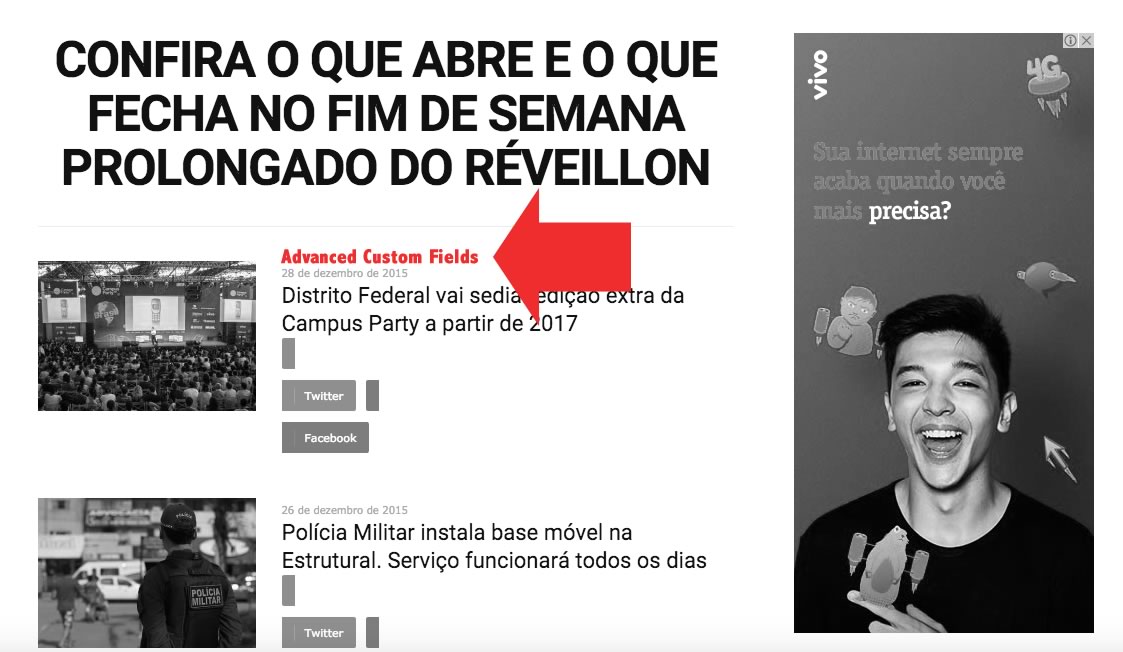
I found the same question on the comment on themeforest and he(user name:ericseabra) said “to bring up Advanced Custom Fields in Block 11 ( http://www.notibras.com/addCustomFields.jpg ) on the home site?” .
And the answer was as follows…
Module 10 is used to design block 11 so you can add there your custom fields – http://screencast.com/t/1GF915UC Also I have suggested to provide a link for the other issue(css for share buttons) so if you have more questions please write them in that email.
However this topic is about 3 years ago and the Newspaper version is different now. So I couldn’t find the code which I should change.
I just wanted to know where I should change the code.
Is that possible to realize to add Custom Fields element by changing module file? And if so could you tell me where I can find the module.
Thank you.