
- NewspaperWP Rocket and Newspaper Theme: Optimization Guide
- TutorialsFrom WPBakery to tagDiv Composer
- TutorialsOffset Feature
- TutorialsWhat is Ajax preloading?
- TutorialstagDiv Social Counter Tutorial
 Calin
Calin Hi,
For this, you need to use tagDiv Composer, edit the page, select the block and if this is a flex block, the image size can be set from Layout tab – https://i.imgur.com/6KSTOlK.png
If is related to the featured image of a post, it should be done the same, edit the single post template and select the image, after that change the image size – https://i.imgur.com/sXZsX2g.jpeg – https://i.imgur.com/1fB4v0g.jpeg
Calin Hi,
If you want to add an ajax filter on a block to filter the articles by tag, then use this tagDiv Composerhttps://forum.tagdiv.com/tagdiv-composer-tutorial/, select the block and use this option – https://i.imgur.com/CYhpjAJ.png https://forum.tagdiv.com/flex-block-settings-guide/
Thank you!
 Hoàng Trí
Hello
I am using Elementor to make Landing Page, I want to add widgets of the interface like Flex block and Big Grid Flex but I can’t add them.
The available options are Tagdiv Block which is very old and can’t customize anything?
Is there any way to connect Tagdiv Composer with Elementor?
Thanks
 juanantonio
 After some investigation, it appears that certain elements available in the previous version I was using are no longer present in the latest release.
For example, in the earlier version, there was an element called “Big Grid 12”, which I can’t find in the new version. Instead, I see a similar element named “Big Grid Flex 4”.
As a result, when I open the webpage, instead of the element rendering correctly, I only see the shortcode because the template no longer recognizes the old element.
Example:
[td_block_big_grid_12 category_id=»55473″ sort=»»]

[td_block_2 category_id=»» limit=»6″ header_color=»#000000″ td_ajax_filter_ids=»» td_filter_default_txt=»All» ajax_pagination=»next_prev» td_ajax_filter_type=»» custom_title=»ÚLTIMAS NOTICIAS» custom_url=»últimas_noticias» post_ids=»-65255,-21788, -61097, -101029, -56563″][td_block_1 limit=»5″ custom_title=»RECUPERACIÓN» td_ajax_filter_type=»» td_ajax_filter_ids=»» td_filter_default_txt=»» ajax_pagination=»next_prev» sort=»modified_date» header_color=»#000000″ category_id=»1232″ custom_url=»recuperacion»]
Is there a way to continue using these previous elements, or is the only option to rebuild my website using the new ones?
Thank you.
-
This reply was modified 1 year by
juanantonio.
Calin Hi,
You can use the offset and filter settings from blocks – https://forum.tagdiv.com/flex-block-settings-guide/ or you can use the unique article option from the page https://forum.tagdiv.com/unique-articles/
Thank you!
Calin Hi,
That space is coming from an ad , when you scroll down and up after a few seconds, the ad will be displayed. https://i.imgur.com/a5qIf6p.png
If you want to change the widget position, what you can do is to use tagDiv Composer and use the settings for row and column on the mobile version to reverse the columns inside the row. By doing this, you can make the sidebar display first https://tagdiv.com/flexibility-rows-columns-newspaper-theme/
Thank you!
 bonkermann
Hello All
i Have the newspaper theme.(using kattmar) but same problem on another theme as well
When adding a URL in Tag Div Composer ,it does not save it.as an example in Flex Box 3
It only allows url within the site,which is followed by post/page :example: postname/
Has anyone had an issue like this and the solution
I have going crazy with trying to resolve this issue
I deactivated all plugins,including browser extensions with no luck
Thank You all for reading this and possibly finding a solution for me..
Mike
 dimitrisv
Hello,
Here is a brief video (no sound) of the issue
https://www.loom.com/share/34176e07c7a1450e92d21a3220b1f3e6?sid=dc762317-fa10-4281-99d6-62d7f09ca066
Here is the site:
As you will see Module 2 works fine
Thank you!
Calin Hi,
The number of modules per row and the number of modules that should be displayed can be edited using tagDiv Composer, edit the homepage, select that section, and check in the general tab the post title length, the excerpt length, and the limit post number. https://i.imgur.com/XHxJUCg.png – https://forum.tagdiv.com/flex-block-settings-guide/
Thank you!
Calin Hi,
To achieve the same results as the one provided by the option mentioned by you, you cna use tagDiv Composer, edit the template, select the flex block where you want to have the “sticky” article and in the filter tab, set the article id – https://i.imgur.com/XbNvA0v.png – https://i.imgur.com/zjhdljh.png
Thank you!
 muterobert
Wordpress has a built-in “sticky” post function where you can mark one post as “Sticky” to ensure that it always displays at the very top of the list of posts, even if it isn’t the latest post: https://i.imgur.com/Pe6CgoD.png
I test this function in the Newspaper theme to see if it would appear as the first post in the Flex Block 1 I have at the top of my front page. However it doesn’t seem to work as it would with a default WP theme. Is there a way to support this functionality in Newspaper or a way to recreate it without much hassle?
Calin Hi,
1. Unfortunately, there is no option for this, but you can set an image for those articles that do not have one – https://i.imgur.com/yHD0RPQ.png. Doing this will no longer display that gray placeholder; it will display the image set by you, and the block layout will remain the same.
2. This can be done only if you set a category or tag for those articles that do not have a featured image and after that, exclude the category or tag from your blocks https://forum.tagdiv.com/flex-block-settings-guide/ https://i.imgur.com/UXnS2Uy.png
Thank you!
 Julie
JulieHi,
I’m currently trying to achieve the following:
1) I want to be able to hide the featured image placeholder if no featured image is set for a post, for example in the Post Loop.
2) I want to exclude posts that have no featured image in the Big Grid Flex 2.
Does anybody know how to implement these settings?
 franfar
 Good morning, thank you for your reply.
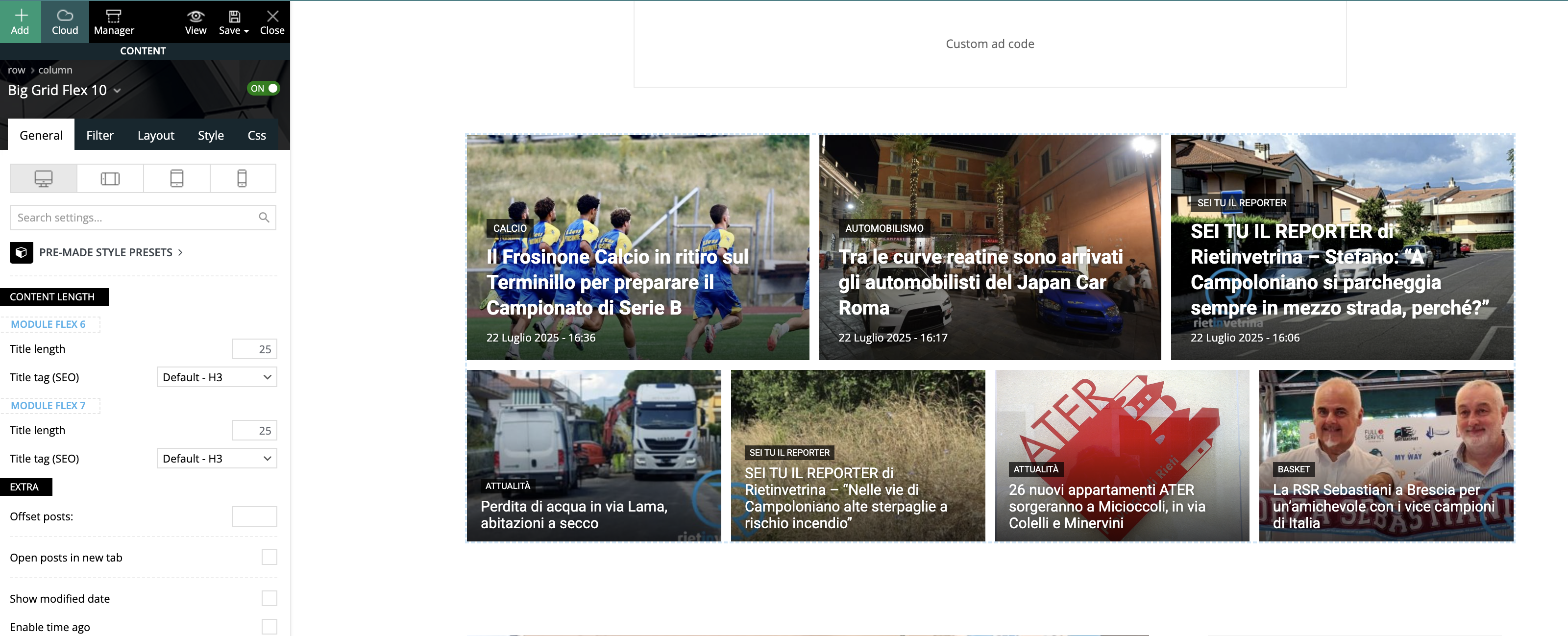
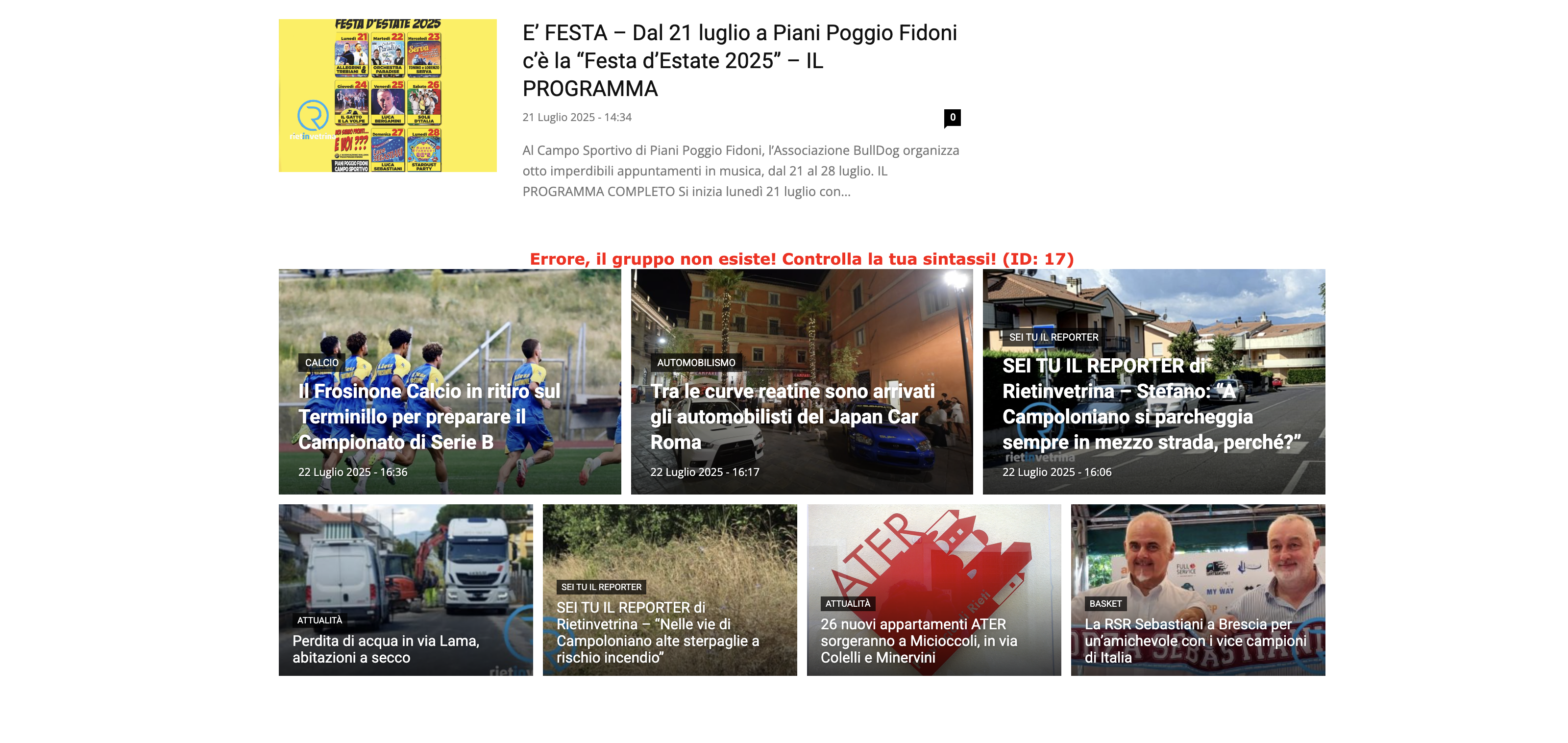
We deleted the row with the Big Grid and added a new one with different type (Big Grid Flex 10) and it seems to be all ok.
Grid Flex 10 builder preview
Website view
No settings were set.
Changing it again into Flex 1 (3 columns) the problem back again, even if we set it to 2 columns.
If needed, we can provide you with temporary access.
Calin Hi,
Unfortunately, without having access to the website to check the problem, it will be hard to identify the problem, so we’ll need to start with the classic steps.
1. Set a new Big Grid Flex 1 without any settings on it and see if the problem persists.
2. Try with a different Big Grid Flex element.
3. Test it using only tagDiv plugins
Thank you!
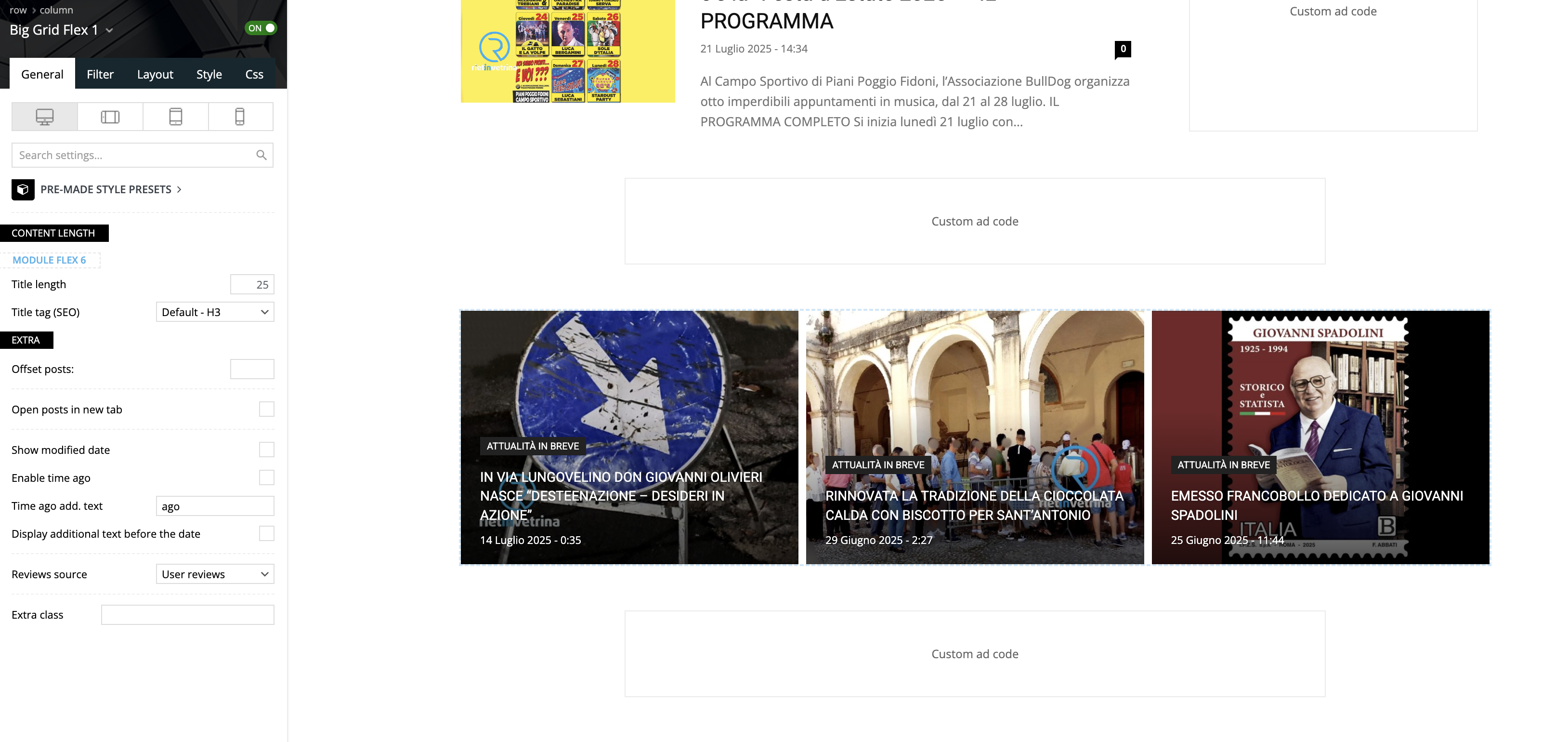
franfarGood morning, using the Big Grid Flex 1 on the homepage of a website we noticed that, on the builder preview it’s all ok, but navigating normally, the third column is not inline with the other 2, but goes on a second row.
Please take a look to these screenshots:
– builder preview
– website view
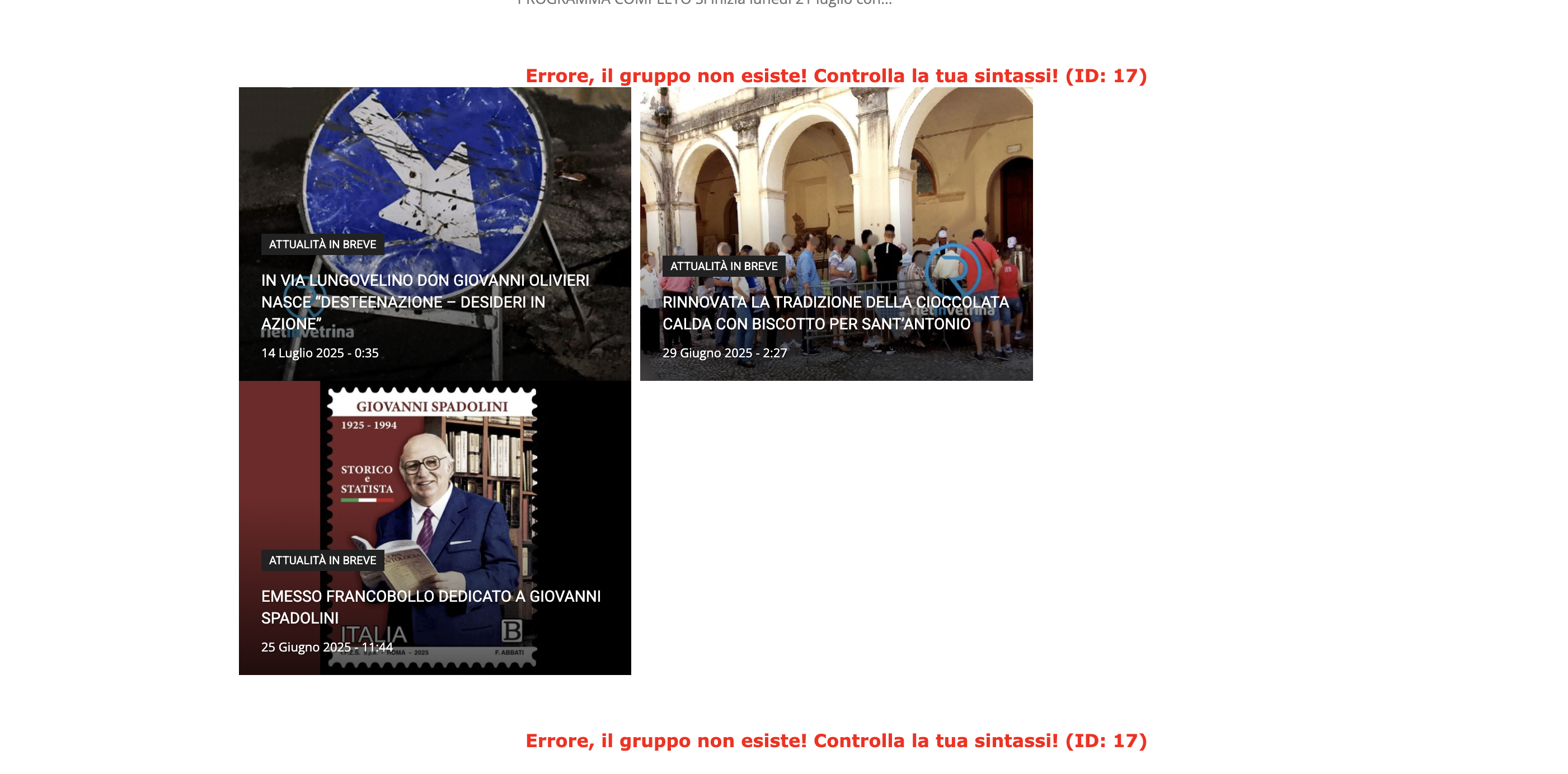
We tested on Safari and Chrome, using 2 different computers and deleting cache.
The website is reachable only by admin.
Can you please help?
Thank you!
 Greg
Greg Hi Julie, hi Calin,
Thank you both so much for your quick and helpful replies – that was exactly what I needed!
@Julie – your tip about checking the Theme Panel → Background & Social Links was spot on. Really appreciate you sharing your workaround!
@Calin – the screenshots were incredibly helpful and guided me straight to the solution. I’ve now completely removed the background image and social icons from the mobile menu – all done cleanly via the Theme Panel, no extra CSS needed. Perfect!
Big thanks to the entire tagDiv team for your great support and such a flexible, powerful theme. Keep up the awesome work!
Best regards,
Greg
 regio-online
 In the meantime I also figured out that it is the plugin WP Media Folder that creates the largest amount of db rows in postmeta, wich have everything to do with the set image sizes in the themepanel of Newspaper and WP Core.
In have a question regarding those imagesize settings.
The WPMF Google Drive addon or the theme creates a db row _wp_attachment_metadata, wich holds references to the image file on Google Drive, but does so many different times in many different sizes (se below. I only mention the image size not the whole code. Every size is mentioned twice):
————
https://drive.google.com/thumbnail?id=19EI*************ZWn&sz=w300
https://drive.google.com/thumbnail?id=19EI*************ZWn&sz=w1024
https://drive.google.com/thumbnail?id=19EI*************ZWn&sz=w150
https://drive.google.com/thumbnail?id=19EI*************ZWn&sz=w768
https://drive.google.com/thumbnail?id=19EI*************ZWn&sz=w1536
https://drive.google.com/thumbnail?id=19EI*************ZWn&sz=w2048
https://drive.google.com/thumbnail?id=19EI*************ZWn&sz=w150
https://drive.google.com/thumbnail?id=19EI*************ZWn&sz=w218
https://drive.google.com/thumbnail?id=19EI*************ZWn&sz=w300
https://drive.google.com/thumbnail?id=19EI*************ZWn&sz=w324
https://drive.google.com/thumbnail?id=19EI*************ZWn&sz=w485
https://drive.google.com/thumbnail?id=19EI*************ZWn&sz=w696
https://drive.google.com/thumbnail?id=19EI*************ZWn&sz=w1068
https://drive.google.com/thumbnail?id=19EI*************ZWn&sz=w1920
https://drive.google.com/thumbnail?id=19EI*************ZWn&sz=w1600
https://drive.google.com/thumbnail?id=19EI*************ZWn&sz=w2200
https://drive.google.com/thumbnail?id=19EI*************ZWn&sz=w2800
https://drive.google.com/thumbnail?id=19EI*************ZWn&sz=w3400
https://drive.google.com/thumbnail?id=19EI*************ZWn&sz=w4000
——————-
This looks generated by WPMF, but it are the themepanel block settings => Thumbs on Modules/Blocks and I quess the WordPress thumbnail, meium, large and full settings.
At the moment I have all the thumb sizes turned on (except the retina), but I use 3 blocks in my pages, Beginning with one Big Grid Flex Block 6, several Big Grid Flex Block 1 and several Flex Block 1. With Flex Block 1 I use different views and image sizes to show.
However if I fill out ‘full’ or ‘1920×0’ the images fit in every Block in any size. It is good to know that before I upload an image through the WPMF Google Drive folder in WP Media Library, I first resize every image to max 1400w x 600h in jpg format and compressed to on everage 120Kb an image. At the moment there are over 35.000 images on Google Drive (about 3.5GB total in size).
Question (at last): if I can set every block in my pages to the full or 1920 setting, could I then disable all other thumbnail size settings? There is only one size image on Google Drive, but is delivered (as seens in the db row) in different size.
That is accumulating a lot of unnessary data it seems making my postmeta table very large and prone to disrupption of service.
If it is possible as I asked, I will have to contact WPMF for a way to get rid of the bloat of information no longer needed.
Hope you can make some sense om my message, because even writing it down was complex for myself.
Calin Hi Ans,
Thanks for reaching out. I understand your concern, and I really wish I could offer more flexibility here.
Unfortunately, the options available are limited to what the thumbnail regeneration plugins themselves provide. This functionality isn’t controlled by the theme, so my ability to help is restricted to suggesting plugins that have worked well with the theme in the past which I’ve already shared with you.
If the current plugins don’t meet your needs, the best next step would be to explore alternative plugins that might offer the features you’re looking for. I truly wish I could do more, but this is something that’s beyond the scope of what the theme can control.
Thank you for your understanding!
Calin Hi,
In case you want to have this functionality https://demo.tagdiv.com/newspaper_podcasts/ and this one https://demo.tagdiv.com/newspaper_video_news_pro/, then you need to use video and audio formats for your articles, set the links for video or audio, and the featured image will be transformed into video/audio, as mentioned in the demos. Also, on your websites, you should use flex blocks to have the audio/video icon displayed. https://i.imgur.com/zceMuk7.png
Also, you can import from cloud the blocks you like for audio and video format and just adjust them using tagDiv Composer
Thank you!
 ahmadrazamughal1
I hope this message finds you well. I am aware that your current system allows a key to be used across multiple domains; however, there is a time limit on its usage. As a developer, I would like to propose a solution where a single key can be active across multiple domains simultaneously without any time restriction.
This would be especially beneficial for websites that require access to your services from multiple domains, allowing them to maintain a seamless experience for their users.
I would appreciate it if you could consider implementing such a feature, as it would significantly enhance the usability and flexibility of your service for developers like myself.
Thank you for considering my proposal. I look forward to your response.
Calin Hi,
That is an ajax dropdown on a block it can be added using tagDiv Composer, select the block and in the filter tab, look for ajax dropdown https://forum.tagdiv.com/flex-block-settings-guide/ https://i.imgur.com/YDUKC2m.png https://i.imgur.com/Lmr2Xxg.png
Thank you!
 emssp
emsspHello,
Could you please tell where I can find the settings to change ‘flex block 1’ hover color exactly like in newspaper_kattmar_pro (Recent Articles, Homepage).
Thank you
 c386
c386 Hi Calin,
Agree on both counts. It’s a niche suggestion, but nevertheless, it would be good for consistency to have the ‘Global header’ option, as we do for Flex Blocks: https://imgur.com/a/ANMpOWo
Calin Hi,
You can use the Flex Block and customize it to fit your layout. Alternatively, you can use the Module Builder to create your own module, or simply import a block you like from the Cloud Library and add it to your sidebar.
Regarding filters:
If the block is placed on a category page and you want to display posts from that category, use the special filters (https://i.imgur.com/YsQSGx4.png).
If it’s on a single post template, make sure to use the single post special filter.
If you’d like to show posts from a specific category across all templates, just select that category from the dropdown menu.
Thank you!



