
- Apitd_api_header_style::delete
- Apitd_api_header_style::update_key
- Apitd_api_header_style::update
- Apitd_api_header_style::add
- ApiAPI – Header style – Introduction
- Apitd_api_top_bar_template::update_key
- Apitd_api_top_bar_template::update
- Apitd_api_top_bar_template::add
- ApiAPI – Top Bar Template – Introduction
- Apitd_api_single_template::update_key
- Apitd_api_single_template::update
- Apitd_api_single_template::add
- ApiAPI – Single Template – Introduction
- Apitd_api_footer_template::update_key
- Apitd_api_footer_template::update
- Apitd_api_footer_template::add
- ApiAPI – Footer Template – Introduction
- Apitd_api_smart_list::update_key
- Apitd_api_smart_list::update
- Apitd_api_smart_list::add
 Bettina
 Hello!
@pratul11 My colleague just replied to you, please check your topic.
Please edit the homepage with TagDiv Composer and check in Website Manager if you have set up the header globally. If all is alright, then please check if you run our newest tool tagDiv CSS Analyzer and run it again.
If the issue is still there, then please send an email at contact@tagdiv.com and provide wp-admin, so we can investigate this issue. Also paste a link to this topic so we can easily identify you.
Let us know and we will gladly assist you.
Thank you!
 Anamaria
 Hi,
I already replied in your own topic: https://forum.tagdiv.com/topic/remove-black-bar-at-top-of-pageheader/#post-401452
Please do not create another topic with the same issue.
Thank you!
Anamaria Hello,
If you don’t have that option, then you use a header template from the Cloud Library and you have to do as I said the second suggestion, I made a video that can help you => https://we.tl/t-g7jpFkSM8Z
Thank you!
 Calin
Calin Hi,
I checked the provided link and this has the Newspaper and not Newsmag theme https://i.imgur.com/rEVKXVD.png also it seems that the cloud header is no longer enable (make sure that you have activate the tagDiv Cloud library).
Also if I’m right those links are for socials, if is so, please set theme using the social elements or maybe you want to use the same social for more address ?
Thank you!
 infanta_2001
Hello! On your website https://ladyinfantahealth.ru/category/sadovodstvo/ I made a new category and this is what happened in the header – https://pastenow.ru/ad4ca8d0c3afb112bcd75bbef3b85bb2 and below https://pastenow.ru/c2cb163f04c35188ad8d8ff200a3d0c6. In one word, the heading header is broken. The mobile version is the same. Everything is fine on the main page. Cleaned the cache. Nothing has changed. Can you tell me what I need to do?
 phalgunnmaharishi
Hello,
I just installed the Newspaper X theme in wordpress and no matter how many times I try to update tagDiv composer, tagDiv cloud library, and tagDiv social counter, I am constantly getting verification failed message. The theme is showing as registered. Kindly help me. I am also not able to see any of the layout settings in Theme Panel. I have to only import pre-built websites and then tweak. This is somehow not seen exactly as many of the videos that I came across on YouTube. Many people have various layout options in categories, footer options, and header options etc. But, I am able to see nothing. It’s showing blank with only one option.
Please help. I am stuck.
Thanks, Phalgunn
 isurudinendra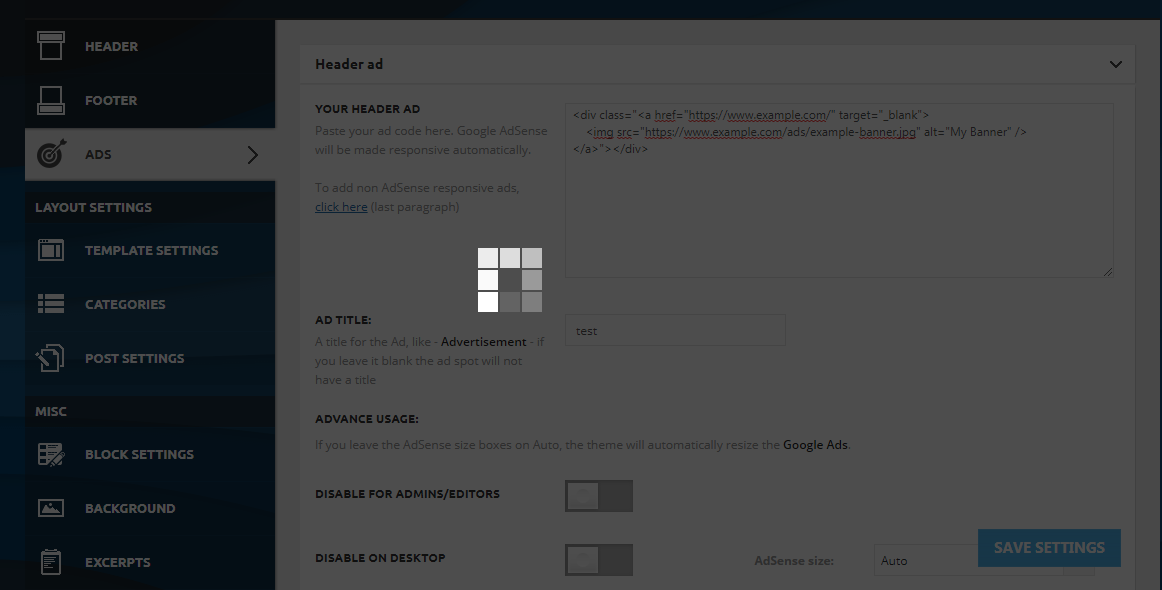
When i try to post ad code in Header ad, Sidebar ad or any ad it can be pasted. but when i trying to save it it’s not saving. how can i solve it?. Help me please
 webjump
Hi team,
Pleas help with my current issues with Newspaper:
https://farewells.co.uk
1. Performance
Since we have upgraded, our site has significantly slowed down when open and saving pages and posts.
—-
2. Post display issue
Posts are this section are now dispaying errors when viewed on Safari. As you can see, it appears to be a template error. Please see example links:
https://farewells.co.uk/funeral-inspiration/
https://farewells.co.uk/letter-of-wishes-funeral-app/
Please note that these posts DO display Chrome and Firefox (not yet checked on a PC browser yet), however they are displaying 2 images – both the thumbnail and featured image. How can we resolve this please?
—–
3. Image Ads are not display
Image ads in the header do not display on mobile phone devices.
Please understand that our website is a business and employs 4 people. We survive on advertising revenue and provding an information service. We chose Newspaper because we thought it was a stable platform. We have hundreds of posts and now live in fear that this will continue breaking.
We humbly request your assistance.
Many many thanks in advance.
Ken
 yasemin
 Dear Bettina,
I did everything you said:
– header was already global
– all the plugins were up-to-date
– I disactivated all the plugins but the tagDiv ones
– deleted and reinstalled the composer
– cleared the cache
– cleared the cache of the browser as well
Nothing changed. The problem is still there.
 VisualSuspect
I created a a custom mobile header template and tried to apply it globally. It show very nice in the front page which where i created but i pressed to be global but it didn’t. When i get into a post the old header comes back.
 Noeveth
 I don’t even have that option in the theme panel. When I go to header that isn’t there.
Bettina Hello!
Edit the homepage with TagDiv Composer, access Website Manager click on Header -> Mobile Menu(you should be able to see your mobile version in Composer now), click on the logo and there you can change it.
Thank you!
 itgrcapitallink
 So, what I have to do to display the title and the breadcrumb with Header Template 13?
Anamaria Hello,
If you have a standard header, then you need to go in Theme Panel -> Header -> Top Bar => https://www.screencast.com/t/FZgKRBbCnxR and disable the top bar, also, you can assign a menu in the top bar and display the social icons, etc => https://www.screencast.com/t/nhKpE83Ho
If you have a header template from Cloud Library, then you need to edit with tagDiv Composer https://www.screencast.com/t/Y5j6ArY8Ug, select the row on the top, and with right-click you can delete it => https://www.screencast.com/t/fdBMaqQevyo
Hope this helps you!
Thank you!
Bettina Hello!
The reason why those 2 elements appear only when you have the main template active is because they are included in that template. So, when you choose another header template, that does not have the elements and they won’t be displayed.
Thank you!
Bettina Hello!
If you use a cloud header template, then edit the page with TagDiv Composer, click on the mobile viewport: https://www.screencast.com/t/XDQJedlggSB ; there you can see your mobile version and you can edit/add the elements there.
Thank you!
yaseminHi,
I am trying to build my site on a temporary domain name. I created a cloud template for header and made it global. However, it looks differently on homepage: http://edentist.depro15.fcomet.com/ It kind of “shrinks” on all the other pages..
How can I resolve this issue?
NoevethHow do I remove the black bar at the top of the page in the Newspaper theme. I cant seem to add anything to it or get rid of it. The only thing in it is the login button.
 MercerMe
 Success with uninstalling Mobile Theme plugin!
CURRENT PROBLEM: MOBILE HEADER
However, the header has reverted to the stock logo!
I don’t understand your explanation of how to find the mobile viewport. I am able to click on “EDIT MOBILE PAGE” which brings me to the editable mobile version. That version has my logo — not the stock logo. The mobile published version has the stock logo.
I also made changes in the Theme Panel for header and that did not work.
itgrcapitallink Hello!
These 2 elements are set up, but are displayed only with the “Main Header”.
Why does this happen?
 prashanth
 Hi,
I could solve the Header logo issue by uploading a Retina Logo 544 x 180px. Earlier this field was blank on the theme panel.
I have tried the same with the Footer logo, but not succeeded. I think I am using the wrong image sizes as the sizes are not mentioned on the theme panel.
Current Footer Logo Setting:
Footer logo 140 x 48px
Footer retina logo – not using (tried with 280 x 96px, but the issue exists).
Footer Style: Style 3 (logo within Footer Info Content)
What are the current logo sizes for the footer?
Thanks.
-
This reply was modified 5 years by
prashanth.
VisualSuspectSo a lot of features missing. Like the boxed layout or the mobile customize theme. Also i don’t have the top menu on the mobile version. The biggest problem is that in the 10.4 version youzify-buddypress plugins are destroying header and footer on their pages. its all white. see for your self: https://playsiders.com/members/
So i have multiple problems. Whats going on?
Anamaria Hello,
If you have a header template from Cloud Library, you can edit the logo and header with tagDiv Composer => https://www.screencast.com/t/zuhG8uGZe, select the header and you can remove the logo image/text and add a new logo =>https://www.screencast.com/t/WSquHPNqT https://www.youtube.com/watch?v=HXQQygkCCJo
If you have a standard template then you need to go in Theme Panel -> Header -> Logo and Favicon => https://www.screencast.com/t/jk2I1xs4FH2
Hope this helps you!
Thank you!
Anamaria Hello,
What version do you use for mobile? mobile responsive version, mobile page or mobile theme?
So, the mobile responsive is what you see then that you select the viewport on phone => https://www.screencast.com/t/matV17hH, so some settings may apply for each viewport(where is the border blue), and others are not(where the border is black).
The mobile page has the mobile templates from Cloud Library => https://www.screencast.com/t/YCcZ8rL8
Mobile responsive version of the theme and the mobile page editor can be edit with tagDiv Composer, so you can change the logo with tagDiv Composer, for the mobile theme plugin you can not edit with tagDiv Composer, you need to upload the logo in Theme Panel -> Mobile theme -> Header => https://www.screencast.com/t/cEh4lPyC
Hope this helps you!
Thank you!
Anamaria Hello,
You have a header template from the cloud library and this header can be edited with the tagDiv Composer https://www.youtube.com/watch?v=ezaaE2VP7V8 -> https://www.youtube.com/watch?v=HXQQygkCCJo, with tagDiv Composer you have more options to redesign the header, compared to header style from Theme Panel, but if you want to use the header template standard, please select to “No template” =>https://www.screencast.com/t/dOKqTURR and you will see the header style, also make sure you have the tagDiv Standard pack plugin activate.
Hope this helps you!
Thank you!

