- Apitd_api_header_style::delete
- Apitd_api_header_style::update_key
- Apitd_api_header_style::update
- Apitd_api_header_style::add
- ApiAPI – Header style – Introduction
- Apitd_api_top_bar_template::update_key
- Apitd_api_top_bar_template::update
- Apitd_api_top_bar_template::add
- ApiAPI – Top Bar Template – Introduction
- Apitd_api_single_template::update_key
- Apitd_api_single_template::update
- Apitd_api_single_template::add
- ApiAPI – Single Template – Introduction
- Apitd_api_footer_template::update_key
- Apitd_api_footer_template::update
- Apitd_api_footer_template::add
- ApiAPI – Footer Template – Introduction
- Apitd_api_smart_list::update_key
- Apitd_api_smart_list::update
- Apitd_api_smart_list::add
 Vlad S
 Hello !
1. That is the sticky header and can be edited using tagDiv Composer from the website manager: https://www.youtube.com/watch?v=HXQQygkCCJo
2. Unfortunately that is an issue from youtube api. Our developers are investigating this issue.
Thank you for your understanding !
 Calin
Calin Hi,
If you want to edit the footer, or the header, then you’ll need to edit it from a page, for example, you can edit the homepage, click on edit with tagDiv Composer -> https://i.imgur.com/uweNRrc.jpg after that go down to the footer end edit it how you want (now you can customize the the whole web-page from fronted).
Also the pages that are build with tagDiv Composer will display only shortcodes in backend.
Thank you!
Calin Hi,
If you are using a default header style, just make sure that you change and set all the settings in Theme panel> Header (also I think that now the menu is set to smart snap) -> https://forum.tagdiv.com/logo-favicon/ also if you are using a cloud header from tagDiv Cloud Library, you can edit it with tagDiv Composer.
Also you can check our video tutorials -> https://www.youtube.com/watch?v=HXQQygkCCJo -> https://www.youtube.com/user/tagdiv
Thank you!
Vlad S Hello !
If mobile Theme plugin is not active you will have the default header menu.
Thank you !
Calin Hi,
The problem is that you do not set the ad in the header you set it in the content, the place that is only to see how will look the content -> https://i.imgur.com/cb8KMlx.png -> https://i.imgur.com/0y0nuJb.png you need to set the ad box in the header menu zone -> https://i.imgur.com/BPhGD7q.png -> https://i.imgur.com/fzYRf6i.png -> https://i.imgur.com/qKaDeVm.png -> https://i.imgur.com/KJvo6Ki.png
Thank you!
 exhibitteam
http://www.topgearmag.in/demo/tdb_templates/header-template-default-pro/
i am trying to dsiable the title i am not able to do it
Can you guide me how it can be done ?
 domien
Greetings,
We created Cloud Templates for Header, Footer, Category, Tag, 404, Search, Author, and Single Posts, and used those templates as default in the theme panel, but after disabling the standard pack plugin, here are some errors we are getting.
Pages
https://screencast.com/t/79OIQpxm
https://screencast.com/t/VK1NPee1zqa
https://www.screencast.com/t/pyMDuTkZ
https://www.screencast.com/t/bUDzkKklNmEX
We noticed that certain types of blocks weren’t working, so we figured out that using “flex blocks” resolves this issues. Is there another or a better way to fix this?
The major problem that we are not able to solve is here: https://screencast.com/t/x8T6y9Na133
This error is coming up on our posts (with standard pack plugin disabled). Can you please explain why this error shows up and how to fix it?
 Luca Malagigi
 For the header: Theme Panel > Header > Header background
For the body: Them Panel > Background > Theme background
 gameriv
AMP auto ad is not working on my site. I have placed both the header and body code for AMP auto ad in the Newspaper AMP ad section as I can not find a different section for the header and body. Is it causing the issue? Did I place my ad code correctly?

 Superlio
Hey there,
I’m trying to create a smart list over here: https://www.top-conso.com/meilleurs-jeux-video-2019/, but I’m encountering 2 major issues (I’m using smart list template n4):
1 – Images from the list get blurry as soon as I make a post as a smart list (if I don’t use smart lists and select regular post template, images are perfectly sharp)
2 – I’m tagging every game title as h3, but as soon as I publish my post, it turns automatically to h2. And it does the same with every single smart list template. And when just don’t use smart lists, and leave it as a regular post template, it get back to h3, as I tagged it.
Pls let me know ASAP.
Thx
Lionel
 aristake
Hi, I got weired effect after trying to change header background image. I’ve set the row background and indeed got the new background, the behavour houver of the header changed entirely.
Now it disappeared, I set paddings top and bottom – it appeared. But the menu shows up only after rezizing the window. Could you please check and say where should it be changed so to behave the right way as in demo, thanks.
 jamiesharpe
 Hi Vlad – I’ve applied this from theme panel – header (https://www.screencast.com/t/HPSgGVD34) and cleared my cache. It is working for the home page (https://www.screencast.com/t/2AcTChqT) but not for posts (https://www.screencast.com/t/kXf3w2Gm). Could you have a look and let me know why?
Luca MalagigiHi everyone,
I’m trying to add header and body background images on my website but they both get stretched too much.
I played with all the settings and I resized the images many times but I couldn’t do it.
I hope you guys can help me out.
Thanks for your help!
 deyankanev
 The problem persists, even after changing manually the logo in each of the four header menu states (sticky and normal, desktop and mobile.) No change.
 tromaktiko
While menus were ok at 10.1 and 10.2, at 10.3, at same menus, the sub menu icons go under menu.
Only change we made was to update from 10.2 to 10.3
Tried with many header cloud templates, even the blank, every time the same, when adding sub menu icon, menu row is broken
thanks
 ruunmedia
 So I have disabled standard pack and not using WPBakery…I am saying I did a fresh install of newspaper 10.3 and then built out cloud templates using the premade styles (used Tech News Pro). Its happened on both the header and footer templates where I will go back into edit something and the same error appears in tagdiv composer:
“Errors at columns: 2(models) : 1(dom). The model does not match the content Current state has involved an issue. You could try an UNDO operation (CTRL+Z / CTRL+SHIFT+Z)”
In an effort to possibly explain the bug I was just including that it appears to show WPBakery shortcodes if you click to “edit” template section (not tagdiv composer)
Heres our footer https://share.getcloudapp.com/nOuNY7ro
But upon further inspection it actually looks like a mix of your tdc shortcodes prefix WPBakery vc prefixes like:
[tdc_zone type=”tdc_footer”][vc_row full_width=”stretch_row_1200 td-stretch-content”
If you “edit” a functioning cloud template it appears as encoded text:
https://share.getcloudapp.com/ApurNm0W
Thats why I was saying the bug probably has something to do with that or perhaps your tdcomposer is using VC elements?
The only thing I could think of is I sometimes work across multiple tabs and might have an edited td composer open not saved in one tab and then a more updated cloud template I’m saving over in the other…is there any versioning/support using tdcomposer so theres no conflict like a normal wp post?
 mikegiam
 https://www.rrecordstage.com/stage/
1Normal header: https://www.rrecordstage.com/stage/wp-content/uploads/2020/02/1Normal.jpg
2scrolling-up: https://www.rrecordstage.com/stage/wp-content/uploads/2020/02/2scrolling-up.jpg
After scrolling down to middle of the page or post and then scrolling back up the footer information appears floating at the top of the page and then disappears when the scrolling up finishes.
3footer: https://www.rrecordstage.com/stage/wp-content/uploads/2020/02/3footer.jpg
This is the footer on the page.
Thanks,
KC
kc@rapprecord.com
 dragoerny
Hi.
If i try to add an ad-box to the mobile template I can’t save the template.
you can see an example here :
https://screencast-o-matic.com/watch/cYnr6UwGda
Just want the same header ad on the mobile as on the desktop.
Note : I see often that I can’t save the template if I have changed many things. I then have to exit without changes and the make small changes and save in between. This is the first time I have seen that it won’t save a single step.
Vlad S Hello !
Please make sure you are editing the header logo properly as you can see here: https://www.youtube.com/watch?v=HXQQygkCCJo
Thank you !
Vlad S Hello !
Please make sure that you are setting the header logo properly as you can see here: https://www.youtube.com/watch?v=HXQQygkCCJo
Thank you !
 charlestcr
Please Go Through https://kalunku.com/ and please see below screen shot
https://www.screencast.com/users/web8027/folders/Default/media/9fd6e79e-f8ae-4ee6-92c8-d3cb598d63ac
https://www.screencast.com/users/web8027/folders/Default/media/54bdfa0f-5254-4fc0-9692-02ac2f8dbf68
in some MegaMenu of Menu I am Getting Blank Space between Image and Category. How to solve this issue?
i used Header Template 44 – History PRO (3) Template.
 pateltejas507
My Newspaper Theme panel Not Working. When I Put ads Through Theme panel section But Not Updating. And also while I m changing header, Footer Background These are not working.check it my site. Shayaricollection
And For ads Showing Please Check This. Love shayari in Hindi.
Calin Hi,
yes, if you set a banner/image as ad this will be display in the whole place where the ad is set (sidebar post, footer, header etc.) -> https://forum.tagdiv.com/newsmag-custom-ad-spots/ on homepage you have some more control over the ad box, you can edit it with tagDiv Composer, set a new row and if this will not do what you need you can set an inner row in that row until you get the space that you want for your banner, after that set and ad box wit the banner -> https://i.imgur.com/tszz9iC.png
Hope this will help you!
Thank you!
 manideepvtu
how to customize logo, header color in AMP
 chucky20
Hi everyone…im new here. i bought your theme and i love it! BUT:
This is my site which i started one week ago: https://eniyibebek.net/
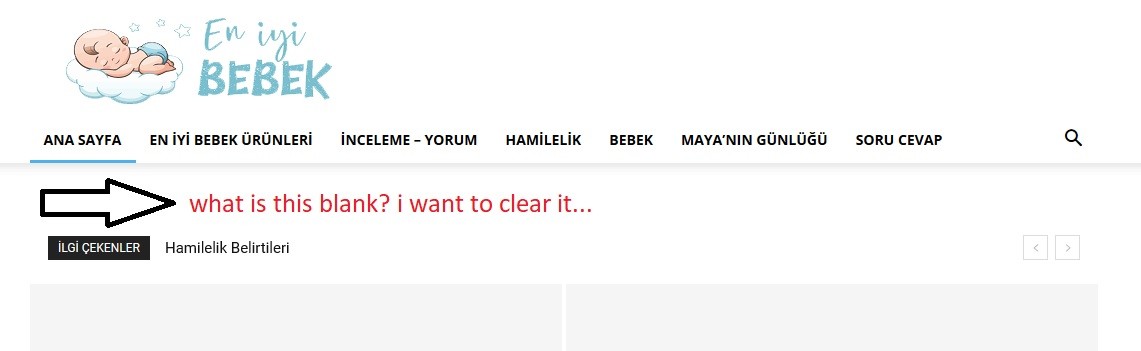
1- https://i.hizliresim.com/k0ZRnr.jpg How can i solve this problem.. i didnt want to use a header template..
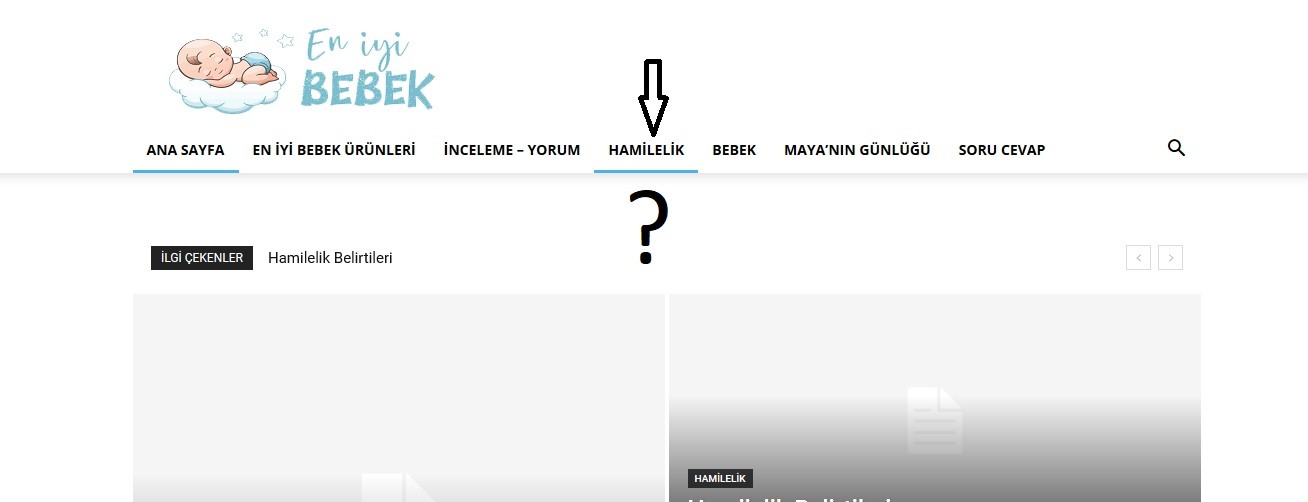
2- https://i.hizliresim.com/NGYJrY.jpg i have a categori which name is “Hamilelik”. and it has got one subcategory which name is “Hafta Hafta Gebelik” . i tried to active preloading or mega menu but it isnt working.. What is the problem?
3- Another and last question with my bad english 🙂 for example i have an A, B, C categories. And only the category A has SUBCATEGORY which names are 1,2.
how can i do this: When i click A. i see only subcategories names’ 1 – 2 (no subcategories’ posts, only two subcategory names blocks)
THANK YOU FOR ALL