
- TutorialsDefault Block Settings Guide
 Simion C.
 Hi,
1. By default a logo and retina logo can be uploaded in the theme panel, the retina logo will be displayed when needed automatically. If you entered the images directly in the theme header template, those will be displayed at all times.
Maybe create bigger images with a higher resolution (and reduce them with CSS), that may provide a better quality result.
It would be more difficult to switch the images when retina is detected or by screen width, maybe it could be done
– https://stackoverflow.com/questions/15142902/php-echo-statement-if-screen-is-a-certain-size
– https://developer.mozilla.org/en-US/docs/Web/API/Screen/width
– https://wordpress.stackexchange.com/questions/269133/detect-screen-width-in-functions
2. Since that is a category, clicking it will direct to the category page. The mega-menu will display only categories. You could use a redirection plugin and redirect the category you want to a different page
– https://www.wpbeginner.com/beginners-guide/beginners-guide-to-creating-redirects-in-wordpress/
3. The active and hover color are tied together. I could give you a code that will change only the active state and not the hover
– https://www.screencast.com/t/RCpgk6v1
.sf-menu > .current-menu-item > a:after {

background-color: yellow;

}
4. Maybe with a view counter plugin, or statistics plugin. Check some of these for example
– http://learningcms.com/wordpress-post-views-counter-plugins/
– https://wpmissing.com/plugins/elegant-vistor-counter-wordpress/
Thanks
 Janine Thomas
Is it possible to get the header to fill the entire width of the page instead of leaving white space on both sides?
 Guy Kedar
I get some issue with my top menu in web header… in mobile all fine
I no longer see it… I was try anything!
From going to the Theme panel and change headers layout, fonts, color and more… still not see the header…
also went to appearance menu tab to try to replace the menu, this not helps as well…
need some help with that.
thanks
 mRelby
Hello guys. Me need our help.
How setup header + menu + logo as on this theme, example:
https://magsy.mondotheme.com/2018/09/29/the-next-cool-fashion-magazine/
I want create fixed sticky menu.
And header should not be changed (in height) when scrolling.
Thx 😉
 reddisl
Hello tagdiv !
1. How to remove latest articles in homepage? I’m using default demo, but I just want to delete latest article from front page but keep the same DEMO content!
2. As my website is in Arabic, and I didnt know that Newspaper doesnt support RTL, unfortunately among other errors there is this mistake in the theme.
== Below every post , there is “find related articles” , How can I fix this so that picture displays in left instead of appearing on right ( because they are hiding related articles titles ) this problem only appears when I navigate website with mobile.
—- ————————————————————————–
I want to help NewsPaper in turning their theme into RTL support !
you might find this helpful! in the next update !
When website language turned to any RTL language , the menu is broken ! I used this CSS to fix it ! and PS Custom CSS in theme panel doesnt work at all!!!
#td-mobile-nav {
position:fixed;
}
.header-search-wrap {
display: none;
}
—– I hided search button because of an error in dispaly – it is mixed with menu button in the right! –
I will try my best to help TAGDIV !
 twinkle4starms
Hi tagdiv team,
I just notice today that the header of “Comments” is missing. Please check: https://ibb.co/2FFT1Ng
It should be like in your demo: https://ibb.co/wRJGZJW
I tried to deactivate some of the plugins and delete cache, still the same. I hope you can help me to fix it. Thank you.
 solokco
 Hi, I have the same problem
But now when I DISABLE TavDiv Composer, my site show this error in the HEADER
wp_booster error:
td_api_base::mark_used_on_page : a component with the ID: tdm_header_style_3 is not set.
***/Newspaper/includes/wp_booster/td_api.php
wp_booster error:
td_api_base::get_key : a component with the ID: tdm_header_style_3 Key: file is not set.
***/Newspaper/includes/wp_booster/td_api.php
wp_booster error:
The path of the tdm_header_style_3 header style not found. Did you disable a tagDiv plugin?
***/Newspaper/includes/wp_booster/td_api.php
Any ideas how to fix this?
 inevros2018
 I manage to create a header menu.
I would like to insert ads near the column of the articles in the category cloud template.
I want 3 columns the first 2 to be form posts and the 3rd one to add and ad.
Please see the image : http://prntscr.com/lmq39x
How can i achive that?
Thank you
 Shaaban18
Hi. I want to edit my http header to remove the ‘noindex’ detected in ‘X-Robots-Tag’. How can I do this, please?
 Kimyavebilim
Hello,
sitem: https://kimyavebilim.com
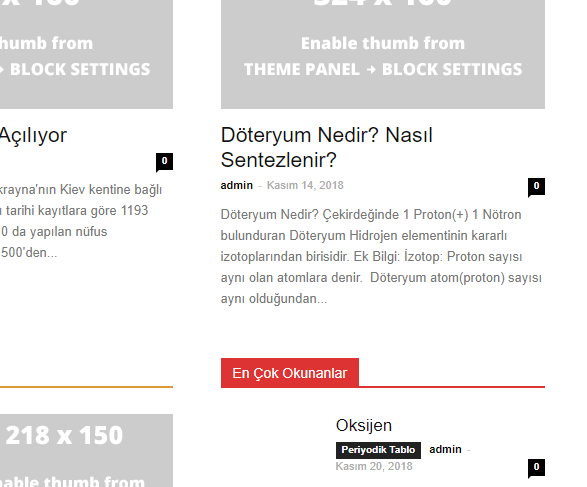
homepage kimyavebilim.com contains 60 h3 tags!
my request
homepage kimyavebilim.com, only title h1.
homepage kimyavebilim.com, header menu category title, h2 and h3 will be.
homepage kimyavebilim.com, other module (image) titles, h tag will not contain.
sub-pages who will stay in the title h1
where do I get these settings
my english and html information is bad
Please, I would appreciate if you can help in detail.
thank you
 hollymarie
I recently activated the Mobile theme and AMP plugins for my site. Because I knew that they’re not compatible with page builder pages, I removed all page builder elements from my pages, so they’re just plain html now.
However, when viewed on mobile most of those pages simply disappeared the content with the Mobile theme and AMP plugin activated. It shows the header and footer, but absolutely none of the photos or text.
This seems to only be an issue with pages that previously had content with pagebuilder. My posts look fine on mobile with the Mobile theme and AMP activated.
I’ve obviously since deactivated those plugins since I couldn’t tell if it was one or both causing the issue. But I’d like to use them, and I’m not how to fix this. Is this a bug? Does the theme somehow think that the pages that have been scrubbed of pagebuilder elements are still pagebuilder pages that aren’t compatible?
I’ve gone back and carefully checked that there’s no pagebuilder elements remaining on the affected pages. I purged my caches, but I’m not sure what else to do.
 Carl Kmetz
Hello, I’m using the business theme. How can I move the header banner ad more to the right? It’s too close to the logo when the container is stretched to 1400px.
Thanks
inevros2018 Hello,
i want to create a second menu above the main menu (header menu)
Is it possible to do that?
Thanks
Carl Kmetz Hey I’m using the business theme. How can I move the header banner ad more to the right? It’s too close to the logo when the container is stretched to 1400px.
Thanks
 wilhard
 Hi, thanks. But how to fix it without CSS coding? Because it’s a flaw. You delete element and you have a big hole. I don’t think that it was supposed this way: to adjust spaces between blocks with CSS. Most users do not know CSS. I am just trying to understand why and how to avoid it. Have you purposefully designed this hole between the header and the first block? Maybe if I use other blocks there will be no problem?
 6kobawa
Hello,
i’ve installed the newspaper template and when i activate it after activated all required plugin i don’t have the drag and drop interface the texte look like this [vc_row][vc_column width="1/1"][td_block_trending_now sort="random_posts" limit="5" custom_title="FLASH INFO" header_color="#AC0000" category_ids="354" ][td_block_big_grid_3 td_grid_style="td-grid-style-1" sort="a-la-une"][/vc_column]
like wordpress text view mode.
Please someone can help me to resolve my problem please
Thank you
wilhardHello, after I delete the news ticker there are too much empty space betweent the first block and the header. How to fix it? See the screenshot: https://ibb.co/n4pTZq
Thank you in advance!
 Catalin
 Hello awilcock,
Unfortunately, the theme does not have any such an option that allows you to make this change, sorry! If you will use the header style 10, you can use the Text Logo Tagline -> https://www.screencast.com/t/bzXQHfmeIB
Thanks for your understanding!
Simion C. I can make it bigger but it will overlap the menu items
– https://www.screencast.com/t/dmJ1sfpI
The reserved space for the logo in this header style is 190px only, the rest will be used by the menu items, from the total width of the container.
Maybe if you stretch the header elements first – https://www.screencast.com/t/54Kf7kK4QO
That will create the space for a larger logo without interfering with the menu items.
Try to use the stretch settings and then use this code (you can modify the values used)
– https://pastebin.com/SZdn3ptN
I should mention that we are working on a header builder, it will be released in coming updates. Maybe something like this will be possible without using any code, I can’t say at the moment.
For the footer you can use a footer template with a full row, not split in columns. For example style 4
– https://forum.tagdiv.com/footer-templates/
Then you can use a much larger logo, it will not be limited as it is now
– https://www.screencast.com/t/3RMnqymt7
Simion C. Hi,
Glad it worked.
1. It would be possible if this is required, try to set this additional parameter in the theme header file
– https://www.screencast.com/t/mIqjRo5Mk
It will be possible in a child theme as well.
2. That looks like the theme stylesheet and also the images are not loading, only the HTML. I browsed the website on a phone for a while, it did’t happen for me.
Maybe ask your hosting provider to check if there are any problems with the server, or errors in the error log.
Thanks
 dragoerny
 Ps. Know you can do it be changing the header background but that also takes the area below the menu but not the menu
dragoernyHi. I would like to make a Christmas background on the header behind the logo. How do I display a pattern/tile behind the logo.
I use header style 9
Site is : http://www.dragoernyheder.dk
 stephanie1978
Hello,
I would like that my header ad points to my home page. For the time being, when I click on the header ad, the same page with a /# appears in the URL adress. Il does not lead to the home site URL. How can I change that ?
Thanks in advance for you help. I have juste bought the theme, and I am not a fluent English-speaking person.
 Calin
Calin Hi,
Please read this topics:
-> https://forum.tagdiv.com/topic/fast-news-newspaper-9-1/
-> https://forum.tagdiv.com/topic/fast-news-demo-header-colour-change/
-> https://forum.tagdiv.com/topic/fast-news-newspaper-9-1-main-menu-problem/
Thank you.
 pbc
pbc Hi, Simion. I’ve changed line height as suggested, but this still not enough.
I’ve added this code to css:
.td-header-wrap, .td-header-style-12,.td-header-menu-wrap-full  {
   height: 110px;

}

.td-header-style-12 .td-main-menu-logo img {
    max-height: 110px;
    margin-right: -22px;
}
And now logo looks good, but megamenu overlaps with a main menu, like here:

And menu links need to place on the middle by horizontal, like here:

How to fix that? Appreciate your help.
Thanks
-
This reply was modified 7 years by
pbc.
